

Wondering when to use work scheduling software? Here’s a simple guide to help you decide.
Work scheduling software can be a game-changer for businesses. It helps manage employee shifts, track hours, and improve productivity. If your team struggles with disorganized schedules or frequent shift changes, it might be time to consider this tool. Imagine reducing the stress of constant schedule adjustments and ensuring everyone knows their shifts.
This software can save time, reduce errors, and boost team morale. Whether you’re a small business or a large corporation, the right scheduling software can make a big difference. Stay with us as we explore the signs that indicate you need work scheduling software.
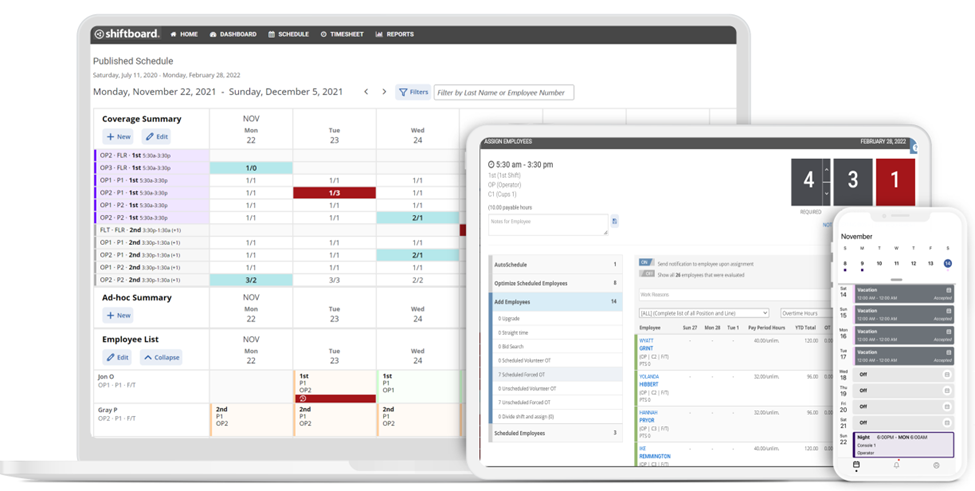
Credit: www.shiftboard.com
Benefits Of Scheduling Software
Using scheduling software can transform the way teams operate. It brings a host of benefits that help streamline processes and enhance productivity. Below, we explore some key advantages.
Improved Efficiency
Scheduling software improves efficiency in several ways. It automates repetitive tasks, saving time. Instead of manually entering data, the software handles it. This reduces the chance of human error.
With clear schedules, tasks are well-organized. Employees know their responsibilities. This leads to better time management. The software also offers reminders. These keep everyone on track. Consequently, deadlines are met more easily.
Additionally, real-time updates are a game-changer. When schedules change, the software updates instantly. This ensures everyone has the latest information. Therefore, it minimizes confusion and delays.
Reduced Conflicts
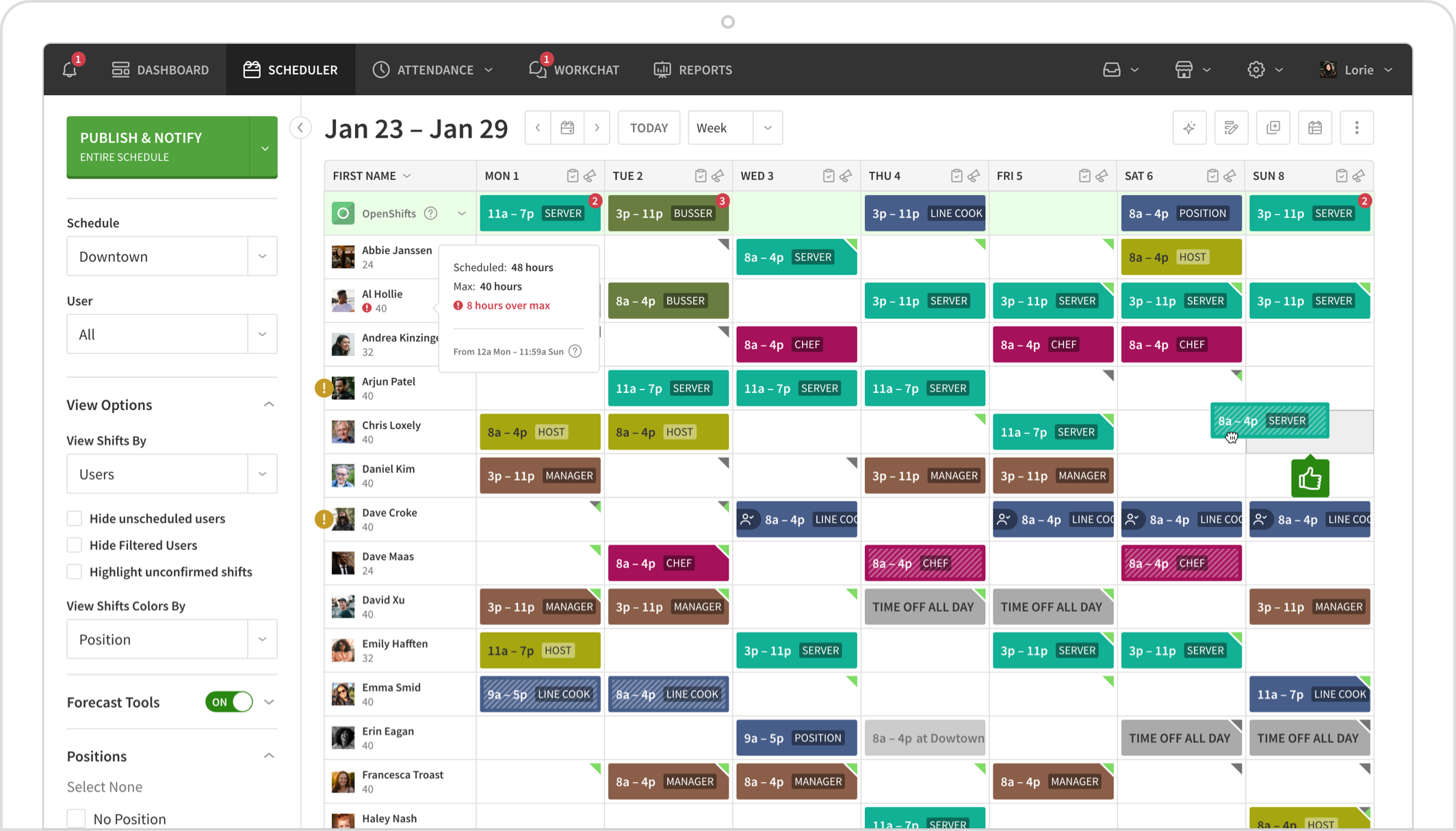
Conflicts in schedules can disrupt workflow. Scheduling software helps reduce these conflicts. It allows for easy adjustments. Managers can see availability at a glance. This helps in assigning tasks without overlaps.
The software also supports communication. Team members can check schedules anytime. They can request changes if needed. This transparency fosters better teamwork. It also reduces misunderstandings.
Moreover, the software can manage shift rotations. This is particularly useful in industries with varied shifts. It ensures fair distribution of work. Employees are less likely to feel overburdened. As a result, morale improves.
Key Features To Look For
Choosing the right work scheduling software can streamline operations and boost productivity. To make an informed decision, consider the key features that ensure ease of use and efficiency. These features help simplify scheduling tasks and improve team coordination.
User-friendly Interface
A user-friendly interface is essential for any scheduling software. It should be intuitive and easy to navigate. Users should be able to understand and use the software without extensive training. Clear labels and simple menus help users find what they need quickly. A clean design reduces confusion and minimizes errors. This makes the scheduling process smoother and more efficient.
Automated Reminders
Automated reminders are crucial for effective scheduling. They help keep everyone on track and informed. Users receive notifications about upcoming shifts or changes. This reduces the risk of missed shifts and improves accountability. Automated reminders can be sent via email or SMS. This ensures that all team members stay updated, even when they are not at their desks.
Types Of Scheduling Software
Scheduling software helps businesses manage their workforce. There are different types of scheduling software available. Understanding these types helps in choosing the right tool for your needs.
Cloud-based Solutions
Cloud-based scheduling software operates online. It stores data on remote servers. You can access it from anywhere with an internet connection. This type of software is great for businesses with remote teams. It offers flexibility and ease of use. Updates and backups happen automatically. This reduces the burden on your IT staff.
On-premises Solutions
On-premises scheduling software is installed on your local servers. It offers more control over your data. This type of software is ideal for businesses with strict data security needs. You do not need an internet connection to access it. This can be a benefit in areas with poor connectivity. Maintenance and updates are handled internally.
Credit: wheniwork.com
Implementing Scheduling Software
Implementing scheduling software can greatly enhance productivity and efficiency. It helps manage work schedules, reduces conflicts, and ensures everyone is on the same page. To make the most of this tool, a proper implementation process is crucial. This includes an initial setup and thorough team training.
Initial Setup
The initial setup is the first step in implementing scheduling software. Start by choosing software that fits your team’s needs. Ensure it has features that align with your workflow. Once selected, install the software on all necessary devices. Customize settings to match your company’s schedule and policies. Add employee details and their working hours. Set up notifications and reminders for important tasks. Test the system to ensure it works smoothly.
Team Training
Team training is essential for successful implementation. Begin with a comprehensive overview of the software. Explain its benefits and how it will simplify their work. Provide step-by-step instructions on using the software. Use real-life examples to make it relatable. Organize hands-on training sessions for practical experience. Encourage questions and provide clear answers. Offer ongoing support to address any issues that arise. Ensure everyone feels comfortable using the new system.
Common Challenges
Implementing work scheduling software can bring many benefits. However, businesses often face several common challenges during the transition. Understanding these challenges can help in addressing them effectively.
Resistance To Change
Employees may resist new technology. They are used to old methods. Change feels intimidating. They worry about learning new software. This can slow down the adoption process. Effective communication is key. Explain the benefits clearly. Offer adequate training. This helps ease their concerns.
Technical Issues
Technical problems can arise. Software may have bugs. Compatibility issues may occur. Internet connectivity can affect performance. These issues frustrate users. Regular updates and support are essential. Ensure your IT team is ready. Quick solutions minimize disruptions. This maintains productivity and trust.

Credit: www.zoomshift.com
Measuring Success
Measuring success is crucial when using work scheduling software. It helps ensure that the software is meeting your business needs. This section will explore key metrics and factors to consider. Focus on productivity metrics and employee satisfaction to gauge success effectively.
Productivity Metrics
Track the number of tasks completed within a set timeframe. Monitor how long each task takes to complete. Compare productivity before and after implementing the software. Look for improvements in task completion rates. Consider using time tracking features within the software.
Analyze the output quality of completed tasks. Ensure that productivity gains do not compromise work quality. Note any changes in the speed of task execution. Evaluate the overall efficiency of team members. Use these insights to adjust schedules and workload distribution.
Employee Satisfaction
Gather feedback from employees about the scheduling software. Use surveys or direct communication for honest opinions. Pay attention to comments on ease of use and functionality. Identify any challenges or frustrations faced by employees. Address these issues promptly to maintain satisfaction.
Observe changes in employee morale and engagement. Happy employees are often more productive and loyal. Check for a decrease in absenteeism and lateness. A well-scheduled team is less likely to experience burnout. Ensure that the software supports a healthy work-life balance.
Best Practices
Using work scheduling software effectively requires following some best practices. These practices help in maximizing efficiency and maintaining smooth operations. Let’s explore two key areas: Regular Updates and Feedback Loops.
Regular Updates
Keep your scheduling software up-to-date. Regular updates ensure the software runs smoothly and securely. Update schedules, employee information, and shift changes often. This helps avoid confusion and errors.
Updates should be made:
- Weekly
- After major changes
- When new features are released
Consider setting aside a specific time each week for these updates. This practice helps maintain consistency and reliability. Ensure all team members are aware of the latest updates. This promotes transparency and accountability.
Feedback Loops
Feedback is crucial for improving work scheduling. Create a system for employees to share their thoughts. This can be done through regular surveys or suggestion boxes. Listen to their feedback and make necessary adjustments.
Establish feedback loops by:
- Conducting monthly surveys
- Holding quarterly review meetings
- Encouraging open communication
Implementing feedback helps address issues promptly. It also makes employees feel valued and heard. Use this feedback to refine your scheduling process. This ensures the system works well for everyone.
Regular updates and feedback loops are essential for effective scheduling. By following these best practices, you can create a more efficient and harmonious workplace.
Case Studies
Exploring real-life examples can help understand the effectiveness of work scheduling software. Different businesses, whether small or large, face unique challenges. These case studies highlight how work scheduling software can address these challenges and improve operations.
Small Businesses
Small businesses often struggle with limited resources and tight budgets. Efficient scheduling can make a significant difference. Let’s look at how a local bakery benefited from using work scheduling software.
- Problem: The bakery had issues with overlapping shifts and last-minute changes.
- Solution: They implemented work scheduling software to manage shifts better.
- Result: The bakery saw a 30% reduction in scheduling conflicts and improved employee satisfaction.
In another example, a family-owned restaurant faced high staff turnover. Managing schedules manually was time-consuming and prone to errors.
- Problem: High turnover and manual scheduling led to frequent errors.
- Solution: They used scheduling software to automate the process.
- Result: The restaurant saved 10 hours a week on scheduling and reduced errors significantly.
Large Enterprises
Large enterprises have more complex needs. Multiple departments, varied shifts, and a larger workforce can complicate scheduling. Here’s how a multinational retail chain used work scheduling software to streamline their operations.
- Problem: Coordinating shifts across multiple locations was challenging and inefficient.
- Solution: The retail chain adopted scheduling software to centralize and automate shift management.
- Result: They achieved a 40% increase in scheduling efficiency and better resource allocation.
A major healthcare provider also faced difficulties with manual scheduling. Their staff worked in various shifts, and errors could impact patient care.
- Problem: Manual scheduling caused shift overlaps and understaffing issues.
- Solution: They implemented scheduling software to automate and optimize the process.
- Result: The provider improved shift coverage and reduced scheduling errors by 25%.
Frequently Asked Questions
What Is Work Scheduling Software?
Work scheduling software helps businesses manage employee shifts and tasks efficiently. It automates scheduling, reduces conflicts, and ensures optimal resource allocation.
Why Use Work Scheduling Software?
Using work scheduling software saves time and minimizes errors. It improves productivity, enhances communication, and ensures proper staffing levels.
How Does Scheduling Software Benefit Businesses?
Scheduling software streamlines shift planning, boosts employee satisfaction, and reduces labor costs. It provides real-time updates and simplifies shift swaps.
Can Small Businesses Use Scheduling Software?
Yes, small businesses can use scheduling software. It helps manage limited resources effectively and ensures smooth operations.
Conclusion
Choosing the right work scheduling software can boost your team’s productivity. It helps streamline tasks and improve communication. Evaluate your needs and test different options. Look for user-friendly interfaces and essential features. Proper scheduling tools save time and reduce stress.
Your team will appreciate the organization and clarity. Make an informed decision and see the positive impact on your workflow.
