

Collecting data can be time-consuming and complex. Formly makes it simple and fun.
Formly is a no-code solution designed to build custom digital forms, surveys, and quizzes with real-time insights. Imagine creating responsive online forms tailored to your needs without writing a single line of code. From dynamic question paths to personalized thank you screens, Formly offers it all. Whether you’re a marketer, agency, or small business, Formly’s intuitive builder ensures you can easily collect and analyze data. With features like conditional logic, email verification, and Google Sheets integration, Formly is versatile and user-friendly. Ready to explore? Check out Formly now by clicking here.
Credit: github.com
Introduction To Formly
In the digital age, collecting data efficiently is crucial. Formly offers a no-code solution for creating forms, surveys, and quizzes. This tool simplifies data collection, making it both easy and enjoyable.
What Is Formly?
Formly – Forms, Surveys & Quizzes is a powerful tool designed to build custom digital forms, surveys, and quizzes. With an intuitive builder, users can create responsive online forms tailored to various needs without any coding knowledge.
Purpose And Benefits Of Using Formly
The main purpose of Formly is to streamline the process of data collection. It offers a variety of features that enhance the user experience and provide real-time insights.
- Ease of Use: No coding required to create forms.
- Customization: Tailor forms and surveys to specific needs.
- Integration: Over 3,000 integrations to streamline workflow.
- Real-Time Analytics: Monitor responses and completion rates in real-time.
- Engagement: Visually appealing and interactive forms.
- Versatility: Suitable for marketers, agencies, and small businesses.
Main Features
| Feature | Description |
|---|---|
| Form/Survey/Quiz Builder | Create forms, surveys, and quizzes quickly. |
| Unlimited Forms | Build as many forms as needed. |
| Question Branching/Logic Jumps | Use conditional logic for dynamic paths. |
| Multiple Layouts | Choose from various form layouts. |
| Conditional Email Notifications | Send notifications based on responses. |
| Conditional Thank You Screens | Personalized thank you messages. |
| Payment Collection | Collect payments from clients. |
| Email Verification | Verify email before accepting submissions. |
| Export Responses | Export data in CSV, HTML, PDF formats. |
| Google Sheets Integration | Sync with Google Sheets. |
| Custom Domains | Use your own domain for forms. |
| Branding Removal | Remove Formly branding. |
| Add Logo | Customize with your own logo. |
| Redirect on Completion | Redirect respondents after form submission. |
| GDPR-compliant | Ensures compliance with data protection regulations. |
| White Label & CNAME | Customize branding and domain. |
Key Features Of Formly
Formly is a powerful no-code solution for creating custom forms, surveys, and quizzes. Designed for ease of use, Formly offers a variety of features that make data collection simple and efficient. Here are some key features of Formly that can enhance your data collection process.
Drag-and-drop Form Builder
The Drag-and-Drop Form Builder allows you to create forms effortlessly. Simply drag and drop elements to design your form. No coding skills are required, making it easy for anyone to build professional forms.
Customizable Templates
Formly offers a variety of Customizable Templates to suit your needs. Choose from different layouts and modify them to match your brand. This feature saves time and ensures consistency in your forms.
Conditional Logic
With Conditional Logic, you can create dynamic forms that change based on user responses. This feature helps in making your forms more interactive and personalized. You can set up question branching and logic jumps easily.
Real-time Data Validation
Ensure data accuracy with Real-Time Data Validation. Formly checks the data as users fill out the form, reducing errors and incomplete submissions. This feature is crucial for maintaining data quality.
Integration Capabilities
Formly integrates with over 3,000 applications, streamlining your workflow. Integration Capabilities include syncing with Google Sheets, payment collection, and more. These integrations help in automating tasks and saving time.
Analytics And Reporting
Monitor and analyze your data with Analytics and Reporting features. Formly provides real-time insights into responses and completion rates. You can export data in various formats like CSV, HTML, and PDF for further analysis.
Below is a summary table of the key features:
| Feature | Description |
|---|---|
| Drag-and-Drop Form Builder | Create forms easily with a drag-and-drop interface. |
| Customizable Templates | Choose and modify templates to fit your brand. |
| Conditional Logic | Create interactive forms with dynamic paths. |
| Real-Time Data Validation | Ensure data accuracy as users fill out forms. |
| Integration Capabilities | Integrate with over 3,000 applications. |
| Analytics and Reporting | Get real-time insights and export data in various formats. |
Pricing And Affordability
Formly offers various pricing plans to suit different needs. Whether you are an individual or a team, there’s a plan for you. Let’s explore the different pricing tiers, the value each plan provides, and the comparison between free and paid versions.
Different Pricing Tiers
| Plan | Price | Features |
|---|---|---|
| Plan 1 | $99 (one-time payment) |
|
| Plan 2 | $198 (one-time payment) |
|
| Plan 3 | $297 (one-time payment) |
|
Value For Money
Each Formly plan offers excellent value. The features included are designed to maximize productivity and ease of use. For a one-time payment, users get lifetime access with no recurring fees. This is a significant advantage over subscription-based services.
The plans also include essential features like unlimited forms, custom domains, and conditional logic. These features help businesses create professional and effective forms without extra costs.
Free Vs. Paid Versions
Formly does not offer a free version, but the paid plans come with a 60-day money-back guarantee. This allows users to try the product risk-free. The paid versions provide features that are not typically available in free form builders.
Key benefits of the paid plans include:
- Higher response limits
- More storage
- Multi-user access
- Custom branding options
These features ensure that businesses can scale their form usage as needed without additional costs.

Credit: appleworld.today
Pros And Cons Of Formly
Formly is a no-code solution designed to simplify the creation of forms, surveys, and quizzes. Like any tool, it has its strengths and weaknesses. This section explores the pros and cons of Formly based on real-world usage.
Pros Based On Real-world Usage
- Ease of Use: Formly requires no coding skills. Users can create forms effortlessly.
- Customization: The tool offers extensive customization options. Users can tailor forms to their specific needs.
- Integration: Formly supports over 3,000 integrations. This helps streamline workflows.
- Real-Time Analytics: Users can monitor responses and completion rates in real-time.
- Engagement: The forms are visually appealing and interactive. This increases user engagement.
- Versatility: Suitable for marketers, agencies, and small businesses. It adapts to various use cases.
- Unlimited Forms: Users can create as many forms as needed. There are no restrictions.
- GDPR-compliant: Ensures compliance with data protection regulations. This is essential for privacy.
- Google Sheets Integration: Sync data easily with Google Sheets.
- Conditional Logic: Use question branching and logic jumps for dynamic paths.
Cons Based On Real-world Usage
- Limited Storage: The lower-tier plans offer limited file storage. Users may need to upgrade for more space.
- User Restrictions: Plan 1 allows only 1 user. Teams may need higher plans for collaboration.
Plan 1 has a cap of 10,000 responses per month. High-traffic forms may exceed this limit. - Learning Curve: Some users may face a learning curve initially. Familiarity with the tool takes time.
- Customization Complexity: Extensive customization may overwhelm beginners. Simpler options might be preferred.
Recommendations For Ideal Users
Formly is a no-code solution for creating forms, surveys, and quizzes. It is designed for ease of use and flexibility. But who will benefit the most from Formly? Let’s explore the ideal users and best use cases.
Best Use Cases For Formly
Formly shines in various scenarios. Here are some of the best use cases:
- Customer Feedback: Collect feedback through surveys to improve products or services.
- Event Registration: Manage event sign-ups and attendance with custom forms.
- Lead Generation: Gather potential customer information through engaging quizzes.
- Market Research: Conduct research using tailored surveys to gain insights.
- Payment Collection: Accept payments directly through your forms.
Who Will Benefit Most From Formly?
Different users can leverage Formly’s features. Here are the key beneficiaries:
| User Type | Benefits |
|---|---|
| Marketers | Engage audiences with interactive forms and quizzes. Collect leads and analyze data in real-time. |
| Small Businesses | Create and manage forms without coding. Customize forms to fit brand identity. |
| Event Planners | Manage registrations and gather attendee information smoothly. |
| Educational Institutions | Design quizzes and surveys for students. Analyze responses for insights. |
| Agencies | Offer branded, no-code form solutions to clients. Use custom domains and remove branding. |
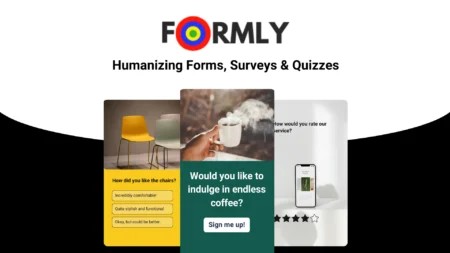
Credit: www.dealfuel.com
Frequently Asked Questions
What Is Formly Feature?
Formly Feature is a powerful tool for creating dynamic forms. It enhances user experience by providing customizable form fields and validation options.
How Does Formly Feature Work?
Formly Feature works by allowing developers to create dynamic forms with custom fields. It simplifies form management and improves validation.
Why Use Formly Feature?
Use Formly Feature for its flexibility and ease of use. It offers advanced customization and reduces development time.
What Are The Benefits Of Formly Feature?
Formly Feature provides flexibility, ease of use, and advanced customization. It enhances user experience and reduces development time.
Conclusion
Explore Formly to create engaging forms, surveys, and quizzes effortlessly. Its no-code interface simplifies the process, making data collection fun and efficient. With features like question branching, email notifications, and payment collection, Formly is perfect for various needs. Tailor your forms with custom domains and logos for a professional touch. Stay compliant with GDPR and integrate with Google Sheets seamlessly. For lifetime access and more details, visit the official Formly website. Learn more about Formly here.
