

Watermarkup is a powerful tool for adding watermarks to images. It protects your photos from theft and promotes your brand.
In this Watermarkup review, we will explore how this tool can help you batch watermark up to 200 images at once. With features like customizable opacity, position, and tiling options, Watermarkup ensures your images maintain their original quality. Whether you are a photographer or a business owner, this tool offers an efficient way to safeguard and brand your digital assets. Discover how Watermarkup can save you time and effort while enhancing your brand visibility. Read on to learn more about its features, benefits, and pricing. For more details, visit the official website: Watermarkup.
Credit: slidemodel.com
Introduction To Watermarkup
Welcome to our detailed review of Watermarkup. This tool helps you protect your images and promote your brand efficiently. Let’s dive into what makes Watermarkup a useful tool for photographers, marketers, and anyone who works with digital images.
What Is Watermarkup?
Watermarkup is a software designed to streamline the process of adding watermarks to images in batches. It helps protect your digital assets from theft and promotes your brand. With Watermarkup, you can customize watermarks, including their opacity, position, and style, all while maintaining the original image quality and resolution.
The tool offers batch processing, allowing you to watermark up to 200 images at once. It also includes advanced features such as unlimited fonts and photos, commercial use, and premium email support.
| Main Features | Description |
|---|---|
| Batch Processing | Watermark up to 200 images at once without compromising quality. |
| Customization Options | Adjust watermark opacity, position, and style; tile logos across images; flip watermarks horizontally or vertically; and customize text templates. |
| Image Quality | Maintains original image quality and resolution. |
| Advanced Features | Unlimited fonts and photos, commercial use, and premium email support. |
Purpose And Importance Of Watermarking
Watermarking serves two main purposes: protection and promotion.
- Protection: Watermarks help protect your images from unauthorized use. They make it harder for others to steal and misuse your digital assets.
- Promotion: Watermarks can include logos and brand-specific designs, enhancing brand visibility. It’s a subtle way to advertise your work and maintain brand consistency.
Using Watermarkup ensures that your images are both secure and well-branded. The tool’s easy-to-use interface and extensive customization options make it suitable for various needs.
Efficiency is another significant benefit. Watermarkup allows you to quickly watermark large volumes of images, saving you time and effort. With just a few clicks, you can protect and promote hundreds of images.
Key Features Of Watermarkup
Watermarkup is an essential tool for those who want to protect their images from theft and promote their brand. This section explores the key features of Watermarkup, making it easier to understand why this tool is a valuable addition to your toolkit.
Easy-to-use Interface
Watermarkup boasts an easy-to-use interface that caters to users of all skill levels. The intuitive design ensures that you can navigate through the software effortlessly. You don’t need to be a tech expert to add watermarks to your images. The simple layout and clear instructions make the process smooth and fast.
Batch Watermarking Capabilities
One of the standout features of Watermarkup is its batch processing capability. You can watermark up to 200 images at once without compromising their quality. This feature saves you time and effort, making it ideal for photographers and businesses with large volumes of images to protect.
Customizable Watermark Designs
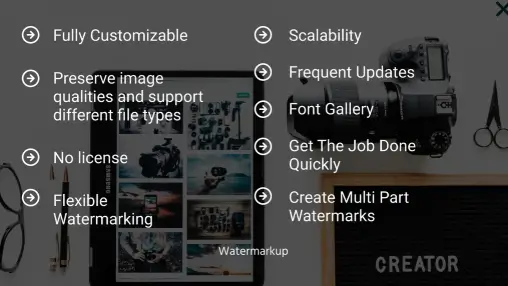
With Watermarkup, you have extensive options to customize your watermarks. You can adjust the opacity, position, and style of your watermarks. The tool also allows you to tile logos across images, flip watermarks horizontally or vertically, and customize text templates. These options ensure that your watermarks are both unique and effective in protecting your images.
Support For Various File Formats
Watermarkup supports various file formats, ensuring compatibility with all your digital assets. Whether you are working with JPEG, PNG, or other common image formats, Watermarkup handles them all. This flexibility ensures that you can protect all your images, regardless of their format.
Cloud Integration And Storage Options
The tool offers cloud integration and storage options, making it convenient to store and access your watermarked images. This feature ensures that your images are not only protected but also easily retrievable from any device. Cloud storage adds an extra layer of security and accessibility to your workflow.
| Feature | Details |
|---|---|
| Easy-to-Use Interface | Intuitive design for all skill levels |
| Batch Watermarking Capabilities | Watermark up to 200 images at once |
| Customizable Watermark Designs | Adjust opacity, position, and style; tile logos; customize text |
| Support for Various File Formats | Compatible with JPEG, PNG, and more |
| Cloud Integration and Storage Options | Store and access images securely from any device |
Pricing And Affordability
Watermarkup offers a robust solution for protecting and promoting your images. Understanding its pricing and affordability is crucial for those considering this tool.
Subscription Plans And Pricing Tiers
Watermarkup provides a simple and straightforward pricing model. Users can purchase lifetime access to the Pro Plan for a one-time payment of $15 (originally priced at $49). This plan includes all future updates.
| Plan | Price | Features |
|---|---|---|
| Pro Plan | $15 (Lifetime Access) |
|
Free Vs. Paid Features
The Pro Plan offers extensive features compared to any potential free version. It includes batch processing for up to 200 images, advanced customization options, and commercial usage rights.
The key benefits of the Pro Plan include:
- Maintaining original image quality and resolution
- Unlimited fonts and photos for watermarks
- Customizable watermark opacity, position, and style
- Premium email support for any issues
Cost-effectiveness Compared To Competitors
Watermarkup’s pricing is competitive. Most competitors charge monthly or annual fees. In contrast, Watermarkup offers a one-time payment for lifetime access, making it a more cost-effective option.
| Feature | Watermarkup | Competitor A | Competitor B |
|---|---|---|---|
| Batch Processing | Up to 200 images | Up to 100 images | Up to 150 images |
| Price | $15 (Lifetime) | $10/month | $50/year |
| Image Quality | Maintains original | May degrade | Maintains original |
| Commercial Use | Yes | No | Yes (extra fee) |
Watermarkup stands out with its lifetime access model, comprehensive features, and affordability.
Pros And Cons Of Watermarkup
Watermarkup is a popular tool for adding watermarks to images. It offers many features and benefits, but like any software, it has its pros and cons. Below, we explore the advantages and limitations of Watermarkup based on real-world usage.
Advantages Based On Real-world Usage
Batch Processing: One of the standout features of Watermarkup is its ability to batch process up to 200 images at once. This feature saves a significant amount of time and effort for users who need to watermark large volumes of photos.
Customization Options: Watermarkup allows extensive customization of watermarks. Users can adjust the opacity, position, and style of the watermark. Additionally, they can tile logos across images and flip watermarks horizontally or vertically. These options provide users with flexibility and control over the appearance of their watermarks.
Image Quality: The tool ensures that the original image quality and resolution are maintained, even after adding watermarks. This is crucial for professionals who require high-quality images for their work.
Efficiency: The software is designed to be user-friendly and efficient. Its easy-to-use interface allows users to quickly watermark large volumes of images, saving both time and effort.
Brand Promotion: By allowing logos and brand-specific designs on images, Watermarkup helps enhance brand visibility and recognition. This is particularly beneficial for businesses and individuals looking to promote their brand through their images.
Limitations And Areas For Improvement
Limited Image Editing Tools: While Watermarkup excels at watermarking, it currently lacks advanced image editing tools. Users may need to use additional software for more complex image editing tasks.
No Mobile App: Watermarkup is primarily a desktop-based tool. The absence of a mobile app limits its accessibility for users who prefer to work on their mobile devices.
Initial Learning Curve: New users may experience a slight learning curve when first using the tool. Familiarizing oneself with all the customization options and features may take some time.
Non-Stackable Deal Terms: The deal terms specify that the software code must be redeemed within 60 days of purchase, and the deal is not stackable. This may be a limitation for some users who wish to take advantage of multiple deals.
Additional Costs for Commercial Use: While the one-time payment of $15 includes commercial use, users should be aware of potential additional costs for future updates or premium support services.
| Feature | Advantages | Limitations |
|---|---|---|
| Batch Processing | Watermark up to 200 images at once | None |
| Customization Options | Adjust opacity, position, style, etc. | Initial learning curve |
| Image Quality | Maintains original quality | None |
| Efficiency | Quickly watermark large volumes | None |
| Brand Promotion | Enhances brand visibility | None |
| Image Editing Tools | Basic watermarking features | Lacks advanced editing tools |
| Mobile App | None | No mobile app |
| Deal Terms | One-time payment | Non-stackable, 60-day redemption |
| Commercial Use | Included in $15 payment | Potential additional costs |
Specific Recommendations For Ideal Users
Watermarkup is an efficient tool for adding watermarks to multiple images at once. It offers extensive customization and maintains the original quality of your images. Here are specific recommendations for those who will benefit most from Watermarkup:
Best Use Cases For Watermarkup
Watermarkup is ideal for various scenarios, ensuring your digital assets are protected and your brand is promoted:
- Photographers: Protect your work from theft with visible watermarks.
- Content Creators: Efficiently watermark images for blogs, social media, and websites.
- Businesses: Enhance brand visibility by adding logos to promotional images.
- eCommerce Sellers: Prevent unauthorized use of product images by competitors.
Who Will Benefit Most From Watermarkup?
Watermarkup’s features make it highly beneficial for certain users:
- Professional Photographers: Save time by batch processing up to 200 images while keeping high quality.
- Small Business Owners: Use customizable watermarks to reinforce brand identity.
- Graphic Designers: Utilize advanced features for commercial projects with unlimited fonts and photos.
- Social Media Managers: Quickly watermark images for various platforms to maintain a consistent brand presence.
With its easy-to-use interface and advanced customization options, Watermarkup is a valuable asset for anyone needing efficient image protection and brand promotion.

Frequently Asked Questions
What Is Watermarkup?
Watermarkup is a tool for adding watermarks to images. It’s user-friendly and efficient.
How Does Watermarkup Work?
Watermarkup works by allowing users to upload images and apply custom watermarks. It supports text and logo watermarks.
Is Watermarkup Free To Use?
Watermarkup offers a free version with basic features. There is also a paid version with advanced options.
Can I Customize Watermarks In Watermarkup?
Yes, Watermarkup allows you to customize watermarks. You can adjust size, position, and transparency.
Conclusion
Watermarkup offers a powerful solution for watermarking photos efficiently. With features like batch processing and extensive customization, it saves time while protecting your images. The tool maintains image quality and supports various watermark styles. For photographers or businesses, it’s a valuable asset. To learn more about Watermarkup, visit the official website here. Give it a try and enhance your image protection and branding efforts.
