

Removing backgrounds from photos can be a tedious task. It often takes hours to achieve a perfect result.
Thankfully, BackgroundCut offers a simple, fast, and efficient solution. Designed with AI and Machine Learning, BackgroundCut removes image backgrounds in under 5 seconds. This tool is perfect for solopreneurs and graphic design enthusiasts. With just one click, you can save hours of work. Whether you are dealing with high-resolution images up to 25MP or need seamless API access, BackgroundCut has you covered. Plus, with a one-time payment of $59, you get lifetime access to all features and updates. Try BackgroundCut today and experience a new level of efficiency in your design projects. Learn more about BackgroundCut Lifetime Deal here.

Credit: www.grabltd.com
Introduction To Backgroundcut
Removing backgrounds from photos can be a tedious and time-consuming task. Backgroundcut offers a simple and fast solution to this problem. With just one click, you can remove the background of any image in seconds. This tool is designed for solopreneurs and graphic designers who need an efficient way to handle their image editing tasks.
What Is Backgroundcut?
Backgroundcut is an application that uses Artificial Intelligence and Machine Learning to remove or replace the background of any image. The process is quick, taking less than 5 seconds to complete. This makes it ideal for users who need to edit multiple images efficiently.
Purpose Of Backgroundcut
The main purpose of Backgroundcut is to save time and effort. It provides a user-friendly interface that allows anyone to remove image backgrounds with a single click. This is especially beneficial for solopreneurs and graphic designers who often need to perform this task.
| Feature | Description |
|---|---|
| AI and Machine Learning | Uses advanced algorithms to analyze and remove image backgrounds. |
| Speed | Background removal is completed in under 5 seconds. |
| High-Resolution Capability | Supports background removal for images up to 25MP. |
| API Access | Includes 10 API credits per month with unlimited rollover. |
| Future Integrations | Forever access to API and all upcoming integrations. |
| Feature Updates | Free access to all future feature releases. |
- Time-Saving: Reduces the time required to remove or replace image backgrounds.
- Ease of Use: Simple and user-friendly, requiring just a single click.
- Unlimited Access: Lifetime access without worrying about running out of credits.
- Continuous Improvement: Regular updates and enhancements, including support for logos, clipart, and vector graphics.
- One-Time Payment: $59
- Lifetime Deal: Pay once and get lifetime access to Backgroundcut.
- 60-Day Money-Back Guarantee: Users can try Backgroundcut for 2 months and receive a full refund if not satisfied.
- Refundable up to 60 Days: The product is refundable within 60 days of purchase.
Backgroundcut is currently in beta, with continuous improvements and new features planned. Support and feedback are encouraged, with assistance available at support@backgroundcut.co.
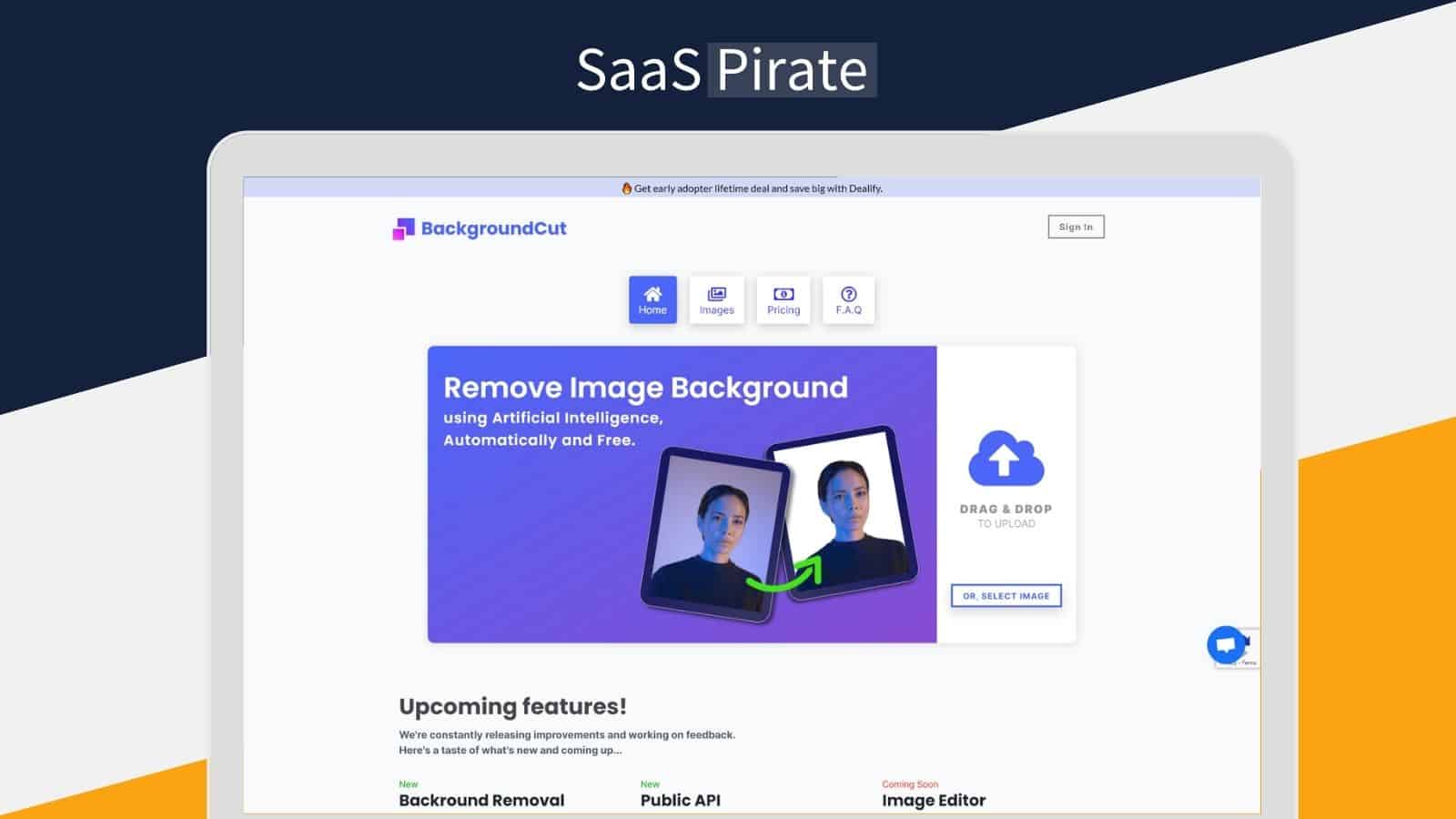
Credit: saaspirate.com
Key Features Of Backgroundcut
Backgroundcut offers a range of features designed to simplify and accelerate the process of removing backgrounds from images. This tool leverages advanced AI and machine learning technologies to deliver precise and quick results. Let’s dive into the key features of Backgroundcut.
Ai-powered Background Removal
Backgroundcut utilizes AI and Machine Learning to analyze and remove the background of any image. The advanced algorithms ensure accuracy, completing the task in less than 5 seconds. This feature makes it ideal for solopreneurs and graphic designers needing quick results.
Batch Processing Capabilities
Removing backgrounds one by one can be time-consuming. Backgroundcut offers batch processing capabilities, allowing users to process multiple images simultaneously. This feature saves time and boosts productivity, especially for large projects.
User-friendly Interface
Backgroundcut is designed with a user-friendly interface. The process requires just a single click to remove backgrounds, making it accessible even for those with limited technical skills. The simplicity of use makes it a favored tool among users.
High-resolution Output
High-quality images are crucial for professional work. Backgroundcut supports background removal for images up to 25MP. This ensures that the final output remains in high resolution, maintaining the integrity and quality of the original image.
| Feature | Details |
|---|---|
| AI and Machine Learning | Utilizes advanced algorithms to remove backgrounds in under 5 seconds. |
| Batch Processing | Allows processing of multiple images simultaneously. |
| User-Friendly Interface | Requires just one click to remove backgrounds. |
| High-Resolution Capability | Supports images up to 25MP. |
These features make Backgroundcut a powerful and efficient tool for anyone looking to remove image backgrounds quickly and easily. With its lifetime deal, users can enjoy these benefits without worrying about recurring costs.
Pricing And Affordability
The pricing and affordability of BackgroundCut make it an attractive option for anyone looking to remove image backgrounds quickly and efficiently. Let’s break down the details to see why this is a great deal.
Lifetime Deal Overview
The Lifetime Deal for BackgroundCut is simple and straightforward. For a one-time payment of just $59, users get lifetime access to all the features of BackgroundCut. This includes:
- Unlimited background removal.
- Access to future updates and new features.
- 10 API credits per month with unlimited rollover.
- Support for high-resolution images up to 25MP.
This one-time payment ensures that you won’t have to worry about recurring fees or subscriptions.
Cost Comparison With Competitors
| Product | Pricing | Subscription |
|---|---|---|
| BackgroundCut | $59 | One-time payment |
| Competitor A | $20/month | Monthly subscription |
| Competitor B | $200/year | Annual subscription |
As shown in the table, BackgroundCut offers a significant cost advantage. Competitors often charge monthly or annual subscription fees, which add up over time. In contrast, BackgroundCut’s single payment of $59 provides lifetime access.
Value For Money
When considering the value for money, BackgroundCut stands out due to its combination of advanced features and affordable pricing. Key points include:
- Speed: Removes backgrounds in under 5 seconds.
- Ease of Use: One-click background removal.
- High-Resolution Capability: Supports images up to 25MP.
- Future Proof: Free access to all future updates and integrations.
These features ensure that users not only save time but also get a high-quality tool that keeps improving.
Moreover, the 60-day money-back guarantee allows users to try BackgroundCut risk-free. If not satisfied, they can get a full refund within 60 days of purchase. This level of assurance adds to the overall value proposition.
By choosing BackgroundCut, users get a cost-effective, high-quality tool for all their background removal needs.
Pros And Cons Based On Real-world Usage
Evaluating the BackgroundCut Lifetime Deal involves understanding its real-world advantages and drawbacks. This section covers the benefits and potential issues users may face.
Advantages Of Using Backgroundcut
The BackgroundCut tool offers several significant advantages:
- Time-Saving: Removing backgrounds takes less than 5 seconds.
- Ease of Use: Simple, user-friendly interface requiring just one click.
- High-Resolution Capability: Supports images up to 25MP.
- Unlimited Access: Lifetime access ensures users never run out of credits.
- Continuous Improvement: Regular updates for better performance and new features.
- API Access: Includes 10 API credits per month with unlimited rollover.
These features make BackgroundCut a valuable tool for solopreneurs and graphic designers.
Potential Drawbacks
Despite its advantages, BackgroundCut has some potential drawbacks:
- In Beta: The product is still in beta, which may mean occasional bugs.
- Future Integrations: Some promised features are not yet available.
- Limited API Credits: Only 10 API credits per month, though they roll over.
Understanding these drawbacks helps users set realistic expectations.
Recommendations For Ideal Users
BackgroundCut is an exceptional tool tailored for specific users. Its unique features cater to various needs, making it a valuable asset for many. Below, we explore who can benefit the most and scenarios where BackgroundCut excels.
Who Can Benefit The Most?
BackgroundCut offers a plethora of advantages for several user groups:
- Solopreneurs: Individuals running their own businesses can save time and effort.
- Graphic Designers: Professionals can enhance productivity with quick background removal.
- Photographers: BackgroundCut helps photographers streamline their editing process.
- E-commerce Sellers: Online sellers can create clean, professional product images.
- Social Media Managers: Easily create visually appealing posts with clean images.
Anyone who deals with image editing can find BackgroundCut beneficial. Its ease of use and quick processing make it accessible to both beginners and experts.
Scenarios Where Backgroundcut Excels
BackgroundCut shines in various scenarios thanks to its AI and Machine Learning capabilities:
- Product Photography: Remove backgrounds to highlight products and improve visual appeal.
- Marketing and Advertising: Create compelling visuals for campaigns quickly.
- Event Photography: Enhance event photos by removing distracting backgrounds.
- Content Creation: Bloggers and vloggers can create engaging content effortlessly.
- Personal Use: Individuals can edit personal photos for social media or personal projects.
In summary, BackgroundCut is versatile and efficient, making it ideal for various professional and personal uses. Its speed, ease of use, and advanced features ensure high-quality results in seconds.

Credit: saaszilla.co
Frequently Asked Questions
What Is Backgroundcut Lifetime Deal?
The Backgroundcut Lifetime Deal offers a one-time purchase for unlimited access to the Backgroundcut tool. It allows users to remove backgrounds from images quickly and efficiently.
How Does Backgroundcut Work?
Backgroundcut uses AI technology to detect and remove image backgrounds. Upload your image, and the tool processes it automatically. The result is a clean, background-free image.
Can I Use Backgroundcut For Commercial Projects?
Yes, Backgroundcut can be used for commercial projects. The lifetime deal includes a commercial license. This allows you to use the images in marketing, branding, and other business activities.
Is There A Limit On Image Uploads With The Lifetime Deal?
No, the Backgroundcut Lifetime Deal offers unlimited image uploads. This provides flexibility and convenience for users who need to process multiple images regularly.
Conclusion
BackgroundCut is a powerful tool for quick background removal. It simplifies your workflow and saves time. With AI-driven technology, it removes backgrounds in seconds. Perfect for solopreneurs and graphic designers. The lifetime deal at $59 is a great investment. Enjoy free updates and future integrations. Try BackgroundCut risk-free with a 60-day money-back guarantee. Check out BackgroundCut today and experience efficient background removal.
