

Social media management can be overwhelming. That’s where scheduling software comes in.
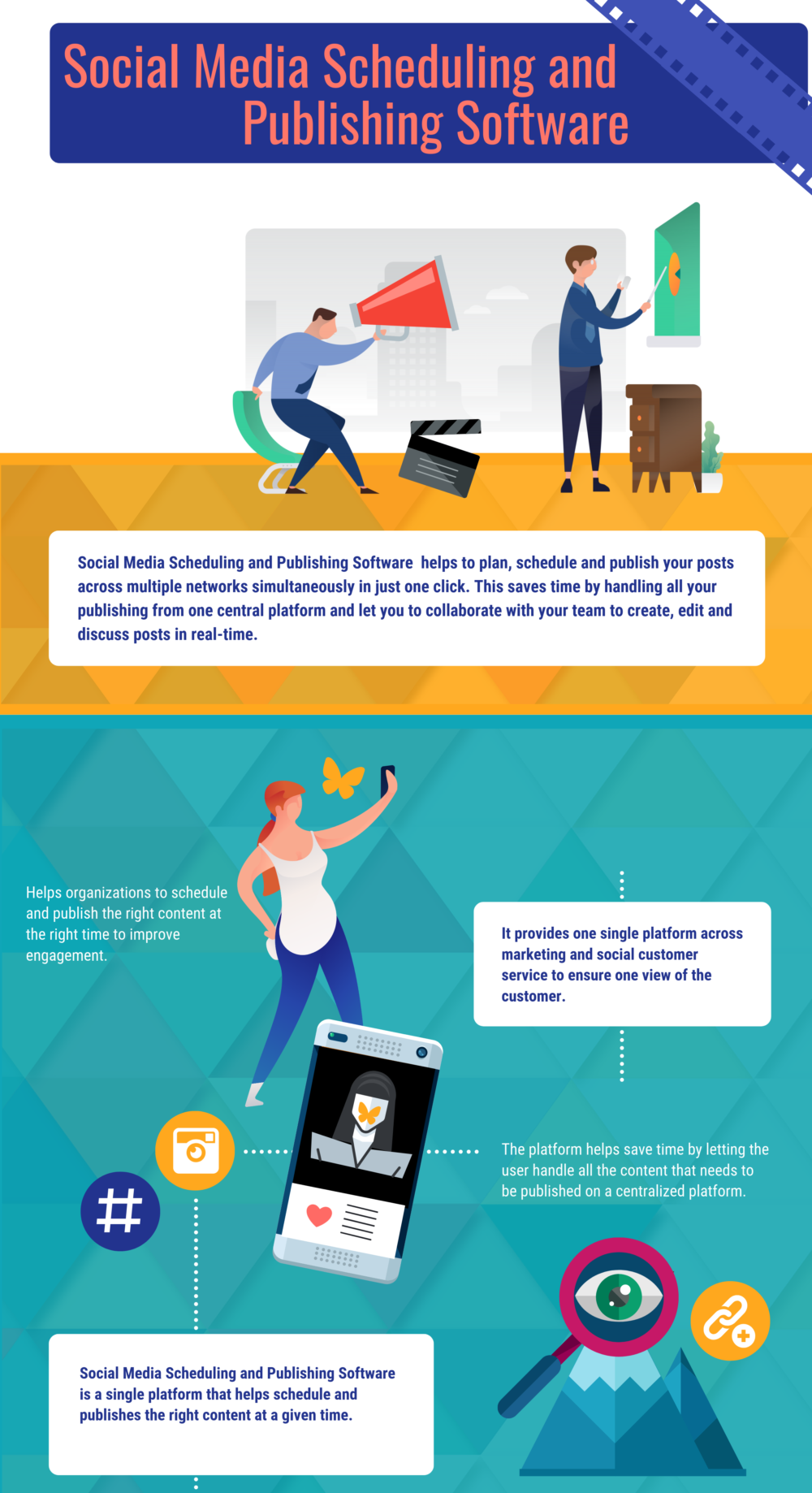
It helps streamline your posts and saves time. In today’s digital age, managing multiple social media accounts is a challenge. With the right scheduling software, you can plan, organize, and post content efficiently. This not only frees up your time but ensures your content reaches the right audience at the right moment.
Whether you’re a business owner, marketer, or influencer, having the right tools can make a huge difference. In this blog, we’ll explore the best scheduling software for social media to help you stay on top of your game. Get ready to learn about tools that will simplify your social media strategy and boost your online presence.
Introduction To Social Media Scheduling
Managing social media platforms can be a daunting task. Posting consistently is key to maintaining an engaged audience. This is where social media scheduling tools come in handy. These tools allow you to plan and automate your posts, ensuring your content reaches your audience at the right time.
Importance Of Consistency
Consistency in posting helps build trust with your audience. Regular updates keep your followers engaged and informed. Social media algorithms favor active accounts, increasing your visibility. Missing posts can cause your audience to lose interest.
Benefits Of Scheduling Tools
Scheduling tools offer numerous advantages, making social media management easier. Here are some key benefits:
- Time-Saving: Plan and schedule posts in advance. Focus on other tasks.
- Better Planning: Create a content calendar. Ensure a balanced mix of posts.
- Increased Engagement: Post at optimal times. Reach a larger audience.
- Consistency: Maintain a regular posting schedule. Keep your audience engaged.
Using scheduling tools also provides analytics. Measure the performance of your posts. Adjust your strategy accordingly. This data-driven approach helps improve your social media presence.
| Tool | Key Feature |
|---|---|
| Hootsuite | Comprehensive analytics |
| Buffer | Easy scheduling interface |
| Sprout Social | Robust reporting tools |
Top Scheduling Software
Finding the best scheduling software for social media can boost your online presence. These tools help manage posts, engage with your audience, and track performance. Here’s a look at the top scheduling software available today.
Overview Of Popular Tools
There are several popular tools designed to help you manage your social media accounts more effectively. Here are some of the top options:
- Hootsuite: Known for its comprehensive dashboard and analytics.
- Buffer: Offers a user-friendly interface and great customer support.
- Sprout Social: Provides excellent reporting and team collaboration features.
- Later: Focuses on visual planning and is ideal for Instagram.
- CoSchedule: Integrates well with other marketing tools and offers a robust content calendar.
Key Features To Look For
When selecting a scheduling software, it’s important to consider the features that will be most beneficial to your needs. Here are some key features to look for:
| Feature | Description |
|---|---|
| Multi-platform support | Ability to manage multiple social media accounts from one place. |
| Post scheduling | Schedule posts in advance to save time and maintain consistency. |
| Analytics | Track and analyze the performance of your posts. |
| Team collaboration | Allow multiple users to collaborate and manage content. |
| Visual planning | Plan your content visually, especially useful for Instagram. |
| Content calendar | Organize and schedule your content with a calendar view. |
Choosing the right scheduling software can make a big difference in your social media strategy. Look for tools that offer the features most important to you and your team.
Hootsuite

Hootsuite is a popular scheduling software for social media. It helps users manage multiple social networks in one place. This tool is suitable for both beginners and experts. Its features make it easy to schedule posts, track performance, and engage with followers.
Features And Benefits
Hootsuite offers several features that make social media management easy. Users can schedule posts across different platforms. This saves time and ensures consistent posting. The analytics feature helps track the performance of posts. It provides insights into what works and what doesn’t.
With Hootsuite, you can engage with your audience from one dashboard. Respond to comments, mentions, and messages without switching between accounts. The team collaboration feature is great for businesses. Multiple users can manage social media accounts together.
Pricing And Plans
Hootsuite has several pricing plans to fit different needs. The Free plan allows one user to manage three social profiles. This plan is good for individuals or small businesses starting out.
The Professional plan costs $19 per month. It includes features like unlimited scheduling and one user managing ten social profiles. For larger teams, the Team plan is $99 per month. This plan allows three users to manage up to 20 social profiles.
The Business plan costs $599 per month. It includes five users and up to 35 social profiles. For enterprises, Hootsuite offers custom solutions. Contact Hootsuite for more details on this plan.

Credit: www.toptal.com
Buffer
Buffer is a popular tool for managing social media posts. It helps schedule and publish content across various platforms. Buffer is known for its simplicity and effectiveness. Many small businesses and social media managers use Buffer to save time and stay organized.
Features And Benefits
Buffer offers several features to improve your social media strategy:
- Easy Scheduling: Plan and schedule posts in advance.
- Multi-Platform Support: Manage Facebook, Twitter, Instagram, and more from one place.
- Analytics: Track performance and engagement for each post.
- Team Collaboration: Allow multiple users to manage accounts.
- Content Calendar: Visualize your posting schedule.
The benefits of using Buffer include:
- Time Savings: Schedule posts in batches to save time.
- Consistency: Maintain a regular posting schedule with ease.
- Better Engagement: Post at optimal times for your audience.
- Informed Decisions: Use analytics to improve content strategy.
Pricing And Plans
Buffer offers various plans to suit different needs:
| Plan | Features | Price (per month) |
|---|---|---|
| Free | 3 Social Accounts, 10 Scheduled Posts | $0 |
| Essentials | 8 Social Accounts, 100 Scheduled Posts, Basic Analytics | $6 |
| Team | 25 Social Accounts, 2,000 Scheduled Posts, Advanced Analytics, Team Collaboration | $12 |
| Agency | 50 Social Accounts, 2,000 Scheduled Posts per account, Advanced Analytics, Team Collaboration | $120 |
Buffer’s pricing plans cater to individuals, small teams, and large agencies. The free plan is ideal for beginners. The paid plans offer advanced features and higher limits.
Sprout Social

Sprout Social is a popular tool for managing social media. It offers a range of features for scheduling posts, analyzing performance, and engaging with followers. This software is ideal for businesses of all sizes. It helps streamline social media tasks, saving time and effort.
Features And Benefits
Sprout Social has many features that benefit users. It offers a unified inbox to manage messages from different platforms. This makes it easy to keep track of conversations. The scheduling tool is simple to use. You can plan posts in advance and ensure consistent content.
Analytics are another strong point. Sprout Social provides detailed reports on post performance. These insights help refine your strategy. Team collaboration is also smooth. Multiple users can work together seamlessly. This is great for larger teams.
Pricing And Plans
Sprout Social offers several pricing plans. The Standard plan is $99 per user per month. It includes core features like scheduling and analytics. The Professional plan costs $169 per user per month. It adds advanced analytics and extra tools. The Advanced plan is $279 per user per month. It provides even more features and support.
There is also a free trial. This allows you to test the software before committing. Sprout Social’s pricing may seem high. But the value it offers can justify the cost. Many users find it a worthy investment for managing social media efficiently.

Credit: zapier.com
Later
Choosing the right scheduling software for social media is essential. Later is a popular choice among users. It offers easy-to-use tools to plan, schedule, and post social media content.
Features And Benefits
Later comes packed with many features that can help streamline your social media management. Here are some key features and benefits:
- Visual Content Calendar: Easily drag and drop your content to plan your posts.
- Auto Publish: Schedule and automatically post to Instagram, Facebook, Twitter, and Pinterest.
- Analytics: Track the performance of your posts with detailed analytics.
- Media Library: Store all your photos and videos in one place.
- Linkin.bio: Create a shoppable Instagram feed with clickable links.
Pricing And Plans
Later offers flexible pricing plans to suit different needs. Here’s a breakdown:
| Plan | Price (per month) | Features |
|---|---|---|
| Free | $0 |
|
| Starter | $12.50 |
|
| Growth | $33.33 |
|
| Advanced | $66.67 |
|

Tailwind
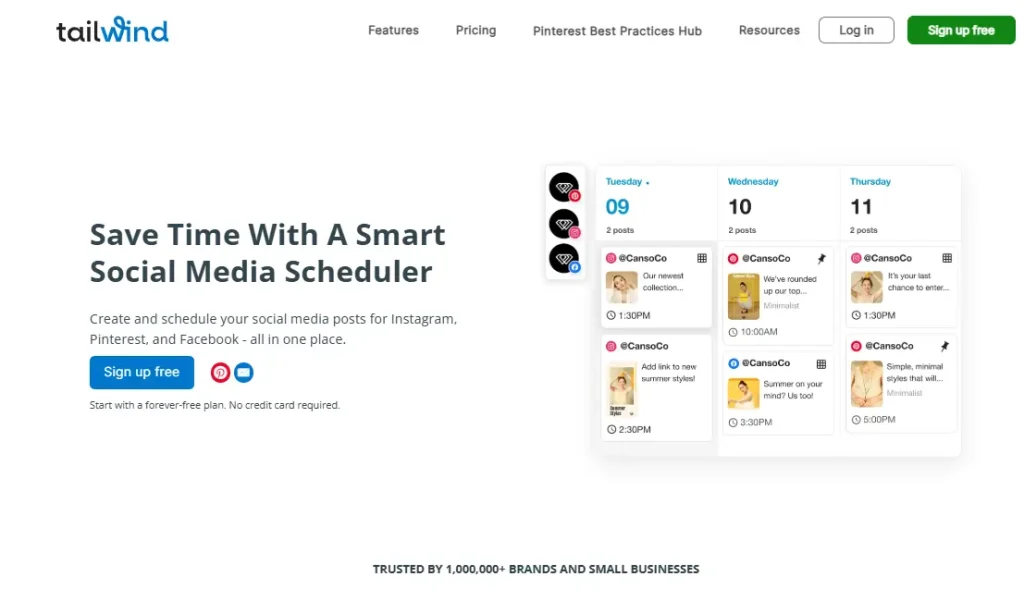
Tailwind is a powerful scheduling tool designed for social media platforms. It helps you plan, create, and post content effortlessly. This software is especially popular for Pinterest and Instagram users.
Features And Benefits
Tailwind offers a variety of features that make social media management easy. Below are some of the key features:
- Smart Schedule: Automatically suggests the best times to post based on your audience’s engagement.
- Content Calendar: A visual calendar to plan and organize your posts.
- Hashtag Finder: Helps you find the most relevant hashtags to increase your reach.
- Analytics: Detailed insights into your post performance and audience behavior.
- Drag-and-Drop Interface: Easy to use, making content planning simple.
These features help you save time and ensure your posts reach the right audience. Tailwind also offers a user-friendly interface that simplifies the scheduling process.
Pricing And Plans
Tailwind offers different pricing plans to suit various needs and budgets. Below is a summary of the available plans:
| Plan | Monthly Cost | Features |
|---|---|---|
| Free Plan | $0 | Basic features, limited posts |
| Pro Plan | $9.99 | Advanced features, unlimited posts |
| Advanced Plan | $19.99 | All features, priority support |
Each plan offers different levels of access to Tailwind’s features. The Pro Plan is a good starting point for most users. The Advanced Plan is ideal for businesses needing more support and advanced tools.
Choosing The Right Tool
Choosing the right scheduling software for social media can be daunting. You need a tool that fits your unique needs and budget. This guide will help you make an informed decision.
Assessing Your Needs
Start by understanding your goals. Do you need to post daily or weekly? Consider your audience size. Smaller audiences may need simpler tools. Larger audiences may need advanced features. Think about your team size too. Solo users may prefer easy-to-use tools. Teams may need collaboration features. Define your content types. Are you posting images, videos, or articles? Different tools support different content types. Make a list of your must-have features.
Comparing Features And Pricing
Next, compare the features of different tools. Some tools offer analytics and reporting. Others focus on scheduling and automation. Look for tools that integrate with your existing platforms. Check if they support all your social media channels. Compare pricing plans. Some tools offer free trials or basic free plans. Others may have tiered pricing based on features. Evaluate the cost against the value offered. Read user reviews for insights. Consider customer support options. Good support can save you time and frustration. Choose a tool that balances features, ease of use, and cost.
Tips For Effective Scheduling
Effective scheduling can greatly enhance your social media presence. It allows you to reach your audience at the right time. It also helps maintain a consistent posting schedule. This section shares valuable tips to optimize your scheduling strategy.
Optimal Posting Times
Finding the best times to post is crucial. Research suggests that different platforms have different peak times. Here’s a quick guide:
| Platform | Best Times |
|---|---|
| 1 PM – 3 PM | |
| 11 AM – 1 PM | |
| 12 PM – 2 PM |
Use these times as a starting point. Adjust based on your audience’s engagement.
Content Planning Strategies
Planning your content in advance can save you time. It also ensures a steady flow of posts. Follow these strategies:
- Create a Content Calendar: Use a calendar to plan posts for the week or month.
- Mix Content Types: Share a mix of images, videos, and articles.
- Align with Events: Schedule posts around holidays or special events.
Planning helps you stay organized. It ensures your content is varied and engaging.
Credit: www.predictiveanalyticstoday.com
Frequently Asked Questions
What Is Social Media Scheduling Software?
Social media scheduling software helps automate posting on various platforms. It saves time by planning and scheduling content in advance.
How Does Scheduling Software Benefit Businesses?
Scheduling software improves consistency and engagement. It allows businesses to plan posts strategically, ensuring a steady online presence.
Can I Schedule Posts On All Platforms?
Yes, most scheduling software supports multiple platforms. This includes Facebook, Twitter, Instagram, LinkedIn, and Pinterest.
Is Scheduling Software Easy To Use?
Yes, most social media scheduling tools are user-friendly. They come with intuitive interfaces and helpful tutorials.
Conclusion
Choosing the right scheduling software makes social media management easier. It saves time. It boosts engagement. Tools like Hootsuite and Buffer offer great features. They help organize posts and track performance. Try different options to find your best fit. Remember, good scheduling tools enhance your social media strategy.
They streamline your workflow. They ensure consistent posting. Start exploring today and improve your social media presence.
