

Managing PDFs can be a daunting task. GoPDF simplifies this process.
GoPDF is an all-in-one tool designed to enhance your document management experience. With features like online PDF editing, conversion, and merging, it stands out as a versatile and efficient solution. The AI chat functionality adds a unique interactive element, allowing for multilingual interactions and AI-driven analysis. Whether you need to edit text, add images, or combine documents, GoPDF provides the tools you need. Accessible across various devices, including Mac, iPhone, and iPad, it ensures productivity on the go. Discover how GoPDF can streamline your workflow and make managing PDFs easier than ever. Learn more about GoPDF here.
Introduction To Gopdf
Discover how GoPDF can transform your document management tasks. This comprehensive tool offers a variety of features to edit, convert, and manage PDFs efficiently. Whether you are using a Mac, iPhone, or iPad, GoPDF ensures productivity on the go. Let’s dive deeper into its functionalities.
What Is Gopdf?
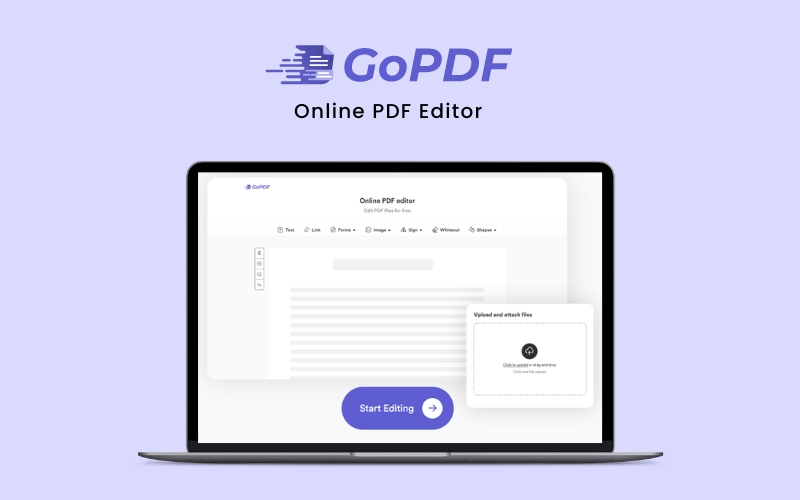
GoPDF is an all-in-one online PDF editor designed to simplify your document management. It provides various tools to edit, convert, and manage PDFs effortlessly. With its user-friendly interface, GoPDF is accessible from multiple devices, making it a versatile solution for users.
Purpose And Target Audience
The primary purpose of GoPDF is to enhance PDF management with advanced features. These features include:
- Interactive PDFs with AI chat
- Online PDF editing
- PDF conversion
- PDF compression
- PDF merging
GoPDF is ideal for individuals and businesses looking to streamline their document workflows. It targets users who need a reliable and efficient way to handle PDFs across various devices.
| Feature | Description |
|---|---|
| Interactive PDFs with AI Chat | Engage with PDFs using AI-powered chat features. |
| Online PDF Editing | Edit text, add images, and customize with shapes and annotations. |
| PDF Conversion | Convert PDFs to Word or JPG formats easily. |
| PDF Compression | Reduce file sizes without losing quality. |
| PDF Merging | Combine multiple PDF documents into a single file. |
With GoPDF, users can enjoy a seamless document management experience. Its features are designed to improve efficiency and productivity, making it a valuable tool for anyone dealing with PDFs regularly.
Credit: gopdf.io
Key Features Of Gopdf
GoPDF offers a comprehensive suite of tools to enhance your document management experience. Let’s explore the key features that make GoPDF an essential tool for managing PDFs efficiently and effectively.
GoPDF boasts an intuitive user interface designed for ease of use. Navigating through its features is straightforward, making it accessible for users of all skill levels. The layout is clean and uncluttered, ensuring a seamless experience across various devices, including Mac, iPhone, and iPad.
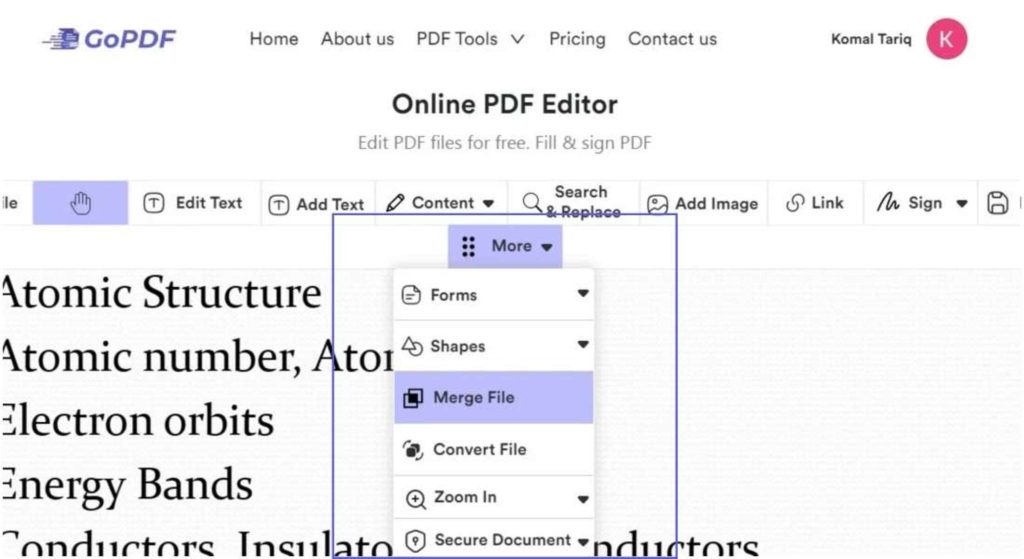
GoPDF provides a range of advanced document editing tools. You can edit text, add images, fill out forms, and insert links. Customization options include adding shapes and annotations, making it easy to tailor your PDFs to your needs. The AI-powered chat feature allows for interactive engagement with your documents, enhancing the overall editing experience.
Collaboration is made easy with GoPDF. It offers tools for seamless collaboration and sharing. You can merge multiple PDF documents into a single file effortlessly. The platform supports multilingual interaction, ensuring effective communication with team members around the globe.
Security is a top priority for GoPDF. The platform employs robust security measures to protect your documents. Your data is secure, ensuring peace of mind when managing sensitive information. Additionally, features like PDF compression help reduce file sizes without compromising quality, making it easier to handle large documents.
Intuitive User Interface
GoPDF has an intuitive user interface that makes document management a breeze. The design ensures that even users with minimal tech skills can navigate and use the tool effectively. The interface is clean, straightforward, and designed to boost productivity.
User-friendly Design
The user-friendly design of GoPDF is one of its key strengths. The layout is simple, with clearly labeled buttons and menus. This ensures that you can find the features you need without hassle. Whether you are editing, signing, or converting PDFs, the intuitive design makes each task easy.
Key elements of the user-friendly design include:
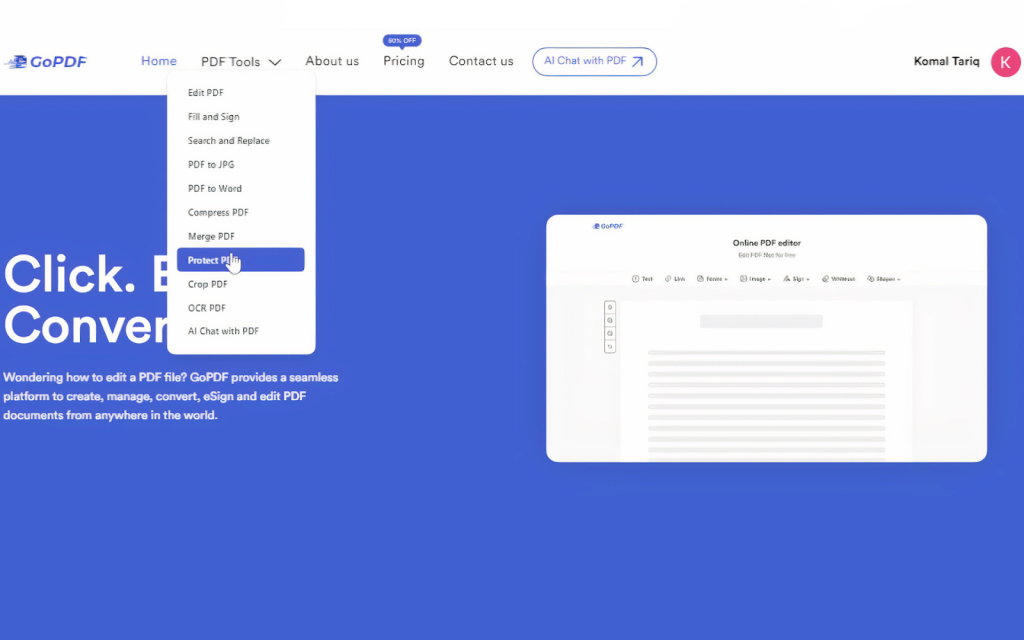
- Clear Navigation Bar: Access different tools quickly.
- Drag-and-Drop Functionality: Easily upload and manage files.
- Simple Editing Tools: Edit text, add images, and fill out forms effortlessly.
Customizable Workspaces
GoPDF’s customizable workspaces allow you to tailor the interface to your needs. This feature ensures that you can set up your workspace in a way that maximizes efficiency and comfort.
Benefits of customizable workspaces include:
- Personalized Layout: Arrange tools and panels as per your preference.
- Efficient Workflow: Customize shortcuts to speed up your tasks.
- Focused Environment: Minimize distractions by hiding unnecessary elements.
These features make GoPDF an ideal choice for anyone looking to manage their PDFs with ease and efficiency.

Advanced Document Editing Tools
GoPDF offers advanced document editing tools to enhance your PDF management experience. These tools ensure you can efficiently edit text, images, and annotations, making your work more productive and streamlined.
Comprehensive Annotation Tools
With GoPDF, you can annotate your PDFs comprehensively. Use a variety of tools to add comments, highlight text, and draw shapes. This makes it easy to provide feedback or highlight important sections.
- Highlight text in different colors.
- Insert comments and notes for detailed feedback.
- Draw shapes like circles, squares, and arrows to point out key areas.
These annotation tools are simple to use and can be accessed from any device, including Mac, iPhone, and iPad.
Efficient Text And Image Editing
GoPDF’s text and image editing features are designed to be efficient and user-friendly. You can quickly edit text within your PDFs, ensuring your documents are always up-to-date.
- Modify existing text without altering the document layout.
- Add new images or replace existing ones seamlessly.
- Fill out forms and insert links directly within your PDFs.
These tools ensure your documents are always polished and professional. You can easily access and edit your PDFs on the go, ensuring productivity no matter where you are.
Seamless Collaboration And Sharing
GoPDF offers a comprehensive solution for managing PDFs. Its key feature is seamless collaboration and sharing. Users can work together in real time and share documents easily. This ensures efficient workflows and enhances productivity.
Real-time Collaboration
With GoPDF, multiple users can edit a document simultaneously. This real-time collaboration feature is perfect for teams. Each member can make changes, leave comments, and see updates instantly. This eliminates the need for back-and-forth emails and speeds up the review process.
Here are some benefits of real-time collaboration:
- Instant updates
- Efficient team communication
- Reduced turnaround time
Easy Sharing Options
Sharing documents with GoPDF is simple and versatile. Users can share files via email, links, or cloud storage. The platform supports various sharing methods to suit different needs.
Key sharing options include:
- Email sharing with a click
- Generating shareable links
- Integration with cloud storage services
For example, you can share a document with a team member by generating a link. They can access, review, and edit the document instantly.
Credit: www.dealfuel.com
Robust Security Measures
In the digital age, document security is paramount. GoPDF offers robust security measures to protect your sensitive information. Let’s dive into the key security features.
Data Encryption
GoPDF employs advanced data encryption techniques. This ensures that your documents remain safe from unauthorized access. Encryption converts your data into a secure format, which can only be decrypted with a specific key.
This method protects your documents during both upload and download processes. It ensures that your information is safe, even if intercepted by malicious actors.
Access Control And Permissions
GoPDF provides detailed access control and permissions settings. These features allow you to control who can view, edit, or share your documents. You can set permissions for different users, ensuring that only authorized individuals have access to sensitive information.
For instance, you can restrict editing capabilities to certain users while allowing others to only view the document. This level of control is crucial for maintaining the integrity and confidentiality of your documents.
Below is a simple table illustrating the access control options:
| Permission Type | Description |
|---|---|
| View Only | Users can only view the document. |
| Edit | Users can view and edit the document. |
| Share | Users can share the document with others. |
These robust security measures ensure that your documents remain protected at all times with GoPDF.
Pricing And Affordability
GoPDF offers a comprehensive PDF solution with flexible pricing options. The affordability and value of each plan make it an attractive choice for users who need reliable PDF editing and management tools.
Subscription Plans
| Plan | Price | Features |
|---|---|---|
| Plan 1 | $29 (one-time purchase, originally $90) |
|
| Plan 2 | $58 (one-time purchase, originally $180) |
|
| Plan 3 | $87 (one-time purchase, originally $270) |
|
Value For Money
The one-time purchase model of GoPDF ensures that users get lifetime access to the software without recurring fees. The plans are designed to provide maximum value with features that cater to different needs and usage levels.
Plan 1 is ideal for individuals or small businesses with moderate PDF editing needs. It includes sufficient resources for basic document management tasks.
Plan 2 offers more extensive features for those needing higher limits and more storage. This plan is suitable for growing businesses.
Plan 3 is the most comprehensive, perfect for large organizations. It provides the highest limits and maximum storage, ensuring that all advanced PDF management needs are met.
Every plan includes a 60-day money-back guarantee, which demonstrates the confidence GoPDF has in its service. This gives users peace of mind and reduces the risk involved in making a purchase.
Pros And Cons Of Gopdf
GoPDF is a versatile online PDF editor designed to make document management easier. It offers various features for editing, converting, and managing PDFs. Let’s explore its pros and cons.
Pros
- Interactive PDFs with AI Chat: AI-powered chat for engaging with PDFs in multiple languages.
- Online PDF Editing: Edit text, add images, fill out forms, insert links, and more.
- PDF Conversion: Convert PDFs to Word or JPG formats quickly with simple uploads and drag-and-drop functionality.
- PDF Compression: Reduce file sizes without losing quality using the online compression tool.
- PDF Merging: Combine multiple PDF documents into a single file seamlessly.
- Accessibility: Use GoPDF across various devices including Mac, iPhone, and iPad.
- User-friendly Interface: Effortless document management with a simple, intuitive interface.
- Flexible Pricing Plans: Various plans to fit different needs and budgets.
- Lifetime Access: Pay once and use GoPDF forever.
Cons
- Limited Free Features: Most advanced features require a paid plan.
- Monthly Limits: Restrictions on the number of conversions, edits, and AI projects per month.
- Redemption Code Requirement: Need to email for the mobile app code after purchase.
- Learning Curve: Some users might need time to get familiar with all features.
Here is a detailed comparison of GoPDF’s pricing plans:
| Plan | Price (One-time purchase) | PDF Conversions/Month | AI Projects/Month | PDF Edits/Month | Cloud Storage |
|---|---|---|---|---|---|
| Plan 1 | $29 | 500 | 30 | 300 | 500 GB |
| Plan 2 | $58 | 1,000 | 60 | 600 | 1,000 GB |
| Plan 3 | $87 | 5,000 | 500 | 2,000 | 2,000 GB |
GoPDF offers a 60-day money-back guarantee. Refunds are available within 60 days of purchase. For any issues or to redeem the mobile app code, email Marketing@gopdf.io.
Ideal Users And Scenarios For Gopdf
GoPDF is a versatile online PDF editor designed to enhance document management. Its suite of tools makes it ideal for a range of users, from business professionals to educational institutions, freelancers, and remote workers. Let’s explore how different groups can benefit from GoPDF.
Business Professionals
Business professionals often deal with numerous documents daily. GoPDF simplifies this process with features like PDF merging and online PDF editing. You can easily combine multiple PDF documents into one, making it easier to manage and share.
With GoPDF’s AI-powered chat features, you can interact with your PDFs, even in multiple languages. This is particularly useful for international business settings. The PDF conversion tool allows for quick conversion of PDFs to Word or JPG formats, streamlining workflows and saving time.
| Features | Benefits |
|---|---|
| PDF Merging | Combine documents into a single file |
| AI Chat | Engage with PDFs in multiple languages |
| PDF Conversion | Convert PDFs to Word or JPG formats |
Educational Institutions
Educational institutions can leverage GoPDF for a range of applications. Teachers can use the online PDF editing tool to add notes, annotations, and links to PDFs, enhancing the learning experience. Students can also benefit from the PDF compression feature to reduce file sizes without losing quality, making it easier to share assignments and projects.
The ability to fill out forms and customize PDFs with shapes and images makes GoPDF a valuable tool in educational settings. Additionally, the platform’s multilingual interaction capabilities can aid in diverse classrooms.
- Enhance learning with annotations and links
- Easy sharing of assignments with compressed files
- Customize PDFs with shapes and images
Freelancers And Remote Workers
For freelancers and remote workers, GoPDF provides a comprehensive solution to manage documents efficiently. The PDF conversion and compression tools are particularly beneficial for sending high-quality documents without large file sizes. The user-friendly interface ensures effortless document management, enhancing productivity.
Freelancers can take advantage of the 500 GB to 2,000 GB cloud storage offered in different pricing plans, ensuring their documents are safely stored and accessible from anywhere. The 60-day money-back guarantee provides peace of mind, making GoPDF a reliable choice.
- Effortless document management with a user-friendly interface
- High-quality document sharing with PDF conversion and compression
- Secure storage with extensive cloud options
Credit: gopdf.io
Frequently Asked Questions
What Is Gopdf?
GoPDF is a powerful PDF tool that offers advanced features. It enables users to create, edit, and manage PDF files efficiently.
How Does Gopdf Work?
GoPDF works by providing intuitive tools for creating and editing PDFs. It supports various functionalities like merging, splitting, and converting documents.
Is Gopdf Free To Use?
GoPDF offers both free and premium versions. The free version has basic features, while the premium version includes advanced tools.
Can Gopdf Convert Files?
Yes, GoPDF can convert various file formats to PDF. It supports formats like Word, Excel, and images.
Conclusion
GoPDF is your all-in-one PDF solution. It simplifies document management. With tools to edit, convert, and merge PDFs, efficiency is within reach. Accessible on Mac, iPhone, and iPad, it’s perfect for on-the-go use. The AI chat feature enhances interaction with documents. Want to improve your PDF handling? Check out the full suite of features here. Streamline your workflow today with GoPDF!
