

WordPress hosting costs vary depending on several factors. These include the hosting provider, plan type, and additional services.
Are you starting a blog or a website? If so, understanding the costs involved is crucial. WordPress is a popular choice due to its ease of use and flexibility. But, how much does WordPress hosting really cost? This guide will help you navigate the different pricing options available.
From basic shared hosting to more advanced managed hosting, we’ll cover everything you need to know. By the end, you’ll have a clear idea of what to expect when budgeting for your WordPress site. Let’s dive into the details and find the best hosting plan for your needs.

Credit: www.bluehost.com
Introduction To WordPress Hosting
If you’ve ever wondered about starting a blog or a website, you’ve probably heard of WordPress. It’s like the Swiss Army knife of website creation, offering a tool for every need. But, before you get started, you need to understand the basics of WordPress hosting. This is where your website will live on the internet. Let’s dive in and explore what makes WordPress hosting unique and how much it costs.
Why Choose WordPress Hosting?
WordPress hosting is specifically optimized for WordPress sites, making it an excellent choice for your website. But why exactly should you choose it?
- Speed: WordPress hosting is designed to make your site run faster.
- Security: Enhanced security features to protect your site from hackers.
- Support: Expert support for WordPress-related issues.
Think of it as having a personal trainer at the gym – they know exactly what you need to get the best results. With WordPress hosting, you get tailored performance and support, which can make a huge difference in your website’s success.
Importance Of Cost In Hosting
Now, let’s talk about money. How much you spend on hosting can affect your website’s success. Think of hosting as renting an apartment. You want a place that fits your budget, but also meets your needs. Here’s a quick comparison of different hosting costs:
| Hosting Type | Cost Range (per month) | Pros | Cons |
|---|---|---|---|
| Shared Hosting | $2.95 – $10 | Cheap, Easy to Set Up | Slower, Less Secure |
| VPS Hosting | $20 – $80 | More Control, Faster | More Expensive, Requires Knowledge |
| Dedicated Hosting | $80 – $300 | Maximum Performance, Full Control | Very Expensive, Requires Expertise |
As you can see, there are various options, each with its own cost and benefits. It’s crucial to pick the one that fits your budget and your website’s needs. Don’t just go for the cheapest option, though. Remember the saying, “You get what you pay for.” A few extra dollars a month can save you a lot of headaches down the road.
So, whether you’re starting a simple blog or launching an online store, choosing the right WordPress hosting plan is key. It’s like picking the right pair of shoes for a marathon – you need something that supports you and matches your pace.
Types Of WordPress Hosting
When it comes to hosting your WordPress site, there are several options available. Each type of WordPress hosting has its own benefits and drawbacks, and the cost can vary significantly. Let’s delve into the different types of WordPress hosting so you can make an informed decision.
Shared Hosting
Shared hosting is the most common and budget-friendly option. It means your website will share a server with other websites. This is great for beginners or small websites with low traffic. Prices for shared hosting typically range from $3 to $10 per month.
Pros:
- Cost-effective
- Easy to set up
- Basic features included
Cons:
- Limited resources
- Slower performance during high traffic
- Less control over server settings
Vps Hosting
VPS (Virtual Private Server) hosting is a step up from shared hosting. It gives you a dedicated portion of a server’s resources, providing more power and flexibility. VPS hosting is suitable for growing websites with moderate traffic. Prices usually range from $20 to $80 per month.
Pros:
- More control over your server
- Better performance
- Scalable resources
Cons:
- More expensive than shared hosting
- Requires some technical knowledge
Dedicated Hosting
Dedicated hosting provides you with an entire server dedicated to your website. This is ideal for large websites with high traffic. It comes with a higher price tag, typically ranging from $80 to $300 per month or more.
Pros:
- Maximum control over server
- Excellent performance
- High security
Cons:
- Very expensive
- Requires advanced technical knowledge
Managed WordPress Hosting
Managed WordPress hosting is a premium service where the host takes care of all the technical aspects of running WordPress. This includes updates, security, and backups. It’s perfect for those who prefer a hands-off approach. Prices generally range from $25 to $150 per month.
Pros:
- Hassle-free maintenance
- Optimized for WordPress
- Enhanced security and support
Cons:
- More expensive than other options
- Less control over server settings
Choosing the right WordPress hosting depends on your specific needs, traffic, and budget. Whether you are just starting out with a small blog or running a high-traffic website, there is a hosting solution that will fit your requirements.
Factors Affecting WordPress Hosting Costs
WordPress hosting costs vary due to many factors. Understanding these factors helps in making informed decisions. Let’s explore the key elements that influence hosting costs.
Server Resources
Server resources impact the hosting cost significantly. More resources mean better performance but higher costs. These resources include CPU, RAM, and storage. Shared hosting offers limited resources at a lower price. Dedicated and VPS hosting provide more resources but cost more. Assess your website needs before choosing.
Performance And Speed
Performance and speed play a crucial role in hosting costs. Faster loading times enhance user experience. Hosting providers charge more for optimized servers. CDN integration can also increase costs. High performance hosting ensures quicker responses and higher satisfaction. Consider your speed requirements when selecting a plan.
Security Features
Security features affect hosting costs. Enhanced security prevents cyber threats and data breaches. Hosting providers offer different security levels. Basic plans have minimal protection. Premium plans include advanced security measures. SSL certificates, firewalls, and backups add to the cost. Prioritize security for your website’s safety.
Support And Customer Service
Support and customer service are vital for WordPress hosting. Quality support ensures smooth website operation. Hosting providers with 24/7 support may charge more. Dedicated support teams offer immediate assistance. Consider the level of support you need. Good customer service can save time and money.
Credit: www.dreamhost.com
Comparing WordPress Hosting Providers
When it comes to setting up a WordPress site, one of the most crucial decisions you’ll make is choosing the right hosting provider. With so many options out there, it can feel like finding a needle in a haystack. But don’t worry, we’re here to help! In this section, we’ll compare some of the top WordPress hosting providers, focusing on their prices and features. Whether you’re on a tight budget or looking for premium services, we’ve got you covered.
Top Providers Overview
Let’s kick things off with a quick overview of some of the top WordPress hosting providers. These companies are popular for a reason – they offer reliable services, excellent customer support, and a range of plans to suit different needs. Here are a few you should know about:
- Bluehost: A favorite among WordPress users for its affordability and great customer support.
- SiteGround: Known for its excellent uptime and robust security features.
- HostGator: Offers a variety of plans and is particularly good for beginners.
- WP Engine: A premium option, best for those looking for high performance and advanced features.
- DreamHost: An official WordPress recommended host with solid performance and good value for money.
Price Comparison
Now, let’s talk about the dollars and cents. Here’s a brief comparison of the starting prices for these top providers:
| Provider | Starting Price (per month) |
|---|---|
| Bluehost | $2.95 |
| SiteGround | $3.99 |
| HostGator | $2.75 |
| WP Engine | $25 |
| DreamHost | $2.59 |
As you can see, prices can vary quite a bit. If you’re just starting out, you might want to go with a more affordable option. However, if you need advanced features and top-notch performance, investing in a premium host like WP Engine might be worth it.
Feature Comparison
While price is important, it’s not the only factor to consider. Different hosting providers offer different features, and you need to find the one that best suits your needs. Here’s a comparison of some key features:
| Provider | Key Features |
|---|---|
| Bluehost | Free domain for the first year, 24/7 support, free SSL certificate |
| SiteGround | Daily backups, free CDN, advanced security features |
| HostGator | 45-day money-back guarantee, unmetered bandwidth, free site transfer |
| WP Engine | Daily backups, high performance, advanced security, 24/7 support |
| DreamHost | Free domain, unlimited traffic, pre-installed WordPress |
Each provider has its own strengths. For instance, if security is your top priority, SiteGround and WP Engine have excellent features. If you want a budget-friendly option with good support, Bluehost and DreamHost are great choices.
In the end, the best WordPress hosting provider for you will depend on your specific needs and budget. Hopefully, this comparison helps you make a more informed decision. Happy hosting!
Budget WordPress Hosting Options
Budget WordPress hosting options are perfect for those starting small. These options provide essential features without breaking the bank. While they may not have all the bells and whistles, they offer good value for money. Let’s explore some affordable providers, their pros and cons, and ideal use cases.
Affordable Providers
Many companies offer budget-friendly WordPress hosting. Here are some popular ones:
- Bluehost: Known for its low prices and reliable service.
- SiteGround: Offers excellent support and performance at a reasonable cost.
- HostGator: Provides flexible plans with good uptime.
Pros And Cons
Budget hosting has its advantages and disadvantages. Here are some key points:
Pros:
- Low cost, making it accessible for beginners.
- Basic features suitable for small websites.
- Easy to upgrade as your site grows.
Cons:
- Limited resources, which may affect site speed.
- Basic support, which might not be enough for complex issues.
- Fewer advanced features compared to premium plans.
Ideal Use Cases
Budget WordPress hosting is ideal for several scenarios:
- Personal blogs: Perfect for sharing your thoughts and experiences.
- Small business websites: Suitable for showcasing services and contact details.
- Portfolio sites: Great for displaying your work without high costs.
- Hobby sites: Ideal for projects that don’t need many resources.
Choosing budget WordPress hosting can be a smart move for these use cases. It keeps costs low while meeting basic needs.
Premium WordPress Hosting Options
Premium WordPress hosting options offer robust features and top-notch performance. These plans cater to websites with high traffic and complex needs. While more expensive, they provide peace of mind with their reliability and support.
High-end Providers
High-end providers, like WP Engine and Kinsta, offer premium services. They include fast servers, advanced security, and expert support. These providers ensure your website runs smoothly without downtime.
Pros And Cons
Premium hosting comes with many benefits. You get faster load times, better security, and dedicated support. This means fewer headaches and more focus on your content. Yet, the cost can be high, which may not suit all budgets.
Ideal Use Cases
Premium WordPress hosting is best for large websites. E-commerce sites, high-traffic blogs, and business websites benefit the most. If uptime and speed are critical, these hosting plans are worth considering.
Hidden Costs In WordPress Hosting
When it comes to WordPress hosting, the initial price tag often looks attractive. However, there are several hidden costs that can catch you off guard. These costs can add up quickly, affecting your budget and overall experience. Let’s explore some of these hidden costs in WordPress hosting, so you can be better prepared and avoid surprises down the road.
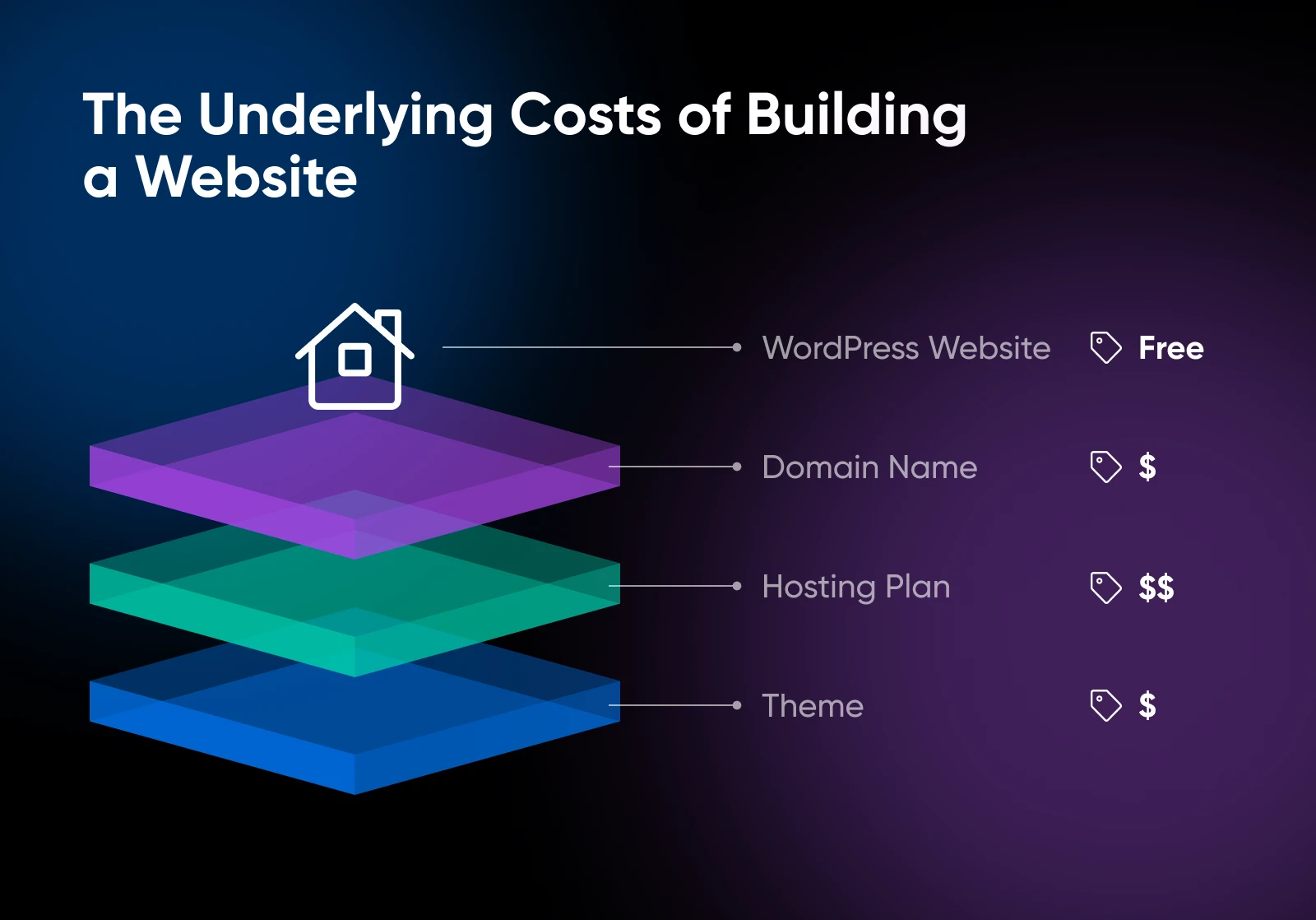
Domain Registration Fees
One of the first hidden costs you’ll encounter is domain registration fees. While many hosting providers offer a free domain for the first year, they often charge a renewal fee thereafter. This fee can vary widely, so it’s a good idea to check the renewal cost before committing to a hosting plan. On average, domain registration can cost between $10 to $20 per year.
Ssl Certificates
An SSL certificate is essential for securing your website and ensuring data is encrypted. Some hosting providers include a free SSL certificate with their plans, but this is not always the case. If your plan does not include an SSL certificate, you’ll need to purchase one separately. SSL certificates can range from free to hundreds of dollars per year, depending on the level of security you need.
Backup And Restore Services
Regular backups are crucial for protecting your website data. While some hosting providers offer free backup services, others may charge for this feature. The costs for backup and restore services can range from a few dollars per month to a significant yearly expense. Be sure to understand what is included in your hosting plan and whether you need to budget for additional backup services.
Additional Plugins And Themes
To enhance your WordPress site, you might want to use various plugins and themes. While there are many free options available, premium plugins and themes often come with a price tag. These can add functionality, improve security, or simply make your site look more professional. Costs for premium plugins and themes can vary widely, from a one-time fee to ongoing subscription costs. Always factor in these potential expenses when planning your budget.
| Cost Type | Average Cost |
|---|---|
| Domain Registration | $10-$20/year |
| SSL Certificates | $0-$100+/year |
| Backup Services | $5-$50+/month |
| Premium Plugins/Themes | $0-$100+/year |
In conclusion, while WordPress hosting might seem affordable at first glance, it’s crucial to consider these hidden costs. By understanding and planning for these expenses, you can avoid unexpected charges and better manage your budget. So, always read the fine print and ask questions if anything is unclear. Happy hosting!

Credit: rocket.net
Tips To Save On WordPress Hosting
When it comes to setting up your WordPress site, hosting costs can add up quickly. But don’t worry! There are several clever ways to save on WordPress hosting without compromising on quality. Here are some practical tips to help you keep those costs down.
Opt For Long-term Plans
One of the easiest ways to save money on WordPress hosting is to choose a long-term plan. Hosting companies often provide significant discounts for users who commit to longer durations. For example, a three-year plan might cost less per month compared to a one-year plan. This can lead to substantial savings over time. Plus, you’ll have one less thing to worry about each year!
Here’s a quick comparison:
| Plan Duration | Monthly Cost | Total Cost |
|---|---|---|
| 1 Year | $10 | $120 |
| 3 Years | $8 | $288 |
As you can see, opting for a longer plan can save you a good amount of money.
Utilize Discounts And Coupons
Another great way to save on WordPress hosting is by using discounts and coupons. Many hosting providers offer promotional codes that can give you a considerable discount on your hosting plan. These can often be found on the hosting provider’s website or through affiliate sites. It’s like finding a hidden treasure!
Here are some steps to find these deals:
- Visit the hosting provider’s promotions page.
- Check out affiliate websites for exclusive discounts.
- Sign up for newsletters to receive special offers.
By taking a few minutes to search for coupons, you can significantly reduce your hosting costs.
Regularly Review Your Plan
It’s important to regularly review your hosting plan to ensure it still meets your needs. Your website might have grown, or your traffic might have decreased. Maybe you’re paying for features you no longer use. By assessing your plan periodically, you can adjust accordingly and avoid unnecessary costs.
Consider these points during your review:
- Check your website traffic and resource usage.
- Compare your current plan with new offers from your hosting provider.
- Evaluate if you need all the features you’re paying for.
Regular reviews can help you stay on the most cost-effective plan for your current needs.
By following these tips, you’ll be well on your way to saving money on WordPress hosting while still getting the best service for your website. Happy blogging!
Frequently Asked Questions
How Much Does Hosting On WordPress Cost?
WordPress hosting costs range from $3 to $45 per month, depending on the plan and provider.
What Is The $300 Charge On WordPress?
The $300 charge on WordPress is for the annual Business Plan. It includes premium themes, advanced SEO tools, and unlimited storage.
Should I Pay For Hosting On WordPress?
Yes, paying for WordPress hosting offers better performance, security, and support. Free hosting has limitations and fewer features.
How Much Does A 5 Page WordPress Website Cost?
A 5-page WordPress website typically costs between $500 and $5,000. Prices vary based on design and functionality.
Conclusion
WordPress hosting costs vary based on your needs. Basic plans are affordable. Premium plans offer more features. Choose what fits your budget. Compare different providers. Ensure they meet your requirements. Consider customer support and uptime. Think about scalability. Your website may grow.
Budget carefully to avoid surprises. Investing in the right plan is crucial. It impacts your site’s performance. So, take your time. Evaluate options thoroughly. Make an informed decision. Your website’s success depends on it. Happy hosting!
