

Yes, Blurweb App is worth it. It offers a simple, effective way to blur sensitive data during screen sharing or recording.
This tool saves time and ensures privacy without post-production edits. In today’s digital age, protecting sensitive information is crucial. Whether you’re a content creator, customer support agent, or YouTuber, Blurweb App can be a game-changer. This app allows you to blur images, text, or input fields with just one click, making your screen sharing sessions secure and efficient. Available as a Chrome extension and Firefox add-on, it seamlessly integrates with platforms like Google Meet, Loom, Microsoft Teams, and Zoom. With pricing plans starting at $17 for a one-time purchase and a 60-day money-back guarantee, the Blurweb App is a worthwhile investment for anyone looking to protect their data while saving time. Check it out here.
Introduction To Blurweb App
Blurweb App is a browser extension designed for those who need to blur sensitive data on web pages instantly. It helps in ensuring secure and efficient screen sharing and video recording without the need for post-production edits. This app caters to content creators, customer support, and YouTubers, making it easy to maintain privacy while sharing screens.
Overview Of Blurweb App
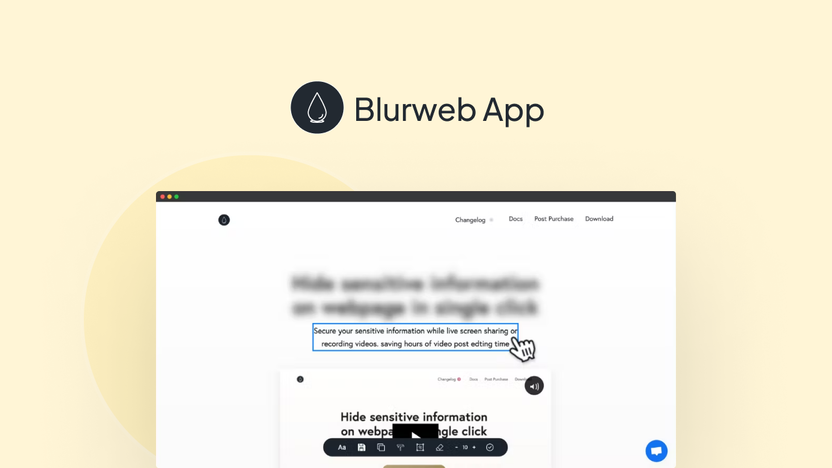
Blurweb App is a versatile tool available as a Chrome extension and Firefox add-on. It features a user-friendly interface with simple click or draw functionality. This ensures that users can blur images, paragraphs, or input fields with a single click.
| Feature | Description |
|---|---|
| Single Click Blur | Blur images, paragraphs, or input fields with one click. |
| Blur Area | Draw a rectangle to blur specific areas on a webpage. |
| Keep Blur | Blurs stay even after the page reloads or during live sessions. |
| Integration Support | Compatible with Google Meet, Loom, Microsoft Teams, and Zoom. |
| GDPR-compliant | Ensures data protection compliance. |
Purpose And Functionality
The main purpose of Blurweb App is to provide secure screen sharing by preventing accidental data exposure. This is particularly useful during live sessions or video recordings. The app saves time by eliminating the need for post-production edits to hide sensitive information.
- Secure Screen Sharing: Prevents accidental data exposure.
- Time-saving: No need for post-production edits.
- User-friendly: Easy to use with a simple click or draw functionality.
- Versatile Usage: Ideal for content creators, customer support, and YouTubers.
Blurweb App offers three pricing plans to suit different needs. Each plan includes all features and supports multiple devices or browsers.
| Plan | Price | Devices/Browsers |
|---|---|---|
| Plan 1 | $17 (originally $28) | 3 |
| Plan 2 | $34 (originally $56) | 6 |
| Plan 3 | $51 (originally $84) | 9 |
With a 60-day money-back guarantee, users can try out Blurweb App for two months and get a refund if it’s not right for them.
Credit: appsumo.com
Key Features Of Blurweb App
Blurweb App is a powerful tool for anyone needing to blur sensitive data during screen sharing or video recording. It stands out with several key features that make it a valuable asset for content creators, customer support, and YouTubers.
Real-time Blurring
With real-time blurring, Blurweb App allows you to blur images, paragraphs, or input fields instantly. A single click is all it takes to ensure that sensitive information remains hidden from view. This feature is particularly useful during live sessions, ensuring that no private data is accidentally shared.
User-friendly Interface
The user-friendly interface of Blurweb App makes it easy for anyone to use. Whether you’re a tech-savvy individual or not, the simple click or draw functionality ensures that you can blur areas on a webpage without any hassle. The interface is designed to be intuitive and straightforward, providing a smooth user experience.
Customizable Blur Areas
Blurweb App offers customizable blur areas, allowing you to draw a rectangle to blur specific sections of a webpage. This flexibility is essential for focusing on particular parts of the screen that need to be obscured. The “Keep Blur” feature ensures that these blurred areas remain even after the page is reloaded or during live sessions, adding an extra layer of security.
Cross-platform Compatibility
The app boasts cross-platform compatibility, being available as both a Chrome extension and a Firefox add-on. Additionally, it integrates seamlessly with popular platforms like Google Meet, Loom, Microsoft Teams, and Zoom. This wide compatibility ensures that you can use Blurweb App across different browsers and platforms without any issues.
| Feature | Details |
|---|---|
| Single Click Blur | Blur images, paragraphs, or input fields with one click. |
| Blur Area | Draw a rectangle to blur specific areas on a webpage. |
| Keep Blur | Blurs stay even after page reload or during live sessions. |
| Chrome Extension & Firefox Add-on | Available for both browsers. |
| Integration Support | Compatible with Google Meet, Loom, Microsoft Teams, and Zoom. |
| GDPR-compliant | Ensures data protection compliance. |
Blurweb App is a versatile, secure, and efficient solution for anyone needing to blur sensitive data on the web. Its key features make it an invaluable tool for ensuring privacy during screen sharing and video recording.
Pricing And Affordability
The Blurweb App offers a range of pricing options to fit different needs. It provides a cost-effective solution for secure screen sharing and video recording. Let’s explore the subscription plans, cost-effectiveness, and the differences between free and paid features.
Subscription Plans
Blurweb App offers three distinct plans, each with a one-time purchase cost. These plans ensure you get the best value based on your usage needs.
| Plan | One-time Purchase Cost | Device/Browser Access | Features Included |
|---|---|---|---|
| Plan 1 | $17 (originally $28) | 3 devices/browsers | All features |
| Plan 2 | $34 (originally $56) | 6 devices/browsers | All features |
| Plan 3 | $51 (originally $84) | 9 devices/browsers | All features |
Cost-effectiveness
The one-time purchase model of Blurweb App is a significant benefit. Many tools require monthly or annual subscriptions, but Blurweb App eliminates recurring costs.
For example, the $17 plan allows use on three devices. This is perfect for individuals or small teams. The $34 plan covers six devices, ideal for medium-sized teams. The $51 plan covers nine devices, suitable for larger teams or organizations.
These plans ensure long-term savings and budget-friendly access to essential features. It’s a worthwhile investment for anyone concerned with data privacy during screen sharing or recording.
Free Vs Paid Features
Blurweb App provides all features in its paid plans. There is no free version, but the affordability of the one-time costs makes up for it.
Key features include:
- Single Click Blur: Quickly blur any element with one click.
- Blur Area: Draw a rectangle to blur specific areas.
- Keep Blur: Blurs stay even after reloading the page or during live sessions.
- Integration Support: Works with Google Meet, Loom, Microsoft Teams, and Zoom.
- GDPR-compliant: Ensures data protection compliance.
These features provide a comprehensive solution for secure and efficient screen sharing and video recording. The one-time cost ensures full access without the need for ongoing payments.
The 60-day money-back guarantee also adds value, allowing a risk-free trial of the app. This guarantee ensures satisfaction and confidence in your purchase.

Credit: m.youtube.com
Pros And Cons Of Blurweb App
The Blurweb App is a tool designed to blur sensitive data on web pages instantly. This feature is useful during screen sharing or video recording. Let’s explore the advantages and drawbacks of using the Blurweb App.
Advantages Of Using Blurweb
The Blurweb App comes with several advantages:
- Single Click Blur: Easily blur images, paragraphs, or input fields with one click.
- Secure Screen Sharing: Prevents accidental data exposure during live sessions.
- Time-saving: No need for post-production edits to hide sensitive information.
- User-friendly: Simple click or draw functionality makes it easy to use.
- Versatile Usage: Ideal for content creators, customer support, and YouTubers.
- Integration Support: Works with Google Meet, Loom, Microsoft Teams, and Zoom.
- GDPR-compliant: Ensures data protection compliance.
Limitations And Drawbacks
While the Blurweb App has many benefits, there are some limitations:
- Browser-specific: Available only as a Chrome extension and Firefox add-on.
- Limited Device Access: Plans restrict the number of devices/browsers. For example, Plan 1 allows access for 3 devices.
- One-time Purchase: Although it’s a one-time purchase, some users might prefer a subscription model.
Despite these limitations, the Blurweb App offers a range of features to ensure secure and efficient screen sharing and video recording.
Ideal Users And Scenarios
The Blurweb App is a powerful tool designed to blur sensitive information on web pages. It is ideal for various users and scenarios. Below, we explore the best use cases and who will benefit the most from this app.
Best Use Cases
The Blurweb App shines in several scenarios:
- Screen Sharing: Professionals needing to share screens without exposing private data.
- Live Sessions: Teachers or trainers conducting live online classes.
- Video Recording: Content creators recording tutorials or demos.
- Customer Support: Support teams assisting users while maintaining confidentiality.
These scenarios demonstrate how the Blurweb App can enhance productivity and security.
Who Will Benefit The Most
The Blurweb App is particularly beneficial for:
- Content Creators: YouTubers, bloggers, and influencers who frequently record screens.
- Educators: Teachers and trainers who use online platforms for teaching.
- Customer Support Teams: Teams that provide remote support and need to protect user information.
- Business Professionals: Individuals conducting webinars, meetings, or presentations.
These users will find the app’s features essential for maintaining privacy and efficiency.

Credit: www.youtube.com
Conclusion: Is Blurweb App Worth It?
The Blurweb App promises an easy way to blur sensitive data during screen sharing and video recording. Its single-click blur feature, compatibility with major browsers, and integration with popular platforms like Google Meet and Zoom make it appealing. Let’s break down the final thoughts and recommendations for this app.
Final Thoughts
Blurweb App is designed for content creators, customer support teams, and YouTubers. Its main features, such as single-click blur and persistent blur even after page reloads, enhance user experience. The app’s user-friendly interface means you can blur images, paragraphs, or input fields without post-production edits. It supports compliance with GDPR, ensuring data protection during screen sharing. This makes it a reliable choice for secure and efficient screen sharing.
Recommendation
If you often share screens or record videos with sensitive information, Blurweb App can be a valuable tool. The pricing plans are flexible, with a one-time purchase starting at $17 for access on 3 devices. Each plan includes all features, ensuring you get the full benefits regardless of your choice. The 60-day money-back guarantee allows you to try the app risk-free. Given its features, ease of use, and security benefits, Blurweb App is worth considering.
| Plan | Price | Devices/Browsers | Features |
|---|---|---|---|
| Plan 1 | $17 (originally $28) | 3 | All features included |
| Plan 2 | $34 (originally $56) | 6 | All features included |
| Plan 3 | $51 (originally $84) | 9 | All features included |
Frequently Asked Questions
What Is Blurweb App?
Blurweb App is a browser extension that allows users to blur sensitive information on web pages quickly.
How Does Blurweb App Work?
Blurweb App works by allowing users to click and drag to blur specific areas on a web page instantly.
Is Blurweb App Easy To Use?
Yes, Blurweb App is user-friendly. It provides a simple interface for quick and easy blurring of content.
Can I Use Blurweb App On Multiple Browsers?
Yes, Blurweb App is compatible with various browsers, including Chrome, Firefox, and Edge.
Conclusion
Blurweb App proves to be a valuable tool for content creators. Its single-click blur feature saves time and ensures data security. The app integrates smoothly with popular platforms. Flexible pricing makes it accessible for different needs. The user-friendly interface makes it easy for anyone to use. Secure your screen sharing now with Blurweb App. With a 60-day money-back guarantee, you can try it risk-free. It’s worth considering for anyone needing to protect sensitive information online.
