

Is GoBrunch Worth It? Yes, GoBrunch can be a valuable tool for online meetings.
It offers a unique and interactive experience for participants. Virtual events are more common now than ever. People need tools that make these events engaging and easy to manage. GoBrunch offers a simple yet powerful platform for webinars, training sessions, and meetings. With features like unlimited webinars, screen sharing, and multiple breakout rooms, it stands out from other platforms. Facilitators have full control, and there’s no need for installation. Whether you are a course creator, event organizer, or small business, GoBrunch could be the solution you need. Let’s explore if it truly meets your needs and is worth the investment. For more details, visit the official GoBrunch site.

Credit: www.linkedin.com
Introduction To Gobrunch
In today’s world, virtual events are more important than ever. GoBrunch offers a unique way to make online meetings more fun, engaging, and interactive. This blog post explores whether GoBrunch is worth it for your virtual event needs.
What Is Gobrunch?
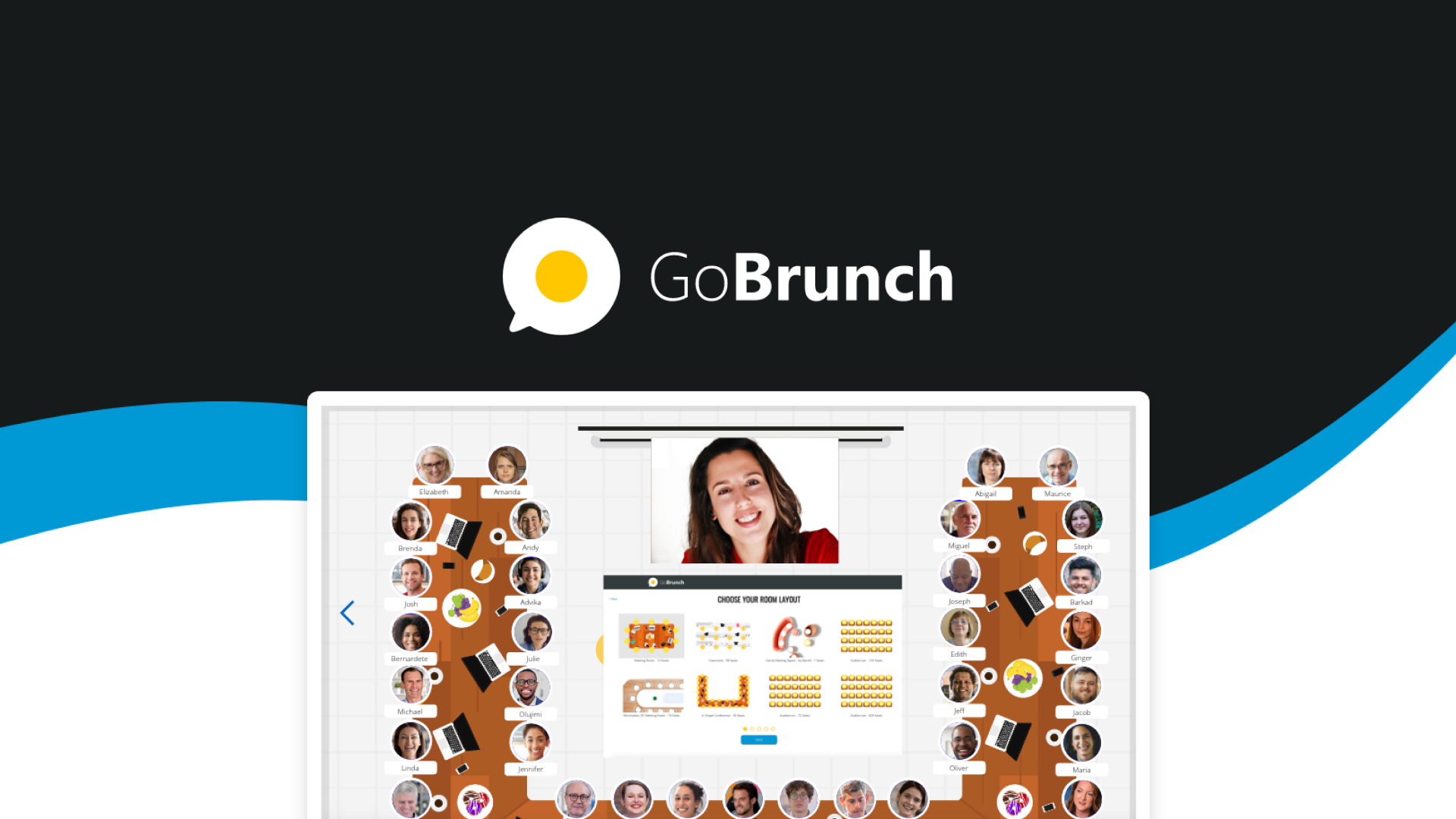
GoBrunch is a versatile webinar platform. It mimics in-person events with a realistic and simple interface. Users can host unlimited webinars, training sessions, meetings, and events.
One key aspect is that it requires no installation, making it easy to set up and use. Facilitators have full control over sessions, including camera and microphone management.
Purpose And Usage Of Gobrunch
The primary purpose of GoBrunch is to enhance virtual events. It provides an engaging and interactive environment for participants. Here are some of its main features and benefits:
- Realistic and simple interface
- Unlimited webinars
- Screen sharing with sound
- Camera and microphone control for facilitators
- Multiple breakout rooms and sessions
- Interaction features like hand-raising, voting, and signs
- Video content playback and slide presentation
- Session recording and detailed frequency reports
- Public or private sessions with custom event links
- GDPR compliant
GoBrunch is ideal for course creators, event organizers, and small businesses. It supports live and asynchronous content, making it flexible. Here are some notable benefits:
| Feature | Benefit |
|---|---|
| Customizable layouts and branding | Enhances the virtual environment |
| Integration with tools like Zapier, Miro, Google Docs, Sheets, and Slides | Improves productivity and collaboration |
Pricing is another important factor. GoBrunch offers various pricing tiers, each catering to different needs:
- License Tier 1: $79 (normally $870)
- 200 participants per webinar
- 40 GB video storage
- 8 organizers per session
- 2 GB storage for presentations/documents
- 15 breakout rooms per event
- 5 presenter cams
- License Tier 2: $169 (normally $3,599)
- 400 participants per webinar
- 80 GB video storage
- 16 organizers per session
- 5 GB storage for presentations/documents
- 35 breakout rooms per event
- 10 presenter cams
- 35 sub-accounts
- 1 custom subdomain
- Attendance report
- License Tier 3: $239 (normally $7,000)
- 600 participants per webinar
- 120 GB video storage
- Unlimited organizers per session
- 10 GB storage for presentations/documents
- 50 breakout rooms per event
- 10 presenter cams
- 50 sub-accounts
- 7 custom subdomains
- Attendance report
GoBrunch also offers a 60-day money-back guarantee. This allows users to try the platform for 2 months and get a full refund if it doesn’t meet their needs. Users also get lifetime access to the platform with all future updates.
The platform offers customizable virtual spaces with branding options. Users can also upload OnDemand MP4 videos for asynchronous viewing. Recordings and uploaded content are stored for 180 days.

Credit: www.linkedin.com
Key Features Of Gobrunch
GoBrunch is a versatile webinar platform designed to make online meetings more fun, engaging, and interactive. It offers a range of features that aim to replicate the feel of in-person events. Below are some key features that make GoBrunch stand out.
Virtual Event Hosting
GoBrunch allows you to host unlimited webinars, training sessions, meetings, and events. It doesn’t require any installation, making it easy to set up. You can host public or private sessions and create custom event links. The platform is also GDPR compliant, ensuring your data is safe and secure.
Interactive Tools And Engagement
The platform includes various interactive tools to keep participants engaged. These tools include:
- Hand-raising
- Voting
- Signs
- Screen sharing with sound
- Camera and microphone control for facilitators
These features make the virtual experience more interactive and engaging, helping to mimic the dynamics of in-person events.
Customizable Layouts
GoBrunch offers customizable virtual spaces with branding options. You can adjust the layout to fit your event’s needs and personalize the environment to match your brand. This feature ensures that your events are not only engaging but also visually appealing and on-brand.
Multi-session Capability
One of the standout features of GoBrunch is its multi-session capability. You can create multiple breakout rooms and sessions within a single event. This is particularly useful for larger events where different sessions or workshops are needed. Depending on the license tier, you can have up to 50 breakout rooms per event.
| License Tier | Participants per Webinar | Video Storage | Breakout Rooms | Presenter Cams |
|---|---|---|---|---|
| License Tier 1 | 200 | 40 GB | 15 | 5 |
| License Tier 2 | 400 | 80 GB | 35 | 10 |
| License Tier 3 | 600 | 120 GB | 50 | 10 |
With different pricing options, GoBrunch offers flexible plans to suit various needs and budgets.
Pricing And Affordability
When considering a webinar platform, pricing and affordability are crucial factors. GoBrunch offers several pricing tiers tailored to different needs. Understanding the cost structure helps determine its value.
Pricing Tiers And Plans
GoBrunch provides three distinct pricing tiers, each with specific features and capabilities. Below is a breakdown of these plans:
| License Tier | Cost | Features |
|---|---|---|
| License Tier 1 | $79 (normally $870) |
|
| License Tier 2 | $169 (normally $3,599) |
|
| License Tier 3 | $239 (normally $7,000) |
|
Value For Money Analysis
Assessing the value for money is essential for any investment. GoBrunch offers competitive pricing given its features and benefits. Here’s a brief analysis:
- License Tier 1: Ideal for small teams or startups. It offers significant storage and participant capacity at a low cost.
- License Tier 2: Suitable for mid-sized organizations. It provides more storage, additional breakout rooms, and sub-accounts.
- License Tier 3: Best for large enterprises. It offers the highest participant capacity, unlimited organizers, and extensive customization options.
Each tier comes with a 60-day money-back guarantee. This ensures flexibility and customer satisfaction. Lifetime access and future updates are included, enhancing the platform’s long-term value.
In terms of affordability, GoBrunch stands out. The features and benefits justify the cost, making it a worthy investment for various event needs.
Credit: appsumo.com
Pros Of Using Gobrunch
GoBrunch stands out as an engaging and versatile webinar platform, offering numerous benefits. Here are some of the key pros of using GoBrunch:
User-friendly Interface
GoBrunch features a realistic and simple interface that mimics in-person events. This makes it easy for users to navigate and engage with the platform without any prior experience. The setup is straightforward, requiring no installation, which saves time and effort for both facilitators and participants.
Enhanced Engagement Options
The platform offers various interactive features to keep participants engaged. These include:
- Hand-raising
- Voting
- Interactive signs
Facilitators can also control cameras and microphones, ensuring a smooth and interactive experience. The ability to share screens with sound further enhances engagement by allowing presenters to share detailed information seamlessly.
Versatility In Event Types
GoBrunch supports a wide range of events, including:
- Unlimited webinars
- Training sessions
- Meetings
- Breakout rooms and sessions
This versatility makes it suitable for various purposes, from educational sessions to business meetings. Moreover, the platform allows for public or private sessions, providing flexibility for different event types.
Good Customer Support
GoBrunch offers reliable customer support to assist users with any issues they might encounter. The platform comes with a 60-day money-back guarantee, giving users the confidence to try it without financial risk. Additionally, lifetime access ensures that users can benefit from all future updates and improvements.
Overall, GoBrunch combines a user-friendly interface with a range of engaging and versatile features, supported by dependable customer service. These pros make it a valuable tool for enhancing virtual events.
Cons Of Using Gobrunch
GoBrunch is a versatile platform for virtual events, yet it has some drawbacks. Understanding these cons can help you make an informed decision.
Limited Integrations
One significant limitation is the lack of integration options. While GoBrunch integrates with tools like Zapier, Miro, and Google Docs, it does not support a wide range of third-party applications. This can be restrictive for users who rely on multiple tools for their workflow.
| Supported Integrations | Missing Integrations |
|---|---|
| Zapier | Slack |
| Miro | Microsoft Teams |
| Google Docs | Salesforce |
Potential Performance Issues
Performance can be a concern with GoBrunch. Some users have reported issues such as lagging and slow load times during sessions. This is particularly problematic in larger meetings or events where seamless interaction is crucial.
- Lagging during large events
- Slow loading times
- Possible disconnections
Learning Curve For New Users
New users might find GoBrunch challenging to navigate initially. The interface, though realistic, can be overwhelming for beginners. Understanding all the features and how to use them effectively may take some time.
- Initial setup complexity
- Difficulty in mastering all features
- Time-consuming for beginners
Recommendations For Ideal Users
GoBrunch is a versatile and interactive webinar platform that can enhance virtual events with its unique features. It is essential to understand who would benefit the most from using GoBrunch. Below are some scenarios and target audiences that would find GoBrunch particularly valuable.
Best Scenarios For Use
Engaging Virtual Meetings: GoBrunch is perfect for those looking to make their online meetings more engaging. The platform’s interactive interface mimics in-person events, making participants feel more connected.
Webinars and Training Sessions: With the ability to host unlimited webinars and training sessions, GoBrunch is ideal for educators, trainers, and coaches. The platform supports screen sharing, video content playback, and slide presentations.
Corporate Events: Companies can use GoBrunch for hosting large corporate events. The platform supports multiple breakout rooms, detailed frequency reports, and customizable layouts.
Interactive Workshops: Facilitators can take advantage of the interaction features such as hand-raising, voting, and signs to create a more interactive workshop environment.
Community Engagement: Organizations looking to engage with their community can use GoBrunch to host public or private sessions, making it easy to connect with participants.
Target Audience
| Audience | Why GoBrunch is Ideal |
|---|---|
| Educators & Trainers | Unlimited webinars, screen sharing, and interactive features make teaching easy. |
| Corporate Teams | Multiple breakout rooms and customizable layouts for large events. |
| Event Organizers | Supports public and private sessions with detailed frequency reports. |
| Small Businesses | Affordable pricing tiers with a generous money-back guarantee. |
| Community Groups | Easy to set up and engage participants with interactive features. |
GoBrunch’s features and benefits make it a versatile platform suitable for various users. Whether you are an educator, corporate team, or small business, GoBrunch can enhance your virtual events.
Frequently Asked Questions
What Is Gobrunch?
Gobrunch is a virtual meeting and webinar platform. It offers interactive features for better engagement. It’s designed for educators and professionals.
Is Gobrunch User-friendly?
Yes, Gobrunch is user-friendly. It has an intuitive interface. Users can easily navigate and host meetings.
How Much Does Gobrunch Cost?
Gobrunch offers a free plan. Paid plans start at affordable rates. Pricing varies based on features and usage.
Can Gobrunch Support Large Audiences?
Yes, Gobrunch can support large audiences. It is ideal for webinars and large meetings. It ensures smooth performance.
Conclusion
GoBrunch is a reliable choice for virtual events. Its interactive features make online meetings engaging. The platform is easy to use, with no installation needed. Pricing options cater to different needs. Interested in trying it? Check out GoBrunch through this affiliate link.
