

Is Watermarkup worth it? The answer depends on your needs.
If you want to protect your photos and promote your brand, Watermarkup is a solid choice. Watermarkup is a tool designed for batch watermarking photos. It helps users protect digital assets from theft and boost brand visibility. You can watermark up to 200 images at once without losing quality. Customization options let you adjust opacity, position, and style. You can even tile logos across images. With a one-time payment, you get lifetime access, making it a cost-effective solution. Watermarkup also ensures compliance with GDPR, adding an extra layer of security. Curious to know more about this tool? Read on to see if Watermarkup meets your needs and is worth the investment. Check out Watermarkup here.

Credit: www.watermark.org
Introduction To Watermarkup
Watermarkup is a powerful tool designed to protect your digital photos. It helps prevent theft and promotes your brand with customizable watermarks. Watermarkup offers batch processing and advanced customization options. This section will introduce you to the key aspects of Watermarkup.
What Is Watermarkup?
Watermarkup is a software tool used to add watermarks to photos. It allows users to watermark up to 200 images at once, ensuring the original quality is maintained. The tool offers various customization options, including adjusting the opacity, position, and style of the watermarks.
Purpose And Use Cases
Watermarkup serves two main purposes: protecting your images from unauthorized use and promoting your brand. Here are some key use cases:
- Batch Processing: Save time by watermarking up to 200 images simultaneously.
- Brand Promotion: Customizable watermarks enhance brand visibility across your digital assets.
- Security: Protect your photos from theft with unique watermarks.
Watermarkup also offers features like flipping watermarks horizontally or vertically and customizing text templates. This flexibility ensures that your watermarks align perfectly with your branding needs.
| Feature | Description |
|---|---|
| Batch Processing | Watermark up to 200 images at once without quality loss. |
| Customization Options | Adjust opacity, position, and style of watermarks. |
| Image Quality | Maintains original image quality and resolution. |
| GDPR-Compliant | Ensures compliance with data protection regulations. |
| Lifetime Access | One-time purchase provides lifetime access. |
Watermarkup offers a comprehensive solution for efficiently watermarking large volumes of images while ensuring high quality and extensive customization options.
Key Features Of Watermarkup
Watermarkup stands out as a powerful tool for protecting and promoting your digital assets. Its range of features ensures efficiency, customization, and quality. Let’s explore the key features that make Watermarkup a valuable asset for any user.
Batch Processing For Efficiency
Watermarkup allows users to watermark up to 200 images at once. This batch processing feature is a significant time-saver, enabling users to manage large volumes of images quickly. The efficiency gained here is invaluable for professionals who deal with numerous images daily.
Customizable Watermarks
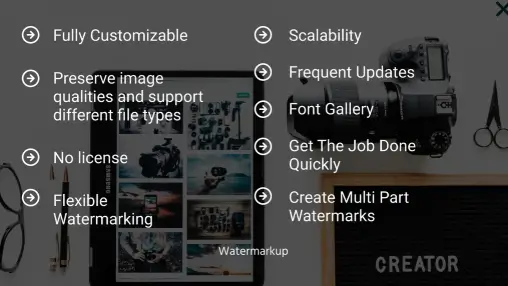
With Watermarkup, users can create customizable watermarks to fit their branding needs. Adjust the opacity, position, and style of watermarks to ensure they blend perfectly with your images. The tool also provides options to tile logos across images and flip watermarks horizontally or vertically, adding an extra layer of protection and branding flexibility.
Cloud Storage Integration
Watermarkup integrates seamlessly with cloud storage solutions, allowing users to easily save and access their watermarked images. This integration ensures that your images are securely stored and readily available whenever needed. It simplifies the workflow by eliminating the need to manually transfer files between local storage and the cloud.
Support For Various File Formats
Watermarkup supports a range of file formats, making it versatile for different image types. Whether you are working with JPEG, PNG, or other common formats, Watermarkup ensures that your images maintain their original quality. This flexibility is crucial for users who need to watermark images in different formats without compromising on quality.
Overall, Watermarkup provides a robust set of features designed to streamline the watermarking process, enhance branding, and protect digital assets. Its combination of batch processing, customization options, cloud integration, and support for various file formats makes it a comprehensive tool for any user.
Pricing And Affordability
When considering a watermarking tool, pricing is a crucial factor. Watermarkup offers competitive pricing, making it an attractive option. Let’s explore the different pricing plans, the free vs paid versions, and the overall value for money.
Different Pricing Plans
Watermarkup provides a straightforward pricing structure. Here are the details:
- Pro Plan: A one-time payment of $15 (originally $49), which offers a significant 69% discount.
This plan includes lifetime access, ensuring you can use all future updates without any additional costs.
Free Vs Paid Versions
Watermarkup offers a Pro Plan that requires a one-time payment. Unfortunately, there is no free version available. With the Pro Plan, you get:
- Batch Processing up to 200 images at once.
- Customization Options for opacity, position, and tiling.
- Advanced Customization features like flipping watermarks and text templates.
- GDPR Compliance to ensure data protection.
- Premium Email Support for any issues or queries.
The absence of a free version means you have to purchase the Pro Plan to access all these features.
Value For Money
Watermarkup offers excellent value for money. For a one-time fee of $15, users receive:
- Lifetime Access to the tool and all future updates.
- High-Quality Batch Processing for up to 200 images without compromising image quality.
- Extensive Customization options to enhance brand visibility and protection.
The tool also comes with a 60-Day Money-Back Guarantee, allowing users to try it risk-free. This guarantee ensures that if you are not satisfied, you can get a full refund within 60 days.
In conclusion, Watermarkup’s pricing is affordable, and the features provided offer significant value for money.
Pros Of Using Watermarkup
Watermarkup is a powerful tool for watermarking photos in batches. It offers several benefits that can enhance workflow, provide security, and promote brands effectively. Below are some key advantages of using Watermarkup.
User-friendly Interface
Watermarkup boasts a user-friendly interface that makes the watermarking process simple and intuitive. Users can easily navigate through the tool, making it accessible even for those with limited technical skills. The clean design ensures a smooth experience, allowing users to focus on their creative tasks without getting bogged down by complicated settings.
High Customization Options
One of the standout features of Watermarkup is its high customization options. Users can adjust watermark opacity, position, style, and even tile logos across images. This level of customization allows for unique branding and enhanced protection. Additionally, advanced options such as flipping watermarks horizontally or vertically and customizing text templates provide further flexibility.
Fast Processing Speed
With Watermarkup, users can watermark up to 200 images at once without compromising quality. This fast processing speed is essential for professionals who deal with large volumes of images. The tool ensures that the original quality and resolution of the images are maintained, making it a reliable choice for high-quality outputs.
Reliable Customer Support
Watermarkup offers reliable customer support to its users. Pro plan users receive premium email support, ensuring that any issues or queries are addressed promptly. This level of support enhances the overall user experience, providing peace of mind and assurance that help is readily available when needed.
| Feature | Benefit |
|---|---|
| User-Friendly Interface | Easy navigation and smooth experience |
| High Customization Options | Unique branding and enhanced protection |
| Fast Processing Speed | Watermark up to 200 images without quality loss |
| Reliable Customer Support | Premium email support for Pro users |
In summary, Watermarkup is a robust tool that simplifies the watermarking process while offering extensive customization and reliable support. Its user-friendly interface and fast processing speed make it a valuable asset for anyone looking to protect their digital assets and promote their brand effectively.
Cons Of Using Watermarkup
Watermarkup offers excellent features for watermarking photos in bulk. However, it has some drawbacks that users should consider. Here are the main cons of using Watermarkup:
Limited Features In Free Version
The free version of Watermarkup comes with limited features. Users can only access basic watermarking options. This restriction may not meet the needs of users looking for advanced customization.
To unlock full functionality, users must purchase the Pro Plan. This may be a deterrent for those on a tight budget. Therefore, the free version may not be sufficient for professional use.
Internet Dependency For Cloud Features
Watermarkup relies on the internet for its cloud features. This dependency can be inconvenient for users with unreliable internet connections. Working offline is not an option, which limits accessibility.
Users needing constant access to cloud-based features might find this frustrating. Stability of the internet connection is crucial for seamless operation.
Learning Curve For Advanced Features
Watermarkup includes advanced customization options. These features can be complex for new users. Learning to use these advanced tools efficiently may take time.
Although the tool is powerful, mastering it requires practice. This learning curve might pose a challenge for beginners. Users need patience to fully utilize all advanced features.
Ideal Users And Scenarios
Watermarkup is a versatile tool designed to meet the needs of various users. Its features and benefits cater to specific groups and scenarios where watermarking is essential for protecting and promoting digital assets. Let’s explore the ideal users and scenarios for Watermarkup.
Best For Photographers And Designers
Photographers and designers often face the challenge of protecting their creative work. Watermarkup offers batch processing that allows them to watermark up to 200 images at once. This ensures their photos and designs are protected from theft.
With customizable watermarks, photographers and designers can adjust opacity, position, and style. This helps in maintaining the aesthetic quality of their work while promoting their brand. The tool also supports advanced customization options like flipping watermarks horizontally or vertically.
Suitable For Small To Medium Businesses
Small to medium businesses benefit significantly from Watermarkup. These businesses often have a limited budget and resources. The one-time payment of $15 for lifetime access is cost-effective and offers great value.
Businesses can use Watermarkup to protect and brand their images, making it easier to promote their products and services. The GDPR-compliant feature ensures that businesses are adhering to data protection regulations, providing an added layer of security.
Scenarios Where Watermarkup Shines
There are several scenarios where Watermarkup proves to be an invaluable tool:
- Batch Processing: When users need to watermark a large volume of images, Watermarkup’s batch processing feature saves time and effort.
- Brand Promotion: Customizable watermarks help in promoting brand visibility by adding logos and text to images.
- Image Quality Maintenance: Watermarkup ensures that the original image quality is maintained, which is crucial for professional use.
- Advanced Customization: Users can customize watermarks extensively, including adjusting opacity, position, and tiling options for enhanced protection and branding.
Watermarkup is an excellent tool for photographers, designers, and small to medium businesses. Its features and benefits make it ideal for various scenarios, ensuring efficient workflow and robust image protection.
Conclusion: Is Watermarkup Worth It?
Watermarkup offers a range of features designed to protect and promote your digital images. But is it worth your investment? Let’s break it down.
Summary Of Benefits And Drawbacks
| Benefits | Drawbacks |
|---|---|
|
|
Final Recommendation
Watermarkup is a valuable tool for anyone needing to watermark images in bulk. The batch processing feature saves time, while the customization options help in brand promotion. The software maintains original image quality and ensures your images are protected from theft. With a one-time payment of $15 and a 60-day money-back guarantee, it’s a risk-free investment.
If you require a reliable watermarking tool with extensive features, Watermarkup is worth considering. The benefits far outweigh the drawbacks, making it a smart choice for both professionals and hobbyists.

Frequently Asked Questions
What Is Watermarkup Used For?
Watermarkup is used for adding watermarks to images. It helps protect your digital assets from unauthorized use and adds a professional touch.
Is Watermarkup Easy To Use?
Yes, Watermarkup is user-friendly. It has a simple interface. Even beginners can quickly add watermarks to their images.
Does Watermarkup Support Batch Processing?
Yes, Watermarkup supports batch processing. You can watermark multiple images at once, saving time and effort.
Can I Customize Watermarks In Watermarkup?
Absolutely, you can customize watermarks. Watermarkup allows you to adjust text, font, color, and opacity for a personalized look.
Conclusion
Deciding if Watermarkup is worth it? Think about your needs. If you batch watermark photos, it saves time. Customize watermarks easily. Protect your images from theft. Promote your brand smoothly. The one-time payment offers lifetime access. Plus, you get a 60-day money-back guarantee. Try Watermarkup and see the benefits yourself. For more details, visit Watermarkup.
