

Is WP 301 Redirects worth it? Yes, it is worth it.
This WordPress plugin improves SEO and user experience. WP 301 Redirects helps in managing outgoing links, scanning for broken links, and redirecting mistyped URLs. It ensures visitors don’t land on frustrating 404 error pages. The plugin offers a centralized dashboard to manage multiple sites, monitor clicks, and generate reports. Integrations with Google Safe Browsing and Alexa Rank API add to its reliability. Plus, it is GDPR compliant, meaning it adheres to data protection regulations. For a one-time payment of $49, users get lifetime access, including all future updates. With a 60-day money-back guarantee, it’s a risk-free investment in optimizing your WordPress site. Check out WP 301 Redirects here.
Credit: wordpress.org
Introduction To Wp 301 Redirects
Managing website links and ensuring a smooth user experience can be challenging. WP 301 Redirects is a powerful WordPress plugin designed to handle these issues efficiently. This tool improves SEO by finding broken links, redirecting URLs, and preventing 404 errors. Let’s delve into the key aspects of this plugin.
What Is Wp 301 Redirects?
WP 301 Redirects is a specialized plugin for WordPress websites. It helps in optimizing outgoing links and scanning for broken or dangerous links. The plugin also automatically redirects mistyped URLs to the correct pages. This prevents users from encountering frustrating 404 errors.
| Features | Description |
|---|---|
| Link Scanning | Automatically scan for broken or dangerous links. |
| Automatic Redirects | Redirect mistyped URLs to the correct pages. |
| Manual Redirects | Create custom redirect rules for complex cases. |
| Centralized Dashboard | Manage all sites, monitor clicks, and generate reports. |
| Integrations | Google Safe Browsing and Alexa Rank API. |
| GDPR-compliant | Ensures compliance with data protection regulations. |
| Customization | Rebrand the plugin with specific logos, names, and URLs without coding. |
| Remote Monitoring | Control redirects and logs without logging into individual sites. |
Purpose Of Wp 301 Redirects
The main purpose of WP 301 Redirects is to enhance both SEO and user experience. The plugin detects and fixes broken links, which improves search engine rankings. By preventing visitors from landing on 404 error pages, it enhances user satisfaction. Additionally, it saves time by automatically handling redirects, reducing the need for manual URL adjustments.
- Improves SEO: Fixes broken links, boosting search engine rankings.
- Enhances User Experience: Prevents 404 errors for a smoother browsing experience.
- Saves Time: Automates redirect tasks, reducing manual work.
- Central Management: Simplifies site management from one dashboard.
- Customizable: Allows rebranding and tailoring to specific business needs.
- Secure: Identifies and removes links to sites with poor reputations or malware.
With these features, WP 301 Redirects is a valuable tool for developers, marketers, and web design agencies.
Credit: appsumo.com
Key Features Of Wp 301 Redirects
WP 301 Redirects is a powerful WordPress plugin designed to improve SEO and user experience by managing site redirects and fixing broken links. Its main features make it a valuable tool for website owners.
Easy Redirect Management
WP 301 Redirects offers a centralized dashboard that simplifies redirect management. You can create custom redirect rules for complex cases and manage all your sites from one place. This feature saves time and ensures all your URLs are properly redirected.
Automatic Redirects
The plugin automatically redirects mistyped URLs to the correct pages, preventing 404 errors. It also includes link scanning to detect and redirect broken or dangerous links. This helps to maintain a smooth user experience and improve your site’s SEO.
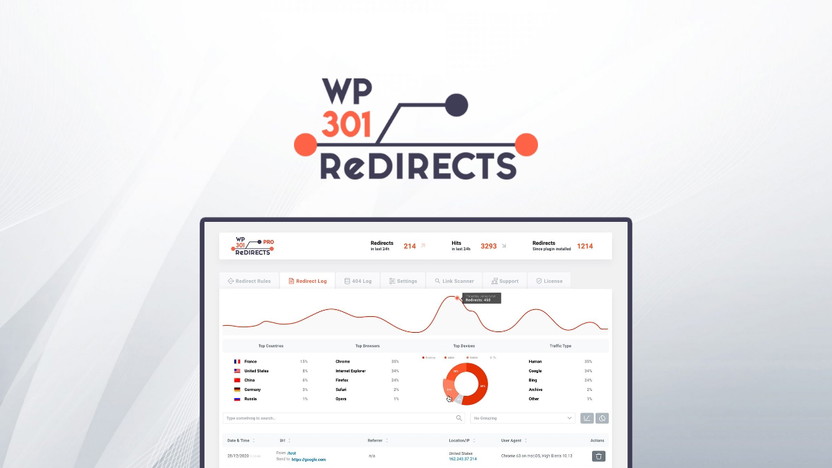
Detailed Logs And Analytics
WP 301 Redirects provides detailed logs and analytics to monitor clicks and generate reports. You can track the performance of your redirects and identify any issues quickly. This feature is essential for optimizing your redirect strategy and ensuring your site runs smoothly.
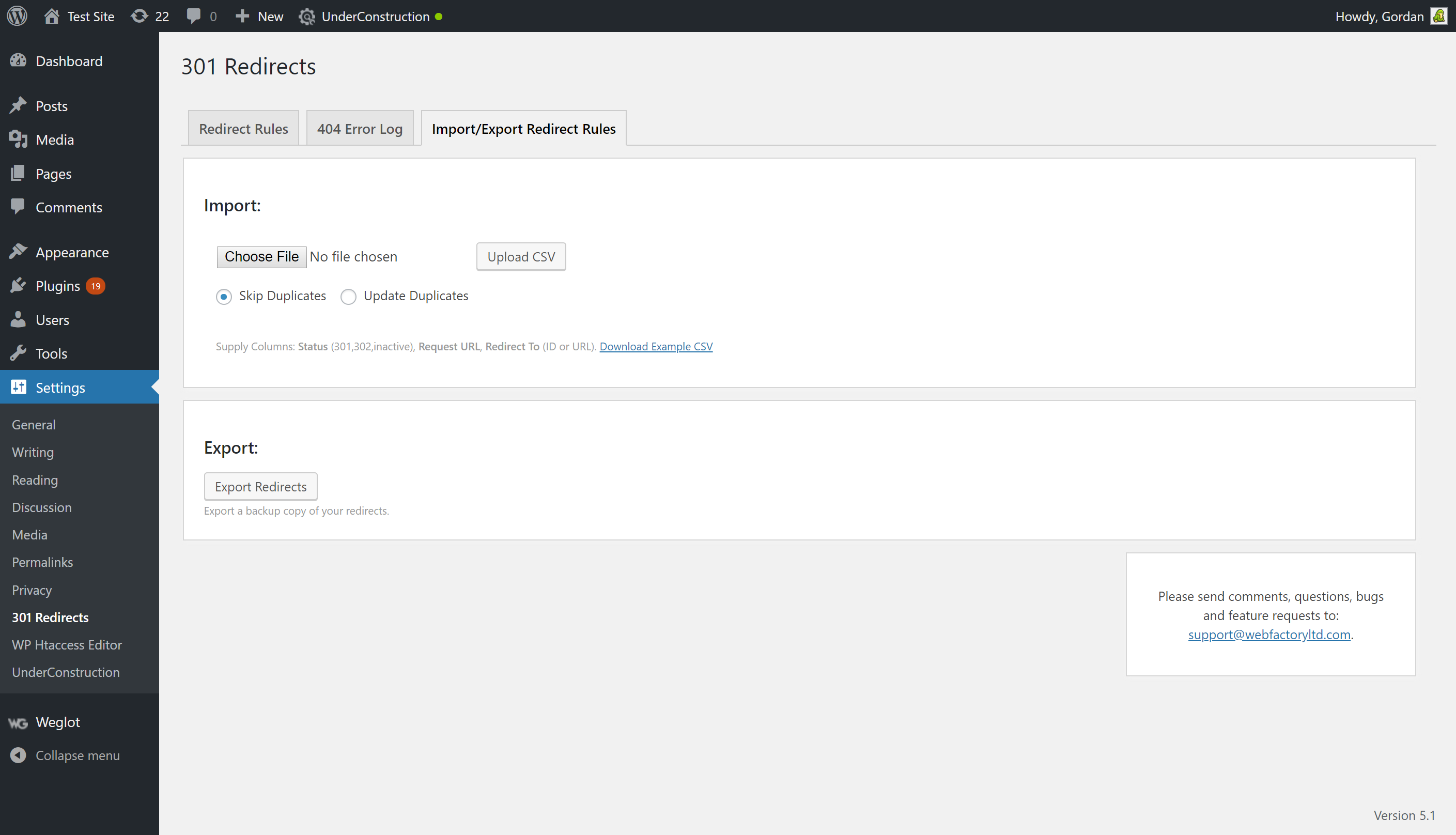
Import And Export Redirects
The plugin allows you to import and export redirects easily. This is useful for migrating redirects from one site to another or backing up your redirect settings. The process is straightforward and saves time, especially for those managing multiple sites.
Overall, WP 301 Redirects provides essential features for optimizing your website’s SEO and user experience. Its easy redirect management, automatic redirects, detailed logs, and import/export functionalities make it a must-have tool for WordPress users.

Pricing And Affordability
WP 301 Redirects offers a robust solution for managing broken links and redirects. Understanding the pricing and affordability helps determine if this plugin is a good fit for your budget.
Plans And Pricing Options
The plugin is available for a one-time payment of $49. This is a discounted rate from the original price of $158, offering a significant 69% discount.
| License Tier | Price | Features |
|---|---|---|
| License Tier 1 | $49 |
|
Free Vs. Premium Features
WP 301 Redirects does not offer a free version. The premium features include:
- Automatic Redirects: Redirect mistyped URLs to the correct pages.
- Link Scanning: Scan for broken or dangerous links.
- Manual Redirects: Create custom redirect rules for complex cases.
- Centralized Dashboard: Manage all sites, monitor clicks, and generate reports.
- Integrations: Google Safe Browsing and Alexa Rank API.
- Customization: Rebrand the plugin with specific logos, names, and URLs.
- Remote Monitoring: Control redirects and logs without logging into individual sites.
With these features, users can enhance their SEO and user experience while saving time on manual adjustments. The one-time payment ensures lifetime access with all future updates included.
Pros And Cons Of Wp 301 Redirects
WP 301 Redirects is a powerful WordPress plugin designed to improve SEO and user experience by managing site redirects, finding broken links, and preventing 404 errors. To help you decide if this plugin is right for you, let’s explore its advantages and potential drawbacks.
Advantages Based On Real-world Usage
WP 301 Redirects offers several real-world advantages that can significantly enhance your website’s performance:
- Improves SEO: By detecting and fixing broken links, WP 301 Redirects helps improve your search engine rankings.
- Enhances User Experience: Prevents visitors from landing on 404 error pages, ensuring a smoother browsing experience.
- Saves Time: Automatically handles redirects, reducing the need for manual URL adjustments.
- Central Management: Simplifies the management of multiple sites from one centralized dashboard.
- Customizable: Allows you to rebrand and tailor the plugin to specific business needs without coding.
- Secure: Identifies and removes links to sites with poor reputations or malware, ensuring your site remains safe.
Potential Drawbacks And Limitations
While WP 301 Redirects offers many benefits, there are a few potential drawbacks to consider:
- Learning Curve: Some users may find the initial setup and configuration challenging.
- Price: Although the one-time payment offers value, the upfront cost may be a barrier for some small businesses.
- Limited Scans: The license tier includes a limited number of full site scans per month, which might not be sufficient for large websites.
Despite these limitations, WP 301 Redirects remains a valuable tool for those looking to improve their site’s SEO and user experience.
Who Should Use Wp 301 Redirects?
WP 301 Redirects is a powerful tool that ensures your website’s links are always working. It helps improve SEO and user experience by managing redirects and fixing broken links. But who exactly benefits from using this plugin?
Ideal Users And Scenarios
WP 301 Redirects is perfect for anyone who manages a website. This includes:
- Bloggers: Keep your readers happy by preventing 404 errors.
- Business Owners: Ensure your customers always find the right product pages.
- Developers: Simplify your workflow with centralized link management.
- Marketers: Improve SEO rankings by fixing broken links.
- Web Design Agencies: Manage multiple client sites efficiently.
These users benefit from the plugin’s ability to scan for broken links, automatically redirect mistyped URLs, and manage redirects from a centralized dashboard.
Specific Use Cases
There are several specific scenarios where WP 301 Redirects can be especially useful:
| Scenario | Benefit |
|---|---|
| Changing URL Structures | Automatically redirect old URLs to new ones to maintain SEO rankings. |
| Managing Multiple Sites | Use the centralized dashboard to handle redirects across all sites efficiently. |
| Rebranding | Customize the plugin with your own logos and URLs. |
| Security | Identify and remove links to malicious sites. |
These use cases show the versatility and importance of WP 301 Redirects in maintaining a healthy, efficient, and user-friendly website.
Conclusion: Is Wp 301 Redirects Worth It?
WP 301 Redirects offers a comprehensive solution for managing website redirects. It improves SEO, user experience, and site security. But is it worth investing in?
Summary Of Key Benefits
- Improves SEO: Detects and fixes broken links, enhancing search engine rankings.
- Enhances User Experience: Prevents visitors from landing on 404 error pages.
- Saves Time: Automatically handles redirects, reducing manual effort.
- Central Management: Simplifies the management of multiple sites from one dashboard.
- Customizable: Offers flexibility to rebrand and tailor the plugin to specific business needs.
- Secure: Identifies and removes links to sites with poor reputations or malware.
Final Recommendation
For a one-time payment of $49, WP 301 Redirects covers 20 sites and includes 5 full site scans per month. The plugin provides lifetime access and all future Team Plan updates, ensuring ongoing value.
With a 60-day money-back guarantee and robust customer support, WP 301 Redirects is a low-risk investment. It is ideal for developers, marketers, and web design agencies seeking to improve their site’s SEO and user experience.
Given its range of features and ease of use, WP 301 Redirects is indeed worth it.
Frequently Asked Questions
What Is A 301 Redirect?
A 301 redirect is a permanent redirect from one URL to another. It’s used to maintain SEO value.
How Does A 301 Redirect Affect Seo?
A 301 redirect helps preserve your website’s search engine ranking by transferring the link equity to the new URL.
When Should I Use A 301 Redirect?
Use a 301 redirect when you permanently move content to a new URL. It’s crucial for maintaining SEO.
Do 301 Redirects Slow Down My Website?
No, 301 redirects do not significantly slow down your website. They are quick and efficient.
Conclusion
WP 301 Redirects is a valuable tool for any WordPress site. It enhances SEO and improves user experience by managing broken links and redirects. The plugin offers automatic and manual redirects, and a centralized dashboard for easy management. It is GDPR compliant and customizable. Priced at $49 for lifetime access, it’s a great investment. Learn more about WP 301 Redirects by clicking here.
