

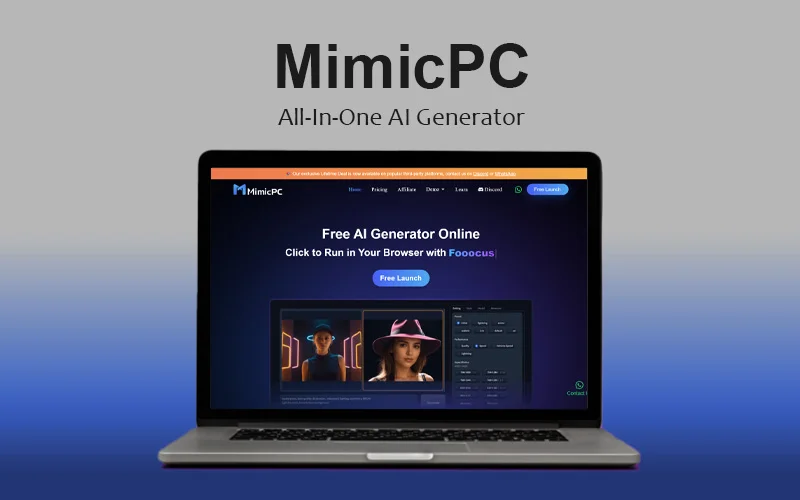
In today’s fast-paced digital world, creators need powerful tools to bring their visions to life. MimicPC offers a robust solution with its cloud-based AI platform.
Designed to simplify the creation of images, videos, and audio, it promises to enhance productivity and creativity. MimicPC stands out by providing advanced AI tools accessible directly from your browser. No high-end hardware is necessary, making it an ideal choice for creators of all levels. With features like face swapping, LoRA model training, and detailed facial enhancement, MimicPC ensures high-quality results. It also offers seamless integration between AI tools and efficient project management. Users can enjoy flexible pricing and an active community for support. If you’re looking to elevate your creative projects, explore the features of MimicPC today. Discover more about MimicPC on their official website.
Introduction To Mimicpc
Welcome to the world of MimicPC, a cloud-based AI platform designed to empower creators with advanced tools for generating images, videos, audio, and more. Whether you’re a professional artist or a beginner, MimicPC provides a user-friendly interface to simplify your creative workflows.
Overview Of Mimicpc
MimicPC offers immediate access to powerful AI tools like Stable Diffusion and ComfyUI directly from your browser. With no need for high-performance local hardware, creators can leverage these tools for high-quality content creation. The platform includes a variety of AI tools, such as WebUI Forge for image generation and AudioCraft for audio creation. It also supports face-swapping features like FaceFusion and Roop-Unleashed, and allows for custom LoRA model training without complex setups.
- Immediate Access: Use AI tools directly from your browser.
- No Hardware Constraints: Operate without high-end local hardware.
- Open-Source Flexibility: Customize tools as needed.
- Diverse AI Tools: Includes tools for image and audio creation.
- Integrated Workflow: Switch between tools seamlessly.
- Workflow Templates: Pre-configured setups to streamline tasks.
- Face Swapping: High-quality face swaps with dedicated tools.
- LoRA Model Training: Train custom models easily.
- Environmentally Friendly: Features like automatic shutdown for energy saving.
- Beginner-Friendly: Tutorials and tools for easy adoption.
- Community Support: Active community for support and idea exchange.
Purpose And Benefits Of Virtual Desktop Solutions
The main purpose of MimicPC is to provide a cost-effective solution for creators needing advanced computational resources. By being cloud-based, it eliminates the need for expensive hardware. This allows users to focus on their creative processes without worrying about technical limitations.
| Feature | Benefit |
|---|---|
| Enhanced Creativity | Generate high-quality images, videos, and audio easily. |
| Efficient Project Management | Utilize detailed facial enhancement features and workflow templates. |
| Flexible Pricing | Pay-as-you-go model with access to high-performance GPUs. |
| Protects Copyrights | Features to safeguard original content. |
| Continuous Updates | Regular updates to support creators. |
With MimicPC, users can enjoy enhanced creativity, efficient project management, and flexible pricing. The platform also protects copyrights and offers continuous updates to keep up with the latest trends and technologies in AI.

Credit: oncely.com
Key Features Of Mimicpc
MimicPC is a cloud-based AI platform designed to make content creation effortless. It offers a range of features that enhance creativity, project management, and workflow efficiency. Below, we explore some of the key features that make MimicPC an ideal choice for creators.
MimicPC provides immediate access to powerful AI tools like Stable Diffusion and ComfyUI directly from your browser. This eliminates the need for high-performance local hardware, ensuring consistent and reliable performance. The platform leverages cloud-based resources to deliver high-speed processing, making it suitable for demanding AI tasks.
The open-source flexibility of MimicPC allows users to customize AI tools according to their project needs. With a variety of AI tools integrated within a unified platform, users can easily switch between applications like WebUI Forge for image generation and AudioCraft for audio creation. The platform also includes workflow templates that streamline AI tasks, making it adaptable to different project sizes and complexities.
MimicPC offers features to safeguard original content, ensuring copyright protection. It also implements an automatic shutdown feature for energy saving, enhancing environmental sustainability. Regular updates provide continuous support and improvements, maintaining compliance with the latest security standards.
One of the standout features of MimicPC is its user-friendly interface. It is designed to be beginner-friendly, with one-stop tutorials and tools that make AI adoption easy. The platform also supports community support, allowing users to exchange ideas and resolve queries efficiently. This makes it accessible even to those with limited technical expertise.
MimicPC is compatible with various hardware plans, ranging from medium to ultra, ensuring flexibility for different user requirements. It supports popular open-source apps and provides 24/7 file management. This cross-platform compatibility ensures that users can work seamlessly across different environments, enhancing productivity and workflow efficiency.
| Plan | Price | Monthly Usage Time | Monthly Gift | Access to Hardware Plans | Free Storage | Other Features |
|---|---|---|---|---|---|---|
| Plan 1 | $59 (Lifetime) | 20 hours | $10 credit | Medium/Large/Large Pro | 50GB | Supports open-source apps, 24/7 file management, intelligent energy saving, all version updates |
| Plan 2 | $118 (Lifetime) | 40 hours | $20 credit | Mini/Medium/Large/Large Pro/Ultra | 50GB | Same as Plan 1 |
| Plan 3 | $177 (Lifetime) | 70 hours | $35 credit | Mini/Medium/Large/Large Pro/Ultra | 50GB | Same as Plan 1 |
High Performance And Reliability
MimicPC stands out for its high performance and reliability, making it an ideal choice for creators. The platform ensures seamless operation, allowing you to focus on your creative projects without any interruptions. Let’s dive into the features that make this possible.
Fast Data Access And Processing
With MimicPC, you get immediate access to AI tools like Stable Diffusion and ComfyUI directly from your browser. This means no waiting time and fast data processing, which is crucial for generating high-quality images, videos, and audio. The platform’s cloud-based nature ensures that you can operate advanced AI applications without the need for high-end local hardware.
- Immediate access to AI tools
- Fast data processing and generation
- No high-end local hardware required
Consistent Uptime And Availability
MimicPC guarantees consistent uptime and availability, ensuring that your projects are always accessible. The platform’s infrastructure is designed to provide reliable performance at all times, so you don’t have to worry about downtime.
| Feature | Benefit |
|---|---|
| Consistent uptime | Projects are always accessible |
| Reliable performance | No downtime worries |
Optimized Resource Allocation
MimicPC excels in optimized resource allocation. The platform provides access to high-performance GPUs on a pay-as-you-go model, ensuring that you get the resources you need, when you need them. This not only improves efficiency but also keeps costs manageable.
- Access to high-performance GPUs
- Pay-as-you-go model
- Efficient resource management
With features like immediate access to tools, consistent uptime, and optimized resource allocation, MimicPC ensures that you can create without limitations.
Scalability And Flexibility
MimicPC offers exceptional scalability and flexibility, making it a perfect choice for diverse AI projects. Its features enable seamless resource expansion, customizable environments, and support for multiple user profiles, ensuring a smooth user experience.
Easily Scalable Resources
With MimicPC, users can effortlessly scale their computational resources. Whether you need more GPU power or additional storage, you can adjust resources to match your project’s demands. This flexibility ensures that you can handle complex tasks without worrying about hardware limitations.
Customizable Virtual Environments
MimicPC allows users to create customizable virtual environments. Tailor your workspace to fit specific project needs by integrating various open-source AI tools. This feature helps in optimizing workflows and enhancing productivity.
Support For Multiple User Profiles
MimicPC supports multiple user profiles, making it ideal for teams and collaborative projects. Each user can have a personalized environment, ensuring that individual preferences and project requirements are met. This multi-user support enhances team efficiency and collaboration.
| Feature | Description |
|---|---|
| Scalable Resources | Adjust GPU power and storage as needed |
| Customizable Environments | Integrate various open-source AI tools |
| Multiple User Profiles | Support for personalized environments |
To sum up, MimicPC’s scalability and flexibility make it a versatile platform for creators. By offering easily scalable resources, customizable environments, and support for multiple user profiles, it caters to a wide range of AI needs efficiently.
Security And Compliance
Ensuring the safety of user data and adherence to industry regulations is paramount for MimicPC. The platform employs state-of-the-art security measures and maintains compliance with standard protocols to provide a secure environment for all users.
Advanced Encryption Methods
MimicPC uses advanced encryption methods to safeguard your data. This ensures that all communications and data transfers are protected from unauthorized access. With end-to-end encryption, users can confidently generate and manage multimedia content without worrying about data breaches.
Regular Security Updates
To stay ahead of potential threats, MimicPC implements regular security updates. These updates include patches and improvements to the platform’s security infrastructure. By frequently updating, MimicPC ensures that users are protected against the latest vulnerabilities and cyber threats.
Compliance With Industry Standards
MimicPC is committed to compliance with industry standards to provide a trustworthy service. The platform adheres to protocols such as GDPR, ensuring that user data is handled with the utmost care and privacy. Compliance with these standards demonstrates MimicPC’s dedication to operating within legal and ethical boundaries.
Credit: www.dealfuel.com
User-friendly Interface
MimicPC offers a user-friendly interface that makes AI tools accessible to everyone. Whether you’re a beginner or an expert, the platform’s design ensures smooth navigation and ease of use.
Intuitive Dashboard
The dashboard of MimicPC is highly intuitive. Users can find all necessary tools and features in one place. The layout is clean and well-organized, making it easy to access AI tools like Stable Diffusion and ComfyUI. The dashboard displays essential information clearly, helping users manage their projects efficiently.
Easy Setup And Configuration
Setting up and configuring MimicPC is straightforward. The platform offers pre-configured setups to streamline AI tasks. Users do not need advanced technical skills to start. The setup process guides users step-by-step, ensuring they can quickly begin using the AI tools without any hassle.
Comprehensive Support And Documentation
MimicPC provides extensive support and documentation. There are detailed tutorials and guides for beginners, ensuring they understand how to use the platform effectively. The community support is active, offering a space for users to exchange ideas and resolve queries. Additionally, the documentation covers all aspects of the platform, helping users troubleshoot and make the most of the available features.
For any issues, users can rely on 24/7 support and the active community. This ensures that help is always available, enhancing the overall user experience.
With these user-friendly features, MimicPC makes advanced AI tools accessible to everyone, ensuring a seamless and efficient workflow.
Cross-platform Compatibility
MimicPC stands out with its remarkable cross-platform compatibility. This ensures that users can access and leverage its advanced AI tools on various devices and operating systems. Discover how MimicPC’s compatibility features enhance your creative workflow.
Support For Various Operating Systems
MimicPC provides robust support for multiple operating systems. Whether you are using Windows, macOS, or Linux, MimicPC ensures seamless access and operation. This flexibility allows users to work on their preferred platforms without any constraints.
Benefits:
- Windows: Full compatibility with all features.
- macOS: Optimized for smooth performance.
- Linux: Ensures stability and reliability.
Seamless Integration With Existing Software
MimicPC integrates effortlessly with existing software tools. Users can switch between AI tools within the platform, thanks to the integrated workflow feature. This means you can leverage tools like WebUI Forge for image generation and AudioCraft for audio creation without leaving the platform.
Key Integration Features:
- WebUI Forge: Image generation made easy.
- AudioCraft: High-quality audio creation.
- FaceFusion: Advanced face swapping.
Mobile Device Accessibility
Accessing MimicPC on mobile devices is a breeze. The platform is designed to be responsive and user-friendly on both smartphones and tablets. This mobile compatibility ensures that you can continue your creative projects on the go.
Mobile Features:
- Responsive Design: Optimized for small screens.
- Easy Navigation: User-friendly interface.
- Full Functionality: Access all tools and features.
Pricing And Affordability
MimicPC offers various pricing plans to suit different needs and budgets. The platform ensures flexibility, cost-effectiveness, and great value for money.
Different Pricing Tiers
MimicPC provides three main pricing plans, all available as one-time lifetime deals:
| Plan | Price | Monthly Usage Time | Monthly Gift | Access to Hardware Plans | Free Storage |
|---|---|---|---|---|---|
| Plan 1 | $59 | 20 hours | $10 credit | Medium/Large/Large Pro | 50GB |
| Plan 2 | $118 | 40 hours | $20 credit | Mini/Medium/Large/Large Pro/Ultra | 50GB |
| Plan 3 | $177 | 70 hours | $35 credit | Mini/Medium/Large/Large Pro/Ultra | 50GB |
Cost-effectiveness Compared To Competitors
MimicPC stands out in the market for its affordability. Many AI platforms charge monthly subscriptions and require high-end local hardware. MimicPC’s one-time payment model eliminates recurring costs. Plus, it removes the need for expensive local hardware.
The pay-as-you-go model ensures you only pay for what you use. This flexibility is rare among competitors, making MimicPC a more cost-effective solution.
Value For Money
With MimicPC, you get immediate access to advanced AI tools like Stable Diffusion and ComfyUI. The platform integrates diverse AI tools for image, video, and audio creation, all without needing high-performance local hardware.
- Workflow Templates: Streamline AI tasks efficiently.
- Face Swapping: High-quality face swaps with tools like FaceFusion.
- LoRA Model Training: Train custom AI models effortlessly.
The platform also includes 50GB of free storage and energy-saving features like automatic shutdown. These benefits add to the overall value, making MimicPC a smart investment for creators.
Pros And Cons Of Mimicpc
MimicPC is a versatile AI platform that offers various tools for generating images, videos, audio, and training LoRA models. It integrates advanced AI tools to enhance creativity and streamline workflows. But like any tool, it has its strengths and weaknesses. Below, we delve into the advantages and potential drawbacks of using MimicPC.
Advantages Of Using Mimicpc
MimicPC offers numerous benefits that make it a valuable tool for creators:
- Immediate Access: Use AI tools like Stable Diffusion and ComfyUI directly from your browser.
- No Hardware Constraints: Operate advanced AI applications without needing high-end local hardware.
- Open-Source Flexibility: Customize open-source AI tools to fit project needs.
- Diverse AI Tools: Includes WebUI Forge for image generation and AudioCraft for audio creation.
- Integrated Workflow: Switch seamlessly between different AI tools within a unified platform.
- Workflow Templates: Pre-configured setups to streamline AI tasks.
- Face Swapping: Tools like FaceFusion and Roop-Unleashed for high-quality face swaps.
- LoRA Model Training: Train custom AI models without complex setups.
- Environmentally Friendly: Automatic shutdown feature for energy saving.
- Beginner-Friendly: One-stop tutorial and tools for easy AI adoption.
- Community Support: Active community for idea exchange and query resolution.
Potential Drawbacks
While MimicPC is a powerful tool, it does have a few potential drawbacks:
- Learning Curve: Despite being beginner-friendly, some users may find the initial learning curve steep.
- Internet Dependency: As a cloud-based platform, a reliable internet connection is required.
- Usage Limits: Monthly usage time is limited based on the plan, which may not be enough for heavy users.
- Cost: Although it offers a lifetime deal, the one-time payment might be a significant initial investment for some.
| Feature | Advantage | Drawback |
|---|---|---|
| AI Tools Access | Immediate browser access | Internet dependency |
| Hardware Requirement | No high-end local hardware needed | Learning curve for beginners |
| Customizability | Open-source flexibility | Complex for non-tech users |
| Face Swapping | High-quality swaps | Limited by initial setup |
Recommendations For Ideal Users
MimicPC is a versatile AI platform designed to cater to diverse user needs. Whether you are a creator, a professional, or a hobbyist, MimicPC offers the right tools to enhance your projects. Below, we explore the best use cases and identify who will benefit most from this powerful platform.
Best Use Cases For Mimicpc
MimicPC stands out due to its robust features and diverse applications. Here are some of the best use cases:
- Image Creation: Leverage tools like Stable Diffusion and WebUI Forge for high-quality image generation.
- Video Production: Use integrated AI tools to create and edit videos without high-end hardware.
- Audio Crafting: Generate and enhance audio using AudioCraft for superior sound quality.
- Facial Enhancements: Utilize FaceFusion and Roop-Unleashed for detailed and realistic face swaps.
- LoRA Model Training: Train custom AI models efficiently with user-friendly tools.
- Workflow Management: Simplify complex projects with pre-configured workflow templates.
Who Will Benefit Most From Mimicpc
MimicPC is designed to be accessible and beneficial to a wide range of users. Here’s who will gain the most:
- Content Creators: Ideal for artists, photographers, and filmmakers who need high-quality media generation tools.
- Small Businesses: Perfect for businesses looking to enhance their marketing materials without investing in expensive hardware.
- Educators and Students: Useful for academic projects, research, and learning AI tools without the need for powerful local devices.
- AI Enthusiasts: Great for those passionate about AI and looking to experiment with various AI models and tools.
- Freelancers: Freelancers can manage multiple projects efficiently with MimicPC’s integrated workflow and project management features.
With its flexible pricing and comprehensive features, MimicPC is an excellent choice for anyone looking to harness the power of AI in their creative and professional endeavors.

Credit: www.mimicpc.com
Frequently Asked Questions
What Are The Main Features Of Mimicpc?
Mimicpc offers real-time collaboration, advanced data analytics, and customizable dashboards. It enhances productivity with its user-friendly interface and seamless integration with other tools.
How Does Mimicpc Improve Productivity?
Mimicpc improves productivity by providing an intuitive interface, real-time collaboration, and powerful data analytics. These features streamline workflows and facilitate better decision-making.
Is Mimicpc Easy To Use?
Yes, Mimicpc is designed to be user-friendly. Its intuitive interface ensures that users can quickly adapt and start using it effectively.
Can Mimicpc Integrate With Other Tools?
Absolutely, Mimicpc seamlessly integrates with various tools and platforms. This ensures a smooth workflow and enhances overall efficiency.
Conclusion
MimicPC offers a comprehensive suite of AI tools. Generate images, videos, and audio easily. Enjoy features like face swapping and LoRA model training. No need for high-end hardware. The platform is user-friendly and beginner-friendly. Flexible pricing plans cater to different needs. Explore more about MimicPC here. Start enhancing your creativity today!
