

In today’s digital age, organizing your online bookmarks can be a challenge. Enter minimarks, a compact bookmark manager and start page designed for seamless organization and sharing.
Minimarks is perfect for teams and web enthusiasts who want to keep their favorite links in one place. This tool allows users to collect, share, and publish bookmarks across any browser and device. Imagine having all your essential articles, work tools, videos, and recipes neatly organized and easily accessible. With minimarks, you can view all bookmarks on a single page, share collections with team members, and even publish them on social media. It features a powerful search bar, customizable themes, and synchronization across devices. Discover how minimarks can enhance your productivity and collaboration by visiting their website here.
Introduction To Minimarks: Enhancing Your Bookmarking Efficiency
Efficient bookmarking is crucial for productivity. Minimarks is a tool that enhances this process. It offers a compact bookmark manager and a customizable start page. This tool is perfect for teams and web enthusiasts. Let’s explore its features and benefits.
Overview Of Minimarks
Minimarks is designed for seamless bookmark management. It allows users to collect, share, and publish bookmarks across any browser and device. The main features include:
- Compact bookmark manager and start page
- Powerful search bar for instant site launches
- View all bookmarks on one page
- Share collections with team members via email
- Publish bookmarks on social media platforms
- Display collections as a reading list or icon grid
- RSS feed collections for latest headlines
- Synchronize bookmarks across browsers and devices
- Customizable themes and personalizable start page
- Bookmark comments for team chat and collaboration
Purpose And Importance Of Efficient Bookmarking
Efficient bookmarking enhances productivity by organizing and quickly accessing bookmarks. With Minimarks, you can:
- Organize favorite articles, work tools, videos, and recipes
- Facilitate seamless collaboration and link sharing with team members
- Provide a clutter-free start page for easy bookmark management
- Work on all browsers and devices without the need for updates
- Customize the interface to fit personal and professional styles
The benefits of using Minimarks are substantial. The tool saves time and effort in managing bookmarks. It helps users stay organized and productive.
Here is a summary of the pricing details:
| Plan | Details |
|---|---|
| Pro Plan | $49 one-time purchase (discounted from $432) |
| Additional Features | Stackable for up to 25 team members and 10 spaces per member |
Minimarks offers a 60-day money-back guarantee. This ensures customer satisfaction and confidence in their purchase.
Credit: appsumo.com
Key Features Of Minimarks
Minimarks is a powerful yet compact bookmark manager and start page. It is designed for teams and web enthusiasts. Below are the key features that make Minimarks stand out.
Minimarks boasts a user-friendly interface that simplifies bookmark management. View all bookmarks on one page. There are no folders or tabs, making it clutter-free and easy to navigate.
With Minimarks, you can organize your bookmarks efficiently. Display your collections as a reading list or an icon grid. This feature is perfect for organizing articles, work tools, videos, tutorials, recipes, and more.
Minimarks allows synchronization across browsers and devices. This ensures your bookmarks are always up to date, regardless of the device you use. You can also share collections with team members via email.
Create customizable categories to keep your bookmarks organized. Personalize your start page with customizable themes to fit your style, whether for personal or professional use.
Minimarks features a powerful search bar. This allows for instant site launches from your keyboard. The advanced search functionality ensures you can find any bookmark quickly and effortlessly.
| Feature | Description |
|---|---|
| User-Friendly Interface | View all bookmarks on one page, no folders or tabs. |
| Organizational Tools | Display collections as a reading list or icon grid. |
| Cross-Device Synchronization | Sync bookmarks across browsers and devices. |
| Customizable Categories | Create categories and personalize your start page. |
| Advanced Search Functionality | Powerful search bar for instant site launches. |
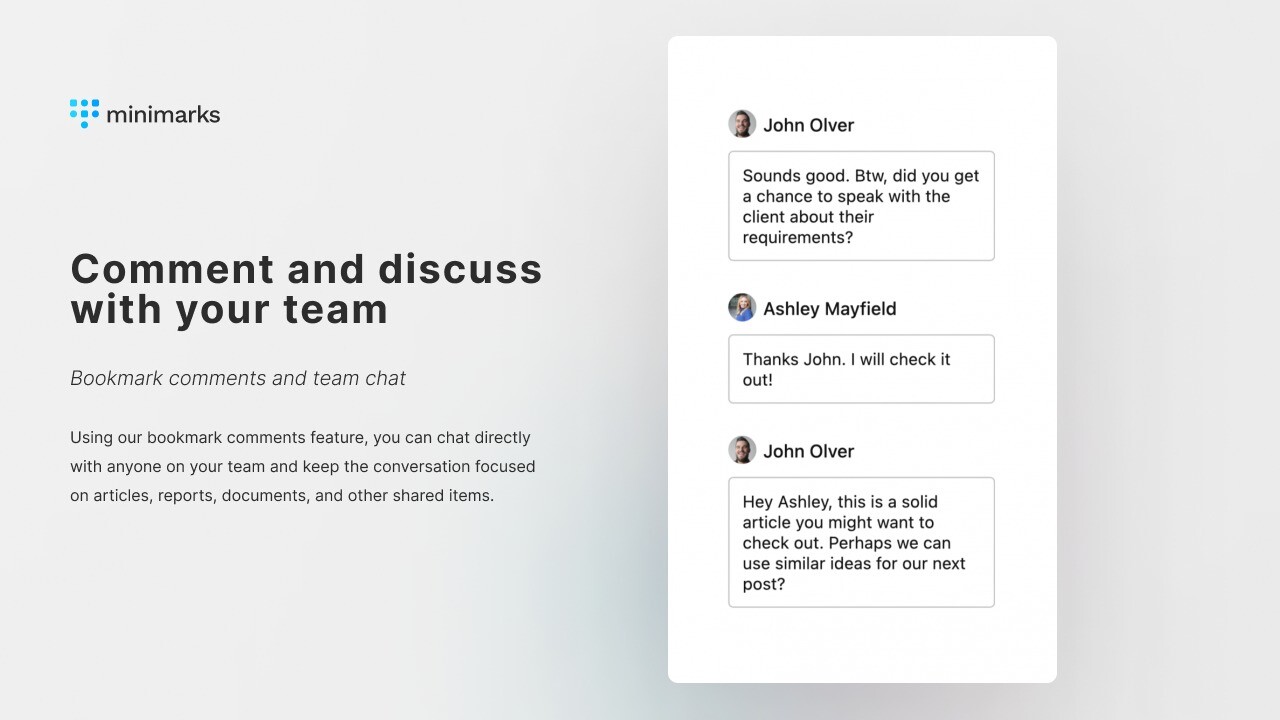
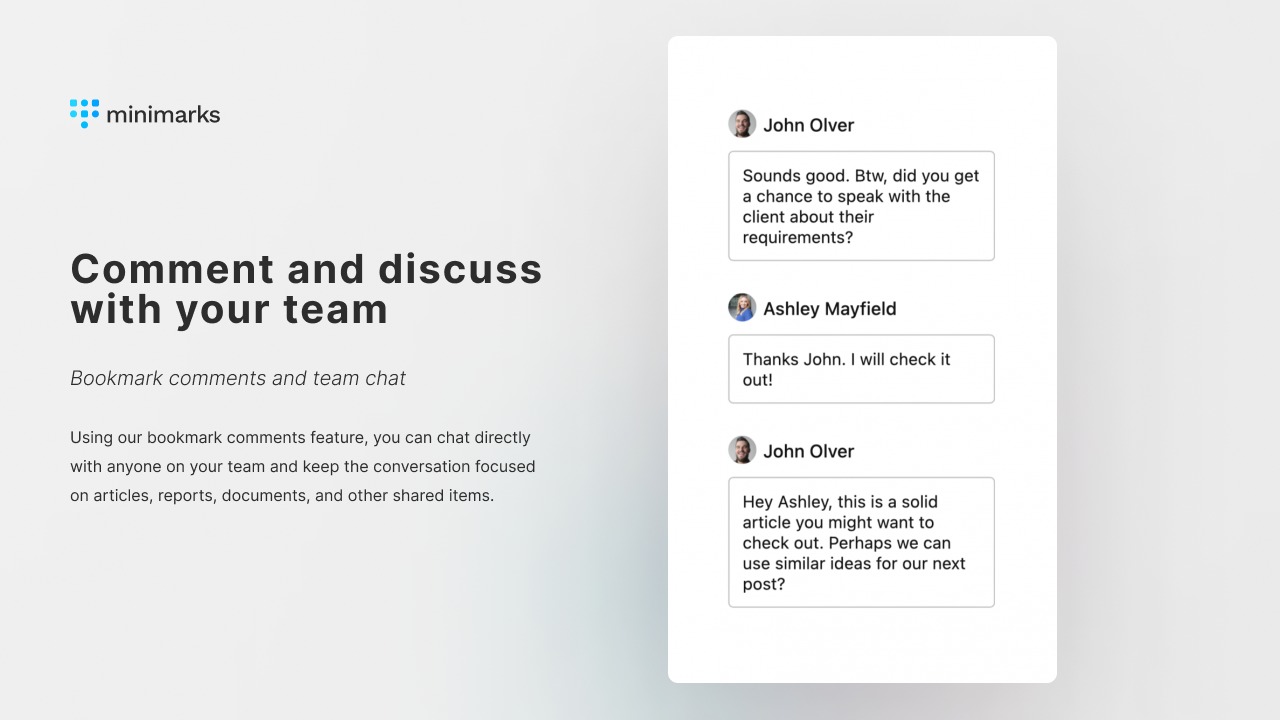
Minimarks also includes a bookmark comments feature for team chat and collaboration. This makes it an excellent tool for enhancing productivity and facilitating seamless collaboration.
For more information, visit the Minimarks website.
User-friendly Interface
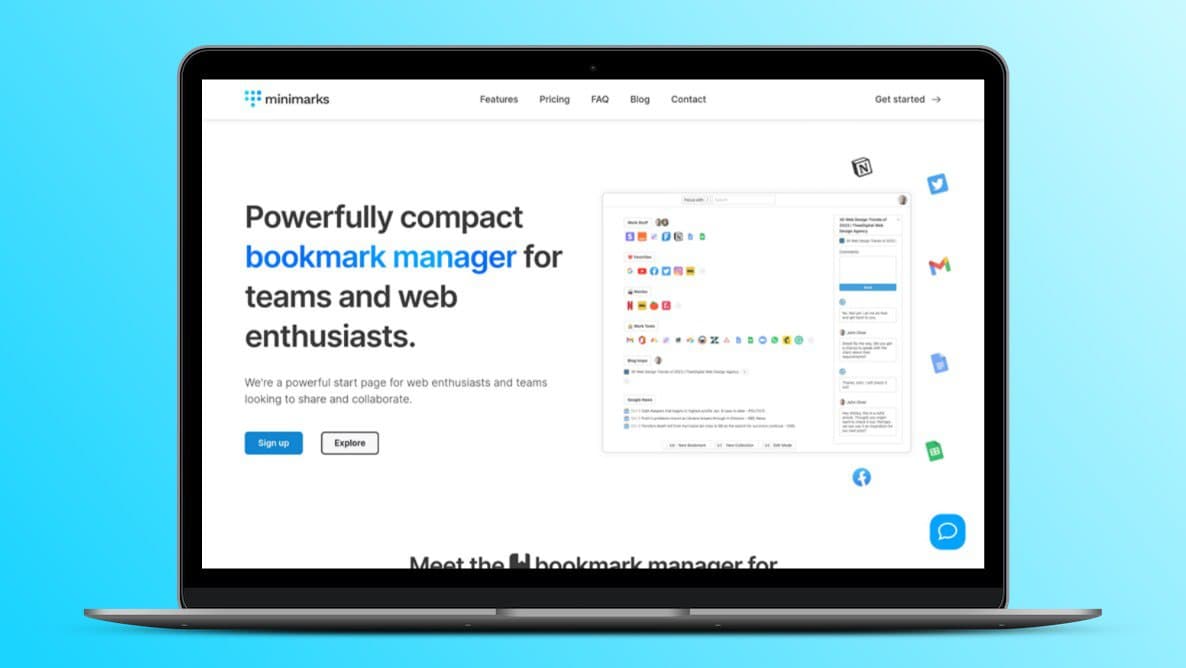
The user-friendly interface of minimarks sets it apart as a top choice for bookmark management. This compact bookmark manager is designed for easy use, making it accessible to all users, including teams and web enthusiasts.
Intuitive Design
Minimarks offers an intuitive design that simplifies bookmark management. The interface is clean, with all bookmarks displayed on one page. There are no complex folders or tabs to navigate. Users can quickly find their saved bookmarks without extra clicks or confusion.
Ease Of Use
With minimarks, ease of use is a top priority. The tool features a powerful search bar for instant site launches from the keyboard. Users can also customize their start page to match their personal or professional styles, making it both functional and visually appealing.
Sharing collections is straightforward. Users can send links via email or social media platforms, facilitating quick collaboration with team members.
Quick Learning Curve
The learning curve for minimarks is short, making it ideal for new users. The platform includes a bookmark comments feature for team chat and collaboration, enhancing productivity. New users can get started and become proficient in no time.
Additionally, with unlimited bookmarks and collections, users won’t face restrictions as they grow their library of saved links.
| Feature | Details |
|---|---|
| Compact Manager | All bookmarks on one page |
| Customizable Themes | Personalize start page |
| Powerful Search | Instant site launches |
| Sharing Options | Via email and social media |
Credit: lifetimo.com
Organizational Tools
minimarks offers a set of powerful organizational tools to help you manage and categorize your bookmarks efficiently. These tools ensure that your favorite articles, work tools, videos, and more are always easy to find and use. Let’s explore some of the key features.
Folders And Tags
Folders and tags are essential for keeping your bookmarks organized. With minimarks, you can create folders to categorize your bookmarks based on different topics or projects. This helps in maintaining a clean and structured bookmark library.
Tags, on the other hand, provide an additional layer of organization. You can assign multiple tags to a single bookmark, making it easier to find related content. For instance, a bookmark about a recipe can be tagged with “food,” “recipe,” and “healthy,” allowing you to locate it using any of these tags.
Drag-and-drop Functionality
The drag-and-drop functionality in minimarks simplifies the process of organizing your bookmarks. You can easily move bookmarks between folders or reorder them within a folder. This intuitive feature saves time and makes bookmark management a breeze.
Simply click and hold a bookmark, then drag it to the desired location. Release the mouse button to drop it into a folder or a new position within the same folder. It’s that easy!
Automatic Sorting
minimarks also offers automatic sorting to keep your bookmarks well-organized without manual effort. You can set your bookmarks to be sorted alphabetically, by date added, or by most visited. This ensures that your most important or frequently accessed bookmarks are always at the top.
You can customize the sorting criteria according to your preference. This feature helps maintain an organized and easily navigable bookmark collection, enhancing your productivity.
With these organizational tools, minimarks makes managing and accessing your bookmarks efficient and straightforward. Whether you are a team member or a web enthusiast, these features ensure that your bookmarks are always in order and easy to find.
Cross-device Synchronization
One of the standout features of minimarks is its ability to synchronize bookmarks across multiple devices. This ensures that no matter where you are, your bookmarks are always accessible. Let’s dive into how this works and why it’s beneficial for multi-device users.
Seamless Integration Across Devices
Minimarks offers seamless integration across all devices. Whether you are using a laptop, tablet, or smartphone, your bookmarks are always in sync. This is particularly useful for users who switch between devices throughout their day.
- Works on all browsers without needing updates
- Access bookmarks from any device
- Keep your collections organized and up-to-date
Real-time Updates
With minimarks, any changes made to your bookmarks are reflected in real-time across all your devices. This means if you add a bookmark on your phone, it will instantly appear on your laptop and vice versa.
- Instant synchronization across devices
- Real-time updates ensure consistency
- No manual refresh needed
Benefits For Multi-device Users
For users who operate on multiple devices, minimarks offers several benefits:
| Benefit | Description |
|---|---|
| Enhanced Productivity | Quickly access bookmarks from any device. |
| Seamless Collaboration | Share and publish bookmarks with team members easily. |
| Clutter-Free Start Page | Maintain an organized, personalized start page. |
Minimarks helps users stay organized, no matter which device they use. This makes it an ideal tool for teams and web enthusiasts who value efficiency and simplicity.
Customizable Categories
The Customizable Categories feature in minimarks provides a streamlined way to manage and organize your bookmarks. This powerful tool allows users to create personalized categories, making it easier to access and share links efficiently.
Personalized Bookmark Organization
With minimarks, you can create custom categories for your bookmarks. This feature helps in organizing your saved links based on your specific needs and preferences. Whether it’s work tools, favorite articles, or recipes, you can categorize them for easy access.
- Organize bookmarks by theme
- Group similar links together
- Customize categories as per your workflow
This personalized approach enhances productivity and ensures that you can find your bookmarks quickly without scrolling through endless lists.
Efficient Access To Saved Links
Minimarks offers efficient access to your saved links through customizable categories. By grouping bookmarks into relevant categories, you can quickly locate and launch sites from your keyboard using the powerful search bar.
| Feature | Benefit |
|---|---|
| Powerful search bar | Instant site launches |
| View all bookmarks on one page | No need for folders or tabs |
| Customizable start page | Personal and professional use |
This setup not only saves time but also keeps your browsing experience clutter-free and organized.
Adaptability To User Needs
The adaptability of minimarks to user needs is one of its standout features. You can synchronize bookmarks across browsers and devices, ensuring access to your saved links from anywhere.
- Sync across all browsers and devices
- Share collections via email
- Publish bookmarks on social media platforms
This flexibility makes minimarks an ideal tool for both personal and professional use, providing a seamless and efficient way to manage bookmarks.
Additionally, the customizable themes and start page allow you to personalize the interface to match your style, enhancing the user experience.
Advanced Search Functionality
The advanced search functionality of minimarks revolutionizes the way you access your bookmarks. This feature ensures you never waste time searching for important links. With various filter options and precise search accuracy, organizing and retrieving your bookmarks becomes a breeze.
Quick Access To Bookmarked Content
With minimarks, enjoy quick access to your bookmarked content through a powerful search bar. This bar allows you to launch sites instantly from your keyboard. View all your bookmarks on a single page without the need for folders or tabs. This compact and efficient system enhances productivity by keeping your favorite articles, work tools, videos, and more, just a keystroke away.
Filter Options
minimarks offers robust filter options to streamline your search process. Filter your bookmarks based on various criteria to find exactly what you need. Whether you are looking for a specific collection or a particular tag, these filters refine your search results effortlessly. This functionality is designed to save time and keep your workflow smooth.
Enhanced Search Accuracy
The enhanced search accuracy of minimarks ensures you find the right bookmark every time. The search algorithm is optimized to deliver precise results quickly. This means less time spent searching and more time being productive. Whether you are organizing work-related links or personal interests, this feature makes your browsing experience efficient and enjoyable.
Credit: appsumo.com
Pricing And Affordability
Understanding the pricing structure is crucial for evaluating the value of any tool. minimarks offers a straightforward pricing plan, ensuring affordability and accessibility. Let’s delve into the details.
Subscription Plans
The primary offering is a one-time purchase plan priced at $49. This plan is discounted from the original price of $432. With this purchase, users gain lifetime access to the minimarks Pro Plan.
Here’s a breakdown of what’s included:
- Lifetime access to all Pro Plan features
- All future updates at no additional cost
- Base plan supports 10 team members and 5 spaces per team member
- Option to stack codes for expanded features
Free Vs. Paid Features
minimarks provides comprehensive features in the Pro Plan. While there is no explicit mention of a free tier, the paid plan offers significant value:
| Features | Free | Paid |
|---|---|---|
| Bookmark manager and start page | No | Yes |
| Powerful search bar | No | Yes |
| View all bookmarks on one page | No | Yes |
| Share and publish bookmarks | No | Yes |
| Customizable themes | No | Yes |
Value For Money
The one-time purchase of $49 for lifetime access is a significant value. Users save a considerable amount compared to a recurring subscription model. The Pro Plan includes all features without hidden costs.
Key benefits include:
- Unlimited bookmarks and collections
- Seamless synchronization across devices
- Customizable interface for personalization
- Enhanced collaboration tools for teams
- 60-day money-back guarantee
In essence, minimarks offers a cost-effective solution for teams and web enthusiasts. The pricing structure ensures users get maximum value for their investment.
Pros And Cons Of Minimarks
Minimarks is a compact bookmark manager and start page for teams and web enthusiasts. It offers a range of features for organizing, sharing, and publishing bookmarks. Below, we will explore the advantages and potential drawbacks of using Minimarks.
Advantages Based On Real-world Usage
Minimarks provides several benefits that can enhance productivity and collaboration:
| Feature | Benefit |
|---|---|
| Compact Bookmark Manager | Organizes bookmarks without clutter. |
| Powerful Search Bar | Instantly launches sites from your keyboard. |
| One-Page View | View all bookmarks without folders or tabs. |
| Team Sharing | Share collections via email. |
| Publishing Bookmarks | Share links on social media. |
| Customizable Themes | Personalize your start page. |
| Bookmark Comments | Facilitate team chat and collaboration. |
Potential Drawbacks And Limitations
While Minimarks has many strengths, there are some limitations to consider:
- Learning Curve: New users may need time to get used to the interface.
- Limited Free Features: Many advanced features are only available with the Pro Plan.
- Team Size Restrictions: The base plan supports up to 10 team members; expanding requires additional purchases.
These potential drawbacks may not affect all users but are important to consider based on your specific needs.
Ideal Users And Scenarios
minimarks is a powerful tool for managing and sharing bookmarks. It is designed for a wide range of users and scenarios. This section will explore who will benefit the most from using minimarks, specific use cases, and recommendations for different user types.
Who Will Benefit The Most
Teams and Web Enthusiasts: minimarks is perfect for teams who need to share and organize resources efficiently. Web enthusiasts who save a lot of links will also find it invaluable.
Researchers and Students: Those who collect numerous articles, papers, and resources will appreciate the powerful search and organization features. It simplifies finding and accessing saved materials.
Content Creators and Bloggers: People who curate content will find the bookmark sharing and publishing features useful. It’s easy to share collections with readers or team members.
Specific Use Cases
Here are a few specific scenarios where minimarks can be highly effective:
- Project Management: Teams can share project-related links and resources in one place, making collaboration easier.
- Content Curation: Bloggers can collect and share resources, tutorials, and articles with their audience via social media.
- Personal Organization: Users can organize personal bookmarks, like recipes or favorite articles, in a clutter-free environment.
- Education: Teachers can share reading lists and resources with students, enhancing the learning experience.
Recommendations For Different User Types
Different users can benefit from minimarks in various ways. Below are some tailored recommendations:
| User Type | Recommendation |
|---|---|
| Teams | Use the share and collaboration features to manage project links and resources. |
| Web Enthusiasts | Take advantage of the customizable start page and powerful search bar for quick access. |
| Researchers | Organize and comment on bookmarks, making it easy to reference and share findings. |
| Content Creators | Utilize the publish and share options to distribute curated collections to your audience. |
| Students | Save and organize study materials and resources for easy access during research. |
Conclusion: Enhance Your Bookmarking Efficiency With Minimarks
Minimarks offers a unique solution for managing bookmarks efficiently. This compact tool helps teams and web enthusiasts keep their favorite links organized and easily accessible.
Summary Of Key Points
Minimarks is a bookmark manager designed for easy organization and sharing. Here are some of its key features and benefits:
- Compact Bookmark Manager and Start Page: View all your bookmarks on one page.
- Powerful Search Bar: Launch sites instantly from your keyboard.
- Team Collaboration: Share collections via email and add comments for discussion.
- Publish and Share: Publish bookmarks and share the link on social media.
- RSS Feed Collections: Stay updated with the latest headlines.
- Synchronize Across Devices: Access bookmarks from any browser or device.
- Customizable Themes: Personalize your start page to fit your style.
Final Thoughts
Minimarks simplifies the way you manage and share bookmarks. With its user-friendly interface and powerful features, it enhances productivity and collaboration. The tool is compatible with all browsers and devices, ensuring seamless access to your bookmarks anytime, anywhere.
With a one-time purchase, you get lifetime access to the minimarks Pro Plan, including all future updates. This makes it a cost-effective solution for both individuals and teams.
For those who need more features, the deal is stackable, allowing you to expand team capabilities and space allocations. Additionally, minimarks offers a 60-day money-back guarantee, providing a risk-free opportunity to experience its benefits.
For further details or support, users can refer to the roadmap and updates provided by the founder, Seb Fontan, or visit the minimarks website.
Frequently Asked Questions
What Is Minimarks?
Minimarks is a lightweight, user-friendly bookmarking tool. It helps users organize and manage their online resources efficiently.
How Does Minimarks Work?
Minimarks allows users to save, categorize, and access bookmarks easily. It offers a clean and intuitive interface.
Can I Share My Bookmarks On Minimarks?
Yes, Minimarks enables users to share their bookmarks. Sharing can be done with individuals or groups.
Is Minimarks Free To Use?
Minimarks offers both free and premium plans. The free plan provides basic bookmarking features.
Conclusion
Minimarks offers a streamlined way to manage and share bookmarks. With its compact design, it caters to teams and web enthusiasts alike. The tool enhances productivity and simplifies collaboration. Users can effortlessly organize and access favorite links. Customizable themes add a personal touch. Interested in elevating your bookmark management? Explore minimarks and boost your team’s efficiency. Discover minimarks today and transform your browsing experience.
