

When it comes to scheduling tools, TidyCal and Calendly are popular choices. Both offer unique features to streamline your booking process.
Comparing TidyCal and Calendly helps you choose the right tool for your needs. Scheduling tools are essential for managing meetings, avoiding double-bookings, and maintaining productivity. By comparing these two options, you can understand which one aligns better with your requirements. TidyCal, for example, offers customizable booking pages and integrations with major calendars like Google and Office 365. It also supports paid bookings and group sessions, making it versatile for various use cases. Calendly, on the other hand, is known for its ease of use and robust integration capabilities. Understanding these differences can help you make an informed decision on which tool best suits your needs. For more details about TidyCal, check out this link.

Credit: youcanbook.me
Introduction To Tidycal And Calendly
Scheduling meetings can be a hassle. Tools like TidyCal and Calendly help streamline the process. Both offer unique features and benefits. This section provides an introduction to both tools, covering their purpose, use cases, popularity, and market position.
Purpose And Use Cases
TidyCal is designed to simplify the booking process. It offers customizable pages, calendar integrations, and automation features. Users can create personalized booking pages quickly. It supports one-on-one, group, free, and paid sessions.
- Customizable booking pages
- Unlimited booking types
- Calendar integration with Google, Office 365, and Apple iCal
- Real-time availability checks
- Integration with Zoom and Google Meet
- Payment integration with Stripe and PayPal
- GDPR-compliant
- Custom email reminders
- Export attendee and booking data
These features make TidyCal ideal for consultants, freelancers, and small business owners.
Calendly is another powerful scheduling tool. It focuses on automating the scheduling process. Users can set availability preferences, create multiple event types, and integrate with various calendars.
- Automated scheduling
- Multiple event types
- Calendar integration with Google, Office 365, and iCloud
- Time zone detection
- Integration with Zoom, Microsoft Teams, and Webex
- Customizable email reminders and follow-ups
- Team scheduling capabilities
- Analytics and reporting
Calendly is suitable for individuals, teams, and enterprises looking to streamline their scheduling process.
Overview Of Popularity And Market Position
TidyCal is gaining traction due to its affordable pricing and robust feature set. It offers significant savings with a one-time payment option. TidyCal’s lifetime deal is particularly attractive for budget-conscious users.
| Tier | Pricing | Features |
|---|---|---|
| Tier 1 (Individual) | $39 (one-time payment) | 10 calendar connections, unlimited booking types, reduced branding |
| Tier 2 (Team/Agency) | $79 (one-time payment) | 25 calendar connections, dedicated Teams page, round robin meetings |
Calendly is a well-established player in the market. It is known for its user-friendly interface and comprehensive features. Calendly offers both free and paid plans, catering to different needs and budgets.
- Free Plan: Basic scheduling features
- Premium Plan: Advanced integrations and customization
- Pro Plan: Team features and analytics
Its popularity continues to grow among businesses of all sizes.
Key Features Of Tidycal
Tidycal is a scheduling tool designed to simplify the booking process. It offers a range of features that make it an ideal choice for individuals and teams. Let’s explore some of the key features of Tidycal.
User-friendly Interface
Tidycal boasts a user-friendly interface that makes scheduling simple. Users can quickly set up customizable booking pages. The design is intuitive, ensuring that even non-tech-savvy users can navigate with ease. Real-time availability checks help prevent double-booking, streamlining the scheduling process.
Integration Capabilities
Tidycal offers robust integration capabilities with popular calendar platforms. It integrates seamlessly with Google Calendar, Office 365, and Apple iCal. This ensures your schedules are always up-to-date. Additionally, Tidycal supports auto-generated meeting URLs for Zoom and Google Meet, making virtual meetings hassle-free.
Customization Options
Customization is a standout feature of Tidycal. Users can create customizable booking pages that reflect their brand. It supports unlimited booking types, including one-on-one, group, free, and paid sessions. Custom email reminders can be set up to keep clients informed, enhancing the overall user experience.
Pricing And Subscription Tiers
| Tier | Details | Price |
|---|---|---|
| Tier 1 (Individual) |
|
$39 (one-time payment) |
| Tier 2 (Team/Agency) |
|
$79 (one-time payment) |
Both pricing tiers come with a 60-day money-back guarantee. Users also receive lifetime access to Tidycal with all future updates. This offers significant savings and peace of mind.
Key Features Of Calendly
Calendly is a popular scheduling tool that helps streamline the booking process. It offers a wide range of features that cater to different scheduling needs. Below are some key features that make Calendly stand out.
Ease Of Use
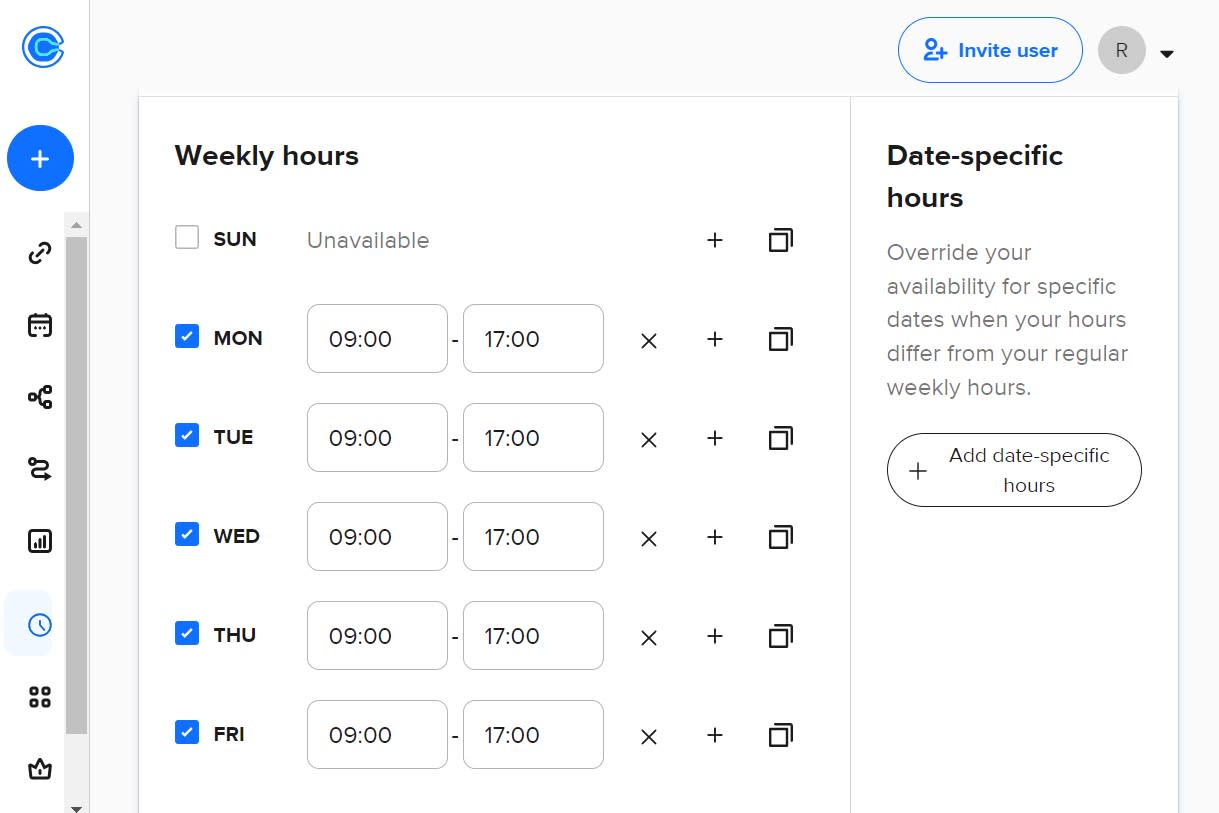
Calendly is known for its user-friendly interface. It is easy to set up and requires minimal technical knowledge. Users can create and share booking links in just a few clicks. The platform is intuitive, making it simple to navigate and manage.
Advanced Scheduling Features
Calendly offers several advanced features to enhance the scheduling experience:
- Customizable booking pages: Personalize booking pages to reflect your brand.
- Multiple event types: Schedule one-on-one, group, or collective meetings.
- Buffer times: Set buffer times between meetings to avoid back-to-back bookings.
- Timezone detection: Automatically adjusts for different time zones.
Integration With Other Tools
Calendly integrates seamlessly with various tools to enhance functionality:
- Calendar integrations: Sync with Google Calendar, Office 365, and Apple iCal.
- Video conferencing: Integrates with Zoom, Microsoft Teams, and Google Meet.
- CRM and Marketing Tools: Connect with Salesforce, HubSpot, and Mailchimp.
- Payment Integration: Accept payments via Stripe and PayPal.
Pricing And Plans
| Plan | Features | Price |
|---|---|---|
| Basic | Single calendar connection, basic integrations | Free |
| Premium | Multiple calendar connections, advanced integrations, custom notifications | $8/month |
| Pro | Team features, customization options, advanced integrations | $12/month |
Calendly offers flexible plans to suit different needs and budgets. Users can choose from free, premium, and pro plans based on their requirements.
Credit: zapier.com
Tidycal Vs Calendly: Feature Comparison
Choosing the right scheduling tool can significantly impact your productivity. Here, we will compare Tidycal and Calendly based on key features. This comparison will help you decide which tool suits your needs best.
Scheduling Flexibility
Tidycal offers unlimited booking types, including one-on-one, group, free, and paid sessions. It integrates with Google, Office 365, and Apple iCal for real-time availability checks. This helps in avoiding double-booking.
Calendly also supports one-on-one, group, and round-robin scheduling. It syncs with Google, Outlook, Office 365, and iCloud calendars. Calendly includes options for buffer times and secret event types.
Customization And Branding
Tidycal allows the creation of customizable booking pages. Users can set up custom email reminders and personalize booking links. The branding is reduced, especially in Tier 2, which is ideal for businesses.
Calendly provides robust customization options as well. Users can create personalized booking links and event types. Calendly also allows branding customization, including logo and color schemes, in its premium plans.
Integration And Compatibility
Tidycal integrates with Zoom and Google Meet to auto-generate meeting URLs. It also supports payment integration with Stripe and PayPal. This is useful for paid consultations or services.
Calendly integrates with various tools like Zoom, Microsoft Teams, and Webex. It also supports payment collection through Stripe and PayPal. Calendly offers more extensive CRM and marketing tool integrations.
User Experience And Interface
Tidycal provides a user-friendly interface with easy setup and navigation. The booking process is simplified for both the user and the client. Tidycal also offers analytics to track views, conversion rates, and income.
Calendly is known for its clean and intuitive interface. It offers a seamless booking experience. Calendly’s dashboard provides insights and analytics to monitor scheduling activity and performance.
Pros And Cons Of Tidycal
TidyCal is a scheduling tool designed to streamline your booking process. It offers customizable pages, calendar integrations, and automation features to make setting appointments easier. Here, we will explore the advantages and disadvantages of using TidyCal.
Advantages Of Tidycal
- Customizable booking pages: Create personalized pages quickly.
- Unlimited booking types: Schedule one-on-one, group, free, and paid sessions.
- Calendar integration: Sync with Google, Office 365, and Apple iCal.
- Real-time availability checks: Avoid double-booking.
- Meeting URL auto-creation: Integrates with Zoom and Google Meet.
- Payment integration: Use Stripe and PayPal for paid bookings.
- GDPR-compliant: Ensures user data protection.
- Custom email reminders: Keep clients informed.
- Export data: Export attendee and booking data.
- Analytics: Track views, conversion rates, and income.
- Group bookings: Schedule sessions with multiple attendees.
Disadvantages Of Tidycal
- Limited branding customization: Reduced TidyCal branding is available, but not full removal.
- Advanced integrations: Only available in higher pricing tiers.
- New features delay: Some features like round robin meetings are coming in 2025.
- Payment for premium features: While the initial cost is low, some advanced features are locked behind higher tiers.
Credit: medium.com
Pros And Cons Of Calendly
Calendly is one of the most popular scheduling tools available. It offers a range of features designed to streamline the booking process. Below, we explore the advantages and disadvantages of using Calendly.
Advantages Of Calendly
- Ease of Use: Calendly has a simple and intuitive interface. Users can easily navigate through the platform.
- Integration Capabilities: Calendly integrates with numerous third-party apps like Google Calendar, Office 365, and Zoom.
- Customizable Booking Pages: Users can create personalized booking pages to match their branding.
- Automated Notifications: Calendly sends automated email reminders to reduce no-shows.
- Flexible Scheduling: Offers one-on-one, group, and collective meeting options.
Disadvantages Of Calendly
- Cost: The premium plans can be expensive for individual users or small businesses.
- Limited Free Features: The free plan offers limited features compared to paid plans.
- Complex Setup: Initial setup can be complex and may require some time to configure all settings.
- Support: Customer support can be slow and is mainly available through email.
Pricing And Affordability
Understanding the pricing and affordability of scheduling tools is crucial for making an informed decision. TidyCal and Calendly offer different pricing structures, each catering to various user needs. Let’s dive into the specifics of both platforms.
Tidycal Pricing Breakdown
TidyCal offers a straightforward pricing model with two main tiers. These tiers provide lifetime access to the tool, ensuring you only pay once for continuous use.
| Plan | Price | Features |
|---|---|---|
| Tier 1 (Individual) | $39 one-time payment (originally $144) |
|
| Tier 2 (Team/Agency) | $79 one-time payment (originally $240) |
|
Both plans come with a 60-day money-back guarantee and the ability to upgrade or downgrade within 60 days of purchase.
Calendly Pricing Breakdown
Calendly offers a subscription-based pricing model with multiple tiers to suit different business needs:
| Plan | Price | Features |
|---|---|---|
| Basic | Free |
|
| Essentials | $8/month (billed annually) |
|
| Professional | $12/month (billed annually) |
|
| Teams | $16/month (billed annually) |
|
Calendly also provides a 14-day free trial for the paid plans, allowing you to test the features before committing.
Value For Money Analysis
Comparing both tools, TidyCal offers a more affordable option with its one-time payment structure. This eliminates the need for recurring costs, making it a cost-effective solution in the long run.
On the other hand, Calendly’s subscription model provides flexibility with multiple pricing tiers. This can be beneficial for businesses that prefer spreading costs over time.
TidyCal stands out with its lifetime access and extensive features at a low one-time cost. Calendly offers more pricing options and advanced features for larger teams and enterprises.
Ultimately, the choice depends on your specific needs and budget. Evaluate the features and pricing to determine which tool offers the best value for your business.
Recommendations: Which Tool Is Best For You?
Choosing between TidyCal and Calendly can be challenging. Each tool offers unique features and benefits tailored to different user needs. This section provides recommendations to help you determine which tool suits you best.
Ideal Users For Tidycal
TidyCal is perfect for users needing customizable booking pages. If you handle one-on-one, group, free, or paid sessions, TidyCal is a great choice. It integrates with major calendars like Google, Office 365, and Apple iCal, ensuring no double-booking issues.
Professionals using Zoom or Google Meet for meetings will appreciate the auto-generated meeting URLs. TidyCal is also suitable for those who require payment integrations with Stripe and PayPal for paid bookings. GDPR compliance and custom email reminders are additional benefits.
The pricing is attractive, with a one-time payment option for lifetime access. TidyCal is ideal for those who want to avoid recurring subscription costs and benefit from a 60-day money-back guarantee.
Ideal Users For Calendly
Calendly is suitable for users who prefer a subscription-based model with comprehensive support and frequent updates. It excels in providing a highly intuitive and user-friendly interface. Calendly is ideal for teams that need advanced scheduling features, including team scheduling and round-robin assignments.
Calendly integrates with a wide array of tools and platforms, making it a versatile choice for businesses using multiple systems. It is also perfect for professionals who need extensive reporting and analytics to track meeting activities and performance.
Scenario-based Recommendations
To help you decide, here’s a quick comparison based on specific scenarios:
| Scenario | Recommended Tool |
|---|---|
| Need lifetime access with a one-time payment | TidyCal |
| Require advanced team scheduling and round-robin features | Calendly |
| Need payment integration for paid bookings | TidyCal |
| Prefer subscription-based service with regular updates | Calendly |
| Use multiple calendar integrations and need real-time availability checks | TidyCal |
| Need extensive reporting and analytics | Calendly |
Both TidyCal and Calendly offer robust features to streamline your scheduling needs. Your choice depends on your specific requirements and preferences.
Frequently Asked Questions
What Is The Main Difference Between Tidycal And Calendly?
Tidycal offers simpler, more affordable scheduling options. Calendly provides advanced features and integrations. Tidycal is budget-friendly, while Calendly is feature-rich.
Which Is Easier To Use, Tidycal Or Calendly?
Tidycal is designed for simplicity and ease of use. Calendly offers more features, which might require a learning curve.
Can Tidycal Integrate With Other Tools?
Yes, Tidycal integrates with Google Calendar and other tools. This makes managing your schedule easier and more efficient.
Is Calendly Suitable For Large Teams?
Yes, Calendly is ideal for large teams. It offers robust features and integrations that support team collaboration and scheduling.
Conclusion
Choosing between TidyCal and Calendly depends on your specific needs. TidyCal simplifies the booking process with customizable pages and robust integrations. It offers great value with its one-time payment and lifetime access. Consider TidyCal if you seek a budget-friendly, feature-rich scheduling solution. Discover TidyCal here and see if it fits your needs. Both tools excel in different areas. Evaluate your priorities and select the one that best aligns with your requirements. Happy scheduling!
