

Scheduling software has become essential for businesses. It streamlines tasks and boosts productivity.
In today’s fast-paced world, managing schedules efficiently is crucial. Scheduling software helps organize appointments, allocate resources, and improve team collaboration. Different types of scheduling software cater to various needs, from simple calendar apps to complex project management tools. Understanding the options available can help you choose the right software for your business.
This guide will explore various types of scheduling software, their features, and benefits. By the end, you’ll have a clearer idea of which software fits your requirements best. Let’s dive in and discover the perfect scheduling solution for you.
Introduction To Scheduling Software
Scheduling software has become essential in our fast-paced world. It helps manage tasks, appointments, and resources efficiently. Businesses and individuals both benefit from using scheduling tools. This section introduces the basics of scheduling software and its importance.
What Is Scheduling Software?
Scheduling software is a digital tool. It helps organize and manage time. Users can set appointments, allocate resources, and track progress. This software is available for various platforms. Examples include desktop applications and mobile apps.
Related: What is Scheduling Software: Ultimate Guide to Streamlined Success!
Importance Of Scheduling Tools
Scheduling tools offer several benefits. First, they reduce the risk of double-booking. This ensures no two tasks overlap. Second, they improve productivity. Users can plan their day and prioritize tasks. Third, these tools help with time management. They provide reminders and alerts.
Businesses also see increased efficiency. Scheduling software coordinates team activities. It helps with project management and resource allocation. This leads to better collaboration. It also minimizes downtime. Overall, using scheduling tools can enhance both personal and professional life.

Credit: www.shiftboard.com
Appointment Scheduling Software
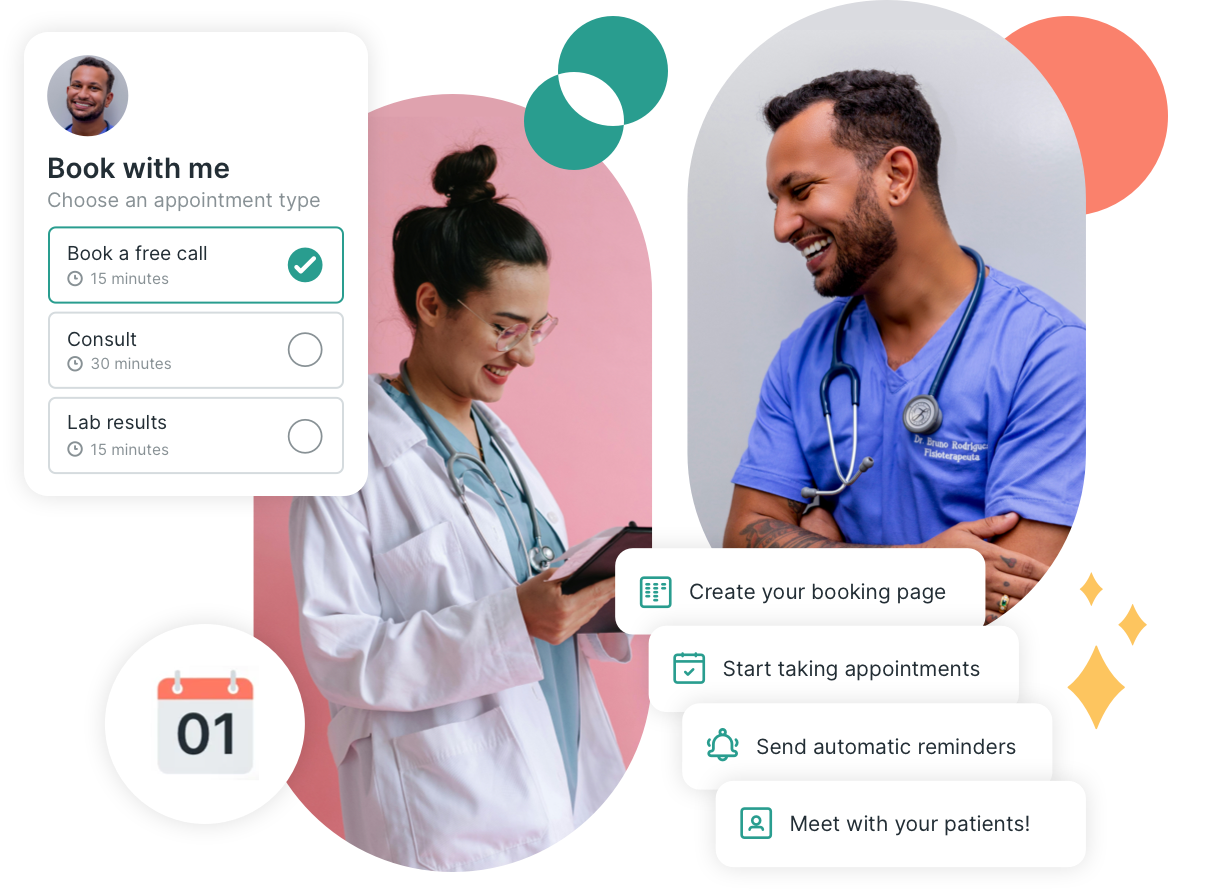
Appointment scheduling software has revolutionized the way businesses manage their appointments. This type of software helps businesses streamline booking processes, reduce no-shows, and improve customer satisfaction. With appointment scheduling software, companies can easily manage their time and resources.
Related: What is Appointment Scheduling Software: Streamline Your Business!
Features
Appointment scheduling software typically comes with a variety of features designed to make booking and managing appointments easy and efficient. Here are some of the most common features:
- Online Booking: Customers can book appointments online through a user-friendly interface.
- Calendar Integration: Syncs with Google Calendar, Outlook, and other calendar systems.
- Automated Reminders: Sends email or SMS reminders to reduce no-shows.
- Customizable Scheduling: Allows businesses to set their own availability and appointment types.
- Payment Processing: Integrates with payment gateways for online payments.
- Reporting and Analytics: Provides insights into appointment trends and business performance.
Benefits
Implementing appointment scheduling software offers numerous benefits for businesses of all sizes. These advantages can significantly impact daily operations and overall customer experience.
- Time Savings: Automates booking processes, freeing up staff time for other tasks.
- Improved Customer Experience: Customers can book appointments at their convenience, 24/7.
- Reduced No-Shows: Automated reminders help ensure customers remember their appointments.
- Increased Efficiency: Streamlines scheduling, reducing errors and double bookings.
- Better Resource Management: Helps businesses allocate resources effectively based on appointment data.
- Enhanced Professionalism: Provides a polished, organized system for managing appointments.
Employee Scheduling Software
Employee scheduling software is a tool that helps businesses manage their workforce schedules. It automates the process of creating and maintaining employee work schedules. This software saves time and reduces errors. It is essential for businesses with multiple employees and shifts.
Key Functions
Employee scheduling software offers various key functions. It allows managers to create schedules quickly. They can assign shifts to employees with ease. The software can also track employee availability. This helps in avoiding scheduling conflicts. It includes features like time-off requests and approval. Employees can request time off through the software. Managers can approve or deny these requests.
The software also provides shift swapping capabilities. Employees can swap shifts with each other. Managers can oversee and approve these swaps. Another key function is notifications. The software sends notifications to employees. It informs them about their schedules or any changes. This ensures everyone stays informed.
Related: What is Employee Scheduling Software: Boost Efficiency & Productivity!
Advantages
There are several advantages to using employee scheduling software. It improves efficiency by automating schedule creation. This saves managers a lot of time. The software reduces scheduling errors. It ensures that there are no overlaps or conflicts.
Employee satisfaction also increases. The software makes it easy for employees to view their schedules. They can request time off or swap shifts without hassle. This flexibility boosts morale. The software also enhances communication. Notifications keep everyone updated. This reduces confusion and miscommunication.
Cost savings is another advantage. Efficient scheduling leads to optimal staffing. Businesses can avoid overstaffing or understaffing. This helps in reducing labor costs. Additionally, the software provides analytics. Managers can analyze scheduling data. This helps in making informed decisions.
Project Scheduling Software
Project scheduling software helps manage project timelines. It aids in assigning tasks, setting deadlines, and tracking progress. This software ensures projects stay on track and meet deadlines. It is a crucial tool for project managers and teams. Let’s explore its capabilities and integration with project management tools.
Capabilities
Project scheduling software offers many features. It helps create detailed project plans. Users can set milestones and deadlines. The software allows task assignments to team members. It also provides real-time tracking of progress. Alerts and reminders keep everyone on schedule. Gantt charts and calendars visualize timelines. Collaboration tools enable team communication. These capabilities streamline project management.
Project Management Integration
Project scheduling software integrates with project management tools. This integration enhances workflow efficiency. Data syncs between platforms, reducing manual entry. Users access project details in one place. This integration allows better resource allocation. Teams can track time and budget seamlessly. It also supports file sharing and document management. Overall, integration simplifies project coordination.
Resource Scheduling Software
Resource scheduling software plays a vital role in managing and allocating resources effectively. It helps businesses streamline their operations, ensuring that resources are used efficiently and tasks are completed on time. This software is essential for project managers, team leads, and anyone responsible for resource planning. It can track employee availability, schedule tasks, and allocate resources based on priority and need.
Resource Allocation
Effective resource allocation ensures that the right resources are available for the right tasks. This involves:
- Identifying available resources
- Assigning tasks based on skills and availability
- Monitoring resource usage and adjusting allocations as needed
Using resource scheduling software, managers can easily visualize resource allocation through interactive dashboards. This helps in avoiding overbooking and ensures balanced workloads.
Efficiency Gains
One of the key benefits of resource scheduling software is the increase in efficiency gains. By optimizing resource allocation, businesses can:
- Reduce downtime
- Improve productivity
- Enhance project delivery times
Moreover, the software provides real-time updates on resource availability, which helps in making informed decisions quickly. This reduces the chances of project delays and enhances overall efficiency.
Field Service Scheduling Software
Field Service Scheduling Software is essential for businesses that provide field services. This type of software helps manage and schedule tasks for field workers. It ensures that the right worker is assigned to the right job at the right time. This increases efficiency and customer satisfaction.
Service Management
Service Management within Field Service Scheduling Software handles various tasks. It manages work orders, customer information, and service history. It also tracks the availability of field workers. This ensures that tasks are assigned to the most suitable workers. Efficient service management reduces downtime and improves productivity.
Related: Best Scheduling Software for Cleaning Business: Top 7 Picks
Field Operations
Field Operations focus on the daily activities of field workers. The software helps in routing and dispatching tasks. It provides real-time updates and notifications. This allows field workers to respond quickly to changes. Effective field operations ensure timely completion of tasks. This leads to better customer experiences and increased satisfaction.
Shift Scheduling Software
Managing employee shifts can be a complex task, especially for businesses with many employees. That’s why Shift Scheduling Software is essential. It helps managers plan, track, and manage shifts efficiently. Let’s dive into some key features of shift scheduling software.
Shift Planning
Shift planning is at the core of shift scheduling software. It allows managers to create and organize work schedules. With easy drag-and-drop interfaces, managers can assign shifts to employees. This ensures that all shifts are covered without overworking staff.
Key features of shift planning include:
- Automated Scheduling: Automatically generate optimal schedules based on employee availability and business needs.
- Real-Time Updates: Make changes on the go and notify employees instantly.
- Shift Swapping: Allow employees to swap shifts with each other, subject to manager approval.
Related: Best Scheduling Software for Massage Therapists: Top 5 Picks!
Labor Compliance
Labor compliance is a crucial aspect of shift scheduling. This feature ensures that the schedules adhere to labor laws and company policies. It helps avoid legal issues and ensures fair treatment of employees.
Key features of labor compliance include:
| Feature | Benefit |
|---|---|
| Overtime Management | Prevents scheduling employees for overtime without proper compensation. |
| Break Management | Ensures employees get required breaks during their shifts. |
| Regulatory Compliance | Adheres to local and national labor laws. |
Shift scheduling software is a must-have for businesses. It simplifies the complex task of managing employee shifts. With features like shift planning and labor compliance, it ensures smooth operation and legal adherence.

Credit: empmonitor.com
Choosing The Right Scheduling Software
Finding the right scheduling software can be challenging. The right tool can streamline your operations and increase productivity. But how do you choose the best one? Let’s explore some key factors and top recommendations.
Factors To Consider
Before selecting a scheduling software, consider these factors:
- Ease of Use: The software should be easy to navigate. It should have a user-friendly interface.
- Integration: Ensure the software integrates with your existing tools. Compatibility is crucial for smooth operations.
- Features: Look for features that meet your specific needs. Examples include calendar sync, reminders, and reporting.
- Cost: Determine your budget. Compare the pricing of different options.
- Customer Support: Reliable support can save you time. Check if they offer 24/7 support.
- Scalability: Choose a solution that grows with your business. It should handle more users and tasks as you expand.
Top Software Recommendations
Here are some top scheduling software options:
| Software | Key Features | Price |
|---|---|---|
| Calendly | Automated scheduling, calendar sync, reminders | Free, Paid plans start at $8/month |
| Acuity Scheduling | Client management, online booking, payment processing | Paid plans start at $15/month |
| ZoomShift | Employee scheduling, time tracking, shift swapping | Paid plans start at $2/month/user |
| Setmore | Appointment booking, staff management, integration | Free, Paid plans start at $9/month |
| Google Calendar | Event scheduling, reminders, integration with Google services | Free |
Read More: Best Business Scheduling Software: Streamline Your Workflows Today!
Future Trends In Scheduling Software
Scheduling software has evolved significantly over the years. Future trends promise even more exciting developments. These trends aim to make scheduling more efficient, user-friendly, and adaptable to changing needs.
Ai And Automation
AI and automation are transforming scheduling software. AI can analyze patterns in schedules. It can predict future needs and suggest optimal times. Automation reduces the need for manual input. This saves time and minimizes errors. AI can handle complex scheduling tasks. It can manage availability, resources, and priorities seamlessly.
Mobile Integration
Mobile integration is becoming essential. Many users prefer managing schedules on their phones. Mobile apps offer flexibility and convenience. They allow users to access schedules from anywhere. Notifications and reminders can be sent directly to phones. This ensures that users stay informed and up-to-date.
Credit: youcanbook.me
Frequently Asked Questions
What Is Scheduling Software?
Scheduling software helps businesses manage appointments, tasks, and resources efficiently. It automates scheduling processes, saving time and reducing errors.
How Does Scheduling Software Work?
Scheduling software integrates with calendars, automates booking, and sends reminders. It ensures efficient time management and reduces scheduling conflicts.
What Are The Benefits Of Using Scheduling Software?
Scheduling software improves productivity, reduces no-shows, and enhances customer satisfaction. It also provides analytics and reporting features.
Can Scheduling Software Integrate With Other Tools?
Yes, scheduling software often integrates with CRM systems, email, and payment gateways. This ensures seamless operations and better data management.
Conclusion
Choosing the right scheduling software can save time and reduce stress. Different types cater to various needs and preferences. Some focus on team collaboration, while others offer advanced analytics. Evaluate your requirements and compare features. User-friendly interfaces and customer support are key considerations.
Trial versions can help you decide. Remember, the best software fits your specific needs. Efficient scheduling leads to better productivity. Stay organized and keep track of your tasks effortlessly.
