

In today’s digital age, seamless communication is vital. Whether for business, education, or social events, having a reliable platform can make all the difference.
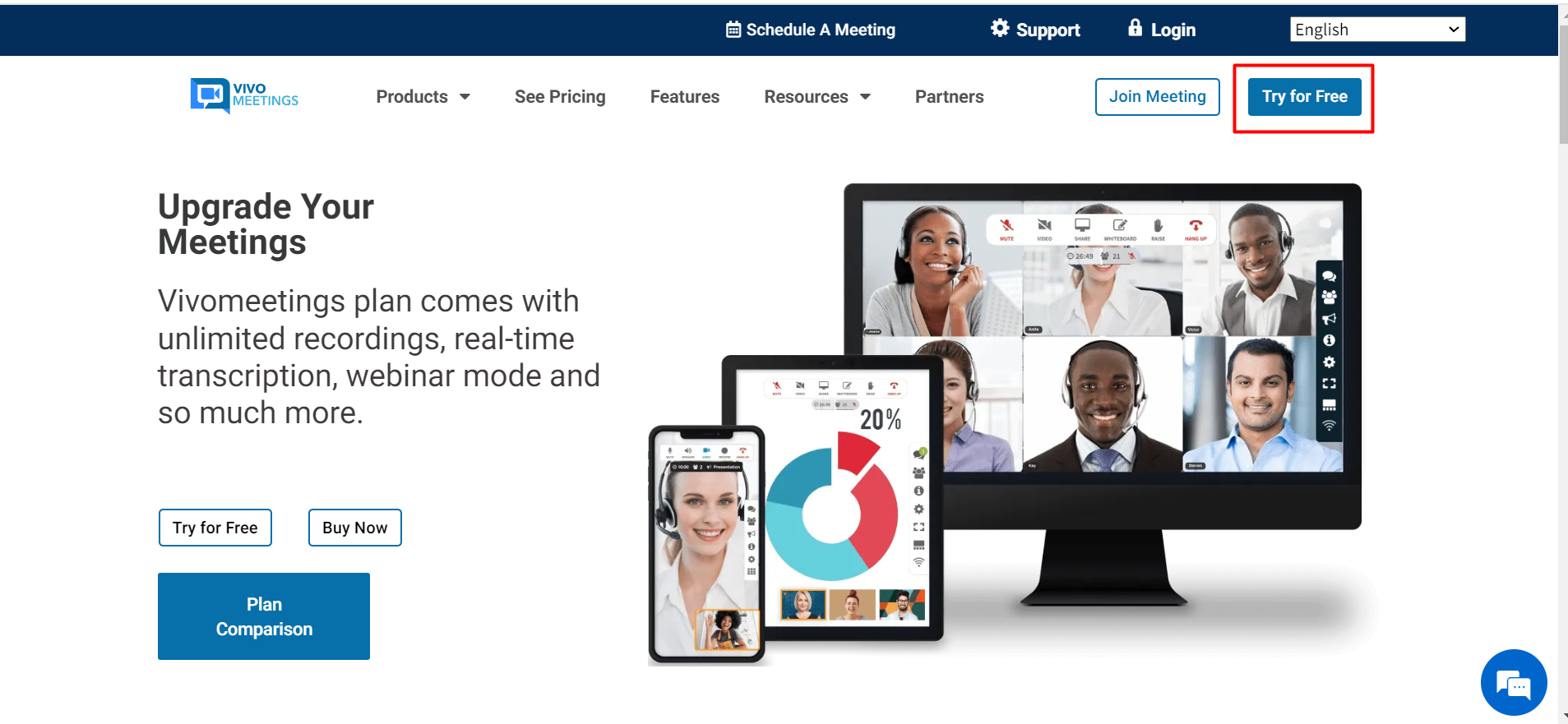
Vivomeetings is a top-notch cloud-based communication tool designed for ease of use and accessibility. With video, voice, chat, and content-sharing capabilities, it caters to various needs. Whether you’re hosting remote meetings, courses, or events, Vivomeetings has you covered. It supports up to 300 video participants and 10,000 viewers per live stream, ensuring everyone stays connected. HD video and audio quality, real-time intelligence, and strong security features make it stand out. Plus, it integrates seamlessly with tools like Google Calendar and Zapier. Discover how Vivomeetings can enhance your communication experience here.

Credit: dealmirror.com
Introduction To Vivomeetings
Vivomeetings is a cloud-based platform designed for seamless communication. It offers video, voice, chat, and content-sharing capabilities. This tool is ideal for remote meetings, courses, and events. It caters to consumers, enterprises, and educational institutions.
Overview Of Vivomeetings
Vivomeetings supports up to 300 video participants and 10,000 viewers per live stream. It ensures high-definition video and audio quality, streaming up to 1080p. The platform is available on Mac, Windows, iOS, and Android. This makes it accessible on a range of devices.
Vivomeetings integrates with Google Calendar, Make, Zapier, and more. Custom branding options are also available. This includes branded meeting pages, emails, and URLs. Key features enhance meeting productivity. These include team chat, breakout rooms, polling, and an online whiteboard.
Purpose And Importance Of Virtual Collaboration Tools
Virtual collaboration tools like Vivomeetings are vital in today’s world. They enable remote work, online education, and virtual events. These tools ensure continuity and flexibility. They allow participants to join from anywhere, at any time.
Security is a major concern. Vivomeetings provides enterprise-grade security. It is GDPR-compliant and offers features like security codes and one-time codes. This ensures the privacy and security of meetings.
Meeting productivity is also important. Features like real-time intelligence, meeting highlights, transcription, live meeting controls, and analytics improve productivity. Automated alerts keep participants informed and engaged.
Vivomeetings’ flexibility and ease of use make it a competitive choice. It offers intuitive scheduling and a user-friendly interface. Whether for small meetings or large gatherings, Vivomeetings provides a reliable solution.
| Plan | Price | Features |
|---|---|---|
| Basic Plan | $72 (originally $90) | Up to 12 attendees, webinar mode, web conferencing, screen sharing |
| Starter Plan | $144 (originally $180) | Up to 24 attendees, all features from Basic Plan |
| Standard Plan | $216 (originally $270) | Up to 50 attendees, all features from Starter Plan, speaker spotlight, custom hold music |
Vivomeetings also offers a 60-day money-back guarantee. This allows users to try the platform for two months risk-free. The one-time payment provides lifetime access. Users must redeem codes within 60 days of purchase.
Credit: www.booknetic.com
Key Features Of Vivomeetings
Vivomeetings is a versatile, cloud-based communication platform. It provides a range of features designed for seamless online interactions. Here, we explore the key features that make Vivomeetings a preferred choice for remote meetings, courses, and events.
Vivomeetings offers HD video and audio quality for all your online meetings. It supports streaming up to 1080p, ensuring clear and crisp visuals. The platform can accommodate up to 300 video participants and 10,000 viewers per live stream. This makes it suitable for both small team meetings and large virtual events.
Screen sharing is a crucial feature of Vivomeetings. It allows participants to share their screens in real-time. This feature enhances collaboration and presentations. Whether you’re conducting a webinar or a team meeting, interactive screen sharing ensures everyone is on the same page.
Vivomeetings includes a variety of real-time collaboration tools. These tools enhance meeting productivity and engagement. Key features include:
- Team Chat
- Breakout Rooms
- Polling
- Online Whiteboard
- Q&As
- Live Chat
Security is a top priority for Vivomeetings. The platform is GDPR-compliant and offers enterprise-grade security features. These include:
- Security Code
- One-Time Code
- Participant Management
These measures ensure that your meetings are private and secure.
Vivomeetings is designed with ease of use in mind. The intuitive scheduling and user-friendly interface make it accessible for everyone. It is compatible with multiple platforms, including Mac, Windows, iOS, and Android. This flexibility ensures that you can join meetings from any device.
High-quality Video And Audio
Vivomeetings offers exceptional video and audio quality, ensuring your meetings are clear and uninterrupted. Whether you’re hosting a small meeting or a large event, the platform guarantees a seamless experience with high-definition streams.
Enhanced Communication Clarity
With Vivomeetings, you can achieve HD video quality up to 1080p. This ensures every detail is captured and displayed with precision. Clear visuals are crucial for effective communication, especially in professional settings.
The audio quality is equally impressive. Vivomeetings provides crisp and clear voice transmission, making sure every participant can hear and be heard without any difficulty.
- HD video up to 1080p
- Clear and crisp voice transmission
Minimizing Technical Interruptions
Vivomeetings is designed to minimize technical interruptions, providing a smooth and reliable meeting experience. The platform supports up to 300 video participants and 10,000 viewers per live stream, ensuring scalability.
Real-time intelligence features such as meeting highlights, transcription, and automated alerts help keep meetings on track, reducing disruptions and ensuring that key points are captured accurately.
| Feature | Benefit |
|---|---|
| Up to 300 video participants | Scalable for large meetings |
| Real-time transcription | Ensures important points are captured |
| Automated alerts | Reduces disruptions |
With these features, Vivomeetings ensures a hassle-free and productive meeting environment.
Interactive Screen Sharing
Vivomeetings enhances online collaboration with its Interactive Screen Sharing feature. It allows users to share their screens in real-time, making remote communication more effective and engaging. This capability is crucial for presentations, remote support, and more.
Facilitating Effective Presentations
Interactive Screen Sharing in Vivomeetings ensures that presentations are smooth and professional. Users can share their entire screen or specific applications, making it easy to highlight important points. This feature supports HD video and audio quality, ensuring that every detail is clear to the audience.
Moreover, Vivomeetings allows for real-time annotations on the shared screen. Presenters can draw attention to specific areas or add notes directly on the screen. This interactive approach keeps the audience engaged and improves understanding.
Enabling Remote Support
Vivomeetings’ Interactive Screen Sharing is also vital for remote support. Support teams can view the user’s screen, diagnose issues, and provide step-by-step solutions. This real-time interaction reduces the need for lengthy explanations and speeds up the resolution process.
Furthermore, the platform’s GDPR-compliant security ensures that all shared content remains confidential. This is crucial for maintaining user trust and protecting sensitive information during remote support sessions.
Real-time Collaboration Tools
Vivomeetings enhances collaboration with real-time tools. These tools enable seamless interaction, ensuring productivity and engagement during meetings. Below are some key features that make Vivomeetings an excellent choice for collaborative work.
Collaborative Whiteboard And Annotations
The Collaborative Whiteboard feature in Vivomeetings allows participants to draw, write, and brainstorm together. This tool is perfect for visual thinkers and helps in presenting ideas clearly.
With Annotations, users can highlight, underline, and annotate directly on shared content. This makes it easy to emphasize key points and ensure everyone is on the same page.
Instant Messaging And File Sharing
Instant Messaging in Vivomeetings allows for quick and easy communication without interrupting the flow of the meeting. Participants can send private or group messages, ensuring that important points are addressed promptly.
File Sharing is another crucial feature. Users can share documents, images, and other files in real-time. This facilitates easy access to necessary materials and supports efficient collaboration.
| Feature | Description |
|---|---|
| Collaborative Whiteboard | Draw and brainstorm together in real-time. |
| Annotations | Highlight and mark on shared content. |
| Instant Messaging | Communicate instantly without interrupting the meeting. |
| File Sharing | Share documents and images seamlessly. |
Vivomeetings’ real-time collaboration tools ensure productive and engaging meetings. These tools are designed to make remote collaboration as effective as possible.
Advanced Security Measures
Vivomeetings ensures that all your remote meetings, courses, and events are secure. The platform employs advanced security measures to protect your data and privacy. This section will explore these measures in detail.
Data Encryption And Privacy
Vivomeetings uses GDPR-compliant security protocols to keep your data safe. All communications, including video, voice, and chat, are encrypted end-to-end. This means that only the intended participants can access the content of your meetings. Unauthorized access is effectively blocked. The platform also ensures that user data is handled with the utmost care, adhering to enterprise-grade security standards. This guarantees that your sensitive information remains confidential.
User Authentication And Access Control
Vivomeetings implements robust user authentication processes. This includes the use of security codes and one-time codes for meeting access. Participants must provide these codes to join a meeting, which adds an extra layer of security. The platform also allows meeting hosts to manage participants effectively. Hosts can control who joins the meeting and monitor participant activities. This ensures that only authorized users can access the meeting space, enhancing overall security.
The platform’s access control features are designed to prevent unauthorized entry. Hosts can easily eject unwanted participants or lock the meeting once all attendees have joined. These controls help maintain a secure and controlled meeting environment.
User-friendly Interface
Vivomeetings offers a user-friendly interface that enhances the user experience. Its design focuses on simplicity, making it accessible to people of all technical levels. This feature ensures that you can host remote meetings, courses, and events with ease.
Easy Setup And Navigation
Vivomeetings ensures an easy setup process. Users can quickly schedule and join meetings without any hassle. The platform provides clear instructions and an intuitive layout, so you can get started in minutes.
Navigation within Vivomeetings is seamless. The dashboard is well-organized, allowing users to find features like video and audio conferencing, chat, and content sharing effortlessly. This intuitive design minimizes the learning curve and boosts productivity.
Customizable User Experience
Vivomeetings allows for a customizable user experience. Users can personalize their meeting pages, emails, and URLs with custom branding. This feature is valuable for businesses looking to maintain a consistent brand identity.
Additionally, users can adjust settings to suit their preferences. Features like breakout rooms, polling, and online whiteboards can be tailored to enhance engagement and interaction. This level of customization ensures that each meeting is optimized for the participants’ needs.
| Feature | Description |
|---|---|
| Custom Branding | Branded meeting pages, emails, and URLs |
| Breakout Rooms | Divide participants into smaller groups for discussions |
| Polling | Gather real-time feedback from participants |
| Online Whiteboard | Collaborate visually with participants |
The user-friendly interface of Vivomeetings ensures that you can focus on your meeting’s content rather than struggling with the software. This platform’s design and features make it an ideal choice for hosting efficient and productive virtual meetings.

Credit: www.rockethub.com
Pricing And Affordability
Vivomeetings offers competitive pricing and affordability, making it accessible for businesses, educators, and individuals. The platform provides various subscription plans tailored to different needs and budgets, ensuring everyone can find a suitable option.
Subscription Plans
| Plan | Price | Features |
|---|---|---|
| Plan 1 |
|
|
| Plan 2 |
|
|
| Plan 3 |
|
Cost-benefit Analysis
Vivomeetings offers excellent value for money. Here are the key benefits broken down by plan:
- Plan 1: Ideal for small teams or individual users. It includes essential features like webinar mode and screen sharing, making it a cost-effective solution for basic needs.
- Plan 2: Suitable for medium-sized teams. It includes all the features of Plan 1, with the added benefit of accommodating more participants. This plan balances cost and functionality.
- Plan 3: Best for larger teams or organizations. It includes advanced features like speaker spotlight and custom hold music, providing a comprehensive solution for professional meetings.
Each plan is designed to maximize productivity and security while being affordable. The 60-day money-back guarantee and lifetime access provide further value, ensuring users can try the platform risk-free.
Pros And Cons Of Vivomeetings
Vivomeetings is a versatile cloud-based communication platform. It offers features like video, voice, chat, and content sharing. It is designed for various users including consumers, enterprises, and educational institutions. This section explores the pros and cons of Vivomeetings, highlighting real-world usage advantages and areas for improvement.
Advantages Based On Real-world Usage
Vivomeetings has several notable advantages:
- Ease of Use: The platform has an intuitive scheduling system and a user-friendly interface.
- Platform Compatibility: It works seamlessly on Mac, Windows, iOS, and Android devices.
- Meeting Capacity: Supports up to 300 video participants and 10,000 viewers for live streams.
- High-Quality Video and Audio: Streams up to 1080p HD, ensuring clear communication.
- Real-time Intelligence: Features include meeting highlights, transcription, live meeting controls, and analytics.
- Security: GDPR-compliant with enterprise-grade security measures like security codes and participant management.
- Integration: Easily integrates with tools like Google Calendar, Make, and Zapier.
- Custom Branding: Allows branded meeting pages, emails, and URLs.
- Meeting Productivity: Includes team chat, breakout rooms, polling, online whiteboard, and more.
- Recording and Streaming: Offers video recording, YouTube Live, and RTMP streaming (Plus and Pro plans).
Limitations And Areas For Improvement
Despite its many benefits, Vivomeetings has areas that could be improved:
- Pricing Tiers: The pricing plans may not be suitable for very small businesses or solo users.
- Feature Overload: Some users may find the abundance of features overwhelming.
- Learning Curve: Advanced features may require some time to learn for new users.
| Plan | Price | Features |
|---|---|---|
| Plan 1 | $72 (originally $90) | Basic Plan Host, up to 12 attendees, webinar mode, web conferencing, screen sharing, and more. |
| Plan 2 | $144 (originally $180) | Starter Plan Host, up to 24 attendees, all features from Plan 1. |
| Plan 3 | $216 (originally $270) | Standard Plan Host, up to 50 attendees, all features from Plan 2, speaker spotlight, custom hold music. |
Vivomeetings offers a 60-day money-back guarantee and lifetime access with a one-time payment.
Recommendations For Ideal Users
Vivomeetings is a versatile platform designed to meet a variety of communication needs. It serves a broad range of users who require reliable, high-quality video, voice, and chat capabilities. Here, we explore the best use cases and target audiences for Vivomeetings.
Best Use Cases
Vivomeetings excels in several use cases, making it an ideal choice for:
- Remote Meetings: Seamlessly connect with team members or clients from anywhere in the world.
- Online Courses: Host interactive classes with features like breakout rooms and live Q&As.
- Webinars: Engage up to 10,000 viewers with high-quality streams and interactive tools.
- Event Hosting: Organize and manage virtual events with custom branding and secure access.
- Team Collaboration: Use team chat, online whiteboards, and file sharing for productive collaboration.
Target Audience Insights
Understanding the target audience helps in maximizing the benefits of Vivomeetings. The platform is perfect for:
| Audience Type | Key Features | Benefits |
|---|---|---|
| Enterprises | HD Video, Real-time Intelligence, Security | Ensures secure and productive business meetings |
| Educational Institutions | Breakout Rooms, Polling, Q&As | Enhances interactive learning experiences |
| Small Businesses | Custom Branding, Integrations, Flexibility | Offers cost-effective and scalable solutions |
| Freelancers | Ease of Use, Multiple Platform Compatibility | Supports flexible and remote working conditions |
By catering to these diverse groups, Vivomeetings ensures a robust and efficient communication experience for all users.
Frequently Asked Questions
What Is Vivomeetings?
Vivomeetings is an online platform for hosting virtual meetings, webinars, and conferences. It offers high-quality video and audio, making remote communication seamless and effective.
How Do I Join A Vivomeeting?
Joining a Vivomeeting is easy. Click the meeting link sent to you. No downloads needed. Simply enter your name and join.
Can I Record Vivomeetings?
Yes, you can record Vivomeetings. The platform allows hosts to record sessions for future reference. Recordings are stored securely.
Is Vivomeetings Secure?
Vivomeetings prioritizes security. It uses end-to-end encryption to protect data. Only authorized users can access the meetings, ensuring privacy.
Conclusion
Vivomeetings stands out as a versatile communication tool. Its features suit remote meetings, courses, and events. High-quality video and audio make interactions smooth and engaging. Users can benefit from breakout rooms, polls, Q&As, and live chat. The platform’s compatibility with multiple devices ensures flexibility. Enhanced security features keep meetings private and secure. Integration with tools like Google Calendar simplifies scheduling. Check out Vivomeetings for an efficient and productive communication solution. Click here to learn more about Vivomeetings.
