

Watermarkup Pricing: Everything You Need to Know Watermarkup is a powerful tool for watermarking photos in batches. It helps protect your images from theft while promoting your brand.
With Watermarkup, you can watermark up to 200 images at once without losing quality. Understanding the pricing of Watermarkup is essential for making an informed decision. In this post, we will break down the pricing options available for Watermarkup. We will also explore the features and benefits that come with each plan. Whether you’re a professional photographer or a business owner, knowing the cost and value of this tool can help you decide if it’s right for you. Let’s dive into the details to see how Watermarkup can fit into your workflow and budget. Learn more about Watermarkup pricing here.
Introduction To Watermarkup And Its Purpose
Watermarkup is an essential tool for photographers and businesses. It helps protect images from theft while promoting your brand. With batch watermarking, you can safeguard up to 200 photos at once, ensuring high quality. The tool offers extensive customization options, making it versatile and user-friendly.
What Is Watermarkup?
Watermarkup is a photo watermarking tool designed for batch processing. It allows users to watermark multiple images simultaneously, preserving the original quality and resolution. The tool offers various customization options, such as adjusting opacity, position, style, and tiling the watermark across images. Advanced features include flipping watermarks and creating custom text templates.
Who Can Benefit From Using Watermarkup?
- Photographers: Protect your photos from unauthorized use by watermarking them.
- Businesses: Promote your brand by adding custom watermarks to images.
- Content Creators: Ensure your content is protected and branded efficiently.
- Social Media Managers: Maintain image quality while batch watermarking for social media posts.
Pricing Details
| Plan | Price | Features |
|---|---|---|
| Lifetime Deal | $15 (original price $49) |
|
Refund Or Return Policies
Watermarkup offers a 60-day money-back guarantee. You can try the tool for 60 days to ensure it meets your needs. If you are not satisfied, you can get a full refund within this period.
Additional Information
- Lifetime Access: Purchase includes lifetime access to Watermarkup.
- Updates: All future Pro Plan updates are included.
- Non-Stackable Deal: The deal cannot be stacked with other offers.
Contact And Support
- Premium Email Support: Available for Pro users.
- Helpful Resources: FAQs, blog, help center, and roadmap available on the website.

Credit: www.tripadvisor.com
Key Features Of Watermarkup
Watermarkup is a powerful tool designed to protect your images and promote your brand. With a variety of features, it ensures that your photos are safeguarded and look professional. Let’s explore the key features that make Watermarkup a must-have tool for anyone who values their digital assets.
Comprehensive Watermarking Tools
Watermarkup offers a range of watermarking tools to suit different needs. You can adjust the watermark’s opacity, position, and style. Whether you want a subtle mark or a bold brand logo, Watermarkup allows you to customize it to fit your vision. You can also tile your logo across the image for extra protection.
Batch Processing Capabilities
One of the standout features of Watermarkup is its ability to process multiple images at once. You can watermark up to 200 images in one go, saving you time and effort. This feature is perfect for photographers, designers, and businesses who need to watermark large volumes of images quickly and efficiently.
Customizable Watermarks
Watermarkup provides extensive customization options for your watermarks. You can adjust the opacity and position to ensure your watermark doesn’t distract from the image itself. You can also flip watermarks horizontally or vertically and use custom text templates. This level of customization ensures that your watermark is unique and tailored to your brand.
User-friendly Interface
Watermarkup is designed with the user in mind. Its user-friendly interface makes it easy for anyone to use, regardless of technical expertise. The process is straightforward: upload your images, customize your watermark, and process the batch. The intuitive design ensures a smooth and efficient workflow.
| Feature | Description |
|---|---|
| Batch Processing | Watermark up to 200 images at once. |
| Customization Options | Adjust opacity, position, style, and tile logos. |
| Advanced Features | Flip watermarks and customize text templates. |
| User-Friendly | Intuitive interface for easy use. |
With these features, Watermarkup stands out as a comprehensive solution for image protection and brand promotion. Its user-friendly design and powerful tools make it an excellent choice for anyone looking to watermark their photos efficiently.
Pricing And Affordability Breakdown
Watermarkup offers versatile pricing plans to suit different needs. Whether you are an individual, a small business, or a large organization, Watermarkup has a plan for you. Let’s delve into the various pricing options available and what each plan includes.
Overview Of Pricing Plans
Watermarkup provides three distinct pricing plans: Free Plan, Pro Plan, and Enterprise Plan. Each plan is designed to cater to different requirements and budgets.
| Plan | Features | Price |
|---|---|---|
| Free Plan | Basic watermarking features | $0 |
| Pro Plan | Advanced features and unlimited usage | $15 (Lifetime Deal) |
| Enterprise Plan | Customized solutions for large organizations | Contact for pricing |
Free Plan: What’s Included?
The Free Plan offers essential watermarking tools at no cost. It is suitable for users who have minimal watermarking needs.
- Basic watermarking features
- Limited customization options
- No batch processing
Pro Plan: Advanced Features And Benefits
The Pro Plan is perfect for professionals and businesses. It includes advanced features that enhance workflow and image protection.
- Watermark up to 200 images simultaneously
- Unlimited fonts and photos
- No reduction in image quality
- Customizable watermark opacity, position, and tiling
- Commercial usage rights
- Premium email support
Users also benefit from lifetime access and all future updates under the Pro Plan.
Enterprise Plan: Tailored For Large Organizations
The Enterprise Plan is designed for large organizations with specific needs. It offers customized solutions to meet unique requirements.
- Tailored watermarking options
- Dedicated support
- Custom pricing based on organizational needs
Contact Watermarkup for a detailed quote and to discuss your specific requirements.
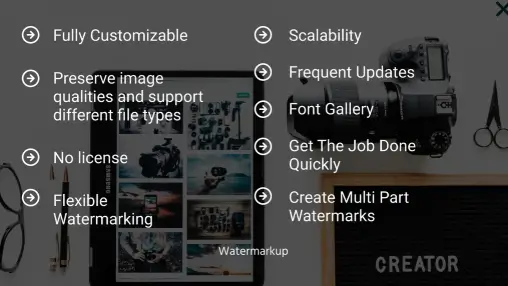
Pros And Cons Of Watermarkup
Watermarkup is a versatile tool for watermarking photos in batches. It helps protect your images from theft and promotes your brand. This section explores the pros and cons of using Watermarkup.
Pros: Benefits Of Using Watermarkup
| Feature | Benefit |
|---|---|
| Batch Processing | Watermark up to 200 images at once while maintaining original image quality. |
| Customization Options | Adjust watermark opacity, position, style, and tile logos across images. |
| Advanced Features | Flip watermarks horizontally or vertically, customize text templates. |
| GDPR-compliant | Ensures user data protection. |
Watermarkup offers an efficient workflow with easy-to-use batch processing. This tool enhances and promotes your brand with customizable watermarks. It also protects your images from theft by watermarking them in batches. Additionally, it preserves the original quality and resolution of images.
Cons: Potential Drawbacks To Consider
- Initial Cost: Although the one-time payment of $15 is a good deal, it might still be a hurdle for some users.
- Learning Curve: New users may need time to understand all features and customization options.
- No Stacking Deals: The deal cannot be stacked with other offers, limiting discount opportunities.
While Watermarkup has many benefits, there are a few potential drawbacks to keep in mind. The initial cost might be a barrier for some, despite the lifetime deal. New users might face a learning curve due to the extensive customization options. Lastly, the non-stackable deal could limit additional discounts.

Specific Recommendations For Ideal Users Or Scenarios
Watermarkup is a versatile tool designed to cater to a range of users. This section explores the ideal users or scenarios where Watermarkup’s features and pricing plans shine the most.
Best For Freelancers And Small Businesses
Freelancers and small businesses benefit greatly from Watermarkup. The tool’s batch processing feature allows watermarking up to 200 images at once. This saves time and ensures that all photos maintain their original quality.
Customization options let users adjust watermark opacity, position, and style. This helps in creating a unique and professional look. The Lifetime Deal priced at $15 is cost-effective. It includes all Pro Plan features, making it affordable for small budgets.
- Batch watermarking up to 200 images
- Adjustable opacity, position, and style
- Affordable one-time payment of $15
- Commercial usage rights
Perfect For Large Enterprises
Large enterprises need robust tools that can handle high volumes of images without compromising quality. Watermarkup’s Pro Plan is ideal for such needs. It includes unlimited fonts and photos, ensuring no reduction in image quality.
Enterprises can benefit from the tool’s ability to watermark multiple photos simultaneously. This ensures a streamlined workflow. The Premium Email Support ensures quick resolutions to any issues.
| Features | Benefits |
|---|---|
| Unlimited fonts and photos | High flexibility in branding |
| Batch watermarking | Efficient processing of large volumes |
| Premium Email Support | Quick issue resolution |
Suitability For Educational Institutions
Educational institutions often need to protect and promote their digital content. Watermarkup offers GDPR-compliant features, ensuring user data protection. Institutions can use the tool to batch watermark up to 200 images. This is useful for managing large collections of educational materials.
The tool’s advanced features like flipping watermarks horizontally or vertically and customizing text templates are beneficial. These features help in creating consistent and professional branding for educational content.
- Batch watermarking up to 200 images
- GDPR-compliant for data protection
- Advanced customization options
- High-quality image preservation

Credit: hookandeyeuk.com
Frequently Asked Questions
What Are Watermarkup Pricing Plans?
Watermarkup offers various pricing plans to suit different needs. Options include a free plan, and paid plans with additional features. Each plan is designed to cater to different levels of usage and requirements.
Does Watermarkup Offer A Free Trial?
Yes, Watermarkup provides a free trial. This allows users to explore premium features before committing to a subscription. It’s a great way to test the software.
How Much Does Watermarkup Cost Monthly?
Watermarkup’s pricing varies based on the chosen plan. Monthly costs start at an affordable rate. Detailed pricing information is available on their official website.
Are There Discounts For Annual Subscriptions?
Yes, Watermarkup offers discounts for annual subscriptions. Choosing an annual plan can save you money compared to monthly payments. Check their website for specific discount details.
Conclusion
Watermarkup offers a practical solution for protecting and promoting your images. With efficient batch processing and extensive customization options, you can watermark up to 200 photos at once. This tool ensures your images maintain high quality and security. Interested in learning more? Check out Watermarkup here for detailed pricing and features. Secure your images and enhance your brand today.
