

Managing a website can be tough, especially when dealing with broken links and 404 errors. WP 301 Redirects offers a solution to improve SEO and user experience by automatically fixing these issues.
WP 301 Redirects is a powerful WordPress plugin designed to help you manage your site’s links efficiently. It scans for broken or dangerous links and sets up automatic redirects to avoid 404 errors. This ensures your visitors always land on the right page, improving both SEO and user experience. With features like a centralized dashboard, Google Safe Browsing integration, and full customization options, it simplifies link management. Plus, with lifetime access and no need for codes, it’s a hassle-free solution for maintaining multiple sites. Learn more about WP 301 Redirects and secure your lifetime deal here.

Credit: www.youtube.com
Introduction To Wp 301 Redirects
Managing a website involves ensuring that all links direct visitors to the right pages. WP 301 Redirects helps achieve this by optimizing links and handling redirects. This tool is essential for improving SEO and providing a better user experience.
What Is Wp 301 Redirects?
WP 301 Redirects is a WordPress plugin designed to manage and optimize website links. It scans for broken or dangerous links and sets up automatic redirects. This prevents 404 errors, ensuring that visitors always reach the correct pages.
Purpose And Importance Of Redirects
Redirects are crucial for maintaining a website’s SEO and user experience. They help in:
- Fixing broken links: Broken links can harm a website’s SEO. WP 301 Redirects automatically scans and fixes these links.
- Improving user experience: Visitors get frustrated when they land on a 404 error page. Redirects ensure they reach the intended content.
- Maintaining site integrity: Redirects help keep the website’s structure intact, even when URLs change.
- Saving time: Automated link management and redirects save valuable time for website managers.
WP 301 Redirects offers comprehensive tracking, detailed site performance, and traffic stats. This makes it easier to manage multiple sites from a single dashboard.
With features like the Link Scanner Tool, Automatic Redirects, and Manual Redirects, WP 301 Redirects is a powerful plugin for any WordPress site. It also integrates with Google Safe Browsing, Alexa Rank API, and is GDPR compliant.
For a one-time payment of $49, users get lifetime access to all future Team Plan updates. The plan supports up to 20 sites, provides 5 full site scans per month, and includes white labeling and remote site management.
There is also a 60-day money-back guarantee, making it a risk-free investment. This plugin is a must-have for developers, marketers, and web design agencies looking to optimize their websites efficiently.

Key Features Of Wp 301 Redirects
WP 301 Redirects offers a range of features to help you manage and optimize your website links. Below, we’ll explore the key features that make this plugin a valuable tool for website owners.
User-friendly Interface
WP 301 Redirects provides a simple and intuitive dashboard that makes link management easy. You can view and manage your redirects and broken links in one place. The user-friendly design ensures that even those with limited technical knowledge can navigate and use the plugin effectively.
Automatic Redirects Setup
The plugin automatically sets up redirects for mistyped URLs, ensuring visitors are directed to the correct pages. This feature improves user experience by reducing the number of 404 errors on your site. Automatic redirects also help to maintain your site’s SEO ranking.
Detailed Traffic Reports
WP 301 Redirects offers comprehensive traffic reports. These reports provide insights into your site’s performance and visitor behavior. You can track which links are most frequently visited and identify any issues with your redirects. Detailed reports help you make informed decisions to optimize your site.
404 Error Monitoring
The plugin continuously monitors your site for 404 errors. It scans for broken or dangerous links and provides alerts when issues are detected. By addressing these errors promptly, you can maintain a smooth user experience and protect your site’s SEO health.
Custom Redirect Rules
WP 301 Redirects allows you to create custom redirect rules. This feature is useful for managing complex redirect scenarios that automatic redirects cannot handle. You can set up manual redirects for specific URLs, ensuring that visitors are always directed to the most relevant pages on your site.
By incorporating these features, WP 301 Redirects helps improve your website’s SEO and user experience. The plugin provides a comprehensive solution for managing and optimizing your site’s links efficiently.
Pricing And Affordability
Understanding the pricing and affordability of WP 301 Redirects is crucial. This section will break down the lifetime deal, compare it to monthly subscriptions, and discuss the overall value for money.
Lifetime Deal Overview
WP 301 Redirects offers a one-time payment of $49. This is a significant discount from the regular price of $158, giving you 69% off. The lifetime deal includes:
- Support for up to 20 sites
- 5 full site scans per month
- White labeling
- Remote site management and statistics
- All future Team Plan updates
- No codes or stacking required
With this lifetime deal, you get GDPR compliance and a 60-day money-back guarantee. This ensures you can try the product risk-free.
Comparing With Monthly Subscriptions
Consider the costs of monthly subscriptions for similar services:
| Service | Monthly Cost | Annual Cost |
|---|---|---|
| Service A | $10 | $120 |
| Service B | $15 | $180 |
| Service C | $20 | $240 |
With WP 301 Redirects’ one-time payment, you save significantly over time. No need to worry about recurring costs. The lifetime deal ensures you have access to all updates and features without extra fees.
Value For Money
WP 301 Redirects offers excellent value for money. Here’s why:
- Improved SEO: Fix broken links, optimize redirects.
- Enhanced User Experience: Ensure visitors land on correct pages.
- Time-Saving: Automate link management and redirects.
- Comprehensive Tracking: Detailed site performance and traffic stats.
- Scalability: Manage multiple sites from a single dashboard.
For a one-time fee, you get a powerful tool that enhances your site’s SEO and user experience. The lifetime access and future updates make it a smart investment.
Pros And Cons Of Wp 301 Redirects
WP 301 Redirects is a powerful tool designed to optimize your website’s SEO and enhance the user experience. It manages broken links and redirects 404 errors. Below, we dive into the advantages and potential drawbacks of using WP 301 Redirects.
Advantages Based On Real-world Usage
- Improved SEO: Fixes broken links and optimizes redirects, boosting search engine rankings.
- Enhanced User Experience: Visitors are always directed to the correct pages, reducing frustration.
- Time-Saving: Automates the process of link management and redirects, freeing up valuable time.
- Comprehensive Tracking: Provides detailed performance and traffic stats from a centralized dashboard.
- Scalability: Manages multiple sites from one dashboard, ideal for developers and agencies.
- Customization: Offers full rebranding options without the need for coding.
- Integrations: Compatible with Google Safe Browsing and Alexa Rank API, ensuring enhanced site security and performance.
- Remote Management: Ability to monitor and control multiple sites remotely.
Potential Drawbacks
- Limited Site Scans: License Tier 1 supports only 5 full site scans per month, which may not be sufficient for larger websites.
- Initial Setup: Setting up manual redirects for complex cases can be time-consuming.
- No License Tier Flexibility: This deal does not allow enhancement or reduction between license tiers.
WP 301 Redirects offers a lifetime access with all future Team Plan updates included, making it a cost-effective solution at a one-time payment of $49. The tool ensures GDPR compliance, providing peace of mind regarding user data privacy. With a 60-day money-back guarantee, WP 301 Redirects is a risk-free investment for enhancing your website’s SEO and user experience.
Ideal Users For Wp 301 Redirects
WP 301 Redirects is a versatile tool designed for anyone who manages a WordPress website. It is particularly useful for those looking to enhance their SEO and improve user experience. This tool is ideal for a variety of users, ranging from individual bloggers to large web design agencies.
Best Scenarios For Utilization
WP 301 Redirects can be effectively utilized in several scenarios:
- Website Migration: When moving content to a new domain, WP 301 Redirects ensures that users are directed to the correct pages.
- Rebranding: If a site undergoes rebranding and URL structures change, it maintains the integrity of existing backlinks.
- Fixing Broken Links: Automatically identifies and redirects broken or mistyped URLs, improving site reliability.
- Managing Multiple Sites: Ideal for users managing multiple sites, thanks to its centralized dashboard and remote management features.
- Content Updates: When content is moved or deleted, the tool ensures old URLs point to the right new content.
Who Will Benefit The Most?
Several user groups will find WP 301 Redirects particularly beneficial:
| User Group | Benefits |
|---|---|
| Bloggers | Ensures readers always find content, even if URLs change. |
| SEO Professionals | Improves SEO by fixing broken links and optimizing redirects. |
| Web Developers | Saves time by automating link management and providing a centralized dashboard. |
| Marketing Agencies | Enhances client websites’ user experience and SEO performance. |
| E-commerce Sites | Prevents loss of sales by ensuring product links are always functional. |
WP 301 Redirects is an essential tool for anyone serious about maintaining a professional and user-friendly website. Its lifetime access and comprehensive features offer significant value for website management.
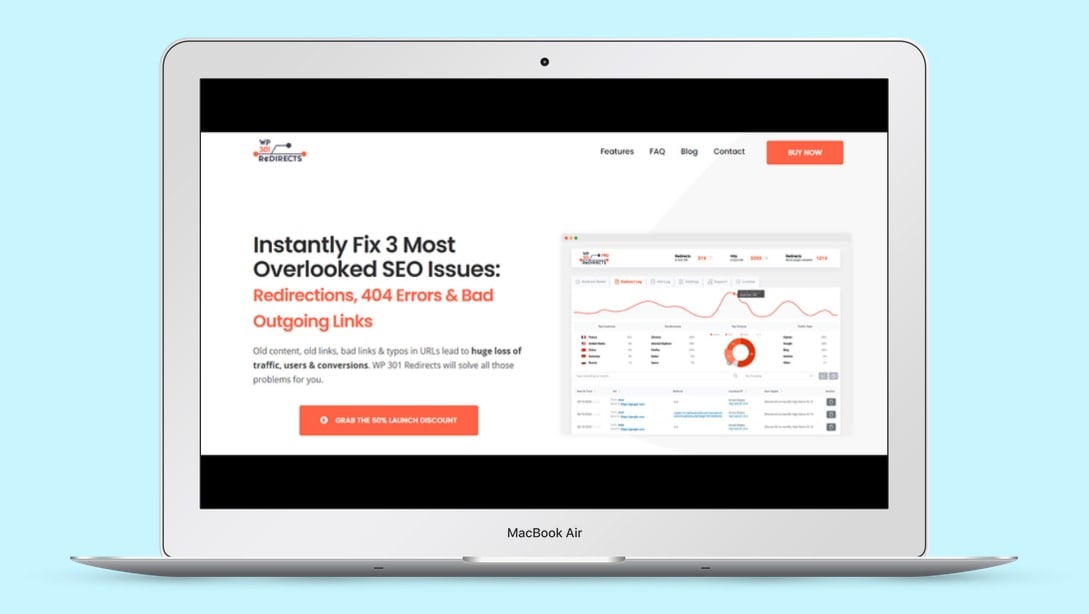
Credit: lifetimo.com
Frequently Asked Questions
What Is A Wp 301 Redirect?
A WP 301 redirect is a method to permanently redirect one URL to another. It helps maintain SEO rankings and improves user experience.
Why Use Wp 301 Redirects?
Using WP 301 redirects helps preserve your website’s SEO value. It ensures users and search engines are directed to the correct page.
How To Set Up Wp 301 Redirects?
You can set up WP 301 redirects using plugins like Redirection. Alternatively, you can modify the. htaccess file on your server.
Do Wp 301 Redirects Affect Seo?
Yes, WP 301 redirects positively affect SEO. They pass the majority of the original page’s link equity to the new page.
Conclusion
WP 301 Redirects is a powerful tool for managing website links. It helps improve SEO and user experience by fixing broken links and setting up redirects. This plugin offers many features, including a link scanner, automatic redirects, and a centralized dashboard. The tool also supports multiple sites and offers remote management. With a one-time payment, users get lifetime access and all future updates. Don’t miss this chance to enhance your site’s performance. Check out the WP 301 Redirects Lifetime Deal today.
