

Redirecting your website traffic effectively can significantly boost your SEO and user experience. WP 301 Redirects is a powerful plugin designed to handle broken links, 404 errors, and site redirects efficiently.
WP 301 Redirects ensures your visitors always land on the correct page, even if they mistype a URL. This plugin automatically fixes broken links and redirects them to appropriate pages, enhancing your site’s SEO and user experience. It features a centralized dashboard for easy management, Google Safe Browsing integration for safety, and customizable sensitivity settings. This tool is essential for anyone serious about maintaining a professional and user-friendly website. Plus, it’s GDPR compliant, which is crucial for legal and ethical operations online. Learn more about WP 301 Redirects and improve your site’s performance by visiting WP 301 Redirects.
Introduction To Wp 301 Redirects
WP 301 Redirects is a powerful tool designed to improve your website’s SEO and user experience. This plugin helps manage outgoing links, scan for broken or dangerous links, and automatically redirect mistyped URLs. Let’s dive into the details of WP 301 Redirects and understand its key features and benefits.
What Is Wp 301 Redirects?
WP 301 Redirects is a plugin that optimizes outgoing links and redirects incorrect or mistyped URLs automatically. It scans your site for broken, dangerous, or unnecessary affiliate links and provides a centralized dashboard for easy management. The plugin is GDPR-compliant and integrates with Google Safe Browsing to filter out harmful links.
Purpose And Importance Of Redirects
Redirects are crucial for maintaining a seamless user experience and enhancing SEO. Here are the main reasons why redirects matter:
- Avoid 404 Errors: Redirects ensure visitors don’t land on error pages, improving user satisfaction.
- Optimize Site Links: Proper redirects enhance your site’s search engine rankings.
- Manage Affiliate Links: Hide and manage long affiliate links efficiently.
- Save Time: Automate the process of updating and managing site URLs.
WP 301 Redirects offers both automatic and manual redirect options. This flexibility allows you to handle complex cases and ensure every URL leads to the correct page. The plugin’s customizable sensitivity helps you adjust how it responds to typos, making it a versatile tool for any website.
| Main Features | Benefits |
|---|---|
| Automatic Redirects | Avoid 404 errors and improve user experience |
| Link Scanner | Identify and fix broken or dangerous links |
| Centralized Dashboard | Manage all sites and monitor performance from one place |
| GDPR-compliant | Ensure compliance with GDPR regulations |
| Google Safe Browsing Integration | Filter out links with poor reputations or malware |
| Customizable Sensitivity | Adjust response to typos |
| Manual Redirects | Handle complex cases with custom redirects |
| White Labeling | Rebrand the plugin without coding |
| Remote Site Control | Manage redirects and 404 logs remotely |
| Export Reports | Generate and export branded PDF reports |
Using WP 301 Redirects, you can ensure visitors always reach the correct pages, even if they mistype URLs. This results in a better user experience and improved SEO performance. The plugin’s features, like automatic redirects and link scanning, save time and simplify the process of managing site URLs.

Credit: www.linkedin.com
Key Features Of Wp 301 Redirects
WP 301 Redirects offers several features designed to improve your website’s SEO and user experience. Below are some key features that make this plugin a valuable tool for managing redirects and monitoring 404 errors.
Easy Setup And Configuration
Setting up WP 301 Redirects is straightforward. The user-friendly interface allows for quick configuration. You can get started without needing advanced technical knowledge. The centralized dashboard helps manage all your sites from one place, saving you time and effort.
Advanced Redirect Types
WP 301 Redirects supports various types of redirects. Whether you need automatic redirects for mistyped URLs or manual redirects for complex cases, this plugin has you covered. You can also adjust the sensitivity of the redirects to match your needs.
Detailed Redirect Logs
The plugin provides detailed logs of all redirects. This feature allows you to track and monitor redirects efficiently. You can view the logs directly from the dashboard, making it easier to manage and optimize your site.
404 Error Monitoring
WP 301 Redirects helps you monitor and fix 404 errors. The plugin automatically redirects visitors from broken links to the correct pages. This improves both SEO and user experience by ensuring visitors find the content they are looking for.
Bulk Redirect Management
Managing multiple redirects is easy with WP 301 Redirects. The bulk management feature allows you to create, edit, and delete redirects in large quantities. This is especially useful for larger sites with numerous pages.
Compatibility With Seo Plugins
WP 301 Redirects is compatible with most SEO plugins. This ensures that your SEO efforts are not disrupted. The plugin works seamlessly with tools like Yoast SEO, making it a versatile addition to your site management toolkit.
For more information, visit the official WP 301 Redirects page.
How Wp 301 Redirects Boosts Your Seo
WP 301 Redirects is a powerful tool designed to optimize your website’s links, prevent 404 errors, and enhance user experience. This plugin is essential for improving your site’s SEO. Below, we will explore how WP 301 Redirects contributes to your SEO through various features.
Improving User Experience
One of the main benefits of WP 301 Redirects is improving user experience. The plugin ensures that visitors land on the correct pages, even if they make typos in the URLs. This automatic correction helps in keeping users on your site longer, reducing bounce rates.
The plugin also scans for broken or dangerous links, ensuring users do not encounter unsafe content. This feature protects your visitors and maintains their trust in your website.
Preserving Link Equity
WP 301 Redirects helps preserve link equity by redirecting old or broken links to new, relevant pages. Link equity, or link juice, is essential for SEO as it passes the ranking power from one page to another.
By maintaining this link equity, your site retains its search engine rankings and authority, leading to better visibility and higher traffic.
Preventing 404 Errors
404 errors can harm your SEO significantly. They indicate to search engines that your site has broken links, which can lead to lower rankings. WP 301 Redirects prevents 404 errors by automatically redirecting mistyped URLs to the correct pages.
This feature ensures that users and search engines find the content they are looking for, which improves your site’s reliability and SEO performance.
Enhancing Site Navigation
WP 301 Redirects also enhances site navigation. The plugin offers a centralized dashboard where you can manage all redirects and monitor site performance. This makes it easier to keep your site’s links organized and up-to-date.
Furthermore, you can create manual redirects for complex cases, ensuring that every link on your site leads to valuable content. Improved navigation helps users find what they need quickly, contributing to a better user experience and higher search engine rankings.
In summary, WP 301 Redirects is a valuable tool for any website owner looking to boost their SEO. Its features ensure improved user experience, preserved link equity, prevention of 404 errors, and enhanced site navigation.
Pricing And Affordability
WP 301 Redirects is a powerful plugin that offers a range of features to improve your site’s SEO and user experience. Understanding the pricing and affordability of this plugin can help you determine if it’s a good fit for your needs. Let’s take a closer look at the pricing tiers, value for money, and the differences between the free and paid features.
Pricing Tiers
WP 301 Redirects offers a straightforward pricing model. For a one-time payment of $49, you get lifetime access to the plugin. Here are the details of the main pricing tier:
| License Tier | Features |
|---|---|
| License Tier 1 |
|
Value For Money
The one-time payment of $49 offers significant value. Normally priced at $158, the lifetime deal includes all future updates. This means you won’t have to worry about recurring fees or additional costs. The features included, such as automatic redirects, link scanning, and a centralized dashboard, make WP 301 Redirects a cost-effective solution for managing site redirects and improving SEO.
Free Vs Paid Features
While WP 301 Redirects does not offer a free version, the paid features are robust and comprehensive. Here’s a breakdown of what you get:
- Automatic Redirects: Automatically redirect incorrect or mistyped URLs.
- Link Scanner: Scan for broken, dangerous, or unnecessary affiliate links.
- Centralized Dashboard: Manage all sites from one location.
- GDPR-compliant: Ensure compliance with GDPR regulations.
- Google Safe Browsing Integration: Filter out links to poor reputation sites.
- Customizable Sensitivity: Adjust sensitivity to typos.
- Manual Redirects: Create manual redirects for complex cases.
- White Labeling: Customize and rebrand the plugin.
- Remote Site Control: Monitor and manage site redirects remotely.
- Export Reports: Generate and export branded PDF reports.
The paid version offers a comprehensive set of features that free plugins often lack. This makes WP 301 Redirects a valuable tool for anyone serious about improving their website’s performance and user experience.
Pros And Cons Of Wp 301 Redirects
WP 301 Redirects is a versatile plugin designed to enhance SEO and user experience. It helps manage site redirects, fix broken links, and avoid 404 errors. Here, we will explore the advantages and disadvantages of using WP 301 Redirects.
Advantages
There are several benefits to using WP 301 Redirects:
- Automatic Redirects: The plugin automatically redirects mistyped URLs to the correct pages. This helps avoid 404 errors and improves user experience.
- Link Scanner: It scans your site for broken, dangerous, or unnecessary affiliate links. This helps maintain site integrity and user trust.
- Centralized Dashboard: Manage and monitor all your sites from one dashboard. This includes link stats and site performance.
- GDPR-compliant: Ensures compliance with GDPR regulations, which is essential for data protection.
- Google Safe Browsing Integration: Automatically filters out links to sites with poor reputations or malware. This adds an extra layer of security for your site.
- Customizable Sensitivity: Adjust how sensitive the plugin is to typos, making it more flexible for different needs.
- Manual Redirects: Create manual redirects for more complex cases, offering greater control over site navigation.
- White Labeling: Customize and rebrand the plugin without any coding. This is useful for agencies managing client sites.
- Remote Site Control: Monitor and manage site redirects and 404 logs remotely, saving time and effort.
- Export Reports: Generate and export branded PDF reports, which is useful for client reporting and showcasing improvements.
Disadvantages
While WP 301 Redirects offers many benefits, there are some drawbacks:
- Limited Scans: The basic plan allows only 5 full site scans per month. This might be insufficient for larger sites.
- Cost: Although there is a one-time payment, the initial cost of $49 can be a barrier for some users.
- Complex Manual Redirects: Setting up manual redirects can be complex and time-consuming for beginners.
- Learning Curve: There is a learning curve to fully utilize all features, especially for non-technical users.
Overall, WP 301 Redirects is a powerful tool that offers significant benefits, though it does have some limitations. Evaluating these pros and cons can help determine if it is the right solution for your needs.
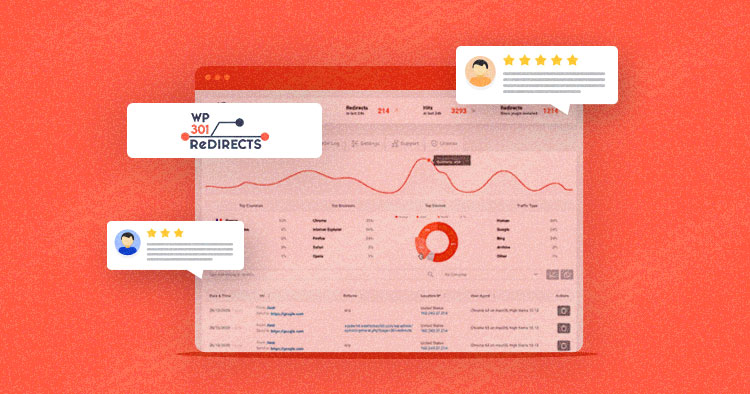
Credit: www.cloudways.com
Recommendations For Ideal Users Or Scenarios
WP 301 Redirects is a powerful plugin designed to enhance SEO and improve user experience. Its features make it suitable for various user groups and scenarios. Below, we explore some ideal users and situations where WP 301 Redirects can be particularly beneficial.
Best For Website Owners And Bloggers
Website owners and bloggers often face the challenge of managing numerous links and ensuring their site’s navigation is smooth. WP 301 Redirects offers several features that make it an ideal choice:
- Automatic Redirects: Automatically redirect incorrect or mistyped URLs to the correct pages.
- Link Scanner: Scan for broken, dangerous, or unnecessary affiliate links.
- GDPR-compliant: Ensures compliance with GDPR regulations.
- Google Safe Browsing Integration: Filter out links to sites with poor reputations or malware.
These features help website owners and bloggers maintain a professional and user-friendly site, ensuring visitors land on the right pages and improving overall site performance.
Ideal For Seo Professionals
SEO professionals need to ensure their clients’ websites rank well on search engines. WP 301 Redirects offers tools that are particularly beneficial for this purpose:
- Enhanced SEO: Avoid 404 errors and optimize site links to improve search engine rankings.
- Centralized Dashboard: Manage and monitor all sites from one dashboard, including link stats and site performance.
- Manual Redirects: Create manual redirects for complex cases.
- Export Reports: Generate and export branded PDF reports for clients.
By using these features, SEO professionals can easily manage and optimize multiple sites, providing valuable insights and improvements to their clients.
Perfect For Large Websites With Many Pages
Large websites with numerous pages often encounter issues with broken links and 404 errors. WP 301 Redirects is designed to handle such challenges efficiently:
- Remote Site Control: Monitor and manage site redirects and 404 logs remotely.
- Customizable Sensitivity: Adjust how sensitive the plugin is to typos.
- White Labeling: Customize and rebrand the plugin without any coding.
- Client Reporting: Easily show clients the improvements and fixes made to their sites.
These features ensure that large websites can maintain optimal performance, reduce errors, and provide a seamless user experience.

Credit: kenmoo.me
Frequently Asked Questions
What Is Wp 301 Redirects Plugin?
WP 301 Redirects is a WordPress plugin for managing 301 redirects. It helps improve SEO and user experience by efficiently handling broken links and redirecting visitors to the correct pages.
How Does Wp 301 Redirects Improve Seo?
WP 301 Redirects improves SEO by managing broken links and redirecting users to relevant pages. This helps maintain website authority and user engagement, which are crucial for better search engine rankings.
Is Wp 301 Redirects Easy To Use?
Yes, WP 301 Redirects is user-friendly. It has a simple interface that allows users to set up redirects easily, even without technical knowledge.
Can Wp 301 Redirects Handle Bulk Redirects?
WP 301 Redirects can manage bulk redirects efficiently. Users can import and export redirects, making it easy to handle large volumes of URL changes.
Conclusion
WP 301 Redirects is a valuable tool for website management. It improves SEO, fixes broken links, and enhances user experience. The plugin’s features, like automatic redirects and link scanning, make it a smart choice for webmasters. Its centralized dashboard simplifies monitoring and management. The lifetime access and GDPR compliance are added bonuses. For more details, visit the WP 301 Redirects page. Give it a try and see the improvements.
