

Are you tired of exposing sensitive information during screen sharing or video recording? Blurweb App offers a seamless solution to this issue.
With its lifetime deal, you can secure your data effortlessly. Blurweb App is a browser extension designed to help video creators and screen sharers blur sensitive information on web pages instantly. No more tedious post-production edits. Just a single click to protect your data. This tool works perfectly with popular platforms like Google Meet, Loom, Microsoft Teams, and Zoom. It ensures that your privacy is maintained during live sessions and recordings. Plus, it supports blurring images, paragraphs, input fields, and even specific areas on a webpage. With Blurweb App, you can now share your screen confidently and securely. Check out the lifetime deal here.
Introduction To Blurweb App
The Blurweb App is a powerful browser extension that helps video creators and screen sharers blur sensitive data on web pages instantly. This ensures secure and efficient content creation without needing post-production edits. Let’s delve into the Blurweb App and its significance in data security.
Overview Of The Blurweb App
The Blurweb App is designed to simplify the process of hiding sensitive information during screen sharing or video recording. With just a single click, users can blur images, paragraphs, input fields, and even entire areas by drawing a rectangle. The blur remains even if the page is reloaded.
Key features include:
- Single-click to blur image, paragraph, or input field
- Blur selected text and hide tab title & icon
- Draw a rectangle to hide specific areas
- Keep Blur: the blur stays even if the page is reloaded
- Supports live sessions on Google Meet, Loom, Microsoft Teams, and Zoom
- GDPR-compliant
These features make the Blurweb App indispensable for anyone who frequently shares their screen or records videos.
Purpose And Importance Of Data Security
Data security is crucial in today’s digital age. Accidental exposure of sensitive information during screen sharing or video recording can lead to severe consequences. The Blurweb App addresses this by allowing users to quickly and easily blur sensitive information.
Benefits include:
- Quick and easy blurring of sensitive information
- Prevents accidental data exposure during live or recorded screen sharing
- Eliminates the need for tedious post-production edits
- Enhances security and privacy while sharing screens
With the Blurweb App, users can focus on their content without worrying about data exposure, thus enhancing overall security and privacy.
Pricing Details
The Blurweb App offers three pricing plans:
| Plan | Price | Devices/Browsers | Inclusions |
|---|---|---|---|
| Plan 1 | $17 (Regularly $28) | Up to 3 | Chrome extension & Firefox add-on, Support for Google Meet & Zoom |
| Plan 2 | $34 (Regularly $56) | Up to 6 | Chrome extension & Firefox add-on, Support for Google Meet & Zoom |
| Plan 3 | $51 (Regularly $84) | Up to 9 | Chrome extension & Firefox add-on, Support for Google Meet & Zoom |
All plans come with a 60-day money-back guarantee, allowing users to try the app for two months and ensure it meets their needs.
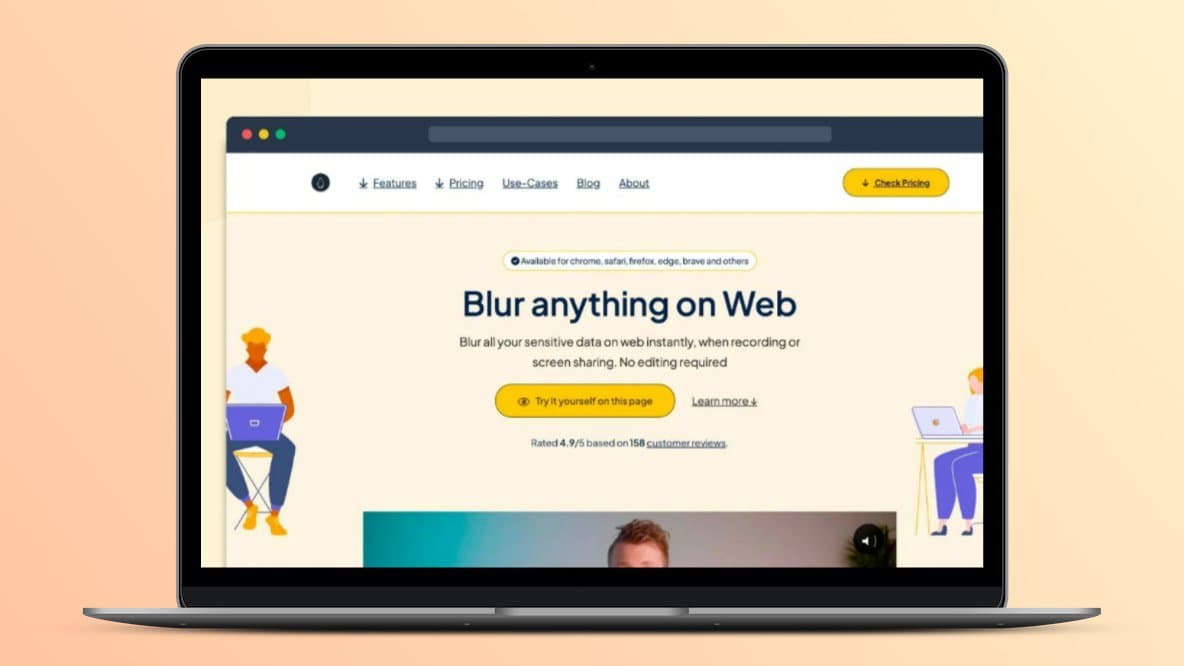
Credit: lifetimo.com
Key Features Of Blurweb App
The Blurweb App is a powerful browser extension that allows users to blur sensitive information on web pages instantly. This tool is ideal for video creators and those who share their screens during live sessions. Let’s dive into the key features that make Blurweb App a must-have tool.
Easy-to-use Interface
The Blurweb App boasts an intuitive, easy-to-use interface. Users can blur images, paragraphs, or input fields with just a single click. This eliminates the hassle of navigating through complex settings. The user-friendly design ensures that even beginners can use it with ease.
Real-time Data Blurring
Blurweb App offers real-time data blurring. This feature is perfect for live sessions on platforms like Google Meet, Loom, Microsoft Teams, and Zoom. Users can blur sensitive information instantly, ensuring privacy and security during screen sharing.
Customizable Blurring Options
With Blurweb App, users have access to customizable blurring options. You can draw a rectangle to hide specific areas, blur selected text, and even hide tab titles and icons. The “Keep Blur” feature ensures that the blur remains even if the page is reloaded.
Multi-platform Compatibility
The Blurweb App supports multi-platform compatibility. It is available as a Chrome extension and Firefox add-on. Users can use it on up to 9 devices/browsers, depending on the plan they choose. This makes it convenient for users who work across multiple platforms.
| Plan | Price | Devices/Browsers | Features |
|---|---|---|---|
| Plan 1 | $17 (Regularly $28) | Up to 3 | Chrome extension, Firefox add-on, Google Meet & Zoom support |
| Plan 2 | $34 (Regularly $56) | Up to 6 | Chrome extension, Firefox add-on, Google Meet & Zoom support |
| Plan 3 | $51 (Regularly $84) | Up to 9 | Chrome extension, Firefox add-on, Google Meet & Zoom support |
Blurweb App ensures GDPR compliance, making it a secure choice for businesses and individuals alike. With a 60-day money-back guarantee, users can try it out risk-free for two months. Whether you are a video creator or frequently engage in screen sharing, Blurweb App offers the perfect solution to protect your sensitive information.
Pricing And Affordability Breakdown
The Blurweb App offers a cost-effective solution for video creators and screen sharers. It ensures sensitive information stays secure with minimal effort. Let’s dive into the pricing and affordability of this useful tool.
Lifetime Deal Overview
The Blurweb App provides a lifetime deal with three different plans:
- Plan 1: One-time purchase of $17 (Regularly $28)
- Access for up to 3 devices/browsers
- Includes Chrome extension & Firefox add-on
- Support for Google Meet & Zoom
- Plan 2: One-time purchase of $34 (Regularly $56)
- Access for up to 6 devices/browsers
- Includes Chrome extension & Firefox add-on
- Support for Google Meet & Zoom
- Plan 3: One-time purchase of $51 (Regularly $84)
- Access for up to 9 devices/browsers
- Includes Chrome extension & Firefox add-on
- Support for Google Meet & Zoom
Comparison With Subscription Models
Subscription models often require monthly or annual payments, leading to higher long-term costs. In contrast, the Blurweb App’s lifetime deal provides a one-time purchase option, offering significant savings.
| Blurweb App Plans | One-Time Cost | Subscription Model Cost (per year) |
|---|---|---|
| Plan 1 | $17 | $28 x 12 = $336 |
| Plan 2 | $34 | $56 x 12 = $672 |
| Plan 3 | $51 | $84 x 12 = $1008 |
Cost-benefit Analysis
The Blurweb App’s lifetime deal offers substantial benefits at a lower cost. Here are the key benefits:
- Quick and easy blurring of sensitive information
- Prevents accidental data exposure during live or recorded screen sharing
- Eliminates the need for tedious post-production edits
- Enhances security and privacy while sharing screens
These benefits, combined with the low one-time cost, make the Blurweb App an affordable and valuable tool for any video creator or screen sharer.

Credit: www.youtube.com
Pros And Cons Of Blurweb App
The Blurweb App is a useful tool for anyone who needs to blur sensitive information on web pages. It simplifies the process of hiding private data during live or recorded screen sharing. But like any software, it has its strengths and weaknesses.
Benefits Of Using Blurweb App
- Quick and Easy Blurring: Blur any image, paragraph, or input field with a single click.
- Enhanced Security: Prevent accidental data exposure during screen sharing.
- No Post-Production Edits: Eliminate the need for tedious editing after recording.
- Supports Live Sessions: Works seamlessly with Google Meet, Loom, Microsoft Teams, and Zoom.
- GDPR-Compliant: Ensures compliance with data protection regulations.
- Keep Blur Feature: The blur remains even if the page is reloaded.
Limitations And Potential Drawbacks
- Browser-Specific: Only available as a Chrome extension and Firefox add-on.
- Device Limitations: Limited to a specific number of devices based on the plan.
- Price Tiers: Each plan supports a different number of devices and services.
Pricing Details
| Plan | Price | Devices/Browsers | Includes |
|---|---|---|---|
| Plan 1 | $17 (Regularly $28) | Up to 3 | Chrome extension & Firefox add-on, Google Meet & Zoom support |
| Plan 2 | $34 (Regularly $56) | Up to 6 | Chrome extension & Firefox add-on, Google Meet & Zoom support |
| Plan 3 | $51 (Regularly $84) | Up to 9 | Chrome extension & Firefox add-on, Google Meet & Zoom support |
Refund Or Return Policies
The Blurweb App comes with a 60-day money-back guarantee. Try it for 2 months to see if it meets your needs.
Ideal Users And Scenarios
The Blurweb App is perfect for anyone needing to protect sensitive information while sharing screens. It’s useful for video creators, professionals, and educators. This tool ensures privacy without post-production edits.
Best Use Cases For Blurweb App
- Live Webinars and Online Classes: Blur sensitive data while teaching or presenting.
- Client Meetings: Hide confidential client information during video calls.
- Video Tutorials: Blur personal details in software demos or instructional videos.
- Technical Support: Share screens securely without exposing private data.
- Legal Consultations: Protect sensitive client data during legal consultations.
Who Should Consider Using Blurweb App
| User Type | Why They Need Blurweb App |
|---|---|
| Educators | To secure student data during online classes. |
| Video Creators | To hide personal details in videos. |
| IT Professionals | To prevent data leaks during technical support sessions. |
| Business Analysts | To secure sensitive data during presentations. |
| Legal Professionals | To protect client confidentiality during online consultations. |
The Blurweb App is a must-have for anyone sharing screens. It ensures privacy and security during live or recorded sessions.

Credit: www.grabltd.com
Frequently Asked Questions
What Is The Blurweb App?
The Blurweb App is a tool that helps you blur sensitive information on web pages quickly and easily.
How Does Blurweb App Work?
Blurweb App allows users to select and blur specific areas on their screen in real-time. It’s easy and efficient.
Is Blurweb App Secure?
Yes, Blurweb App is secure. It ensures that sensitive information is hidden from view during presentations or recordings.
Can I Get A Lifetime Deal For Blurweb App?
Yes, Blurweb App offers a lifetime deal. This provides long-term access to its features with a one-time payment.
Conclusion
Blurweb App offers a simple, effective solution for protecting sensitive data. It provides quick blurring with just one click. No more tedious edits after recording. Enhance your privacy during live sessions. Ideal for video creators and screen sharers. Check out the Blurweb App Lifetime Deal for a secure, efficient, and cost-effective tool. Try it today and see the difference.
