

Are you looking for a reliable and efficient PDF solution? Look no further than GoPDF.
This comprehensive online tool is designed to cater to all your document management needs, from editing and converting to signing and merging PDFs. In this GoPDF review, we’ll explore how this versatile tool can enhance your workflow and streamline your document management tasks. Whether you’re a freelancer, graphic designer, or part of a marketing agency, GoPDF offers an array of features to make your work easier. With tools like AI-powered chat for interactive PDFs, seamless online editing, and robust conversion options, GoPDF stands as a strong alternative to traditional PDF editors like Adobe Acrobat Pro. Let’s dive into what makes GoPDF a must-have tool in your digital toolkit. Ready to enhance your PDF management? Check out GoPDF here.
Introduction To Gopdf
In the digital age, managing documents efficiently is crucial. GoPDF is here to simplify your PDF tasks. From editing to converting, this online tool has it all. Let’s dive into what makes GoPDF a must-have in 2025.
What Is Gopdf?
GoPDF is a comprehensive online PDF editor. It enhances document management with tools for editing, converting, and managing PDFs. It’s designed to work seamlessly across various devices like Mac, iPhone, and iPad.
Here are some of its key features:
- Interactive PDFs with AI Chat: Engage with your PDFs using AI-powered chat features for multilingual interaction and insights.
- Online PDF Editor: Edit text, add images, fill out forms, insert links, and customize your documents with shapes and annotations.
- PDF Conversion Tools: Convert your PDFs to Word or JPG formats with simple uploads and drag-and-drop functionality.
- PDF Compression: Reduce file sizes without losing quality, making uploads faster and sharing easier.
- PDF Merging: Combine multiple PDF documents into a single file seamlessly.
Purpose Of Gopdf In 2025
In 2025, GoPDF aims to streamline workflows and enhance productivity. Its tools are designed to meet the needs of freelancers, graphic designers, and marketing agencies. The features ensure cross-device compatibility, making it easy to manage PDFs on the go.
Here are some additional benefits:
- Enhanced Efficiency: Easy conversions and seamless merging capabilities save time.
- Cross-Device Compatibility: Edit and manage your PDFs on Mac, iPhone, and iPad.
- Interactive Features: AI-powered chat improves communication within documents.
- User-Friendly Interface: Accessible tools for editing, converting, and managing PDFs online.
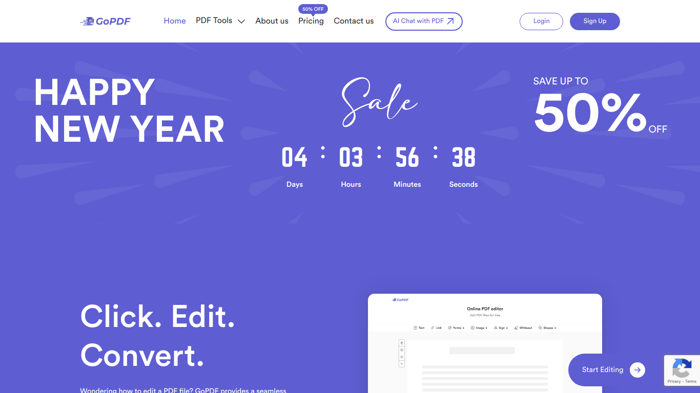
GoPDF offers three pricing plans to cater to different needs:
| Plan | Price | PDF Conversions | AI Projects | PDF Edits | Cloud Storage |
|---|---|---|---|---|---|
| Plan 1 | $29 (one-time payment) | 500 per month | 30 per month | 300 per month | 500 GB |
| Plan 2 | $58 (one-time payment) | 1,000 per month | 60 per month | 600 per month | 1,000 GB |
| Plan 3 | $87 (one-time payment) | 5,000 per month | 500 per month | 2,000 per month | 2,000 GB |
With a 60-Day Money-Back Guarantee, you can try GoPDF risk-free. Pay once and get lifetime access, including all future Pro Plan updates. Also, enjoy one year of mobile app access with your purchase. For mobile app access, email marketing@gopdf.io after your purchase.
GoPDF is a great alternative to Adobe Acrobat Pro. It’s best for freelancers, graphic designers, and marketing agencies. For support, email contact@gopdf.io.
Credit: allthingsai.com
Key Features Of Gopdf
GoPDF offers a range of features designed to enhance your document management experience. This section will explore the key features that make GoPDF stand out.
GoPDF provides an accessible and intuitive interface. Users can easily navigate through various tools for editing, converting, and managing PDFs. The design ensures that even beginners can use it without any hassle.
With GoPDF, you can edit text, add images, fill out forms, insert links, and customize documents with shapes and annotations. These advanced editing tools allow you to make comprehensive changes to your PDFs seamlessly.
GoPDF integrates with cloud storage, offering 500 GB to 2,000 GB of cloud storage depending on the plan. This cloud integration ensures that your documents are always accessible and securely stored.
Security is a top priority for GoPDF. The platform offers document encryption and password protection to keep your files safe. These security features ensure that your sensitive information remains confidential.
GoPDF includes collaboration tools that allow multiple users to work on the same document simultaneously. These tools enhance team productivity and ensure efficient document management.
Below is a table summarizing the pricing plans for GoPDF:
| Plan | Price | PDF Conversions | AI Projects | PDF Edits | Cloud Storage |
|---|---|---|---|---|---|
| Plan 1 | $29 | 500/month | 30/month | 300/month | 500 GB |
| Plan 2 | $58 | 1,000/month | 60/month | 600/month | 1,000 GB |
| Plan 3 | $87 | 5,000/month | 500/month | 2,000/month | 2,000 GB |
GoPDF also offers a 60-day money-back guarantee and lifetime access with all future Pro Plan updates. For mobile app access, contact marketing@gopdf.io after purchase.
User-friendly Interface
GoPDF’s user-friendly interface stands out for its simplicity and efficiency, ensuring users can easily navigate and utilize its robust features. Below, we delve into two key aspects: intuitive navigation and customizable layouts.
Intuitive Navigation
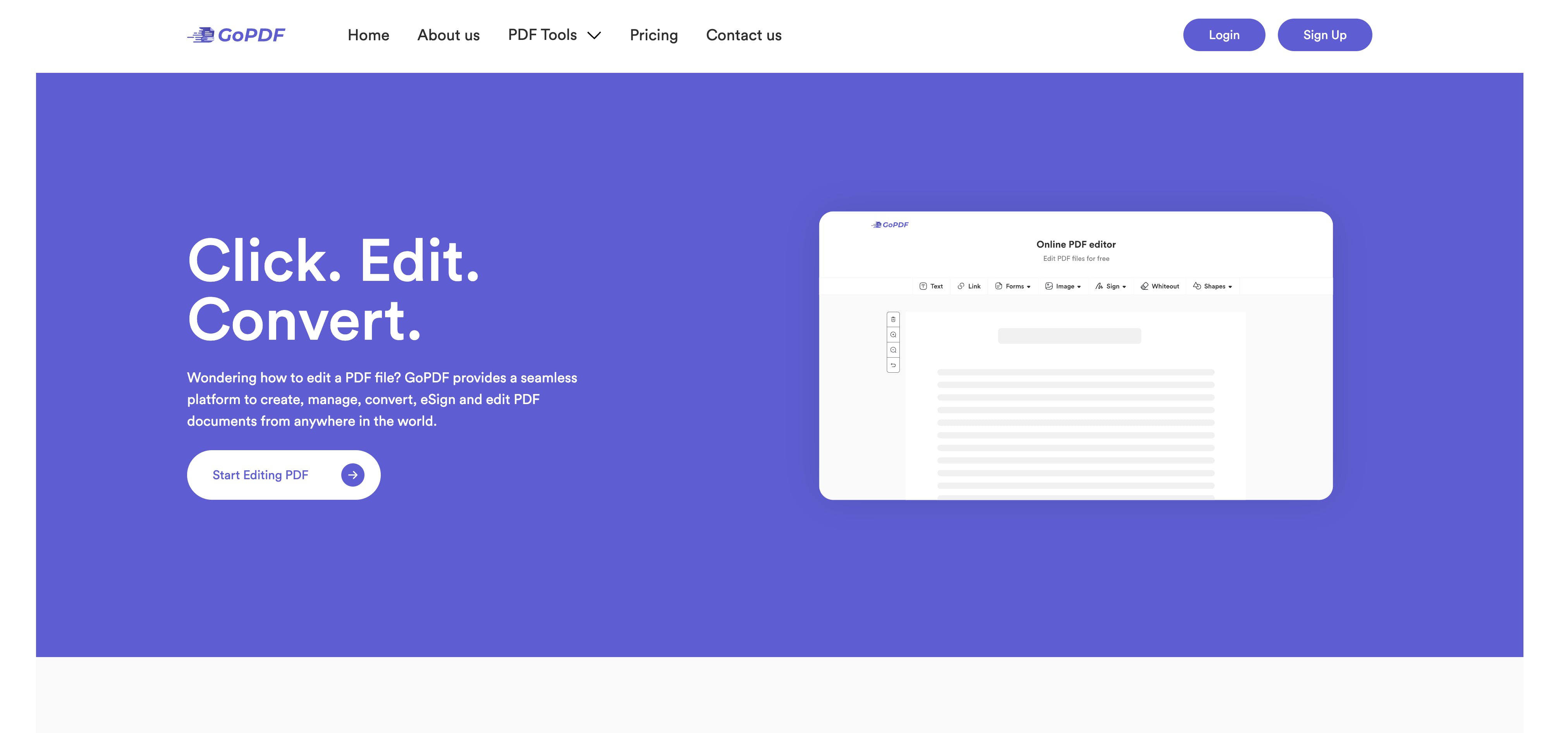
Navigating through GoPDF is seamless, thanks to its intuitive design. The menu is straightforward, offering easy access to tools for editing, converting, and managing PDFs. Users can quickly find the options they need without searching endlessly.
The online PDF editor is designed with simplicity in mind, allowing users to edit text, add images, fill out forms, and insert links effortlessly. The drag-and-drop functionality makes it even more accessible, enabling users to work efficiently without technical hurdles.
Customizable Layouts
GoPDF allows users to customize their workspace to fit their needs. This feature is particularly useful for those who work on multiple projects simultaneously. Users can arrange the tools and panels according to their preferences, which enhances productivity and comfort.
The ability to customize layouts ensures that the most frequently used tools are always within reach. This setup minimizes distractions and optimizes workflow, making document management a breeze. Whether on a Mac, iPhone, or iPad, the user experience remains consistent and tailored to individual needs.
Credit: www.producthunt.com
Advanced Editing Tools
GoPDF offers a range of advanced editing tools that make document management more efficient and user-friendly. These tools are designed to enhance your experience by providing comprehensive options for editing text, images, annotations, and more. Let’s explore these features in detail.
Text And Image Editing
GoPDF makes text and image editing straightforward. Users can easily edit text within a PDF, adjust font styles, and change text sizes. This ensures that documents are both professional and readable.
Adding and editing images is equally simple. You can insert images directly into your PDFs, resize them, and adjust their positions to fit your layout. This flexibility allows for a more customized and visually appealing document.
| Text Editing Features | Image Editing Features |
|---|---|
|
|
Annotation And Markup Options
GoPDF’s annotation and markup tools are perfect for adding comments, highlighting important sections, and drawing attention to specific parts of a document. These tools include:
- Highlighting: Easily highlight text to emphasize key points.
- Sticky Notes: Add comments and notes that can be moved around the document.
- Shapes: Insert shapes to mark areas or add visual elements.
These annotation options make it easier to collaborate on documents, provide feedback, and ensure that important information stands out.
In summary, GoPDF’s advanced editing tools, including text and image editing, and various annotation options, provide a comprehensive solution for all your PDF editing needs. Whether you’re a freelancer, graphic designer, or part of a marketing agency, GoPDF enhances your document management experience.
Cloud Integration
GoPDF offers robust cloud integration features, enabling users to manage their PDF documents effortlessly. This integration ensures that your files are accessible from any device, providing flexibility and ease of use.
Seamless Syncing Across Devices
Seamless syncing across devices is one of the standout features of GoPDF. Whether you’re using a Mac, iPhone, or iPad, your PDF documents are automatically synchronized. This feature allows you to start editing a document on one device and continue on another without any interruptions.
The cloud-based nature of GoPDF ensures that all changes are saved in real-time. This prevents loss of work and maintains a consistent document version across all devices.
Easy Sharing And Access
GoPDF simplifies sharing and access to your PDF documents. With a few clicks, you can share documents with colleagues or clients. The cloud storage options provided by GoPDF ensure that your files are always accessible, whether you’re in the office or on the go.
Sharing documents is made easy with secure links and permissions. You can control who has access to your files, ensuring that sensitive information remains protected.
| Plan | Cloud Storage | Price |
|---|---|---|
| Plan 1 | 500 GB | $29 (one-time payment) |
| Plan 2 | 1,000 GB | $58 (one-time payment) |
| Plan 3 | 2,000 GB | $87 (one-time payment) |
The cloud integration capabilities of GoPDF, combined with its user-friendly interface, make it a top choice for anyone needing a reliable PDF solution.
Security Features
GoPDF stands out with its robust security features. These features ensure your documents remain safe and private. Let’s dive into the specific security features that make GoPDF a reliable choice.
Data Encryption
Data encryption is crucial for protecting sensitive information. GoPDF uses advanced encryption methods to secure your files. This means your documents are safe from unauthorized access.
Encryption ensures that data is converted into a code. Only those with the correct decryption key can read it. This protects your data during transfer and storage. GoPDF’s encryption technology adheres to industry standards. This guarantees the highest level of security for your documents.
Password Protection
Password protection is another essential security feature. GoPDF allows you to set strong passwords for your PDF files. This adds an extra layer of security. Only users with the password can access the content.
- Set and manage passwords easily
- Protect sensitive information from unauthorized access
- Ensure that only intended recipients can view the document
With GoPDF, you can rest assured that your documents are secure. The combination of data encryption and password protection keeps your information safe from prying eyes. These features make GoPDF a reliable choice for managing your PDF files securely.
Collaboration Tools
GoPDF offers powerful collaboration tools that streamline teamwork and enhance productivity. These tools help teams to edit, comment, and provide feedback on PDF documents efficiently. Below, we explore two key collaboration features of GoPDF: Real-Time Collaboration and Commenting and Feedback.
Real-time Collaboration
With GoPDF, multiple users can work on the same document simultaneously. This feature allows teams to see changes in real-time, ensuring everyone stays on the same page. It eliminates the need for constant back-and-forth emails, making the editing process smoother and faster.
The real-time collaboration functionality is especially useful for remote teams. It allows them to work together seamlessly, regardless of their location. Team members can edit text, add images, and customize annotations without interrupting each other’s workflow. This boosts overall productivity and ensures that all contributions are integrated instantly.
Commenting And Feedback
GoPDF’s commenting and feedback tools make it easy to provide and receive input on documents. Users can leave comments directly on the PDF, pinpointing specific areas that need attention. This feature facilitates clear communication and helps teams address issues quickly.
The feedback mechanism in GoPDF is intuitive and user-friendly. Users can reply to comments, creating a thread that keeps all discussions organized. This makes it easier to track changes and ensure all feedback is addressed. Additionally, the commenting feature supports various formats, allowing users to leave text comments, highlight sections, or use shapes to mark areas of interest.
The commenting and feedback tools also integrate with GoPDF’s AI-powered chat. This provides multilingual interaction and insights, making it easier for global teams to collaborate effectively. With these tools, GoPDF ensures that feedback is clear, actionable, and seamlessly integrated into the document workflow.
Pricing And Affordability
GoPDF offers a range of pricing options to fit different needs and budgets. With various plans, users can select the best option based on their usage and requirements. Let’s dive into the details of their pricing structure and features.
Subscription Plans
| Plan | Price | Features |
|---|---|---|
| Plan 1 | $29 (one-time payment) |
|
| Plan 2 | $58 (one-time payment) |
|
| Plan 3 | $87 (one-time payment) |
|
Free Vs. Paid Features
GoPDF offers both free and paid features. While the free version provides basic functionality, the paid plans unlock advanced tools and higher usage limits.
- Free Features: Basic PDF editing, limited conversions, and standard storage.
- Paid Features: High-volume conversions, extensive AI projects, advanced editing tools, and significant cloud storage.
With the lifetime access option, users can make a one-time payment to enjoy all pro features. This includes future updates, ensuring long-term value.
Additionally, GoPDF offers a 60-day money-back guarantee. If the product doesn’t meet your expectations, you can get a full refund within two months.
Pros And Cons Of Gopdf
GoPDF is a comprehensive online PDF editor designed to enhance document management. It offers a wide range of features for editing, converting, and managing PDFs efficiently. Below are the pros and cons of using GoPDF.
Pros
- Interactive PDFs with AI Chat: GoPDF allows users to engage with PDFs using AI-powered chat features for multilingual interaction and insights.
- Online PDF Editor: Effortlessly edit text, add images, fill out forms, insert links, and customize with shapes and annotations.
- PDF Conversion Tools: Convert PDFs to Word or JPG formats with simple uploads and drag-and-drop functionality.
- PDF Compression: Reduce file sizes without losing quality for faster uploads and easier sharing.
- PDF Merging: Combine multiple PDF documents into a single file seamlessly.
- Cross-Device Compatibility: Edit and manage PDFs on Mac, iPhone, and iPad.
- Enhanced Efficiency: Streamline workflows with easy conversions and seamless merging capabilities.
- User-Friendly Interface: Accessible tools for editing, converting, and managing PDFs online.
- Pricing: Affordable one-time payment plans starting at $29 with various tiers to choose from.
- Refund Policy: 60-Day Money-Back Guarantee if the product does not meet expectations.
Cons
- Limited Mobile App Access: One year of access to the GoPDF Mobile App is available only for Tier 1, Tier 2, and Tier 3 purchases.
- Email Support Required: Users need to email marketing@gopdf.io to receive the redemption code for the mobile app.
- Alternative to Adobe Acrobat Pro: While GoPDF offers many features, it is an alternative and may not have all the functionalities of Adobe Acrobat Pro.
Credit: updf.com
Specific Recommendations
GoPDF is a versatile tool that caters to diverse user needs. Whether you are a freelancer or a graphic designer, GoPDF offers features that enhance your document management experience. Below are some specific recommendations to help you maximize your GoPDF use.
Ideal Users
GoPDF is perfect for:
- Freelancers: Manage contracts, invoices, and project documents efficiently.
- Graphic Designers: Combine and edit design drafts in PDF format.
- Marketing Agencies: Create, edit, and share marketing materials seamlessly.
- Students: Annotate and merge study materials and research papers.
- Small Businesses: Handle everyday document needs like contracts and reports.
Best Scenarios For Use
| Scenario | Features to Use |
|---|---|
| Editing Contracts | Use the Online PDF Editor to add signatures and customize text. |
| Creating Marketing Materials | Combine different PDFs with the PDF Merging tool. |
| Managing Study Notes | Annotate and highlight with the Interactive PDFs with AI Chat. |
| Reducing File Sizes | Compress large PDFs using the PDF Compression feature. |
| Converting Research Papers | Convert PDFs to Word with the PDF Conversion Tools. |
With its user-friendly interface and cross-device compatibility, GoPDF ensures you can manage your documents effectively whether you are on a Mac, iPhone, or iPad.
Frequently Asked Questions
What Is Gopdf?
Gopdf is a PDF management tool. It helps users create, edit, and convert PDF files efficiently.
Is Gopdf Free To Use?
Gopdf offers both free and paid versions. The free version has limited features, while the paid version provides full access.
How To Convert Files Using Gopdf?
To convert files using Gopdf, upload your document. Then, choose the desired output format and click convert.
Can Gopdf Edit Pdf Documents?
Yes, Gopdf can edit PDF documents. It allows you to modify text, images, and other elements within the PDF.
Conclusion
GoPDF is a versatile PDF tool for everyone. It offers editing, conversion, and AI chat features. The intuitive interface ensures ease of use on Mac, iPhone, and iPad. It streamlines document management with efficient merging and compression. With one-time payment plans, GoPDF is cost-effective. Ready to enhance your PDF tasks? Explore more about GoPDF here.
