
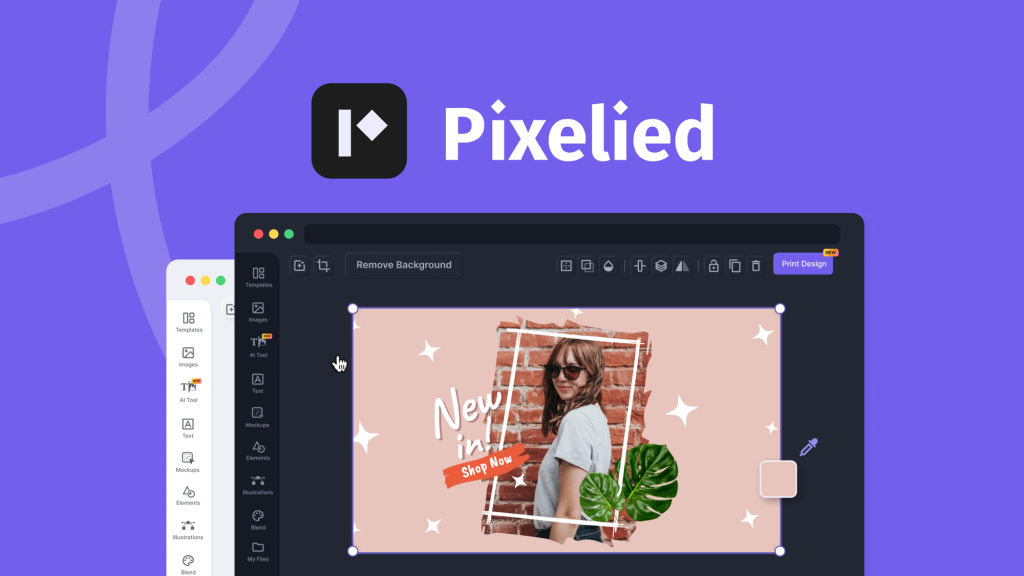
Is Pixelied worth it? In short, yes!
Pixelied offers a robust design suite with powerful AI tools. Pixelied is a cloud-based design suite tailored for creating stunning graphics quickly. It’s perfect for graphic designers, marketers, and SaaS professionals who want to bring their creative ideas to life without needing extensive design skills. With features like AI image generation, photo editing, and customizable templates, it caters to various needs. The platform offers cost-effective plans with a one-time payment, making it a budget-friendly option. Additionally, the 60-day money-back guarantee allows users to try it risk-free. If you’re considering enhancing your visual content efficiently, Pixelied stands out as a valuable tool to explore. Check out Pixelied here and see if it fits your design needs.

Credit: firdaussyazwani.com
Introduction To Pixelied
Pixelied is a robust, cloud-based design suite designed to help users create visually appealing graphics effortlessly. This AI-powered tool is perfect for graphic designers, marketers, and SaaS professionals who want to bring their creative ideas to life without needing extensive design skills.
What Is Pixelied?
Pixelied is an AI-powered design suite that allows users to create captivating graphics quickly and easily. This cloud-based platform provides a range of tools and features to help users enhance their images and create professional-quality designs.
Purpose Of Pixelied
The primary purpose of Pixelied is to simplify the design process for users who may not have advanced design skills. With Pixelied, users can generate graphics, edit photos, and create product mockups efficiently. It aims to be a cost-effective solution for creating high-quality visuals for various use cases like social media posts, blog images, and product showcases.
Overview Of Features
| Feature | Description |
|---|---|
| AI Image Generation | Convert text prompts into graphics with four AI-generated image variations. |
| Photo Editing | Enhance images with filters, effects, and tools like AI photo sharpener and AI background remover. |
| Product Mockups | Access over 2,000 editable mockup assets to create realistic product mockups. |
| Customization Tools | Add text, stock photos, icons, and customize backgrounds. |
| Template Library | Access to Pro templates, 500,000+ premium icons and illustrations, and 100+ text styles. |
| File Formats | Download high-resolution designs in multiple file formats (PDF, SVG, WebP). |
| Unlimited Folders and Brand Presets | Organize and manage designs effectively. |
Pixelied offers a comprehensive set of features that cater to different design needs. From AI-powered image generation to customizable templates, it provides all the tools required to create stunning graphics efficiently.
Key Features Of Pixelied
Pixelied is a powerful design suite that helps users create stunning graphics quickly. Its user-friendly platform and advanced tools make it an excellent choice for designers and marketers. Let’s delve into the key features that set Pixelied apart.
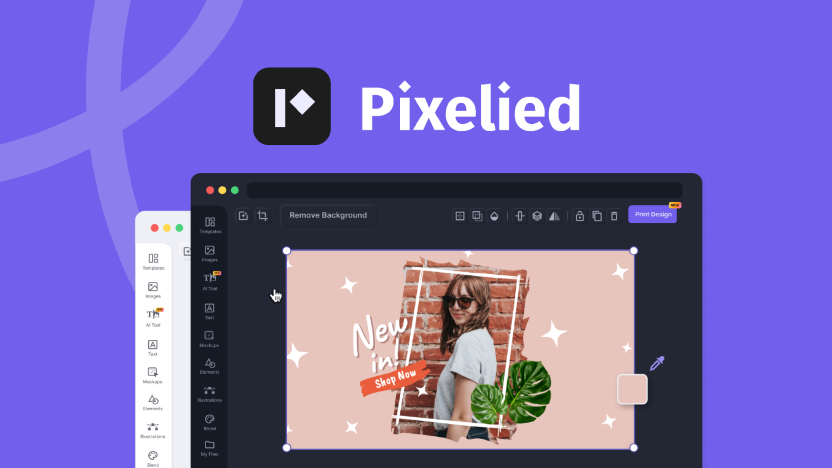
The interface of Pixelied is intuitive and easy to navigate. Even beginners can create professional designs without any hassle. The dashboard is clean, with all tools and features easily accessible. Users can quickly find what they need and start designing immediately.
Pixelied offers an extensive library of templates. There are templates for social media posts, blog graphics, and product showcases. With access to Pro templates, users can choose from over 500,000 premium icons and illustrations. This vast library ensures users can find the perfect template for any project.
Pixelied is equipped with advanced editing tools. Users can enhance photos with filters, effects, and AI tools. The AI photo sharpener and AI photo enhancer make it easy to perfect images. The AI background remover allows for quick and clean background changes. Customization tools enable users to add text, stock photos, and icons effortlessly.
Pixelied supports team collaboration. Users can create multiple workspaces and invite team members. This feature is ideal for businesses and marketing teams. Team members can collaborate on designs in real-time, ensuring cohesive and consistent branding.
Pixelied offers robust brand kit and asset management features. Users can create unlimited folders and brand presets. This allows for efficient organization and management of design assets. With brand kits, users can ensure consistent branding across all projects.
| Feature | Description |
|---|---|
| User-Friendly Interface | Easy to navigate and intuitive dashboard |
| Extensive Template Library | Access to over 500,000 premium icons and illustrations |
| Advanced Editing Tools | AI-powered tools for photo enhancement and background removal |
| Team Collaboration Features | Create multiple workspaces and invite team members |
| Brand Kit and Asset Management | Unlimited folders and brand presets for efficient organization |
User-friendly Interface
Pixelied stands out with its user-friendly interface, designed for both beginners and professionals. The intuitive layout ensures that users can easily navigate through the platform and create stunning graphics without a steep learning curve.
Ease Of Navigation
Pixelied’s interface is designed to be straightforward and easy to navigate. Users can quickly find the tools they need thanks to the well-organized menu and clear icons. This ease of navigation reduces the time spent searching for features and allows users to focus on their design work.
- Clear and intuitive menu
- Well-organized tools and features
- Easy access to templates and assets
Customization Options
Pixelied offers extensive customization options to help users create unique and personalized designs. Users can add text, stock photos, icons, and customize backgrounds to match their brand’s style. With over 2,000 editable mockup assets and a vast template library, the possibilities are endless.
| Customization Feature | Description |
|---|---|
| Text Addition | Add and customize text with various fonts and styles |
| Stock Photos | Access a large collection of high-quality stock photos |
| Icons and Illustrations | Choose from 500,000+ premium icons and illustrations |
| Background Customization | Customize backgrounds to suit your design needs |
Time-saving Benefits
Pixelied’s AI-powered tools and intuitive interface save users valuable time. Features like AI image generation and photo editing tools streamline the design process, allowing users to create high-quality graphics quickly. The platform’s efficiency is a significant advantage for users with tight deadlines.
- AI Image Generation: Create graphics from text prompts in minutes.
- Photo Editing: Enhance images with filters, effects, and tools like AI photo sharpener.
- Template Library: Access Pro templates and quickly customize them to fit your needs.
The user-friendly interface, along with ease of navigation, extensive customization options, and time-saving benefits, make Pixelied a valuable tool for anyone looking to create professional-quality designs effortlessly.
Credit: appsumo.com
Extensive Template Library
Pixelied offers an extensive template library that caters to various design needs. This feature is a significant asset for users who need to create stunning graphics quickly without extensive design skills.
Variety Of Templates
The template library includes Pro templates, 500,000+ premium icons and illustrations, and 100+ text styles. This variety ensures that users can find the perfect template for their projects, whether it’s for social media posts, blog graphics, or product showcases.
- Social media templates
- Blog post graphics
- Product showcases
Industry-specific Designs
Pixelied provides industry-specific designs that cater to different sectors. This means users can easily find templates tailored to their industry, making the design process more straightforward and efficient.
| Industry | Template Examples |
|---|---|
| Marketing | Email banners, social media ads |
| Retail | Product showcases, promotional flyers |
| Technology | App mockups, tech blog graphics |
Customization Flexibility
The templates in Pixelied’s library are highly customizable. Users can add text, stock photos, icons, and customize backgrounds. This flexibility allows for personalized branding and unique designs that stand out.
- Add and edit text
- Insert stock photos and icons
- Customize backgrounds
These customization options ensure that every design can be tailored to fit specific brand guidelines and personal preferences.
Advanced Editing Tools
Pixelied offers a comprehensive suite of advanced editing tools designed to help users create high-quality graphics with ease. These tools cater to a wide range of design needs, making it an ideal choice for professionals and beginners alike.
Photo Editing Capabilities
Pixelied’s photo editing tools are robust and user-friendly. Users can enhance images with filters, effects, and various editing tools. Key features include:
- AI Photo Sharpener: Improve the clarity of your images effortlessly.
- AI Photo Enhancer: Automatically adjust brightness, contrast, and other settings.
- AI Background Remover: Remove backgrounds from images quickly and accurately.
Design Elements And Assets
Pixelied provides access to a wide range of design elements and assets. These include:
- Templates: Access to a library of Pro templates for various design needs.
- Mockups: Over 2,000 editable product mockup assets.
- Text Styles: 100+ text styles to enhance your designs.
- Stock Photos: A vast collection of high-quality stock photos.
Vector Graphics And Icons
Pixelied also includes a rich collection of vector graphics and icons:
- Premium Icons: Access to 500,000+ premium icons.
- Illustrations: High-quality illustrations to enrich your designs.
These assets are customizable, allowing users to adjust colors, sizes, and other properties to fit their design requirements.
Team Collaboration Features
One of the standout features of Pixelied is its robust team collaboration capabilities. These tools are designed to streamline the design process, making it easier for teams to work together seamlessly. Let’s explore the key team collaboration features Pixelied offers.
Shared Workspaces
Pixelied allows teams to create shared workspaces, where all members can access and work on projects. This feature is particularly useful for teams spread across different locations. Shared workspaces ensure that every team member is on the same page and can contribute to the project efficiently.
| Feature | Benefit |
|---|---|
| Shared Workspaces | Enable team-wide access to projects |
| Centralized Storage | Keep all design assets in one place |
Real-time Collaboration
With Pixelied’s real-time collaboration feature, team members can work on designs simultaneously. Changes made by one user are instantly visible to others, ensuring a smooth and cohesive design process. This functionality is essential for meeting tight deadlines and ensuring that everyone’s input is considered.
- Instant updates on changes
- Simultaneous editing by multiple users
- Improved communication and feedback loop
Role-based Access
To further enhance security and efficiency, Pixelied offers role-based access. This means that team members can be assigned specific roles with different levels of access and permissions. For instance, an admin can manage the workspace, while designers focus on creating graphics.
- Admin: Full control over the workspace
- Designer: Focus on design tasks
- Viewer: Access to review and comment
This structured approach ensures that each team member can work within their scope, leading to better organization and productivity.
Brand Kit And Asset Management
The Brand Kit and Asset Management feature of Pixelied is designed to help users maintain a cohesive brand identity. This feature is essential for businesses that want to present a consistent and professional image across all platforms. Let’s dive into the benefits of this feature under the following subheadings:
Consistency In Branding
Pixelied’s Brand Kit allows you to store brand assets like logos, color palettes, and fonts. This ensures that every design you create aligns with your brand guidelines. By using the Brand Kit, you can maintain uniformity across all your marketing materials. This consistency is crucial for building brand recognition and trust among your audience.
Easy Access To Assets
With Pixelied, accessing your assets is straightforward. The platform provides unlimited folders for organizing your files. You can categorize and store images, icons, and templates in a structured manner. This easy access saves time and effort, as you won’t need to search for assets every time you start a new project. Everything is available at your fingertips.
Streamlined Design Process
The Asset Management system in Pixelied streamlines the design process. You can quickly drag and drop assets into your designs. The platform supports multiple file formats like PDF, SVG, and WebP. This versatility enables you to work efficiently, reducing the time spent on converting and uploading files. As a result, you can focus more on the creative aspects of your projects.
| Feature | Benefit |
|---|---|
| Brand Kit | Maintains consistency in branding |
| Unlimited Folders | Easy access and organization of assets |
| Multiple File Formats | Streamlined design process |
In summary, Pixelied’s Brand Kit and Asset Management feature is a valuable tool for any business. It helps maintain branding consistency, provides easy access to assets, and streamlines the design process.
Pricing And Affordability
One of the most important aspects when considering a new design tool like Pixelied is its pricing and affordability. Let’s take a closer look at the different subscription plans, value for money, and how Pixelied compares with its competitors.
Subscription Plans
| Plan | Price | Features |
|---|---|---|
| Single Plan | $49 (One-time payment) |
|
| Double Plan | $98 (One-time payment) |
|
| Multiple Plan | $147 (One-time payment) |
|
Value For Money
Pixelied offers a cost-effective solution for creating high-quality graphics. The one-time payment plans are a major advantage, eliminating the need for recurring monthly or yearly fees. This makes Pixelied a great option for small businesses and freelancers looking to save on costs.
The included features, such as AI image generation, photo editing, and product mockups, provide significant value. Users can generate up to 60 AI images and remove up to 100 backgrounds each month, making the plans highly beneficial for those who need to create content regularly.
Comparison With Competitors
When comparing Pixelied with other design tools like Canva, Adobe Spark, or Crello, several points stand out:
- One-time Payment: Unlike many competitors that require monthly subscriptions, Pixelied offers a one-time payment model.
- Generous Credits: The monthly credits for AI image generation and background removal are generous compared to other tools.
- Refund Policy: Pixelied provides a 60-day money-back guarantee, giving users peace of mind.
While tools like Canva and Adobe Spark offer extensive libraries and features, Pixelied’s simplicity and one-time fee make it an attractive option for those who want a straightforward, cost-effective design tool.
Pros And Cons Of Pixelied
Pixelied is a cloud-based design suite that promises to make graphic design easy and fast. But is it worth it? Let’s explore the advantages and limitations of Pixelied, along with user feedback.
Advantages Of Using Pixelied
- Ease of Use: No technical skills are required to create professional-quality designs.
- AI-Powered Tools: Enhance and perfect images with tools like AI photo sharpener and AI photo enhancer.
- Cost-Effective: Avoid the expense of hiring designers or purchasing expensive software.
- Customization: Highly customizable templates and mockups for personalized branding.
- Efficiency: Quickly create and edit designs with intuitive tools and AI features.
- Versatility: Suitable for various use cases including social media, blog posts, and product showcases.
Limitations Or Drawbacks
- Limited Free Credits: The AI image generation and background removal credits are limited per month.
- Learning Curve: Some users may find a slight learning curve initially, especially if they are new to design tools.
- Team Collaboration: Limited number of team members on the Single and Double plans.
User Feedback And Reviews
Feedback from users highlights the intuitive interface and robust features of Pixelied. Many users appreciate the cost-effective pricing and ease of use. However, some users feel that the monthly credit limits can be restrictive, especially for high-volume design needs.
| Feature | Positive Feedback | Negative Feedback |
|---|---|---|
| Ease of Use | Highly intuitive and user-friendly | Slight learning curve for beginners |
| AI Tools | Powerful and efficient | Limited monthly credits |
| Customization | Highly customizable templates | None reported |
| Pricing | Cost-effective | Limited team collaboration in lower plans |
Who Should Use Pixelied?
Pixelied is a versatile design tool that caters to a wide range of users. It is ideal for anyone who needs to create high-quality graphics quickly and efficiently. Let’s explore the various user groups and scenarios where Pixelied shines.
Ideal Users And Scenarios
Pixelied is perfect for:
- Graphic Designers: Pixelied’s user-friendly interface and AI-powered tools make it easy to create stunning designs.
- Marketers: Create eye-catching social media graphics, ads, and promotional materials effortlessly.
- Small Business Owners: Save time and money by designing your own marketing materials without hiring a designer.
- Content Creators: Enhance blog posts, videos, and other content with professional-grade visuals.
- SaaS Professionals: Quickly generate product mockups and presentations to showcase software features.
Use Cases Across Industries
| Industry | Use Case |
|---|---|
| E-commerce | Create product mockups and promotional graphics for online stores. |
| Education | Design educational materials, infographics, and presentations. |
| Real Estate | Generate property brochures and marketing materials. |
| Healthcare | Create informative graphics and social media posts. |
| Non-Profits | Design fundraising materials and awareness campaigns. |
Expert Recommendations
Experts in the field of design and marketing recommend Pixelied for its:
- Ease of Use: The platform is intuitive, making it accessible for users with any skill level.
- AI-Powered Tools: Enhance and perfect images with minimal effort.
- Cost-Effectiveness: Avoid the high costs of hiring designers or purchasing expensive software.
- Customization: Highly customizable templates and mockups allow for personalized branding.
- Efficiency: Quickly create and edit designs with intuitive tools and AI features.
- Versatility: Suitable for various use cases including social media, blog posts, and product showcases.
Pixelied offers a comprehensive and cost-effective solution for creating high-quality graphics and product mockups with ease. Its AI-powered tools and extensive customization options make it a valuable resource for graphic designers, marketers, and other professionals.
Frequently Asked Questions
What Is Pixelied Used For?
Pixelied is a design tool for creating graphics. It offers templates, icons, and editing features. Ideal for social media, marketing, and branding.
Is Pixelied User-friendly?
Yes, Pixelied is user-friendly. It has an intuitive interface. Even beginners find it easy to use.
Does Pixelied Offer Templates?
Pixelied offers a wide range of templates. They cater to various needs like social media and marketing.
Is Pixelied Free To Use?
Pixelied offers both free and paid plans. The free plan provides basic features. The paid plan offers advanced tools.
Conclusion
Pixelied proves to be a valuable tool for creating stunning graphics. Its AI-powered features and ease of use make it ideal for non-designers. The cost-effective pricing and customization options are impressive. For anyone needing quick, professional designs, Pixelied delivers. Try Pixelied today and elevate your graphic design game. Check it out here.
