

Are you tired of juggling multiple bookmarks across different browsers and devices? Discover the power of Minimarks, a compact bookmark manager and start page designed for teams and web enthusiasts.
Minimarks offers a seamless way to collect, share, and organize your favorite articles, work tools, videos, and more. Whether you’re a busy professional or a web enthusiast, Minimarks helps you stay organized and productive. With features like real-time collaboration, a powerful search bar, and customizable themes, it’s the perfect tool for enhancing your online experience. Not only does it sync across all browsers and devices, but it also allows you to publish and share bookmark collections effortlessly. Ready to streamline your online activities? Check out the Minimarks Lifetime Deal and transform the way you manage your bookmarks today!
Introduction To Minimarks And Its Purpose
Bookmarks are essential for keeping track of important links and resources. With the web’s vast expanse, an efficient bookmark manager is vital. Minimarks is here to help you manage your bookmarks seamlessly. It’s designed for teams and web enthusiasts.
What Is Minimarks?
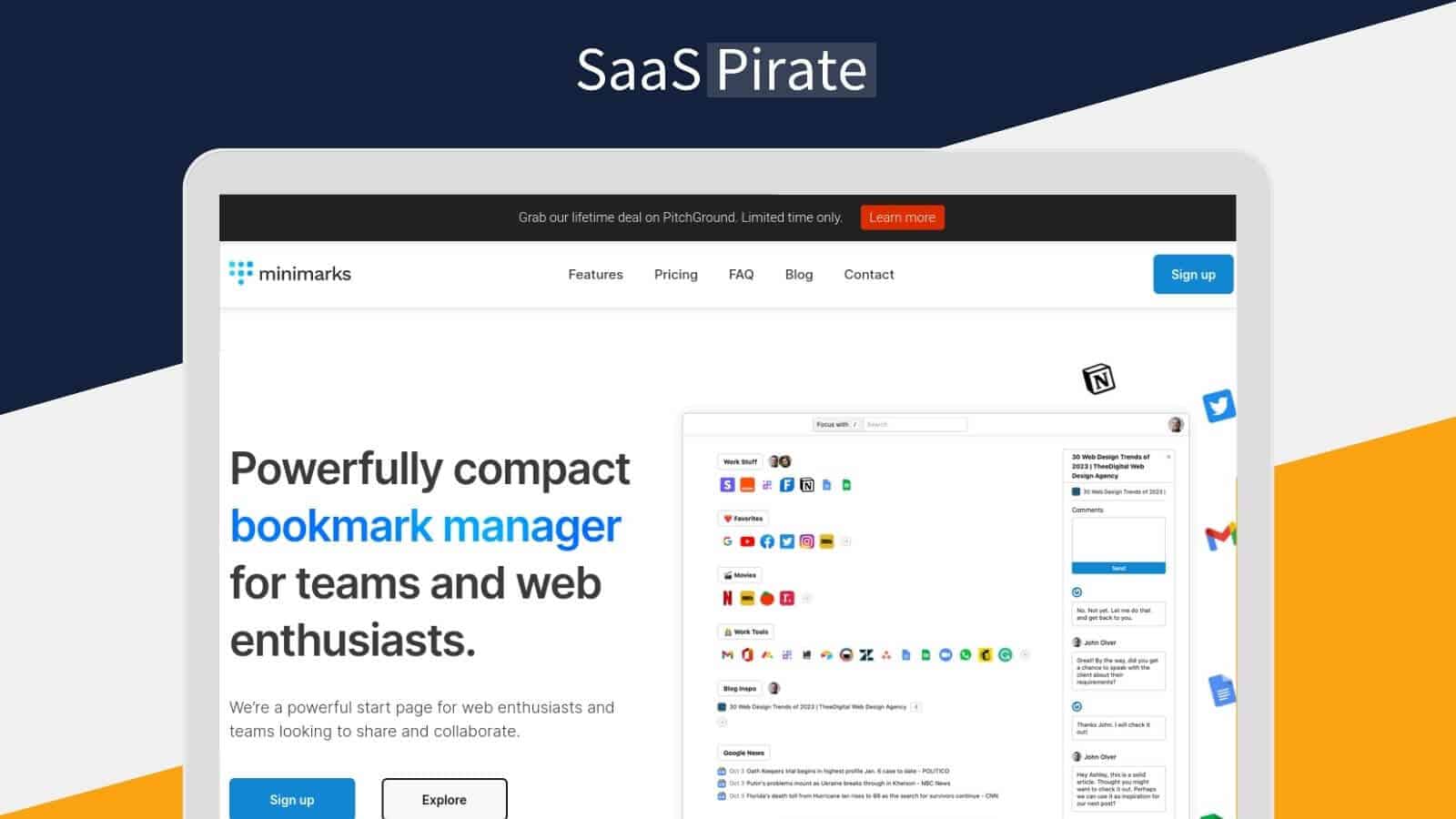
Minimarks is a compact bookmark manager and start page. It allows users to collect, share, and organize their favorite articles, work tools, videos, tutorials, recipes, and more. This tool works across different browsers and devices, ensuring that your bookmarks are always accessible.
Key features include:
- Compact Bookmark Manager: Manage and organize bookmarks in a clutter-free interface.
- Real-Time Collaboration: Share and edit bookmark collections with others.
- Powerful Search Bar: Instantly find and open bookmarks from your keyboard.
- Customizable Themes: Select different color schemes to personalize the start page.
- Web App Compatibility: Works on all browsers and devices without needing updates.
- Link-In-Bio Tool: Publish bookmark collections and share them on social media.
- Public Collections: Make collections public and share them via a unique URL.
- Reading Lists and Icon Grids: Display bookmarks as a reading list or icon grid.
- Synchronization: Sync bookmarks across multiple browsers and devices.
- RSS Feed Collections: Keep up with headlines through RSS feed collections.
- Bookmark Comments: Add comments and chat with your team around shared links.
The Need For Efficient Bookmark Management
As the internet grows, so does the need to manage bookmarks efficiently. Organizing bookmarks helps in quickly finding and using saved links. A good bookmark manager can streamline this process.
Here are some benefits of using Minimarks:
- Enhanced Productivity: Streamline link sharing and collaboration with team members.
- Organized Bookmarks: View all bookmarks on one page without folders or tabs.
- Personalization: Customize the look and feel of your start page.
- Convenience: Access bookmarks from any browser or device without hassle.
- Social Media Integration: Easily share bookmark collections on social platforms.
| Feature | Details |
|---|---|
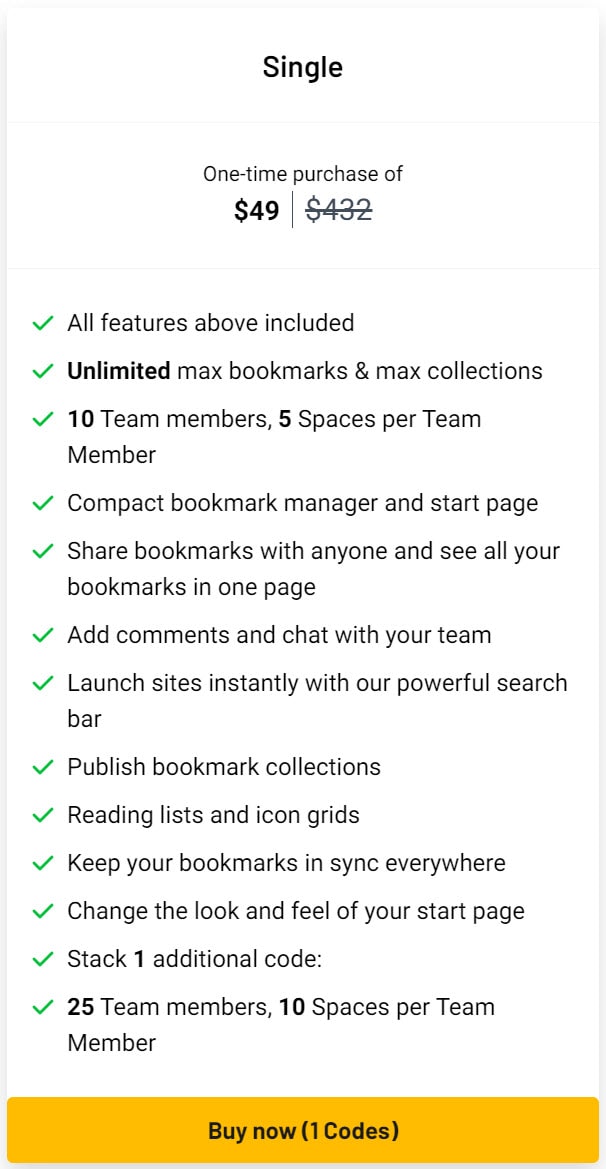
| One-Time Purchase | $49 (lifetime access) |
| Regular Price | $432 (89% off) |
| Single Plan | Includes unlimited bookmarks, collections, 10 team members, 5 spaces per team member, and additional features. |
| Stackable Option | Add one additional code for 25 team members and 10 spaces per team member. |
| Refund Policy | 60-Day Money-Back Guarantee |
Credit: lifetimo.com
Key Features Of Minimarks
Minimarks offers a variety of features designed to enhance your bookmarking experience. This compact bookmark manager is perfect for teams and web enthusiasts. Let’s explore the key features that make Minimarks an essential tool for organizing and sharing your favorite links.
User-friendly Interface
The compact bookmark manager of Minimarks provides a clutter-free and intuitive interface. Users can manage and organize bookmarks easily without any distractions. The interface is designed to be simple and straightforward, making it accessible for everyone.
Organizational Tools And Tagging
Minimarks offers powerful organizational tools and tagging options. Users can collect and categorize their favorite articles, videos, tutorials, and more. The tagging system helps in quickly finding and organizing bookmarks based on specific categories or topics.
Cross-device Sync
With synchronization across multiple browsers and devices, Minimarks ensures that your bookmarks are always up-to-date. You can access your saved links from any device or browser without any hassle. This feature provides convenience and continuity in your browsing experience.
Secure And Private Bookmarking
Minimarks is GDPR-compliant, ensuring that user data is private and secure. The platform prioritizes user privacy, making it a trustworthy tool for managing your bookmarks. You can store and share your links with confidence, knowing that your data is protected.
Collaborative Sharing Options
The real-time collaboration feature in Minimarks allows users to share and edit bookmark collections with team members. This is perfect for teams working on projects or sharing resources. Users can also add comments and chat around shared links, enhancing communication and collaboration.
| Feature | Description |
|---|---|
| Compact Bookmark Manager | Manage bookmarks in a clutter-free interface |
| Real-Time Collaboration | Share and edit bookmark collections with others |
| Powerful Search Bar | Instantly find and open bookmarks from your keyboard |
| Customizable Themes | Personalize the start page with different color schemes |
| Web App Compatibility | Works on all browsers and devices |
| Link-In-Bio Tool | Publish and share bookmark collections on social media |
| Public Collections | Share collections via a unique URL |
| Reading Lists and Icon Grids | Display bookmarks as a reading list or icon grid |
| Synchronization | Sync bookmarks across multiple browsers and devices |
| RSS Feed Collections | Keep up with headlines through RSS feed collections |
| Bookmark Comments | Chat with your team around shared links |
How Each Feature Benefits The User
Discover how Minimarks’ features can significantly enhance your productivity and streamline your online experience. This section delves into each feature, explaining how it benefits you as a user.
Enhanced Productivity With A Clean Interface
Minimarks offers a clutter-free interface that helps you focus on your tasks without distractions. The simple design ensures that all bookmarks are easily accessible, enhancing your productivity. You can organize bookmarks on one page, eliminating the need for multiple folders or tabs.
Efficient Bookmark Retrieval With Tags And Folders
Finding bookmarks is effortless with Minimarks. Use tags and folders to categorize your bookmarks, making retrieval quick and efficient. The powerful search bar allows you to find and open bookmarks directly from your keyboard, saving time and effort.
Seamless Access Across All Devices
Minimarks synchronizes your bookmarks across different browsers and devices. This ensures you have seamless access to your bookmarks wherever you are. No more manually updating bookmarks on each device.
Peace Of Mind With Advanced Security
Minimarks is GDPR-compliant, ensuring your data privacy and security. You can trust that your information is safe, giving you peace of mind. Additionally, the platform is compatible with major browsers like Chrome and Firefox, ensuring a secure and reliable experience.
Team Collaboration And Sharing Made Easy
Share and edit bookmark collections with your team in real-time using the real-time collaboration feature. You can also make collections public and share them via unique URLs. This makes it easy to collaborate on projects and share important links.
Minimarks includes a Link-In-Bio tool for sharing bookmark collections on social media. Additionally, you can add comments and chat with your team around shared links, enhancing communication and collaboration.
Credit: saaspirate.com
Pricing And Affordability
Understanding the cost structure and long-term value of Minimarks is crucial for teams and web enthusiasts. This section delves into the details of Minimarks’ pricing, comparing it with subscription models, and analyzing its long-term cost efficiency.
Overview Of The Lifetime Deal
The Minimarks lifetime deal offers a one-time purchase of $49. This price gives you lifetime access to all the features of Minimarks, including:
- Unlimited bookmarks
- Unlimited collections
- 10 team members
- 5 spaces per team member
- Real-time collaboration
- Customizable themes
- Bookmark comments
Additionally, you can stack an extra code for $49 to increase the capacity to 25 team members and 10 spaces per team member.
Comparative Analysis With Subscription Models
Comparing Minimarks’ lifetime deal with traditional subscription models highlights significant savings. The regular price of Minimarks Pro Plan is $432 per year. By opting for the lifetime deal, you save 89% on the regular price.
| Plan | Cost | Features |
|---|---|---|
| Lifetime Deal | $49 (one-time) | All Pro features, lifetime updates, 10 team members |
| Subscription | $432 (annual) | All Pro features, yearly updates, 10 team members |
The one-time payment model eliminates the need for recurring annual fees, making it highly cost-effective.
Long-term Cost Efficiency
Investing in the Minimarks lifetime deal ensures long-term cost efficiency. Over a span of years, the savings become evident:
- Year 1: $49 vs. $432 (subscription)
- Year 2: $49 vs. $864 (subscription)
- Year 3: $49 vs. $1,296 (subscription)
In three years, you save $1,247 with the lifetime deal.
Moreover, the deal includes all future updates, ensuring you always have access to the latest features without additional costs.
Pros And Cons Of Minimarks
Minimarks is a compact bookmark manager and start page for teams and web enthusiasts. It offers a range of features that cater to different needs. But like any tool, it has its strengths and weaknesses. Let’s explore the pros and cons of Minimarks in detail.
Advantages Of Using Minimarks
- Compact Bookmark Manager: Manage and organize bookmarks in a clutter-free interface.
- Real-Time Collaboration: Share and edit bookmark collections with others.
- Powerful Search Bar: Instantly find and open bookmarks from your keyboard.
- Customizable Themes: Select different color schemes to personalize the start page.
- Web App Compatibility: Works on all browsers and devices without needing updates.
- Link-In-Bio Tool: Publish bookmark collections and share them on social media.
- Public Collections: Make collections public and share them via a unique URL.
- Reading Lists and Icon Grids: Display bookmarks as a reading list or icon grid.
- Synchronization: Sync bookmarks across multiple browsers and devices.
- RSS Feed Collections: Keep up with headlines through RSS feed collections.
- Bookmark Comments: Add comments and chat with your team around shared links.
- Enhanced Productivity: Streamline link sharing and collaboration with team members.
- Organized Bookmarks: View all bookmarks on one page without folders or tabs.
- Personalization: Customize the look and feel of your start page.
- Convenience: Access bookmarks from any browser or device without hassle.
- Social Media Integration: Easily share bookmark collections on social platforms.
- Lifetime Access: Includes all future updates to minimarks Pro Plan.
- GDPR-Compliant: Ensures user data privacy and security.
- Affordable Pricing: One-time purchase of $49 for lifetime access.
Potential Drawbacks And Limitations
- Limited Free Plan: Minimarks does not offer a free plan, only a paid option.
- Team Member Limit: The basic plan includes 10 team members, which might not be enough for larger teams.
- Browser Compatibility: Currently compatible with Chrome and Firefox only.
- Learning Curve: Some users may find it difficult to learn all features quickly.
- Customization Limits: While themes are customizable, deeper customization might be limited.
Ideal Users And Usage Scenarios
Minimarks is a versatile tool designed to streamline the way users manage, share, and collaborate on bookmarks. Its features make it ideal for various user groups and scenarios. Below, we explore who can benefit the most from Minimarks and how it can be effectively used.
Best Suited For Professionals And Students
Professionals and students often juggle multiple tasks, research materials, and project resources. Minimarks offers a compact bookmark manager that allows them to organize their resources efficiently.
- Professionals: Keep track of work tools, tutorials, and articles.
- Students: Collect and manage research papers, study materials, and academic articles.
The powerful search bar helps users find and open bookmarks instantly from their keyboard, saving time and increasing productivity.
Ideal For Research And Project Management
For those deeply involved in research or managing projects, Minimarks provides several features tailored to their needs.
- Reading Lists and Icon Grids: Display bookmarks in organized, easy-to-view lists or grids.
- Bookmark Comments: Add comments and chat with team members around shared links.
- Synchronization: Sync bookmarks across multiple browsers and devices.
These features make it easy to keep all relevant information in one place, accessible from any device.
How Teams And Organizations Can Benefit
Teams and organizations can leverage Minimarks to enhance collaboration and streamline workflows.
- Real-Time Collaboration: Share and edit bookmark collections with team members.
- Public Collections: Make collections public and share them via a unique URL.
- Customizable Themes: Personalize the start page to align with team branding.
The Link-In-Bio Tool allows teams to publish bookmark collections and share them on social media, improving visibility and engagement.
Minimarks offers a one-time purchase of $49 for lifetime access, making it a cost-effective solution for teams of up to 10 members. For larger teams, an additional code expands access to 25 team members.
With a 60-day money-back guarantee, teams can try Minimarks risk-free and ensure it meets their needs.

Credit: topsaashub.com
Frequently Asked Questions
What Is Minimarks Lifetime Deal?
The Minimarks Lifetime Deal offers a one-time purchase for lifetime access to Minimarks’ bookmarking and note-taking features.
How Does Minimarks Lifetime Deal Work?
You pay once and get lifetime access to Minimarks’ premium features without any recurring fees.
Is Minimarks Lifetime Deal Worth It?
Yes, it provides long-term value with lifetime access to a powerful bookmarking and note-taking tool.
What Features Are Included In The Minimarks Lifetime Deal?
The deal includes advanced bookmarking, note-taking, and organizational features for efficient content management.
Conclusion
Discover the ease of managing and sharing bookmarks with Minimarks. This tool simplifies organization, enhances productivity, and fosters team collaboration. Enjoy a clutter-free interface, real-time collaboration, and personalized themes. Whether for work or personal use, Minimarks is accessible on any device or browser. Experience the convenience and efficiency of this compact bookmark manager. Get Minimarks Lifetime Deal here and transform your link management today!
