

Are you looking for an efficient way to organize your notes and ideas? NodeLand might be just what you need.
This tool combines mind mapping with traditional note-taking, using AI to enhance your experience. NodeLand is designed for anyone who needs to capture and organize thoughts effectively. It offers a visual mapping feature that helps you see connections between ideas, making it easier to understand and retain information. The tool is versatile, suitable for personal use, project management, studying, and more. With the AI-powered text editor, your notes become dynamic and interactive. Additionally, NodeLand supports real-time collaboration, so you can share your maps and work with others seamlessly. Discover how NodeLand can transform your note-taking by visiting the official NodeLand page.
Introduction To Nodeland
NodeLand is a dynamic mind mapping and note-taking tool designed to enhance the way users capture and organize their ideas. It combines the flexibility of mind maps with traditional note-taking functionalities, leveraging visual thinking to improve comprehension, retention, and creativity.
What Is Nodeland?
NodeLand is a tool that helps users create dynamic mind maps to visually represent ideas and notes. This tool is perfect for anyone who wants to see connections between concepts in a clear and organized manner.
NodeLand is versatile and can be used for personal note-taking, professional project management, studying, and more. It is designed to enhance idea organization and collaboration with others.
Purpose And Benefits Of Using Nodeland
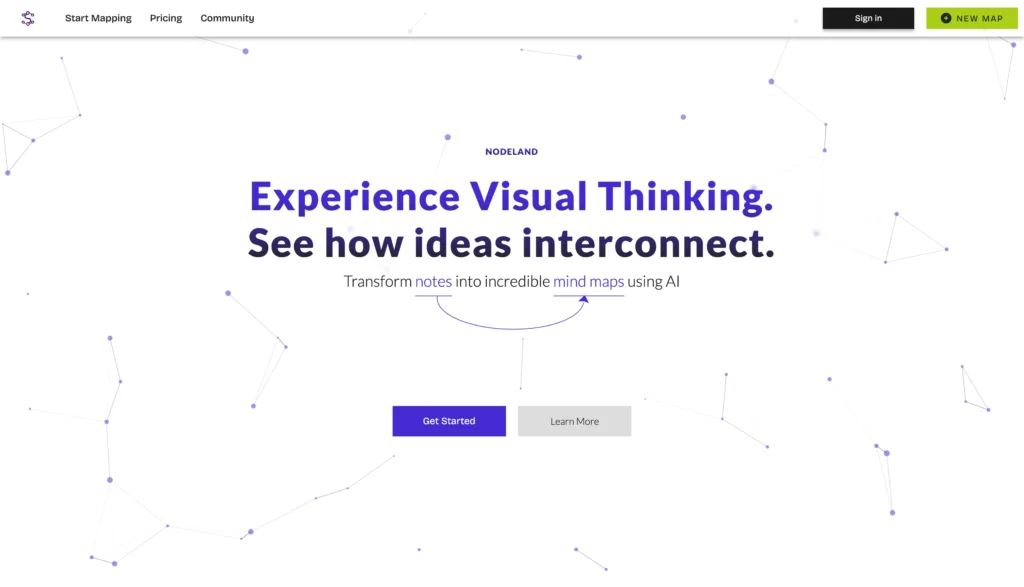
NodeLand helps users organize their ideas, thoughts, notes, and to-do lists with the help of AI assistance. This tool transforms traditional notes into mind maps for better visualization and connection of ideas.
- Visual Mapping: Create dynamic mind maps to visually represent ideas and notes.
- Versatile Applications: Suitable for personal and professional use.
- Efficient Collaboration and Synchronization: Share maps with others for real-time collaboration.
- Text Editor (WYSIWYG) Powered with AI: Enhanced with the latest GPT model for contextual understanding.
- AI-Generated Mind Maps: AI assistant generates concept maps and explains various subjects.
NodeLand is suitable for content creators, educators, and small businesses. It integrates with GPT-4 and OpenAI for enhanced AI functionalities, making it a powerful tool for anyone looking to improve their note-taking and idea organization skills.
For a one-time purchase of $19, users get lifetime access to all future updates. Additionally, NodeLand offers a 60-day money-back guarantee, allowing users to try it risk-free.

Credit: www.youtube.com
Key Features Of Nodeland
NodeLand is a revolutionary tool for mind mapping and note-taking. It enhances the way you capture and organize ideas. Here are the key features that make NodeLand stand out.
Intuitive User Interface
NodeLand offers an intuitive user interface that simplifies navigation and usability. Even beginners can easily start creating mind maps and taking notes. The design is clean and user-friendly, ensuring a smooth experience.
Advanced Debugging Tools
NodeLand comes equipped with advanced debugging tools to streamline your workflow. These tools help identify and fix issues quickly, ensuring that your notes and maps are error-free and reliable.
Seamless Integration With Popular Libraries
NodeLand integrates seamlessly with popular libraries. This feature allows users to enhance their maps and notes with additional resources. The integration supports a wide range of libraries, making it versatile and adaptable to different needs.
Real-time Collaboration Capabilities
With NodeLand, you can enjoy real-time collaboration capabilities. Share your maps and notes with others effortlessly. Collaborate on projects, brainstorm ideas, and get instant feedback from your team or peers.
Robust Security Features
NodeLand prioritizes your data’s security. It offers robust security features that protect your information. Whether you are working on personal notes or professional projects, your data remains safe and secure.
By combining these powerful features, NodeLand provides a comprehensive solution for all your note-taking and mind mapping needs. It’s designed to enhance productivity, creativity, and collaboration, making it an essential tool for anyone looking to organize their ideas effectively.
Pricing And Affordability
NodeLand offers a robust note-taking and mind mapping solution that combines flexibility with visual thinking. The pricing structure is designed to be accessible and cost-effective for both individuals and businesses.
Subscription Plans
NodeLand provides a simple and straightforward pricing model. There is a one-time purchase option at $19, which includes lifetime access to all future paid plan updates. This model eliminates the need for recurring monthly or annual fees, making it an attractive option for those looking for a long-term solution without continuous financial commitment.
Free Vs. Paid Features
While NodeLand does not offer a separate free tier, the one-time purchase plan includes a comprehensive suite of features. Here’s a comparison of the essential features you receive:
| Features | Paid Plan ($19) |
|---|---|
| Visual Mapping | Included |
| Versatile Applications | Included |
| Real-time Collaboration | Included |
| AI-Powered Text Editor | Included |
| AI-Generated Mind Maps | Included |
| Unlimited Documents | Included |
This extensive feature set ensures users can maximize their productivity and creativity without hidden costs.
Cost-effectiveness For Businesses
For businesses, NodeLand’s pricing model offers significant value. At $19 for lifetime access, it is a cost-effective tool for project management, team collaboration, and idea organization. The AI capabilities enhance productivity, making it a smart investment for small businesses and content creators.
The 60-day money-back guarantee further ensures that businesses can try NodeLand risk-free. This policy provides peace of mind, knowing that if the tool does not meet expectations, a full refund is available.

Credit: www.youtube.com
Pros And Cons Based On Real-world Usage
NodeLand is a robust note-taking and mind mapping tool. It combines traditional note-taking with advanced AI capabilities. In this section, we’ll explore the pros and cons based on real-world usage.
Advantages Of Using Nodeland
NodeLand offers several key advantages that enhance the user experience:
- Visual Mapping: Create dynamic mind maps to visually represent ideas and notes.
- Versatile Applications: Suitable for personal, professional, and educational use.
- Efficient Collaboration: Share maps for real-time collaboration with others.
- AI-Powered Text Editor: The editor uses the latest GPT model for contextual understanding.
- AI-Generated Mind Maps: The AI assistant generates concept maps and explains subjects.
- Cost-Effective: One-time purchase of $19 for lifetime access.
- 60-Day Money-Back Guarantee: Try it risk-free for 2 months.
Drawbacks And Limitations
Despite its many strengths, NodeLand has a few limitations:
- Learning Curve: Beginners may find it challenging to navigate initially.
- Limited Customization: Some users might want more customization options.
- Not Stackable: The product cannot be stacked; must redeem within 60 days.
Overall, NodeLand is a valuable tool for organizing ideas and enhancing creativity. Its AI capabilities and visual mapping make it a standout choice for many users.
Specific Recommendations
NodeLand is an excellent tool for anyone who needs to organize their thoughts and ideas. This section will provide specific recommendations, focusing on who would benefit most from NodeLand and the best scenarios for its use.
Ideal Users For Nodeland
NodeLand caters to a wide range of users. Here are some ideal users:
- Content Creators: Bloggers, writers, and video creators can streamline their content planning and brainstorming.
- Educators: Teachers and professors can use visual maps to explain complex subjects more effectively.
- Students: Ideal for students who need to organize their notes and study materials in a visually engaging way.
- Small Businesses: Perfect for project management and team collaboration, ensuring every idea is captured and connected.
Best Scenarios For Using Nodeland
NodeLand is versatile and fits various scenarios. Here are the best ways to use it:
- Personal Note-Taking: Keep track of daily tasks, ideas, and to-do lists with ease.
- Professional Project Management: Manage projects by creating detailed mind maps that highlight tasks, deadlines, and responsibilities.
- Studying and Learning: Organize study notes, create summaries, and visually map out complex topics for better understanding.
- Real-Time Collaboration: Share maps with colleagues or classmates for collaborative brainstorming sessions.
NodeLand’s combination of visual mapping and AI-powered text editing makes it a powerful tool in these scenarios.
| Feature | Benefit |
|---|---|
| Visual Mapping | See connections between ideas for better comprehension. |
| Versatile Applications | Suitable for personal and professional use. |
| Efficient Collaboration | Real-time sharing and editing. |
| AI-Generated Mind Maps | Generate and understand concepts with AI assistance. |
Credit: saas-space.com
Frequently Asked Questions
What Is Nodeland?
Nodeland is a platform for managing and deploying Node. js applications. It provides tools to streamline development and improve performance.
How Does Nodeland Work?
Nodeland simplifies the deployment process by offering pre-configured environments. It automates scaling and maintenance, ensuring robust application performance.
Is Nodeland User-friendly?
Yes, Nodeland is designed with user-friendliness in mind. Its intuitive interface and comprehensive documentation make it accessible for developers of all levels.
What Are The Key Features Of Nodeland?
Nodeland offers automated scaling, real-time monitoring, and seamless integration with popular development tools. These features enhance productivity and application performance.
Conclusion
NodeLand offers a unique blend of visual mapping and AI-enhanced note-taking. It’s perfect for anyone needing better organization and idea connection. Whether for personal or professional use, NodeLand simplifies complex thoughts. Its affordable one-time purchase makes it accessible to everyone. Don’t miss out on lifetime access and future updates. Explore NodeLand today and see how it can transform your note-taking experience. For more details, visit the official NodeLand page.
