

Pixelied Pricing Looking for a powerful yet affordable design tool? Pixelied might be your answer.
This AI-powered design suite offers a range of features to create stunning graphics effortlessly. Pixelied is a cloud-based design suite that simplifies the graphic design process. With AI image generation, customizable templates, and professional editing tools, it caters to all your design needs. Whether you’re a graphic designer, marketer, or part of a SaaS company, Pixelied offers a user-friendly interface that requires no technical expertise. But what about the cost? Understanding Pixelied’s pricing plans is essential to determine if it fits your budget. This blog post delves into the different pricing options available, helping you choose the plan that best suits your needs. Let’s explore how Pixelied can offer value for your design projects. Check Pixelied Pricing

Credit: aicoulddothat.net
Introduction To Pixelied
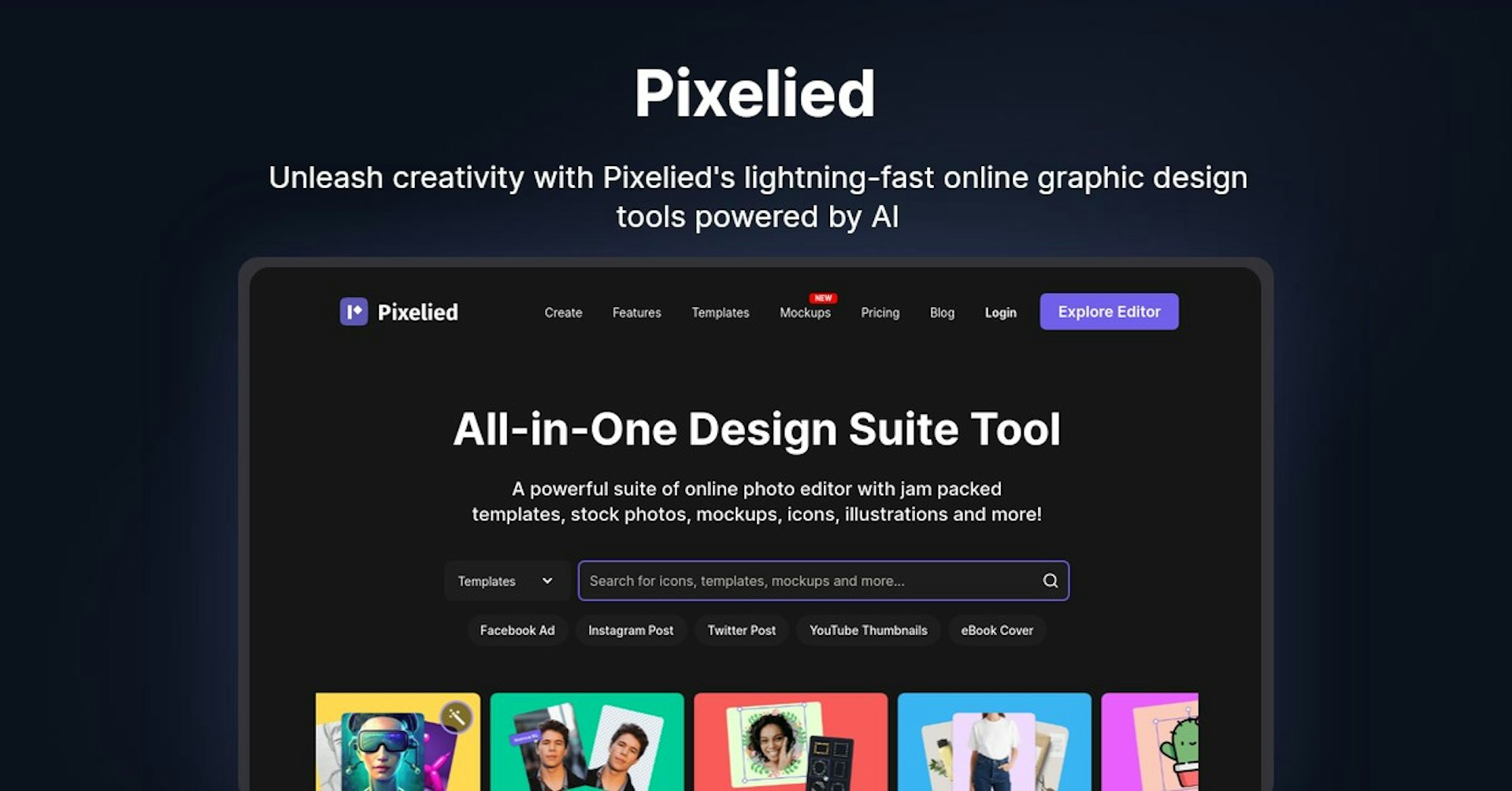
Pixelied is a powerful AI-powered design suite that enables users to create eye-catching graphics in minutes. It offers a range of features that make graphic design easy and accessible, even for those without extensive design knowledge.
What Is Pixelied?
Pixelied is a cloud-based design tool. It allows users to generate and edit images using AI technology. The suite includes customizable templates, professional filters, and access to over 2,000 editable mockup assets. Users can create graphics quickly and efficiently without the need for expensive software.
Purpose And Target Audience
Pixelied is designed for graphic designers, marketers, and SaaS companies. Its purpose is to simplify design tasks, saving time and money. The tool is user-friendly and does not require technical expertise, making it ideal for both professionals and beginners.
| Feature | Description |
|---|---|
| AI Image Generation | Create images from text prompts with four variations. |
| Customizable Templates | Use templates for product mockups and other designs. |
| AI Photo Editor | Enhance images with tools like background remover and photo sharpener. |
| Professional Filters | Apply effects such as sepia, vintage, and blur. |
| Mockup Assets | Access over 2,000 editable assets like t-shirts and laptops. |
| Brand Presets | Create unlimited brand presets and upload custom fonts. |
| Premium Icons | Access 500,000+ premium icons and illustrations. |
| Resize Designs | Resize designs to 30+ formats easily. |
| Text Styles | Choose from 100+ text styles. |
| AI Cartoon Selfie | Create cartoon selfies and face cutouts. |
| Download Options | Download in multiple formats including PDF, SVG, and WebP. |
Key Features Of Pixelied
Pixelied is a cloud-based design suite that simplifies the process of creating stunning graphics. It offers a range of features that cater to both novice and experienced designers. This section delves into the key features that make Pixelied a powerful tool for graphic design.
User-friendly Interface
Pixelied boasts a user-friendly interface that makes it accessible to everyone. The intuitive design ensures that you can navigate the platform effortlessly. Even without technical expertise, users can create professional graphics. The interface is clean and organized, allowing users to focus on their designs without distractions.
Extensive Template Library
Pixelied provides access to an extensive template library. It includes over 2,000 editable mockup assets. These templates cover various categories like t-shirts, phones, laptops, print, and packaging. The library helps you start your design quickly and customize it to fit your needs.
Advanced Editing Tools
Pixelied comes with a suite of advanced editing tools. The AI photo editor includes enhancement tools such as background remover, photo sharpener, and colorizer. Users can apply professional filters and effects including sepia, vintage, brightness, blur, and contrast. The platform also offers AI image generation from text prompts, providing four variations for each prompt.
Collaboration Features
Pixelied supports collaboration features that make it easy for teams to work together. Depending on the plan, you can add team members to your workspace. The Single Plan allows 1 team member, the Double Plan allows 3, and the Multiple Plan allows up to 5 team members. This feature is ideal for businesses and teams working on joint projects.
Branding Tools
Pixelied offers robust branding tools to help maintain brand consistency. Users can create unlimited brand presets and upload custom fonts. The platform also provides access to over 500,000 premium icons and illustrations. This ensures that your designs align perfectly with your brand identity.
Pixelied Pricing Plans
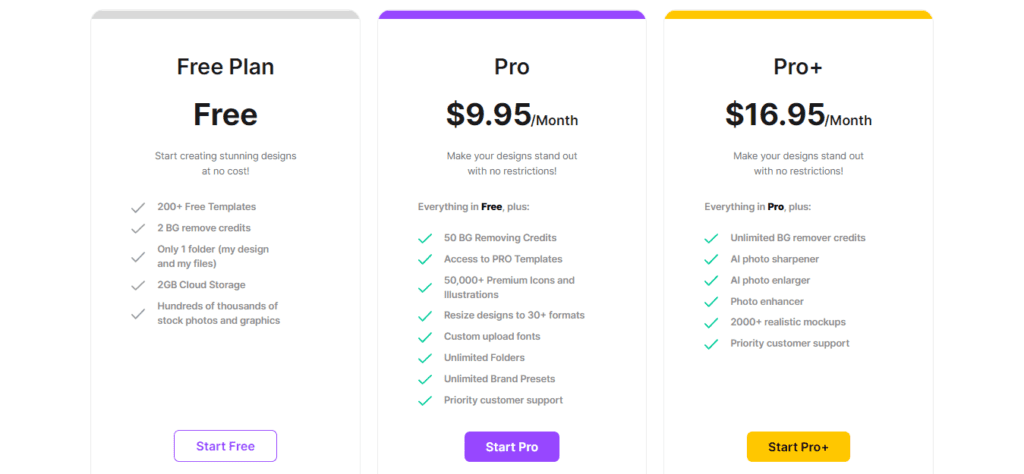
Pixelied offers flexible pricing plans to cater to different needs. Whether you’re a solo designer or a collaborative team, Pixelied has a plan for you. Let’s explore the options available.
Free Plan: What’s Included?
The Free Plan is great for beginners or those who want to test Pixelied’s features. Here’s what you get:
- Access to basic design tools
- Limited AI image generation credits
- Basic templates and mockup assets
- Ability to create and download designs
While the Free Plan provides a good start, it has limitations. For more advanced features, consider upgrading.
Pro Plan: Benefits And Cost
The Pro Plan is perfect for serious designers and marketers. This plan offers:
- Unlimited access to advanced design tools
- 20 AI image generation credits per month
- 35 background remove credits per month
- Customizable templates and premium assets
- Unlimited brand presets and custom fonts
The Pro Plan costs a one-time payment of $49. This plan provides more value and saves time on design tasks.
Team Plan: Ideal For Collaborative Work
The Team Plan is designed for collaborative projects. It includes all features of the Pro Plan with added benefits:
- 10 workspaces for team collaboration
- 40 AI image generation credits per month
- 75 background remove credits per month
- 3 team members included
This plan is available for a one-time payment of $98. It’s ideal for teams who need to work together on design projects.
| Plan | One-time Payment | Workspaces | AI Image Credits | Background Remove Credits | Team Members |
|---|---|---|---|---|---|
| Free Plan | Free | 1 | Limited | Limited | 1 |
| Pro Plan | $49 | 5 | 20 | 35 | 1 |
| Team Plan | $98 | 10 | 40 | 75 | 3 |
Choose the plan that best fits your needs and start creating stunning designs with Pixelied today.
Pros And Cons Of Pixelied
Pixelied is an AI-powered design suite that helps users create stunning graphics effortlessly. This section will delve into the advantages and limitations of using Pixelied. Understanding these pros and cons will help you make an informed decision about whether Pixelied is the right tool for your design needs.
Advantages Of Using Pixelied
Pixelied offers numerous benefits that make it an attractive choice for graphic designers, marketers, and SaaS companies. Here are some of the key advantages:
- AI Image Generation: Generate images from text prompts with four variations.
- Customizable Templates: Use templates for product mockups to save time.
- AI Photo Editor: Enhance images with tools like background remover and photo sharpener.
- Professional Filters and Effects: Apply filters like sepia, vintage, brightness, blur, and contrast.
- Extensive Asset Library: Access over 2,000 editable mockup assets and 500,000+ premium icons and illustrations.
- Unlimited Brand Presets: Create and use unlimited brand presets and custom fonts.
- Multiple Download Options: Download your designs in various formats, including PDF, SVG, and WebP.
- User-Friendly Interface: No technical expertise is required to use Pixelied.
- Cost-Effective: Save money on design tasks with a one-time payment.
Limitations To Consider
While Pixelied offers many benefits, there are some limitations to consider:
- Limited AI Credits: The number of AI image generation and background removal credits is capped based on the plan.
- Team Member Restrictions: The number of team members is limited, varying by plan.
- Upfront Cost: The one-time payment might be high for some users, though it is a cost-effective option in the long run.
- Feature Limits: Some features may require purchasing additional codes to increase limits.
Overall, Pixelied offers a range of powerful tools and features that can enhance your design projects. By weighing the advantages and limitations, you can determine if Pixelied is the right fit for your needs.
Who Should Use Pixelied?
Pixelied offers a versatile design solution suitable for a wide range of users. This cloud-based suite, powered by AI, simplifies graphic creation. It provides tools that cater to specific needs, making it a go-to choice for various professionals.
Best Scenarios For Freelancers
Freelancers often juggle multiple projects. Pixelied helps streamline their design process. With customizable templates and AI-powered features, freelancers can produce professional graphics quickly. Key benefits include:
- AI image generation saves time on creating visuals from scratch.
- Background remover enhances images without extra software.
- Access to over 2,000 editable mockup assets.
- Unlimited brand presets for maintaining client branding.
These features ensure that freelancers deliver high-quality work efficiently.
Benefits For Small Businesses
Small businesses benefit greatly from Pixelied’s user-friendly interface. The tool does not require extensive design knowledge. This makes it accessible for business owners and staff. Some advantages include:
- Creating realistic product mockups in minutes.
- Enhancing images with AI tools.
- Saving on design costs with a one-time payment.
- Resizing designs to 30+ formats for various marketing needs.
Pixelied helps small businesses present a professional image without breaking the bank.
Why Agencies Might Find Pixelied Beneficial
Agencies handle diverse client needs. Pixelied supports this with multiple team members and workspaces. Agencies can manage projects efficiently. Key features include:
- Multiple workspaces for organizing client projects.
- Team member access for collaborative work.
- Professional filters and effects to enhance visuals.
- 500,000+ premium icons and illustrations to use in designs.
These features allow agencies to deliver high-quality designs consistently.
| Plan | Price | Workspaces | AI Image Credits | Team Members |
|---|---|---|---|---|
| Single Plan | $49 | 5 | 20/month | 1 |
| Double Plan | $98 | 10 | 40/month | 3 |
| Multiple Plan | $147 | 25 | 60/month | 5 |
With these plans, Pixelied offers scalable options that fit various professional needs.
Credit: deepgram.com
Credit: kripeshadwani.com
Frequently Asked Questions
What Are The Pixelied Pricing Plans?
Pixelied offers multiple pricing plans, including a free tier. Paid plans start at affordable monthly rates, providing more features and access.
Does Pixelied Offer A Free Trial?
Yes, Pixelied provides a free trial. This allows users to explore premium features before committing to a paid plan.
Can I Cancel Pixelied Subscription Anytime?
Yes, you can cancel your Pixelied subscription anytime. The cancellation process is straightforward and hassle-free.
What Features Are Included In Pixelied’s Paid Plans?
Pixelied’s paid plans include advanced design tools, unlimited downloads, and priority support. They also offer more templates and assets.
Conclusion
Pixelied offers great value and powerful design tools. It caters to designers, marketers, and businesses. The AI-powered features simplify creating stunning graphics. The pricing plans are affordable, offering lifetime access. For more details, visit Pixelied.
