

Creating stunning graphics can be challenging without the right tools. That’s where Drawtify comes in.
Drawtify is an online illustrator and vector graphic editor designed to simplify the design process. It offers powerful tools and numerous templates, making it ideal for both designers and non-designers. With features like a 100% vector editor, over 1000 design element templates, and 20,000+ icons and shapes, creating professional designs is now easier than ever. Whether you need to design a logo, infographic, or business card, Drawtify has you covered. Plus, with a one-time purchase of $79.90, you get lifetime access and all future updates. Interested in transforming your design experience? Check out Drawtify here.
Introduction To Drawtify
Welcome to the world of Drawtify, a user-friendly online illustrator and vector graphic editor. This tool is designed to make professional-looking designs easily and quickly. It provides powerful tools and numerous templates and design elements for both designers and non-designers.
Overview Of Drawtify
Drawtify is a versatile online illustrator and vector graphic editor that offers a wide range of features:
- 100% Vector Editor
- 1000+ design element templates
- 20K+ icons and shapes
- Built-in multiple table editing tools
- Built-in barcode generator
- Fast & Precise Photo Edit
- Incredible Special Effects
- Artistic Typography & Layout
- Intuitive Animation Tools
- Unlimited Layer List
With these features, Drawtify allows users to create beautiful graphics online for free. It includes tools like SVG editor, animated logo maker, infographic maker, flyer maker, poster maker, YouTube banner maker, business card maker, and vector logo maker.
Purpose And Target Audience
Drawtify is suitable for a wide range of users:
- Content creators
- Freelancers
- Graphic designers
The platform provides access to high-quality editable design templates, elements, and plug-ins. Users can benefit from features like:
- Access to 100M+ HD photos
- Integration with Unsplash
Drawtify serves as an excellent alternative to other design tools like Adobe Illustrator, Canva, and Visme. Its pricing details are competitive:
| Pricing | Details |
|---|---|
| One-time purchase | $79.90 (regular price $990) |
| Access | Lifetime access to Drawtify Plan |
| Updates | All future Drawtify Plan updates included |
Additionally, Drawtify offers a 60-day money-back guarantee, allowing users to try it out for 2 months to ensure it meets their needs.

Credit: m.youtube.com
Key Features Of Drawtify
Drawtify stands out as a versatile online illustrator and vector graphic editor. It caters to both designers and non-designers with its rich features. Let’s delve into the key features that make Drawtify a preferred choice.
Intuitive Drag-and-drop Interface
Drawtify offers an intuitive drag-and-drop interface that simplifies the design process. Users can easily place elements exactly where they need them. This interface reduces the learning curve, making it accessible for beginners.
Extensive Template Library
With over 1000+ design element templates and 20K+ icons and shapes, Drawtify provides a vast library. Users can quickly start their projects with pre-designed templates, saving time and effort.
Advanced Graphic Design Tools
Drawtify includes a range of advanced graphic design tools. These tools allow for precise editing, including built-in multiple table editing tools and a barcode generator. Designers can create detailed and professional graphics easily.
Customizable Vector Graphics
Being a 100% vector editor, Drawtify ensures that graphics are scalable without loss of quality. Users can customize vector graphics extensively, making it ideal for creating logos, infographics, and more.
Animation Capabilities
Drawtify features intuitive animation tools. Users can add animations to their designs, making them more dynamic. This feature is particularly useful for creating engaging content for social media and presentations.
Cloud-based Collaboration
With Drawtify’s cloud-based collaboration, teams can work together seamlessly. Projects can be accessed and edited from anywhere, facilitating remote work and real-time collaboration.
These key features make Drawtify a powerful tool for creating professional and eye-catching designs. Whether you are a seasoned designer or a beginner, Drawtify has something to offer.
Pricing And Affordability
Understanding the pricing and affordability of Drawtify is essential for any potential user. Drawtify offers various plans and features designed to cater to different needs. Let’s dive into the details.
Subscription Plans
Drawtify provides a straightforward pricing model:
| Plan | Price | Details |
|---|---|---|
| One-time Purchase | $79.90 | Lifetime access to Drawtify Plan |
For a one-time fee of $79.90 (regular price $990), users receive lifetime access to all the features of the Drawtify Plan, including all future updates.
Free Vs. Paid Features
Drawtify offers a range of free features that are quite robust. However, the paid version unlocks additional capabilities:
- Free Features:
- Create beautiful graphics online
- Access to high-quality editable design templates
- Includes SVG editor, flyer maker, and more
- Paid Features:
- 100M+ HD photos
- Access to 20K+ icons and shapes
- Unlimited layer list
- Built-in barcode generator
- Advanced photo editing tools
Users can start with the free features and upgrade to the paid plan as their design needs grow.
Value For Money
Drawtify’s one-time payment model offers significant value for money. For just $79.90, users receive lifetime access to a powerful design tool. Comparable tools like Adobe Illustrator and Canva require ongoing subscriptions, which can be more expensive over time.
Additionally, Drawtify includes a 60-day money-back guarantee, allowing users to try it risk-free. The combination of a low one-time fee and a generous refund policy makes Drawtify an attractive option for designers and content creators.
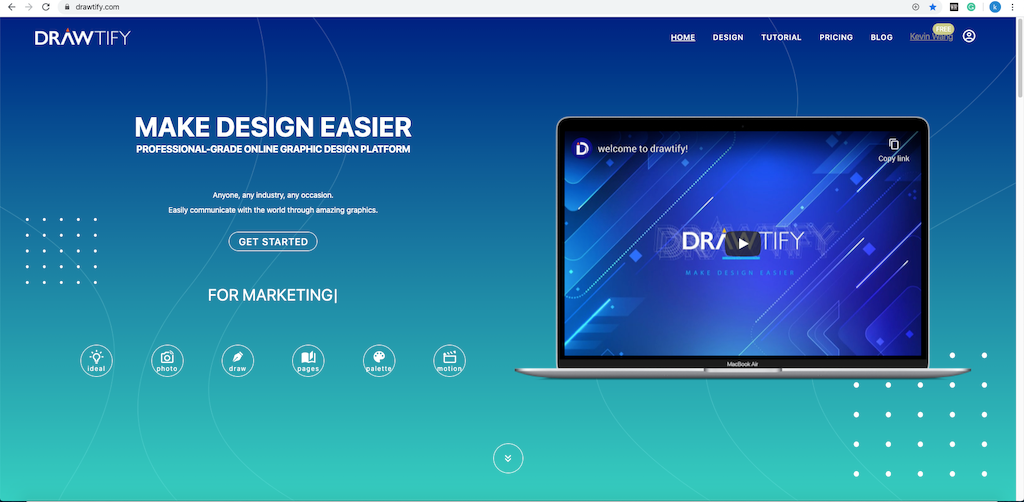
Credit: drawtify.com
Pros And Cons Of Drawtify
Drawtify is a popular online illustrator and vector graphic editor. It offers a range of features that can benefit both professional designers and non-designers. In this section, we will explore the advantages and limitations of using Drawtify.
Advantages Of Using Drawtify
Drawtify comes with many advantages that make it a preferred choice for many users. Below are some key benefits:
- User-friendly: The interface is easy to navigate, making it suitable for beginners.
- 100% Vector Editor: Allows for precise and scalable designs.
- Extensive Template Library: Over 1000 design element templates and 20K+ icons and shapes.
- Special Tools: Includes built-in barcode generator and multiple table editing tools.
- Photo Editing: Fast and precise photo editing with incredible special effects.
- Artistic Typography: Offers artistic typography and layout options.
- Animation Tools: Intuitive tools for creating animations.
- Unlimited Layers: Manage complex designs with an unlimited layer list.
- Integration: Integrates with Unsplash for access to 100M+ HD photos.
Drawtify is also a cost-effective solution, providing a lifetime plan for a one-time purchase of $79.90, which includes all future updates.
Limitations And Potential Drawbacks
While Drawtify offers many benefits, it has some limitations that users should be aware of:
- Learning Curve: Although user-friendly, it may take time to master all features.
- Limited Offline Use: Primarily an online tool, which may limit offline functionality.
- Resource Intensive: Can be resource-heavy and may slow down on older devices.
Despite these drawbacks, Drawtify remains a powerful tool for creating professional designs quickly and easily.
Recommendations For Ideal Users And Scenarios
Drawtify is a versatile online illustrator and vector graphic editor. It caters to both professional designers and non-designers. This section explores the best use cases and who will benefit the most from Drawtify.
Best Use Cases For Drawtify
Drawtify is ideal for creating professional-looking designs quickly and easily. Here are some specific scenarios where Drawtify excels:
- Creating Marketing Materials: Use Drawtify to design stunning flyers, posters, and business cards with ease.
- Social Media Graphics: Create engaging YouTube banners, Instagram posts, and Facebook covers using the vast library of templates.
- Infographics: Make eye-catching infographics with built-in templates and design elements.
- Logo Design: Utilize the animated logo maker and vector logo maker to craft unique logos for brands.
- Photo Editing: Fast and precise photo edit tools for enhancing images.
Who Will Benefit The Most From Drawtify
Drawtify offers a range of benefits for different types of users. Here’s a breakdown of who will benefit the most:
| User Type | Benefits |
|---|---|
| Content Creators | Access to high-quality templates and design elements for creating professional content quickly. |
| Freelancers | Affordable alternative to Adobe Illustrator with a one-time purchase and lifetime access. |
| Graphic Designers | Powerful vector editing tools, unlimited layers, and artistic typography for detailed design work. |
| Businesses | Create marketing materials, logos, and infographics to enhance branding and communication. |
| Non-Designers | User-friendly interface with numerous templates to make design easier and more accessible. |
With its rich feature set and easy-to-use tools, Drawtify is a valuable tool for anyone needing high-quality graphic design capabilities.
Credit: drawtify.com
Frequently Asked Questions
What Is Drawtify?
Drawtify is an online graphic design software. It offers various tools for creating professional designs easily.
Is Drawtify Free To Use?
Drawtify offers a free version with basic features. For advanced features, a subscription is required.
Can Beginners Use Drawtify?
Yes, Drawtify is beginner-friendly. It provides templates and tutorials to help new users.
What Features Does Drawtify Offer?
Drawtify offers features like vector editing, animations, infographics, and templates. It supports both print and digital designs.
Conclusion
Drawtify offers an efficient and user-friendly design experience. It suits both beginners and professionals. With numerous templates and elements, creating stunning designs becomes simple. The competitive pricing and lifetime access make it a valuable investment. Want to explore Drawtify? Check it out here. Start designing with ease and creativity today!
