

Vivomeetings is a top-notch communication platform. It excels in hosting remote meetings and events.
In this Vivomeetings review, we will explore how this cloud-based tool can transform your online meetings. With features like HD video, real-time chat, and custom branding, Vivomeetings stands out in the crowded market of communication tools. Whether you are an educator, business professional, or event organizer, this platform promises seamless connectivity and productivity. Read on to discover why Vivomeetings might be the perfect solution for your needs. Learn more about Vivomeetings here.
Introduction To Vivomeetings
In today’s fast-paced world, having a reliable platform for remote meetings is essential. Vivomeetings is a cloud-based communication platform that offers video, voice, chat, and content sharing. It makes remote collaboration effortless and accessible for everyone.
Overview Of Vivomeetings
Vivomeetings supports multiple devices and operating systems including Mac, Windows, iOS, and Android. It allows up to 300 video participants and 10,000 viewers per live stream. The platform ensures high-definition video quality up to 1080p. Vivomeetings includes features such as:
- Meeting highlights
- Transcription
- Live meeting controls
- Analytics
- Automated alerts
Security is paramount, with enterprise-grade security and GDPR compliance. Interoperability is seamless with one-touch access across devices, browsers, and meeting platforms. Users can share screens and documents (desktop only), and engage in real-time chat, webinars, and more.
Purpose And Target Audience
Vivomeetings is designed for consumers, enterprises, and educational institutions. It is ideal for:
- Hosting remote meetings
- Conducting online courses
- Organizing virtual events
The platform is user-friendly with intuitive scheduling, mobile apps, and pinless entry. AI-generated meeting transcriptions, enhanced security options, and integration with tools like Google Calendar, Make, and Zapier boost productivity. Vivomeetings offers flexible pricing plans:
| Plan | Price | Features |
|---|---|---|
| Plan 1 | $72 (One-time) | Basic Plan Host, up to 12 attendees, webinar mode, screen sharing, file transfer, online whiteboard, HD video conferencing, iOS and Android apps, virtual backgrounds, waiting room, breakout rooms, music on hold, annotation, polling, team chat, account administration, support (email, chat) |
| Plan 2 | $144 (One-time) | Starter Plan Host, up to 24 attendees, all features of Plan 1 |
| Plan 3 | $216 (One-time) | Standard Plan Host, up to 50 attendees, all features of Plan 2, speaker spotlight, custom hold music |
Vivomeetings ensures a seamless experience for small meetings and large gatherings. It integrates with email and calendar applications for ease of use. A 60-day money-back guarantee and lifetime access make it a valuable investment.

Credit: www.grabltd.com
Key Features Of Vivomeetings
Vivomeetings is a powerful platform designed to enhance your online meetings and events. Let’s dive into some of its key features that make it stand out.
The user-friendly interface of Vivomeetings ensures that anyone can host or join a meeting with ease. The platform supports Mac, Windows, iOS, and Android, providing seamless access across various devices. Scheduling and joining meetings is straightforward, with features like pinless entry and SMS reminders simplifying the process.
Vivomeetings offers HD video up to 1080p and crystal-clear audio quality. With a meeting capacity of up to 300 video participants and 10,000 viewers per live stream, it ensures that your meetings are smooth and professional. The platform also includes live meeting controls and automated alerts to enhance the experience.
Vivomeetings includes robust collaboration tools such as screen and document sharing (desktop only). This feature enables participants to share content effortlessly, making it ideal for remote meetings, courses, and events. Additional tools like polls, Q&As, live chat, and an online whiteboard foster interactive and engaging sessions.
One standout feature is the meeting recording and transcription capabilities. Vivomeetings can automatically transcribe meetings, providing AI-generated meeting highlights and comprehensive analytics. This ensures that no important detail is missed and facilitates easy reference and review.
Security is a top priority for Vivomeetings. The platform offers enterprise-grade security and is GDPR-compliant. It includes enhanced security options such as waiting rooms, custom branding, and admin user management. These features ensure that your meetings are secure and your data is protected.
User-friendly Interface
Vivomeetings offers a user-friendly interface, making it accessible for everyone. Whether you are hosting remote meetings, courses, or events, the platform ensures a seamless experience.
Ease Of Navigation
The interface of Vivomeetings is designed to be intuitive. Users can easily schedule meetings and navigate through the platform without any hassle. The platform supports one-touch access across devices and browsers, making it even easier to join meetings.
| Feature | Details |
|---|---|
| One-Touch Access | Available across devices and browsers |
| Pinless Entry | No need to remember PINs |
| Intuitive Scheduling | Simple and easy-to-use scheduling interface |
Customizable Layouts
Vivomeetings allows users to customize their meeting layouts. This feature enhances the user experience by providing branded meeting pages, emails, and URLs. Users can also customize virtual backgrounds and waiting rooms.
- Branded Meeting Pages
- Custom Emails
- Custom URLs
- Virtual Backgrounds
- Customized Waiting Rooms
Cross-platform Compatibility
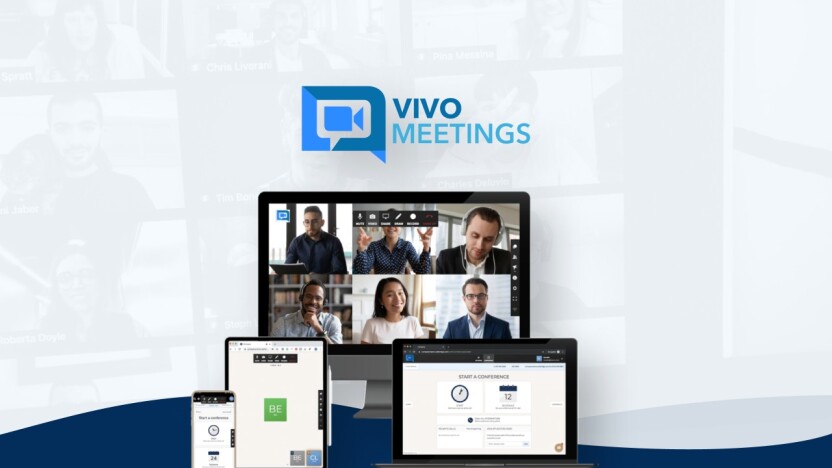
Vivomeetings is compatible with multiple platforms, including Mac, Windows, iOS, and Android. This cross-platform compatibility ensures that users can join meetings from any device. The platform also supports integration with Google Calendar, Make, and Zapier.
- Mac
- Windows
- iOS
- Android
Additionally, Vivomeetings offers enterprise-grade security and GDPR compliance, ensuring safe and secure communication across all platforms.
Credit: appsumo.com
High-quality Video And Audio
Vivomeetings offers a seamless and immersive communication experience. The platform ensures that every meeting, course, or event is crystal clear. Let’s dive into the specifics of its high-quality video and audio capabilities.
Hd Video Quality
Vivomeetings provides HD video up to 1080p, delivering sharp and clear images. This high resolution ensures that all participants can see every detail, enhancing the overall meeting experience.
Whether you’re using Mac, Windows, iOS, or Android, the video quality remains consistent. This flexibility allows you to connect without worrying about compatibility issues.
Noise Cancellation
The platform features advanced noise cancellation technology. This ensures that background noises are minimized, allowing for clear and uninterrupted communication.
This feature is particularly useful in noisy environments, ensuring that your voice remains the focus of the conversation.
Consistent Performance
Vivomeetings guarantees consistent performance across various devices and locations. This means that whether you’re hosting a small meeting or a large conference, the quality of the video and audio remains stable.
The platform supports up to 300 video participants and 10,000 viewers per live stream. This scalability ensures that you can accommodate a wide range of events without compromising on quality.
Additionally, the platform’s enterprise-grade security ensures that your meetings are not only high-quality but also secure and compliant with GDPR standards.
| Feature | Details |
|---|---|
| Video Quality | HD up to 1080p |
| Noise Cancellation | Advanced technology for clear communication |
| Meeting Capacity | Up to 300 video participants, 10,000 viewers |
| Platforms Supported | Mac, Windows, iOS, Android |
Screen Sharing And Collaboration Tools
Vivomeetings offers an array of screen sharing and collaboration tools. These features enhance productivity during remote meetings. Seamless integration ensures a smooth experience for all participants.
Real-time Screen Sharing
The real-time screen sharing feature in Vivomeetings is robust and easy to use. Participants can share their screens with a single click. This feature supports both Mac and Windows platforms. It allows users to share entire screens or specific applications. This flexibility helps in focusing on the important content.
Real-time screen sharing is beneficial for various scenarios. It is useful for presentations, demonstrations, and collaborative work. The HD video quality ensures clarity in shared content. This feature supports up to 300 video participants. Additionally, it can handle 10,000 viewers per live stream. This makes it suitable for both small and large meetings.
Interactive Whiteboards
Vivomeetings includes interactive whiteboards for enhanced collaboration. The whiteboard tool is intuitive and versatile. Users can draw, write, and annotate in real-time. This feature is ideal for brainstorming sessions and visual presentations.
The interactive whiteboard supports multiple users. This allows for a collaborative environment where everyone can contribute. The tool is available on desktop platforms, providing a seamless experience. It enhances engagement and interactivity during meetings.
Collaborative Document Editing
The collaborative document editing feature in Vivomeetings is a powerful tool. It enables multiple users to edit documents simultaneously. This feature is perfect for team projects and collaborative tasks. Users can see changes in real-time, ensuring everyone is on the same page.
Document editing supports a variety of file types. This flexibility makes it suitable for different industries and tasks. The feature is integrated into the meeting platform, providing a unified experience. It enhances productivity by reducing the need for external tools.
In summary, Vivomeetings provides comprehensive screen sharing and collaboration tools. These features make remote meetings more productive and engaging. The platform is user-friendly and versatile, catering to various needs.
Meeting Recording And Transcription
Vivomeetings offers robust meeting recording and transcription features that enhance the productivity of remote meetings. These features ensure that all important discussions are captured and easily accessible for future reference.
Automatic Recording
Vivomeetings provides the option for automatic recording of meetings. Once enabled, this feature starts recording as soon as the meeting begins, ensuring no important detail is missed.
Users can rely on this feature to capture all video, audio, and shared content seamlessly. This is especially useful for participants who may join late or need to review the meeting later.
Transcription Accuracy
Vivomeetings boasts high transcription accuracy thanks to advanced AI technology. The platform generates accurate transcriptions of meetings, making it easier to reference specific points discussed during the session.
With this feature, users can quickly search through transcriptions to find relevant information, making meeting follow-ups more efficient.
Storage And Access
All recorded meetings and transcriptions are stored securely in the cloud. Vivomeetings ensures that accessing these recordings is straightforward and convenient. Users can access their stored recordings from any device, whether it’s a Mac, Windows, iOS, or Android device.
Additionally, the platform provides enterprise-grade security to keep all data safe and compliant with GDPR regulations.
Security And Privacy Features
Vivomeetings prioritizes the security and privacy of its users. This platform is designed to provide a secure and private environment for all your online meetings, conference calls, and content sharing. Below, we explore some of the key security and privacy features that make Vivomeetings a reliable choice.
End-to-end Encryption
Vivomeetings implements end-to-end encryption to ensure that all communication during meetings remains secure. This means that the data transmitted between meeting participants is encrypted and can only be decrypted by the intended recipients. This feature protects sensitive information from unauthorized access.
- All data encrypted in transit
- Prevents eavesdropping and unauthorized access
- Ensures privacy for confidential meetings
User Authentication
To further enhance security, Vivomeetings includes robust user authentication mechanisms. Participants need to verify their identity before joining a meeting, ensuring that only authorized individuals can access the session. This feature helps to prevent unauthorized entry and potential security breaches.
- Multi-factor authentication
- Secure login credentials
- Prevents unauthorized access
Data Protection Policies
Vivomeetings adheres to strict data protection policies, complying with regulations such as GDPR. This ensures that user data is handled with the utmost care and confidentiality. The platform has implemented various measures to protect user data from potential threats.
| Policy | Description |
|---|---|
| GDPR Compliance | Ensures protection of personal data of EU citizens |
| Data Encryption | Encrypts data both in transit and at rest |
| Access Controls | Restricts data access to authorized personnel only |
These features collectively make Vivomeetings a secure and private platform for all your online communication needs.

Credit: m.youtube.com
Pricing And Affordability
Choosing the right platform for remote meetings and events can be challenging. One critical factor is pricing and affordability. Vivomeetings offers various plans to fit different needs and budgets. Let’s explore the details.
Subscription Plans
Vivomeetings provides three main subscription plans. Each plan is a one-time payment, granting lifetime access. This structure eliminates the hassle of recurring fees.
| Plan | Price | Attendees | Features |
|---|---|---|---|
| Plan 1 | $72 | Up to 12 |
|
| Plan 2 | $144 | Up to 24 | All features of Plan 1 |
| Plan 3 | $216 | Up to 50 |
|
Free Vs. Paid Options
Vivomeetings does not offer a free plan. Instead, they provide a 60-day money-back guarantee. This allows users to test the platform thoroughly. Users can experience all features risk-free for two months. This approach ensures satisfaction before committing financially.
Value For Money
Vivomeetings’ one-time payment plans offer significant value. Compared to monthly subscriptions, users save money over time. Features like HD video conferencing, breakout rooms, and meeting transcription enhance productivity and engagement. The platform supports up to 300 video participants and 10,000 live stream viewers. Such capacity makes Vivomeetings ideal for both small meetings and large events.
Lifetime access means no recurring fees. Users benefit from continuous updates and support. The integration with Google Calendar, Make, and Zapier adds convenience. The ability to customize branding and meeting links is a plus for businesses and educators. Overall, Vivomeetings provides a cost-effective solution with robust features.
Pros And Cons Of Vivomeetings
Vivomeetings offers a range of features designed to enhance online meetings, courses, and events. Let’s dive into the advantages and disadvantages of using this platform to help you determine if it fits your needs.
Advantages
- Ease of Use: Vivomeetings is intuitive, with features like mobile apps, pinless entry, and SMS reminders.
- High Meeting Capacity: Supports up to 300 video participants and 10,000 viewers per live stream.
- HD Video Quality: Provides HD video up to 1080p, ensuring clear and professional-looking meetings.
- Intelligence Features: Includes meeting highlights, transcription, live meeting controls, analytics, and automated alerts.
- Security: Offers enterprise-grade security and is GDPR-compliant.
- Content Sharing: Allows screen and document sharing (desktop only).
- Real-time Chat: Enables participants to communicate via chat during meetings.
- Custom Branding: Customizable meeting pages, emails, and URLs enhance your brand’s presence.
- Integration: Integrates with Google Calendar, Make, and Zapier for seamless scheduling and notifications.
- Flexibility: Suitable for both small meetings and large gatherings, integrating well with email and calendar applications.
Disadvantages
- Platform Limitations: Content sharing is limited to desktop only, which might be restrictive for some users.
- Learning Curve: While intuitive, new users might require some time to familiarize themselves with all features.
- Pricing: The cost might be a concern for small businesses or individuals, despite the one-time payment model.
- Advanced Features: Some advanced features like custom hold music and speaker spotlight are available only in higher-priced plans.
Pricing Details
| Plan | Price | Features |
|---|---|---|
| Plan 1 | $72 (One-time payment, originally $90) | Basic Plan Host, up to 12 attendees, webinar mode, screen sharing, file transfer, online whiteboard, HD video conferencing, iOS and Android apps, virtual backgrounds, waiting room, breakout rooms, music on hold, annotation, polling, team chat, account administration, support (email, chat) |
| Plan 2 | $144 (One-time payment, originally $180) | Starter Plan Host, up to 24 attendees, all features of Plan 1 |
| Plan 3 | $216 (One-time payment, originally $270) | Standard Plan Host, up to 50 attendees, all features of Plan 2, speaker spotlight, custom hold music |
Refund Or Return Policies
Money-Back Guarantee: Vivomeetings offers a 60-day money-back guarantee. You can try the platform for two months to ensure it meets your needs.
Lifetime Access: A one-time payment grants you lifetime access to Vivomeetings.
Ideal Users And Scenarios
Vivomeetings is a versatile platform designed to cater to various user needs and scenarios. Its robust features ensure seamless communication, making it a great choice for different types of users. Below, we explore the best use cases and recommendations for specific industries.
Best Use Cases
- Remote Meetings: Vivomeetings enables high-quality video and audio conferencing for remote teams. With support for up to 300 video participants, it is ideal for businesses with distributed workforces.
- Educational Institutions: Educators can host virtual classes with breakout rooms, live Q&As, and polls. The platform’s HD video quality ensures clear communication.
- Webinars: The webinar mode allows for engaging presentations to up to 10,000 viewers. Features like YouTube Live streaming and RTMP streaming enhance reach and interaction.
- Large Conferences: Organizations can conduct large-scale events with ease. The platform supports seamless content sharing and real-time chat, making it suitable for conferences and seminars.
Recommendations For Specific Industries
| Industry | Recommendation |
|---|---|
| Corporate | Use Vivomeetings for team meetings, client presentations, and project collaborations. The platform’s interoperability and custom branding options add value. |
| Healthcare | Conduct telehealth sessions with the platform’s enterprise-grade security and HD video quality. Patient data remains secure with GDPR compliance. |
| Education | Host virtual classrooms and training sessions. Features like meeting transcription and analytics help monitor student engagement and performance. |
| Finance | Facilitate secure financial consultations and webinars. The platform’s automated alerts and reporting features assist in compliance and tracking. |
Vivomeetings is a comprehensive solution that addresses the needs of various users and industries. Its flexibility and range of features make it an excellent choice for enhancing communication and collaboration.
Frequently Asked Questions
What Is Vivomeetings?
Vivomeetings is an online video conferencing tool. It facilitates seamless virtual meetings. It is designed for businesses and professionals.
How Does Vivomeetings Work?
Vivomeetings works by providing a platform for online meetings. Users can join via a link. It supports video, audio, and screen sharing.
Is Vivomeetings Secure?
Yes, Vivomeetings is secure. It uses encryption to protect data. It also has robust security features.
Can I Record Meetings On Vivomeetings?
Yes, you can record meetings on Vivomeetings. The platform offers a recording feature. It’s easy to use and manage.
Conclusion
Vivomeetings offers an efficient and user-friendly platform for remote meetings. Its diverse features like breakout rooms, polls, and Q&As cater to various needs. The platform supports multiple devices and ensures high-quality video and audio. With enterprise-grade security and easy integration, Vivomeetings is a reliable choice. Ready to enhance your remote communication? Discover more about Vivomeetings here.
