

When it comes to protecting sensitive data during screen sharing and video recording, Blurweb App offers a simple solution. But what are the costs?
Understanding Blurweb App pricing is crucial for budget-conscious users. Blurweb App is a powerful extension that helps users blur sensitive information on web pages with a single click. This tool is essential for anyone who records or shares their screen, ensuring privacy and security without the need for post-production edits. Whether you’re using Google Meet, Loom, Microsoft Teams, or Zoom, Blurweb App integrates seamlessly, keeping your data safe. In this post, we will explore the different pricing plans available for Blurweb App, helping you choose the right plan for your needs and budget. Ready to discover the best option for you? Let’s dive in! Check out Blurweb App Pricing now!
Introduction To Blurweb App
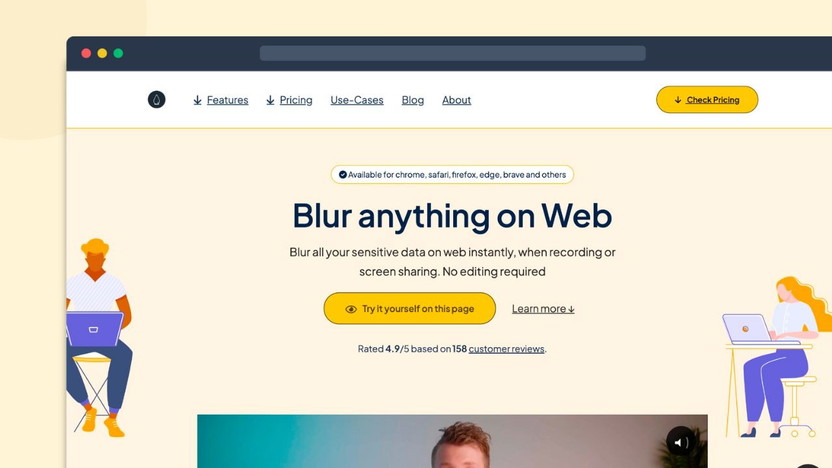
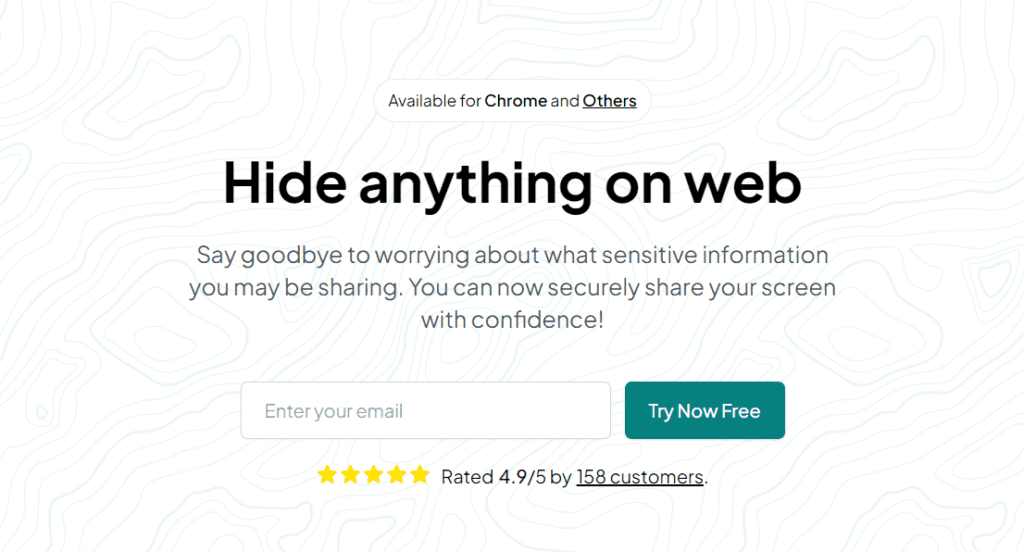
The Blurweb App is a powerful tool designed for video creators. It helps to blur sensitive information on web pages instantly. Whether you are recording or sharing your screen live, Blurweb App ensures data privacy with no need for editing. This makes it an essential tool for those who prioritize data security during presentations and video recordings.
Overview Of Blurweb App
The Blurweb App is a browser extension that offers several features to enhance your screen recording and sharing experience. Here are some of its main features:
- Single Click Blur: Easily blur images, paragraphs, or input fields on any webpage.
- Blur Area Feature: Draw a rectangle to blur a specific area on the webpage.
- Keep Blur: The blur effect remains even if the page is reloaded or revisited.
- Integration Support: Compatible with Google Meet, Loom, Microsoft Teams, and Zoom.
- GDPR-Compliant: Ensures user data protection in compliance with GDPR.
The Blurweb App provides a seamless experience for anyone who needs to hide sensitive information quickly. It is user-friendly and requires minimal effort to operate.
Purpose And Use Cases
The primary purpose of the Blurweb App is to maintain data security during screen sharing and video creation. Here are some of the key benefits:
- Data Security: Prevents accidental exposure of sensitive information.
- Ease of Use: Simple to use with just a single click to blur sensitive areas.
- Time-Saving: Eliminates the need for tedious post-production edits.
- Live Session Safety: Ensures data security even during live video sessions.
With these benefits, the Blurweb App is perfect for teachers, business professionals, and anyone who frequently shares their screen. It is especially useful in remote work environments where data protection is critical.
The pricing for the Blurweb App is straightforward and offers great value:
| Plan | Price | Devices/Browsers |
|---|---|---|
| Plan 1 | $17 (originally $28) | 3 |
| Plan 2 | $34 (originally $56) | 6 |
| Plan 3 | $51 (originally $84) | 9 |
All plans come with a 60-Day Money-Back Guarantee, ensuring you can try the Blurweb App risk-free. Additionally, a one-time payment grants you lifetime access, including all future updates.
Credit: appsumo.com
Key Features Of Blurweb App
Blurweb App offers essential features for maintaining privacy during screen sharing and video recording. This section delves into its key functionalities, ensuring you understand its full potential.
Easy Blurring For Privacy Protection
The Blurweb App makes it simple to blur sensitive information. With its single-click blur feature, you can easily obscure images, paragraphs, or input fields on any webpage. This ensures your private data remains secure during video recordings and live presentations.
Customizable Blurring Options
Blurweb App provides customizable options to enhance your privacy protection. The blur area feature allows you to draw a rectangle and blur a specific part of the webpage. Additionally, the keep blur feature ensures that the blur effect remains even if you reload or revisit the page. These options provide flexibility and control over what you want to hide.
User-friendly Interface
The Blurweb App boasts a user-friendly interface that is easy to navigate. Its simple design ensures that you can quickly access and use its features without any technical difficulties. Whether you are a beginner or an experienced user, you will find it easy to protect your data with this app.
Real-time Blurring Capabilities
One of the standout features of Blurweb App is its real-time blurring capabilities. It supports integration with platforms like Google Meet, Loom, Microsoft Teams, and Zoom. This means you can blur sensitive information during live video sessions, ensuring your data remains secure in real-time.
Pricing Plans And Affordability
The Blurweb App offers different pricing plans to suit various needs. Understanding these plans will help you choose the right one. Let’s explore the details of each plan and their affordability.
Overview Of Pricing Tiers
The Blurweb App provides three distinct pricing tiers:
| Plan | Price | Devices/Browsers |
|---|---|---|
| Plan 1 | 3 | |
| Plan 2 | 6 | |
| Plan 3 | 9 |
Each plan offers a one-time payment for lifetime access. You can choose based on the number of devices or browsers you need.
Monthly Vs Annual Plans
The Blurweb App does not have traditional monthly or annual plans. Instead, all plans are one-time payments. This approach ensures you receive lifetime access without recurring fees. This makes it a cost-effective choice for long-term use.
Free Trial And Money-back Guarantee
The Blurweb App offers a 60-day money-back guarantee. This allows you to try the app for two months. If it doesn’t meet your needs, you can get a full refund.
During this period, you can explore all features and ensure it fits your requirements. This risk-free trial demonstrates the company’s confidence in their product.
In summary, the Blurweb App provides flexible pricing tiers, one-time payments, and a generous money-back guarantee. These factors make it an affordable and practical choice for video creators and professionals.

Credit: www.linkedin.com
Pros And Cons Of Blurweb App
The Blurweb App offers a unique solution for blurring sensitive data on web pages, both in recorded and live screen-sharing scenarios. This section outlines the advantages and challenges associated with using the Blurweb App.
Advantages Based On User Experience
Users have reported several benefits when using the Blurweb App, which contribute to its popularity:
- Single Click Blur: With just one click, you can blur images, paragraphs, or input fields, making it extremely user-friendly.
- Blur Area Feature: This feature allows users to draw a rectangle to blur a specific area on the webpage, offering flexibility and control.
- Keep Blur: The blur effect persists even if the page is reloaded or revisited, ensuring consistent data protection.
- Integration Support: Compatible with popular platforms like Google Meet, Loom, Microsoft Teams, and Zoom, making it versatile for various use cases.
- GDPR-Compliant: Ensures user data protection in compliance with GDPR, which is critical for businesses.
These features contribute to the app’s ease of use and effectiveness in ensuring data security and time-saving during both live and recorded sessions.
Common Challenges And Limitations
Despite its many advantages, the Blurweb App does have some limitations:
- Device Limit: The app is limited to a specific number of devices/browsers based on the chosen plan. Users must choose between three plans:
- Plan 1: $17 for 3 devices/browsers
- Plan 2: $34 for 6 devices/browsers
- Plan 3: $51 for 9 devices/browsers
- Redeem Code Within 60 Days: Users must redeem their code within 60 days of purchase, which might be restrictive for some.
While these challenges may seem minor, they are important to consider when evaluating the app for long-term use.
Overall, the Blurweb App stands out for its data security features and ease of use, despite some limitations in device access and redemption timelines.
Ideal Users And Scenarios For Blurweb App
The Blurweb App is a versatile tool designed for anyone who values data privacy. It is perfect for professionals, educators, and content creators who need to blur sensitive information during video recordings or live sessions. This app is easy to use and integrates seamlessly with popular platforms.
Best Use Cases For Professionals
Professionals often share their screens during meetings and presentations. Blurweb App helps them protect confidential data. With a single click, sensitive information can be blurred instantly, ensuring privacy.
- Business meetings
- Client presentations
- Financial reviews
The app is also GDPR-compliant, making it a valuable tool for those handling personal data.
How Educators And Trainers Can Benefit
Educators and trainers often need to share their screens while teaching. Blurweb App allows them to hide student information quickly.
- Online classes
- Training sessions
- Workshops
This ensures student privacy and keeps the focus on the lesson.
Practical Applications For Content Creators
Content creators can use Blurweb App to protect private information in their videos. This includes blurring out sensitive data in tutorials, reviews, or live streams.
- Tutorial videos
- Product reviews
- Live streaming
The app saves time by eliminating the need for post-production edits. It also ensures data security during live sessions.
| Plan | Price | Devices/Browsers |
|---|---|---|
| Plan 1 | $17 | 3 |
| Plan 2 | $34 | 6 |
| Plan 3 | $51 | 9 |
All plans include lifetime access with a one-time payment. They also come with a 60-day money-back guarantee.
Credit: datadrivendaily.com
Frequently Asked Questions
What Is The Blurweb App Pricing?
Blurweb App offers a subscription-based pricing model. Plans start at $5 per month. Annual subscriptions are available at a discounted rate.
Does Blurweb App Offer A Free Trial?
Yes, Blurweb App offers a 7-day free trial. This allows you to test all features before committing.
Are There Any Discounts For Blurweb App?
Yes, Blurweb App frequently offers discounts. Annual subscription plans generally provide significant savings compared to monthly plans.
How Can I Cancel My Blurweb App Subscription?
You can cancel your Blurweb App subscription anytime. Simply go to your account settings and follow the cancellation process.
Conclusion
Choosing the right Blurweb App plan is simple. Each plan offers great value. Enjoy data security, ease of use, and time-saving features. With prices starting at just $17, it’s affordable for everyone. Plus, the 60-day money-back guarantee means no risk. Lifetime access ensures you stay updated with all future features. Explore more about Blurweb App and secure your data today. Click here to learn more and choose the best plan for you.
