

Blurweb App Review In today’s digital age, protecting sensitive information is crucial. Blurweb App makes this easy by blurring data during screen sharing or video recording with a single click.
Blurweb App is designed for video creators, customer support, and YouTubers who often share their screens. It simplifies the process of hiding sensitive information, saving time and enhancing security. With features like single-click blur for images, text, and input fields, and compatibility with Google Meet, Zoom, and more, this tool is both versatile and user-friendly. Plus, it’s GDPR-compliant, ensuring your data is secure. Whether you’re sharing a screen live or recording a video, Blurweb App offers an efficient solution to keep your private information safe without the need for post-production edits. Learn more about Blurweb App here.
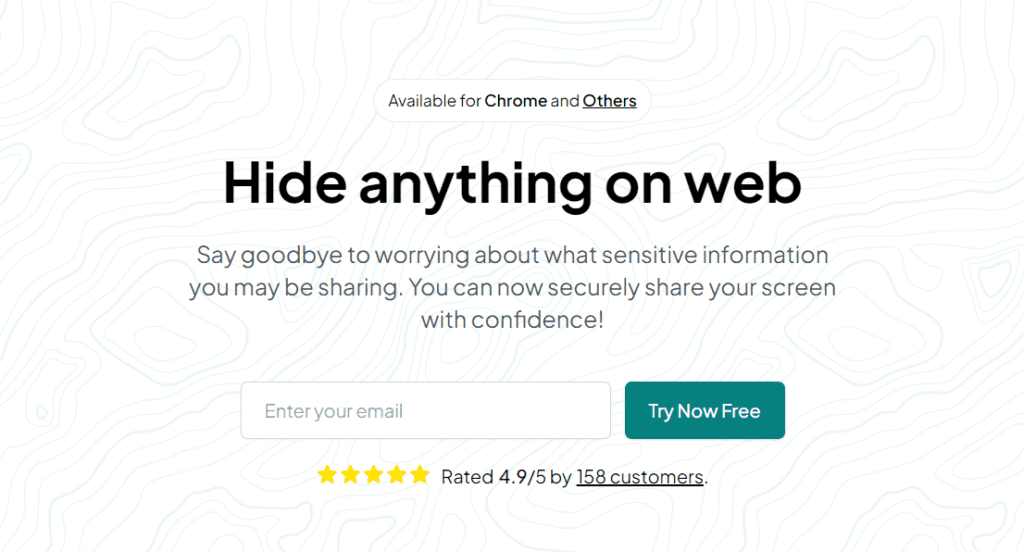
Credit: datadrivendaily.com
Introduction To Blurweb App
In the digital age, protecting sensitive data during screen sharing is vital. The Blurweb App is an innovative tool designed to help you blur sensitive data with a single click. This app ensures your privacy during both live and recorded sessions, making it a must-have for video creators, customer support teams, and YouTubers.
Overview Of Blurweb App
The Blurweb App is a browser extension that works seamlessly on Chrome and Firefox. It integrates with major video conferencing tools like Google Meet, Loom, Microsoft Teams, and Zoom. With this app, you can easily blur images, paragraphs, input fields, and selected text. You can even hide tab titles and icons. The blur effect remains active even if you reload the page, ensuring continuous protection of your sensitive data.
| Feature | Description |
|---|---|
| Single-click blur | Blur images, paragraphs, or input fields with one click. |
| Hide tab title and icon | Conceal the tab title and icon for added privacy. |
| Blur selected text and specific areas | Focus on blurring only the areas you need. |
| Keep blur on reload | Maintain blur effects even after reloading the page. |
| GDPR-compliant | Adheres to strict data protection regulations. |
Purpose And Importance Of Online Privacy
Online privacy is more critical than ever. Every time you share your screen, you risk exposing sensitive information. The Blurweb App addresses this issue by allowing you to blur sensitive data instantly. This saves time and enhances security, eliminating the need for post-production edits.
Privacy is not just about protecting data; it’s about maintaining trust. By using the Blurweb App, you show your audience that you take their privacy seriously. This is particularly important for businesses and content creators who want to build a loyal following.
Blurweb App offers a simple, effective solution for maintaining privacy. It is easy to use, cost-effective, and provides peace of mind, knowing that your sensitive information is protected during screen sharing.

Credit: www.youtube.com
Key Features Of Blurweb App
The Blurweb App is a versatile tool designed to blur sensitive information instantly during screen sharing or video recording. This section explores its key features.
Blur Sensitive Information
The Blurweb App allows users to blur sensitive information with a single click. This feature is essential for protecting privacy during live or recorded sessions. Users can blur images, paragraphs, input fields, and even selected text and specific areas. This ensures that any sensitive data is hidden, enhancing the security and privacy of the content.
Easy Integration With Browsers
The Blurweb App offers easy integration with browsers, making it accessible and convenient. It is available as a Chrome extension and a Firefox add-on. Users can also integrate it with popular video conferencing tools such as Google Meet, Loom, Microsoft Teams, and Zoom. This seamless integration ensures that users can quickly and easily blur sensitive information during any screen sharing or video recording session.
Customizable Blurring Options
With customizable blurring options, users can tailor the blurring to their specific needs. The app allows for the blurring of tab titles and icons, ensuring that even the smallest details are protected. Users can also keep the blur intact even if the page is reloaded. This flexibility ensures that the blurring remains consistent and effective throughout the session.
Secure Data Handling
The Blurweb App ensures secure data handling by being GDPR-compliant. This compliance guarantees that the app meets the highest standards for data protection and privacy. Users can trust that their sensitive information is handled securely and responsibly.
| Plan | Price | Devices/Browsers |
|---|---|---|
| Plan 1 | $17 | 3 |
| Plan 2 | $34 | 6 |
| Plan 3 | $51 | 9 |
Refund and Return Policies:
- 60-day money-back guarantee
- Lifetime access to Blurweb App
- Must redeem code within 60 days of purchase
- All future plan updates included
- Stack up to 3 codes
The Blurweb App is an excellent tool for content creators, customer support, and YouTubers. It ensures privacy and security during screen sharing and video recording. It offers a simple and effective way to blur sensitive information on web pages. The app is available through a one-time payment with a 60-day money-back guarantee, offering lifetime access and updates.
Pricing And Affordability
The Blurweb App offers an effective way to protect your sensitive data during screen sharing and video recording. Let’s dive into its pricing and affordability to help you decide if it’s worth the investment.
Subscription Plans
| Plan | Price | Access | Discount |
|---|---|---|---|
| Plan 1 | $17 | 3 devices/browsers | 39% off |
| Plan 2 | $34 | 6 devices/browsers | |
| Plan 3 | $51 | 9 devices/browsers |
Value For Money
Blurweb App provides significant value for its price, given its features and benefits. The one-time payment structure means you won’t have recurring costs, making it a cost-effective solution.
- No need for post-production edits, saving time and effort.
- Lifetime access ensures you get ongoing value without additional charges.
- 60-day money-back guarantee provides peace of mind and risk-free investment.
The app’s seamless integration with popular tools like Google Meet, Loom, Microsoft Teams, and Zoom enhances its practicality and usability.
Free Vs. Premium Features
While Blurweb App doesn’t offer a free version, the premium features make the investment worthwhile. Here’s a comparison of what you get:
- Single-click blur for images, paragraphs, and input fields.
- Hide tab title and icon for increased privacy.
- Blur selected text and specific areas with precision.
- Keep blur even if the page is reloaded, ensuring continuous protection.
These premium features ensure that you can protect your sensitive information effectively, whether you’re sharing your screen live or recording a video. The GDPR compliance further adds to the app’s reliability and trustworthiness.
Pros And Cons Of Blurweb App
The Blurweb App is a valuable tool for video creators and professionals who need to protect sensitive information during screen sharing. It offers various features and benefits but also has some limitations. Let’s explore the pros and cons of the Blurweb App.
Advantages Of Using Blurweb App
The Blurweb App has several key advantages that make it a popular choice:
- Single-click blur: Easily blur images, paragraphs, or input fields with one click.
- Hide tab title and icon: Keeps your browsing discreet.
- Blur selected text and specific areas: Customizable blurring options.
- Persistent blur: Blur settings remain even after the page reloads.
- Cross-browser compatibility: Available as a Chrome extension and Firefox add-on.
- Seamless integrations: Works with Google Meet, Loom, Microsoft Teams, and Zoom.
- GDPR-compliant: Ensures privacy and data protection.
The app is easy to use, saving time by eliminating post-production edits. It enhances security and privacy with its simple interface.
Limitations And Areas For Improvement
Despite its many benefits, the Blurweb App has some limitations:
- Limited browser support: Not available for all browsers; mainly supports Chrome and Firefox.
- Device restrictions: Access limited to a specific number of devices/browsers based on the plan.
- No mobile support: The app does not support mobile browsers.
These limitations might affect users who need broader browser compatibility or mobile access.
| Pricing Plan | Details |
|---|---|
| Plan 1 | One-time purchase: $17 (39% off) for 3 devices/browsers |
| Plan 2 | One-time purchase: $34 for 6 devices/browsers |
| Plan 3 | One-time purchase: $51 for 9 devices/browsers |
Overall, the Blurweb App is a practical solution for those needing to protect sensitive information during screen sharing and video recording.
Ideal Users And Scenarios
The Blurweb App is a practical tool designed to protect sensitive information during screen sharing and video recording. It caters to a wide range of users and scenarios, offering a simple solution for privacy concerns. Below, we explore who can benefit from Blurweb App and provide specific use cases and examples.
Who Can Benefit From Blurweb App?
Blurweb App is ideal for various professionals and industries:
- Content Creators: YouTube creators, vloggers, and bloggers who record their screens often.
- Educators: Teachers and trainers who conduct online classes and need to share their screens.
- Customer Support: Representatives who need to share their screens during support calls.
- Business Professionals: Employees sharing sensitive information during meetings.
- Developers: Programmers showcasing code or applications without revealing sensitive data.
Specific Use Cases And Examples
Blurweb App is versatile and can be used in numerous scenarios:
- Online Classes: Teachers can blur student names and grades while sharing their screen.
- Technical Support: Support agents can hide customer information during live troubleshooting sessions.
- Business Meetings: Employees can blur confidential data while presenting reports.
- Content Creation: YouTubers can protect personal information displayed on their screens.
- Software Demos: Developers can hide sensitive details when showcasing applications.
| Feature | Benefit | Scenario |
|---|---|---|
| Single-click blur | Instantly hides sensitive information | Live screen sharing during meetings |
| GDPR-compliant | Ensures privacy and data protection | Customer support sessions |
| Integrations | Works with Google Meet, Zoom, etc. | Online classes and webinars |
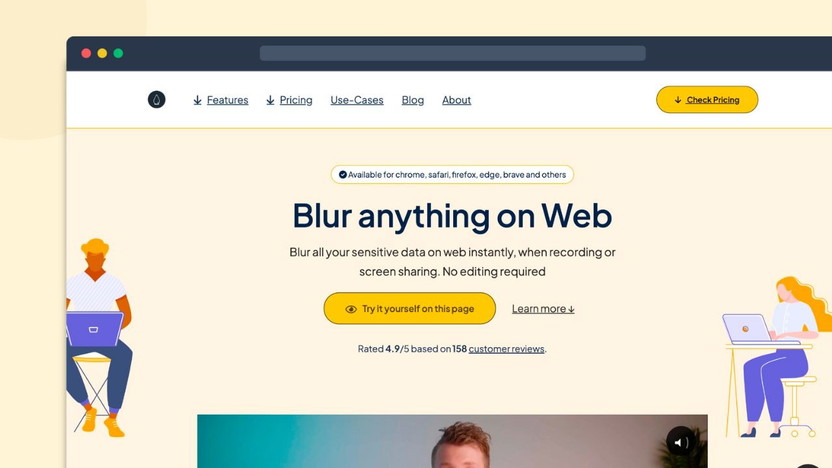
Credit: appsumo.com
Frequently Asked Questions
What Is Blurweb App?
Blurweb App is a tool that allows you to blur sensitive information on your screen during live presentations, recordings, or screenshots.
How Does Blurweb App Work?
Blurweb App works by providing a simple interface to select and blur any part of your screen. It’s easy to use and efficient.
Is Blurweb App User-friendly?
Yes, Blurweb App is designed to be user-friendly. Its intuitive interface ensures that anyone can use it without any technical expertise.
Can Blurweb App Be Used On All Devices?
Blurweb App is compatible with most devices and platforms. It works seamlessly on Windows, Mac, and Linux systems.
Conclusion
Blurweb App stands out for its simplicity and effectiveness. It ensures privacy with just one click. Its integration with popular tools like Google Meet and Zoom makes it versatile. With a 60-day money-back guarantee, trying it out is risk-free. Protect your data effortlessly during screen sharing. Explore Blurweb App here for more details.
